


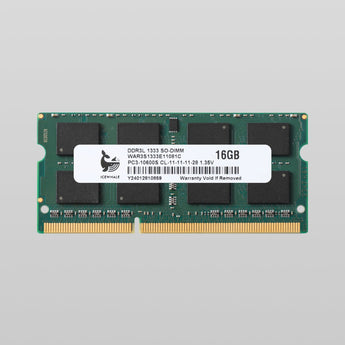


Features
- Built for ZimaBoard SE & ZimaBlade. A purpose-built 16GB DDR3L memory module for supported Zima devices.
- Upgrade from 8GB to 16GB. Replace the pre-installed RAM in your ZimaBoard SE 864 for more memory capacity.
- More Room for Your Apps. Get extra memory headroom for Docker containers, home server services, and multitasking.
- Low-Voltage DDR3L Memory. 16GB · 1333 MT/s · 204-Pin SO-DIMM · 1.35V.
Shipping
Ways to Pay


Couldn't load pickup availability
16GB DDR3L Memory - More Room for Your Zima Server
Your server can grow with your needs.
Whether you're upgrading a ZimaBoard SE 864 from 8GB to 16GB or expanding an original ZimaBlade setup, this purpose-built DDR3L memory module gives your server more room to run apps, manage services, and handle multiple tasks.
Designed for supported ZimaBoard SE and ZimaBlade devices, it offers a dedicated memory upgrade without replacing your entire server.
Why Upgrade to 16GB?
01 · Give Your ZimaBoard SE More Room to Grow
Already using a ZimaBoard SE 864 with 8GB RAM?
As you add more apps, background services, or Docker containers, you may find yourself needing additional memory.
Replace the existing 8GB module with this 16GB DDR3L RAM to give your setup more memory headroom, without purchasing another home server.
02 · Keep Your Original ZimaBlade Going
Still running an original ZimaBlade 3760 or 7700?
This 16GB DDR3L module is designed for compatible ZimaBlade configurations, whether you're completing a board-only build, moving up from 8GB, or replacing an existing module.
Keep building, experimenting, and self-hosting with the hardware you already own.
03 · Make More Room for Self-Hosting
From personal cloud services and file sharing to media libraries and Docker-based apps, memory plays an important role in how many tasks your server can comfortably handle.
With 16GB RAM, you have more flexibility to explore additional services and multitasking, especially when your existing 8GB configuration is reaching its memory limits.
Actual performance depends on your processor, storage, software, and workload.
Which Zima Devices Is It For?
| Device | Recommendation |
|---|---|
| ZimaBoard SE 864 (8GB RAM) | Recommended for upgrading to 16GB. Replace the existing 8GB module. |
| ZimaBoard SE 1664 (16GB RAM) | Already includes 16GB. This module is generally only needed as a replacement. |
| Original ZimaBlade 3760 / 7700 | Suitable for supported builds, upgrades, or memory replacement. |
| Original ZimaBoard / ZimaBoard 2 | Not compatible as a RAM upgrade. |

Important Compatibility Notice
This memory module is specifically designed for ZimaBoard SE and original ZimaBlade devices.
It is not intended as a universal memory upgrade for laptops, mini PCs, or other computers.
Even if another device uses a 204-pin DDR3L SO-DIMM slot, compatibility with a single 16GB memory module is not guaranteed. Support depends on the device's processor, memory controller, firmware, and memory configuration.
Technical Specifications
| Specification | Details |
|---|---|
| Capacity | 16GB |
| Memory Type | DDR3L |
| Data Rate | 1333 MT/s |
| Memory Standard | PC3L-10600S |
| Form Factor | SO-DIMM |
| Pin Count | 204-pin |
| Operating Voltage | 1.35V |
| Module Quantity | 1 × 16GB |
| Intended Devices | ZimaBoard SE and original ZimaBlade |
Frequently Asked Questions
-
Yes. ZimaBoard SE 864 comes with 8GB RAM pre-installed in a replaceable SO-DIMM slot. You can remove the existing module and install this compatible 16GB DDR3L memory module.
-
No. ZimaBoard SE and original ZimaBlade have a single SO-DIMM memory slot. You must replace the existing module rather than add a second one.
-
Not for a capacity upgrade. ZimaBoard SE 1664 already includes 16GB RAM pre-installed. This module would generally only be useful if you need a compatible replacement.
-
Compatibility with third-party laptops and mini PCs is not guaranteed, even if they use DDR3L SO-DIMM memory. This module is intended for supported ZimaBoard SE and original ZimaBlade devices.
For other hardware, please verify compatibility with the device manufacturer before purchasing.
-
Increasing RAM from 8GB to 16GB can improve responsiveness when your system is limited by available memory, particularly when running multiple apps or services.
However, adding more RAM does not increase CPU processing power, and actual performance improvements depend on your workload.
-
Replacing RAM does not normally erase files stored on your system drive. However, always shut down your device completely, disconnect the power supply, and follow proper installation precautions before replacing memory.
We also recommend backing up important data before making hardware changes.
Customer Reviews
I was using a spare 4GB RAM stick I had lying around. After upgrading to 16GB, my ZimaBlade feels like it’s flying compared to before!
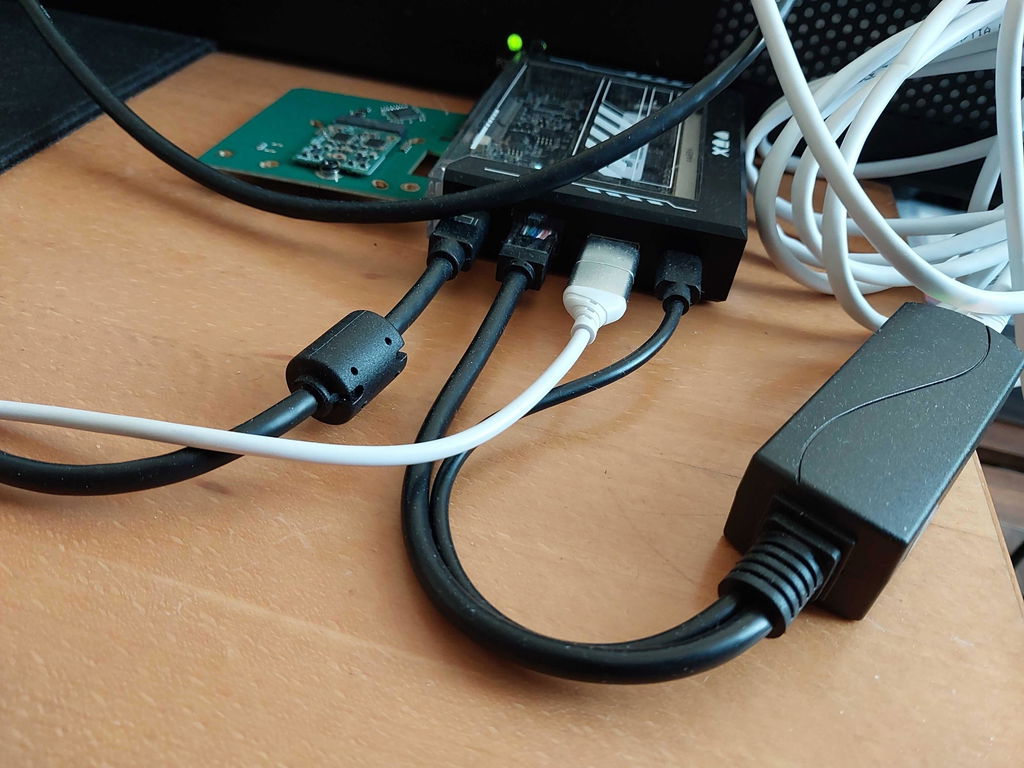
The USB-C port requiring an adapter that provides a 12V PDO but at the same time not playing nicely with USB-C docking stations is quite an eyesore.
If only it could run on 15V/20V (standard PD3.1 voltages) or have a DC jack.
È una semplice memoria DDR3
16GB DDR3L 1333 MT/s SODIMM Memory – Custom-Built for ZimaBlade
Love this for Spin-rite
Any sustained load results in temperate concern
Got the slowest of all possible 4 core CPUs
Would be great to set output resolution in bios AKA headless
Could do with a reset button to reboot without USB-C connector wear.
Reviews in Other Languages
C'est comme marcher pieds nus
16GB DDR3L 1333 MT/s (PC3L-10600S) 204-Pin SODIMM Memory
16GB DDR3L 1333 MT/s (PC3L-10600S) 204-Pin SODIMM Memory


