
Edycja Community ujawniała opcję wprowadzania licencji
W wątku z października 2025 r. członek zespołu IceWhale wyjaśnił, że instalacja ZimaOS nadal działająca w edycji Community powinna wyświetlać w Ustawieniach przycisk Uzyskaj Plus. Zamierzona ścieżka polegała na otwarciu tej opcji, wybraniu Mam kod i wprowadzeniu kodu aktywacyjnego. W odpowiedzi zaznaczono również, że po aktywacji kod pozostaje ważny bezterminowo.
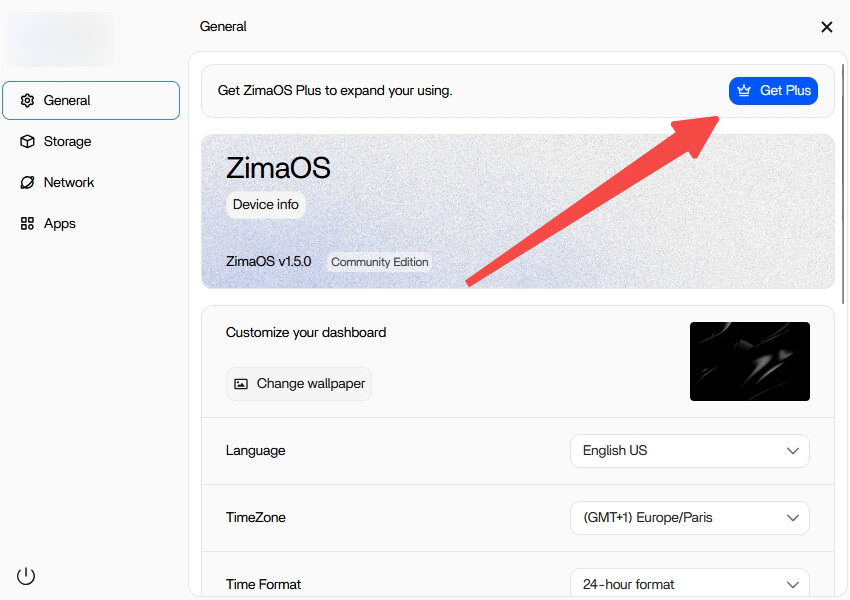
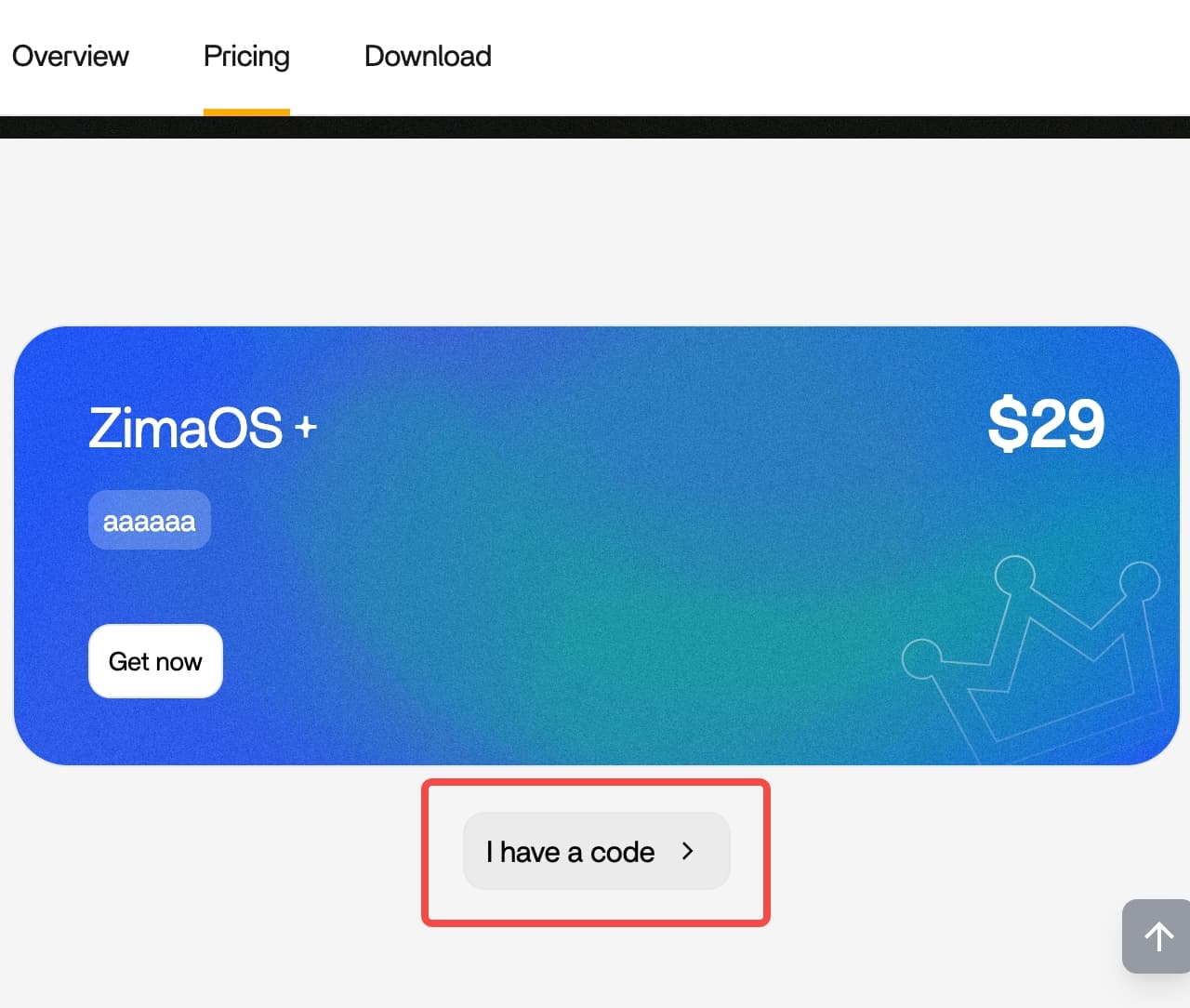
Automatycznie przyznany system Plus nie wyświetlał opcji Uzyskaj Plus
Autor pierwotnego wpisu zaktualizował wcześniejszą wersję ZimaOS i widział już stan Plus, dlatego przycisk pokazany w przykładzie był nieobecny. Członek zespołu wyjaśnił, że użytkownicy, którzy zaktualizowali system z wersji 1.4.x lub wcześniejszej do 1.5.0, automatycznie otrzymali korzyści Plus. W tej ścieżce na tym samym urządzeniu nie było już niczego do aktywowania.
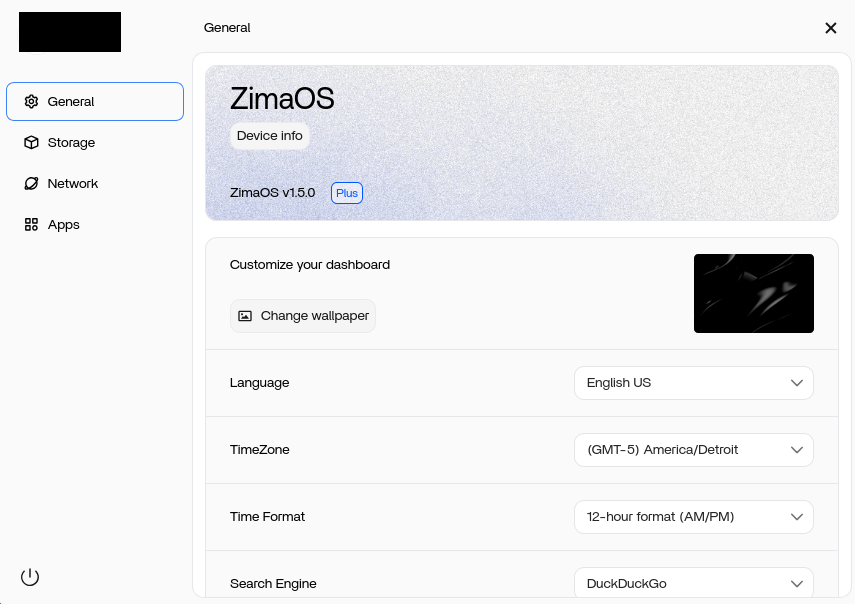
W przypadku osobno zakupionego dożywotniego kodu zespół zaproponował dwie możliwości: zachowanie go dla innego urządzenia albo poproszenie o zwrot pieniędzy, wysyłając wiadomość e-mail na adres shop@icewhale.org. Autor wpisu zdecydował się zachować zakup jako wsparcie dla projektu.
Wyświetlanie Plus nie zawsze oznaczało usunięcie wszystkich limitów
Kilku innych uczestników zgłosiło inny objaw: interfejs wyświetlał Plus, ale czwartego użytkownika lub piątego dysku nadal nie można było dodać. Jeden z użytkowników po świeżej instalacji poinformował również, że opcja Uzyskaj Plus przekierowywała do witryny zamiast wyświetlać pole do wprowadzenia kodu. Nie należy utożsamiać tych zgłoszeń ze stanem Plus przyznanym automatycznie autorowi pierwotnego wpisu.
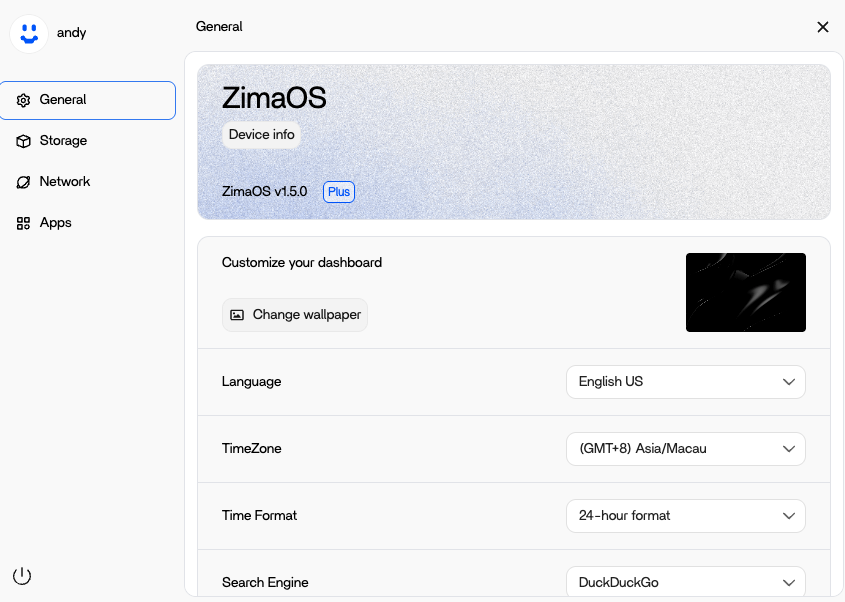
Wątek nie przyniósł jednego, zweryfikowanego rozwiązania dla każdej rozbieżności statusu. Jeden z uczestników poinformował, że reset systemu zmienił jego urządzenie z powrotem na edycję Community i przywrócił możliwość zakupu, ale reset usunął ustawienia oraz aplikacje kontenerowe. Było to obejście zgłoszone przez użytkownika, a nie oficjalna ogólna rekomendacja. Zespół zaprosił natomiast osoby, których dotyczył problem, do utworzenia osobnego zgłoszenia wraz ze zrzutami ekranu i nagraniami.
Granica wersji
Ta dyskusja dotyczy ZimaOS 1.5.0 w październiku 2025 r. Dokumentuje zachowanie aktywacji i sposób przyznania uprawnień po aktualizacji opisany w tamtym czasie. Nie określa interfejsu licencjonowania ani zasad przyznawania uprawnień w późniejszych wydaniach.
FAQ
Dlaczego brakuje przycisku Uzyskaj Plus?
W tym wątku przycisk był nieobecny, gdy urządzenie było już rozpoznawane jako Plus. System nadal oznaczony jako edycja Community powinien wyświetlać opcję Uzyskaj Plus oraz „Mam kod”.
Czy zakupionego dożywotniego kodu można użyć na innym urządzeniu?
W odpowiedzi członka zespołu IceWhale stwierdzono, że autor pierwotnego wpisu może zachować kod dla innego urządzenia. Zaproponowano również możliwość zwrotu pieniędzy za ten zakup.
Czy etykieta Plus potwierdza usunięcie wszystkich limitów?
Nie we wszystkich zgłoszeniach z tego wątku. Niektórzy użytkownicy nadal napotykali limity liczby użytkowników lub dysków, mimo że interfejs wyświetlał Plus, a ich przypadki nie zostały w pełni rozwiązane w ramach dyskusji.


