
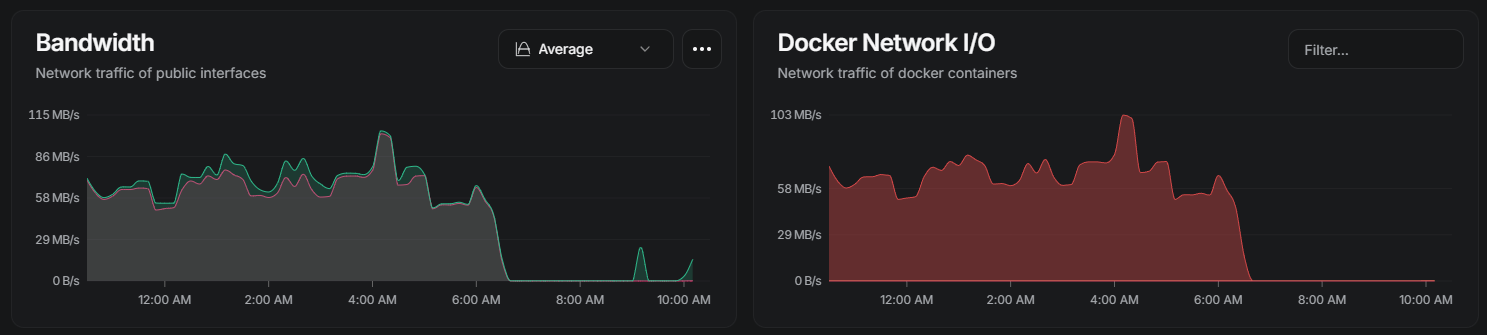
A Docker container that remains marked “running” but cannot be stopped is different from a normal qBittorrent application crash. In this February 2026 ZimaOS 1.5.4 report, qBittorrent worked for roughly three to six hours, network traffic then dropped to zero, and Docker could no longer stop or remove the container cleanly.
The original user tried multiple qBittorrent images and versions, changed memory and CPU allocations, restarted Docker, recreated the container, and still reproduced the same failure. Rebooting the ZimaOS host was the only action that cleared the stuck state.
The Container Looked Running After Activity Had Stopped
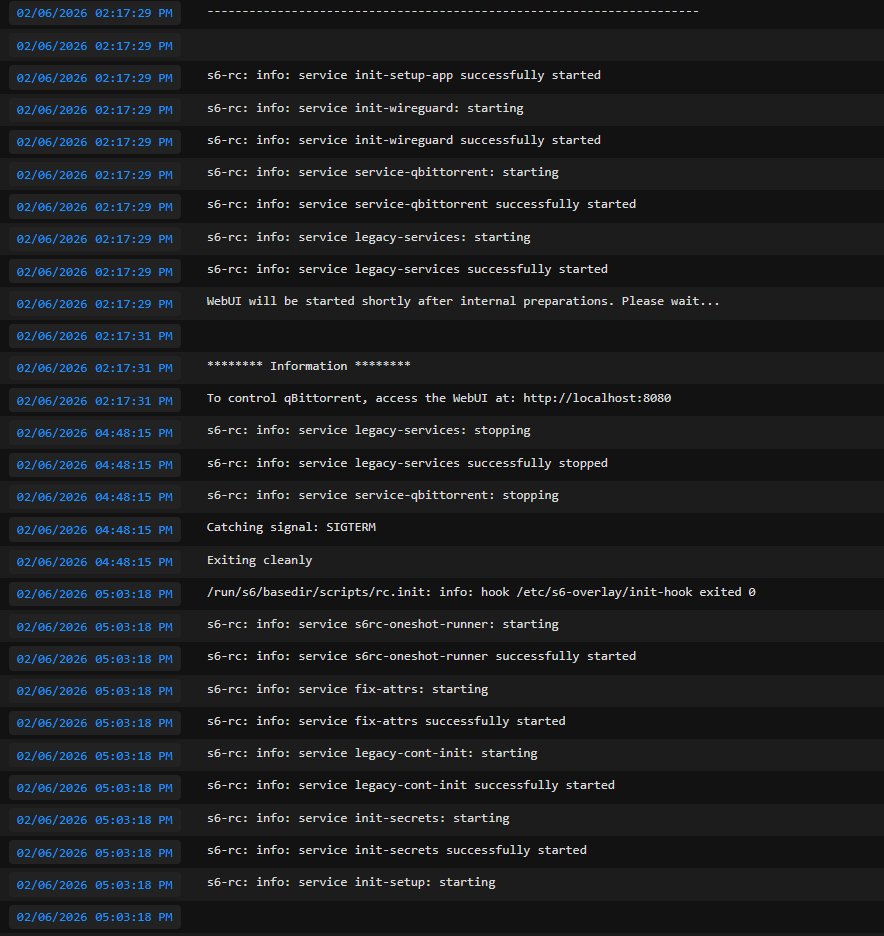
The Docker error reported by the user said that it tried to kill the container but did not receive an exit event. That points to a different layer than a normal process crash.
Network I/O Dropped to Zero When the Freeze Occurred
Community Analysis Pointed to Uninterruptible I/O Sleep
A community responder argued that the process was probably stuck in Linux D-state, an uninterruptible wait usually associated with I/O. The original poster then reported that even a direct SIGKILL did not make the process disappear, which is consistent with a process blocked inside the kernel.
This is a strong troubleshooting clue, but the thread never received an IceWhale engineering confirmation. It should therefore be described as a community diagnosis, not a proven ZimaOS kernel regression.
High Cache Usage Was Observed but Not Proven to Be the Cause
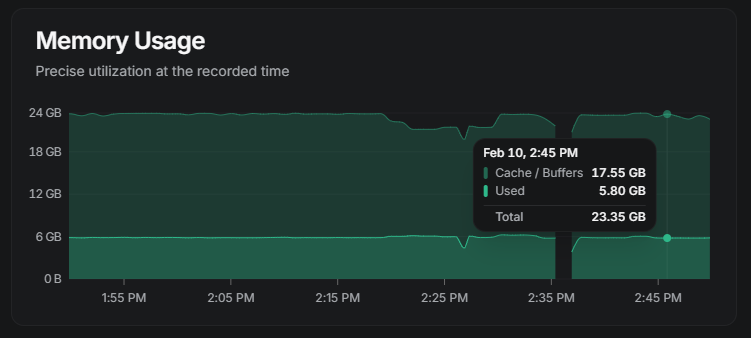
Linux normally uses otherwise free RAM for filesystem cache, so a large cache number is not automatically a memory leak.
Why Changing qBittorrent Images Did Not Settle It
The user reproduced the problem with multiple qBittorrent image variants and version tags. That weakens the theory that a single container image was responsible, but it still does not identify whether the trigger was storage, networking, virtualization, the kernel, Docker, or an interaction among them.
This Was a ZimaOS 1.5.4 Case
The failure belongs to a specific historical release. The thread contains no permanent fix and no test showing whether a later ZimaOS version removed the behavior. Before reproducing old low-level troubleshooting, compare your system with the current ZimaOS release.
qBittorrent Zombie Container FAQ
Was qBittorrent itself proven to be crashing?
No. The unusual part was that the process became unkillable while Docker still believed the container was running.
What does D-state mean in this context?
It is an uninterruptible kernel wait commonly associated with I/O. A community responder used it to explain why even forceful termination could fail.
Did restarting Docker solve it?
No in the source case. Only a full host reboot recovered the stuck process.
Did IceWhale confirm the root cause?
No. The original poster tagged the team for investigation, but the published thread ended without an official diagnosis or permanent fix.


