
ZimaBlade vs Intel N150 Mini PC: Server I/O or Modern Mini PC?
A role-based comparison that separates ZimaBlade's older x86 server-board design from the newer N150 mini-PC class and its complete enclosure.
Updated September 21, 2026
ZimaBlade 7700 vs N150 mini PC: Verdict and Best Use Cases
Start with the direct answer, then use the scenario matrix to see which NAS fits each workload.
A compact x86 storage board
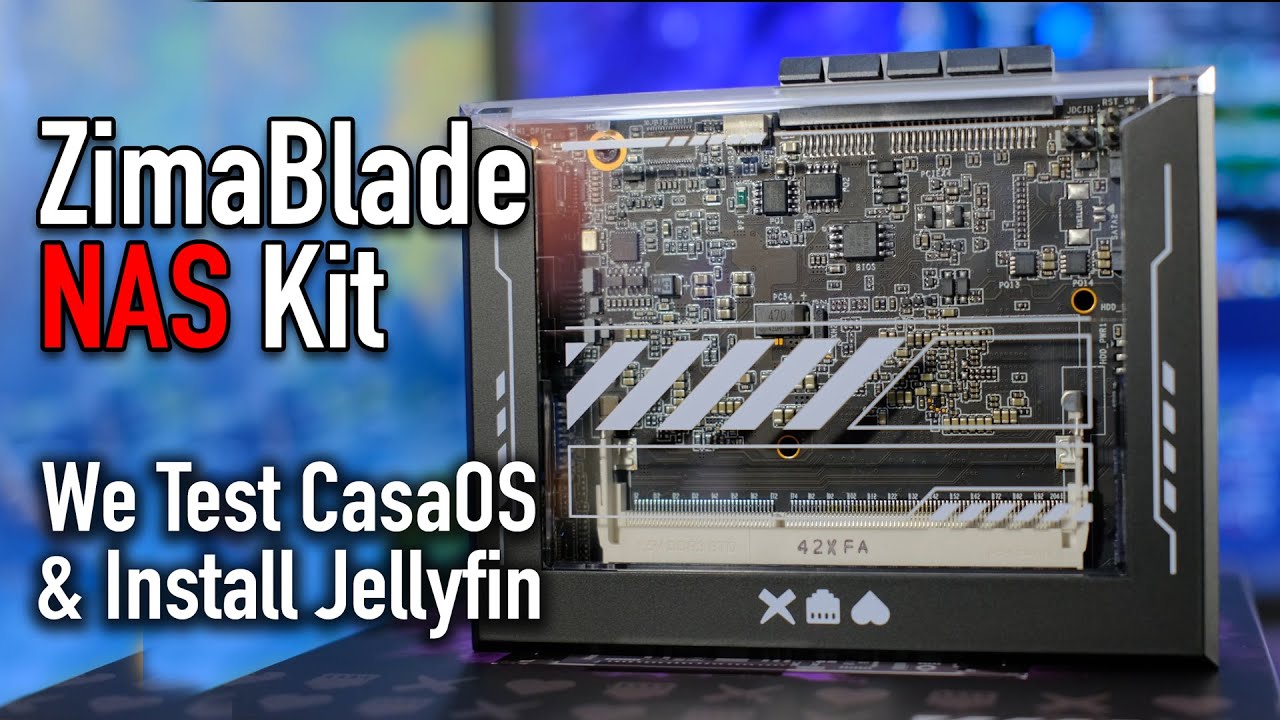
The ZimaBlade product page uses an Intel Atom x7-E3950, accepts up to 16GB DDR3L SO-DIMM memory, includes 32GB eMMC, and exposes two powered SATA ports, one Gigabit Ethernet port, Mini DisplayPort, USB, and a PCIe 2.0 x4 interface. It is a board for focused NAS, Docker, router, and maker-server builds rather than a finished mini PC.
A newer low-power mini PC
A representative Intel N150 mini PC pairs the four-core processor with 8GB, 16GB, or 32GB memory, an NVMe SSD, one or more display outputs, wireless networking, and an enclosed cooler. Exact Ethernet, SATA, and memory details vary by model, so the purchase must be checked at the motherboard level.
| Use Case | Better Choice | Why |
|---|---|---|
| A two-disk mirror with no USB bridge | ZimaBlade 7700 | Its two powered SATA connectors are part of the board's server layout. |
| A current desktop CPU and a ready chassis | Intel N150 Mini PC | The newer N150 platform is paired with an SSD, cooler, display ports, and wireless on typical models. |
| A PCIe NIC or storage controller | ZimaBlade 7700 | The board exposes PCIe 2.0 x4; most mini PCs do not expose a comparable add-in slot. |
| A Wi-Fi-first media endpoint | Intel N150 Mini PC | Wireless and integrated display outputs are normally included. |
| A predictable one-gigabit wired appliance | ZimaBlade 7700 | Its 1GbE port is explicit, while the mini-PC category varies by vendor. |
| A future multi-disk pool | ZimaBlade 7700 | Native SATA makes the storage plan clearer, although enclosure and cooling remain the buyer's responsibility. |
ZimaBlade 7700 vs N150 mini PC Specifications
The main table compares the closest standard configurations only, so higher-end SKUs do not distort the baseline comparison.
| Specification | ZimaBlade | Intel N150 Mini PC |
|---|---|---|
| Processor | Intel Atom x7-E3950, 4 cores, up to 2.0GHz | Intel N150, 4 cores, up to 3.60GHz |
| Memory | Up to 16GB DDR3L SO-DIMM | 8GB/16GB/32GB; platform-dependent |
| Boot storage | 32GB eMMC | Usually 256GB or 512GB NVMe SSD |
| Native SATA | 2 × powered SATA 3 | Model-dependent; often one bay or no SATA |
| Ethernet | 1 × 1GbE | Usually 1 × 2.5GbE |
| PCIe | PCIe 2.0 x4 | Usually internal or not exposed |
| Wireless | No onboard Wi-Fi listed | Commonly Wi-Fi 6 and Bluetooth |
| Display | Mini DisplayPort 1.4 | Often HDMI plus DisplayPort or USB-C |
| Thermals | Open-board deployment; owner supplies airflow | Enclosed active cooling; model-dependent |
Primary comparison baseline: Both sides use x86-64, but they are different generations and packages. ZimaBlade is an E3950 board with eMMC, two powered SATA ports, one 1GbE port, and PCIe 2.0 x4. The N150 mini-PC category is newer and usually arrives with NVMe, wireless, displays, and a matched enclosure.
Category-by-Category Comparison
What the specification differences mean for storage, networking, software, self-hosting, media, and local AI.
Native Storage Is the First Architecture Gate
ZimaBlade 7700 starts with 32GB eMMC and two powered SATA 3 ports. That supports a direct two-drive mirror or a separate boot-and-data layout without a USB bridge. The board does require an enclosure or mounting plan, so the storage advantage is physical rather than turnkey.
An N150 mini PC usually starts with an NVMe system SSD and a finished chassis. Some models add a 2.5-inch bay, but there is no universal two-drive layout; adding a redundant array may require USB or network storage.
Category verdict: ZimaBlade wins for directly attached SATA; the N150 mini PC wins for a ready system disk.
Low-Power Compute Has Different Practical Ceilings
The E3950 in ZimaBlade is an older four-core x86 processor capped at 2.0GHz, while N150 mini PCs use a newer four-core low-power platform up to 3.60GHz. That makes the N150 side the more natural choice for a desktop, media client, or newer general-purpose host.
ZimaBlade's practical advantage is not CPU speed. It is the explicit server I/O: powered SATA, one onboard 1GbE port, and an exposed PCIe 2.0 x4 path. Choose it when those interfaces determine the build.
Category verdict: N150 is the compute and desktop convenience choice; ZimaBlade is the storage-and-expansion choice.
Networking and Displays Serve Different Buyers
ZimaBlade has one 1GbE port and Mini DisplayPort. A PCIe NIC can extend networking, but that turns a simple board into a planned expansion project.
N150 mini PCs commonly provide 2.5GbE, Wi-Fi 6, HDMI, DisplayPort, or USB-C display output. Those features suit a desk, signage box, or one-link media host, but the exact port mix is model-specific.
Category verdict: Use ZimaBlade for a known wired server topology; use the N150 mini PC for wireless and display convenience.
Thermals and Ownership
An open ZimaBlade build requires decisions about mounting, drive heat, and any PCIe card. That effort is justified when the final server must expose particular storage or network interfaces.
The N150 mini PC includes its enclosure, cooler, memory, SSD, and power arrangement. It is faster to deploy, but the internal expansion ceiling and thermal behavior are fixed by the model.
Category verdict: N150 minimizes build work; ZimaBlade leaves more of the server design in the owner's hands.
Pros, Cons, and Which One Should You Buy?
Bring the important trade-offs and final buyer recommendations together in one decision section.
Treat the N150 as a Complete Computer, Not a Board Upgrade
N150 wins the generation and convenience discussion, but it cannot add ZimaBlade's powered SATA layout after purchase. Decide which physical interfaces must survive the first expansion before comparing processor names.
| Buyer | Recommended Model | Decision Rule |
|---|---|---|
| Two-drive backup server | ZimaBlade 7700 | Powered SATA keeps the storage path direct. |
| Finished desktop or kiosk | Intel N150 Mini PC | Included memory, SSD, wireless, and displays reduce build work. |
| PCIe card experiment | ZimaBlade 7700 | The exposed PCIe 2.0 x4 path is the deciding interface. |
| Single-link media host | Intel N150 Mini PC | The enclosed mini PC has newer integrated graphics, cooling, and display I/O. |
Bottom line: An N150 mini PC is the better modern micro-desktop and one-link service host. ZimaBlade 7700 is the more deliberate choice for a two-disk server or PCIe project, even though its E3950 is older and its onboard Ethernet is limited to 1GbE.
SKU Family: What Changes Above the Standard Models?
The head-to-head comparison stays focused on ZimaBlade 7700 and N150 mini PC. Higher-end variants are explained separately here.
Compare the Finished N150 Bundle With the Board BOM
N150 listings differ in memory, cooling, Ethernet, wireless, and internal drive support. ZimaBlade 7700 has a fixed board identity—E3950, up to 16GB DDR3L SO-DIMM, 32GB eMMC, two powered SATA, one 1GbE, and PCIe 2.0 x4—so compare the complete bill of materials rather than a processor badge.
| Configuration | What Changes | Who It Fits |
|---|---|---|
| ZimaBlade 7700 | up to 16GB DDR3L SO-DIMM, 32GB eMMC, two native SATA, one 1GbE | Compact wired server |
| N150 mini PC | N150, seller-dependent RAM/NVMe/SATA/Wi-Fi | Finished one-link computer |
Watch and Read More About ZimaBlade
Three creator videos and three related Zima articles add real-world context beyond the comparison tables.
Watch Creator Videos



Frequently Asked Questions
Long-tail buying questions, SKU questions, and query fan-out from the comparison.
ZimaBlade vs Intel N150 Mini PC FAQ
Does ZimaBlade include an NVMe SSD?
No. It includes 32GB eMMC and provides two powered SATA ports; PCIe storage is an expansion project.
Which has the faster onboard network port?
The mini-PC side generally has 2.5GbE, while ZimaBlade 7700 has one 1GbE port. A PCIe NIC can change the final ZimaBlade build.
Can ZimaBlade run Docker?
Yes, its x86-64 Atom platform can run compatible Docker workloads, subject to RAM, storage, cooling, and image requirements.
Is ZimaBlade a complete computer?
It is a server board. Plan the enclosure or mounting, power, cooling, storage drives, and any required adapters.
Which is better for a two-drive NAS?
ZimaBlade is usually the more direct choice because both SATA ports include drive power; the mini PC normally needs external storage hardware.
Can the mini PC replace ZimaBlade's PCIe card path?
Usually not as directly. Many mini PCs do not expose an open add-in slot, so verify the exact motherboard before assuming expansion.


