


배송
- Orders are usually arranged within 72 hours after payment (holidays excluded)
- Delivery to most countries takes around 8–10 business days
- Questions about the product or shipment? Contact shop@icewhale.org or reach us via the online chatbox
결제 방법


보증 및 지원
- 2 years for deliveries within the EU
- 1 year for all other regions
픽업 가능 여부를 불러오지 못했습니다
고성능 홈 또는 사무실 방화벽을 단 몇 분 만에 직접 구축하세요.
크리에이터, 셀프 호스팅 사용자, IT 전문가를 위해 고성능을 컴팩트한 크기에 담아낸 올인원 번들인 ZimaBoard 2 (832) 방화벽 키트로 네트워크를 직접 관리하세요.
구성품
-
ZimaBoard 2 - Intel N150 쿼드 코어 프로세서, 듀얼 2.5GbE 이더넷 포트, 듀얼 SATA III 포트, 8GB/16GB LPDDR5x RAM, 32GB/64GB eMMC, ZimaOS 사전 설치.
-
PCIe x4-4포트 2.5 G 이더넷 어댑터(Intel I226 칩셋) - ZimaBoard 2를 강력한 멀티포트 라우터 또는 방화벽으로 업그레이드하세요.
-
12 V / 5 A 전원 어댑터 - 안정적이고 효율적인 전원 공급.
-
SATA Y 케이블 - 로그 또는 로컬 저장 공간을 위한 간편한 HDD/SSD 확장.
-
쿨링 팬 - 네트워크에 최대 부하가 걸려도 시스템을 시원하게 유지합니다.
주요 장점
-
pfSense, OpenWRT, OPNsense, ZimaOS 등을 바로 실행할 수 있습니다.
-
고급 라우팅 또는 멀티 LAN 구성에 적합한 최대 4× 2.5 GbE 연결.
-
조용한 팬 보조 냉각으로 연중무휴 작동이 가능합니다.
-
컴팩트한 디자인으로 책상, 랙 또는 미니 랩 환경 어디에나 설치할 수 있습니다.
이런 용도에 적합합니다
- 홈 랩 방화벽 또는 라우터
- VPN 게이트웨이 또는 원격 접속 허브
- 보안 IoT 엣지 디바이스
- 네트워크 테스트 및 패킷 캡처
이제 ZimaBoard 2 832 및 1664 모델을 바로 배송받으실 수 있습니다. NAS 구성을 업그레이드해 보세요. 지금 미리 구매하고 ZimaBoard 2로 네트워크를 구동하는 첫 번째 사용자가 되어 보세요.
Customer Reviews
Used to run my selfhosted services with docker on my Synology NAS for years and decided I needed more powerful and dedicated hardware for this purpose with lower power consumption...
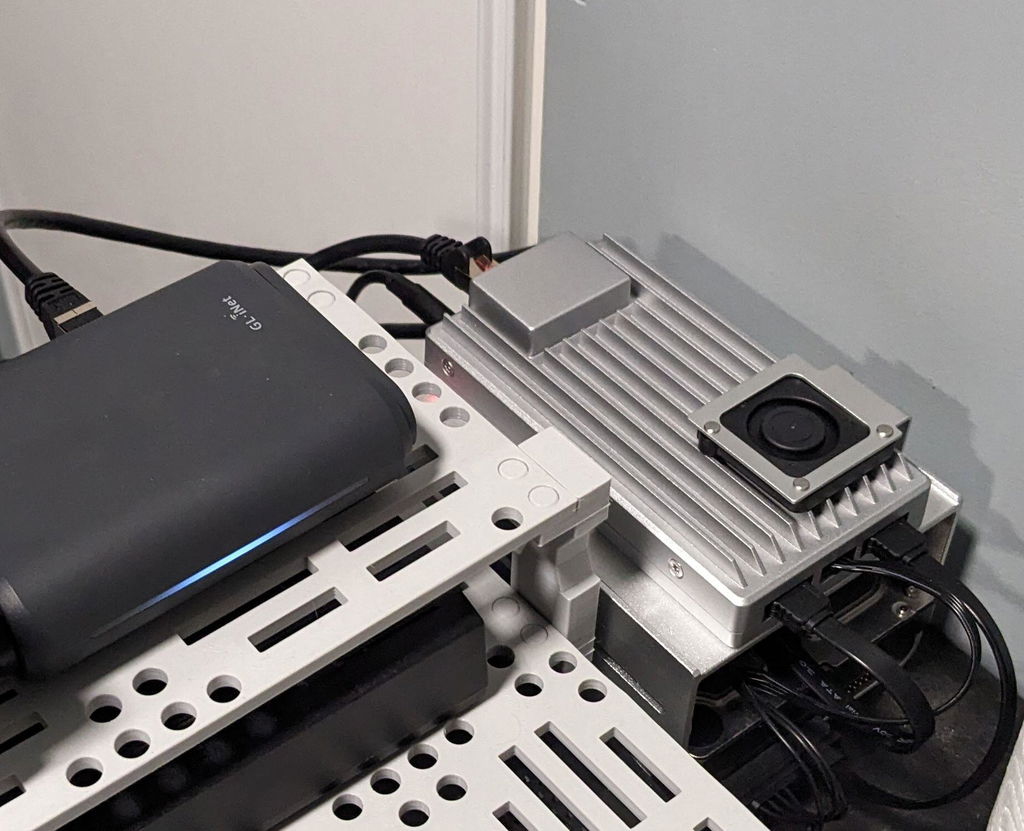
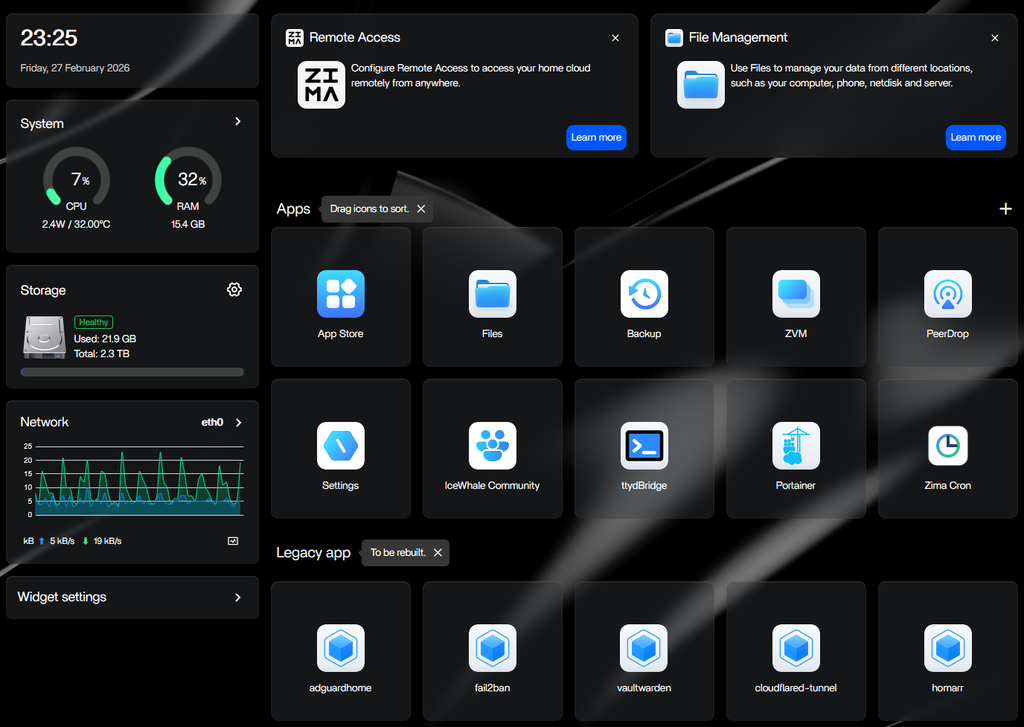
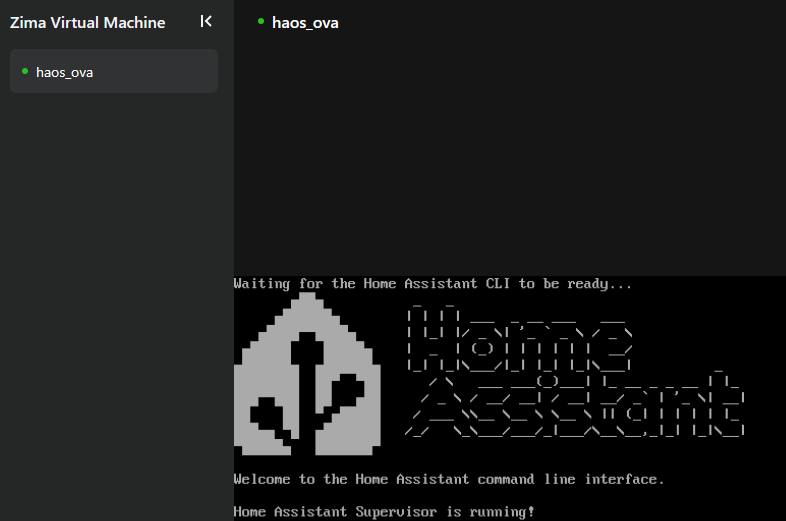
Now my Zimaboard 2 1664 (with 2TB 3.5" SATA HDD and 250GB 2.5" SATA SSD) is running my password manager, mediacenter, local DNS + adblocker, home assistant (fully managed in ZVM) and is much snappier than my 8 years old NAS and with very low power budget compared to my NAS.
Home Assistant and password manager are made available externally with cloudflare tunnel (cloudflared docker container).
Every container managed as stack in portainer (installed from the Zima appstore)
Perfect selfhosting device for me ... poweful but power efficient.
Not a single second of regret, would buy again (to build a cluster?).
Little trick/tip it you want your VM to auto start on zimaboard reboot ... can be achieved with the following commands in ttybridge :
sudo virsh list --all (to get your vm id/name)
then :
sudo virsh autostart (to set your vm to autostart when your zimaboard reboots)
Reviews in Other Languages
장바구니가 현재 비어 있습니다.
쇼핑 시작하기-

 ZimaBoard SE – 간편한 홈 서버 부터 $159.00 USD /
-

 ZimaBoard 2 - 큰 아이디어를 위한 미니 홈 서버 부터 $339.00 USD /
-

 ZimaCube 2 개인용 클라우드 홈 NAS 부터 $799.00 USD /


