
Server per la serata film di Halloween: come ospitare la tua libreria di streaming locale


Una serata di film di Halloween è più semplice quando film, sottotitoli e playlist sono pronti prima dell’arrivo degli ospiti. Invece di cercare su diverse app di streaming, un server multimediale locale ti permette di organizzare i film che possiedi legalmente in una libreria privata e riprodurli tramite Jellyfin o Plex su televisori, laptop, tablet e altri dispositivi in tutta la casa.
Da Dove Provengono le Tradizioni della Notte di Film di Halloween?
Halloween si è sviluppato da una miscela di tradizioni stagionali, religiose e popolari. La festa è comunemente associata al antico festival celtico di Samhain, che segnava la fine dell’estate e l’inizio della parte più oscura dell’anno. Falò, costumi, raduni e storie sugli spiriti sono diventati legati alla stagione.
Le osservanze cristiane hanno influenzato anche la festa moderna. La sera prima della Festa di Tutti i Santi divenne nota come Vigilia di Tutti i Santi, un nome che poi si è evoluto in Halloween. Con il cambiamento della celebrazione, le vecchie usanze si sono mescolate a feste, eventi di quartiere, decorazioni, costumi e dolcetto o scherzetto.
I film horror si adattano a questa tradizione perché trasformano storie spaventose in un’esperienza condivisa. La televisione sostituisce il focolare, mentre il gruppo può godersi il suspense in una stanza familiare e sicura. Questo rende una maratona di film casalinga una versione moderna naturale del radunarsi per ascoltare storie di fantasmi.
Cosa Guardare la Notte di Halloween?
Scegli la programmazione in base alle persone presenti piuttosto che i titoli più spaventosi disponibili. Considera l’età, la tolleranza alla violenza, la durata del film e se la serata dovrebbe essere giocosa, nostalgica, atmosferica o davvero spaventosa. Controlla le valutazioni e le indicazioni sui contenuti prima di aggiungere un film a una playlist familiare.
Selezioni per Famiglie e Più Leggere
Per bambini, gruppi di età mista o un inizio anticipato, considera:
-
È la Grande Zucca, Charlie Brown
-
Hocus Pocus
-
Hotel Transylvania
-
La Famiglia Addams
-
Nightmare Before Christmas
-
Coraline
-
ParaNorman
Questi film possono creare un’atmosfera di Halloween senza rendere la prima parte della serata troppo intensa. Un titolo per famiglie funziona bene anche durante la cena, quando gli ospiti potrebbero ancora arrivare e chiacchierare.
Selezioni Horror Classiche e Moderne
Per una sezione classica, scegli film riconoscibili come Dracula, Frankenstein, Psycho, Night of the Living Dead, Alien, Halloween o The Thing. Opzioni più recenti potrebbero includere Get Out, The Witch, A Quiet Place, The Babadook o It Follows.
Costruisci un programma breve invece di presentare l'intera libreria. Un ordine pratico è un film di apertura più leggero, una commedia horror o un mistero, e un film principale più tardi la sera. Puoi anche creare collezioni come Mostri Classici, Case Infestate, Creature, Commedia Horror, Horror Psicologico e Film più brevi di 100 Minuti.
Come si organizza una libreria locale di film horror?
Una configurazione base di streaming locale necessita di un dispositivo per eseguire il server, spazio di archiviazione per i film, Jellyfin o Plex, e un dispositivo di riproduzione connesso alla stessa rete domestica. Il server può essere un desktop di riserva, un server domestico compatto o un NAS. Non deve necessariamente stare accanto al televisore.
Inizia usando cartelle e nomi di file coerenti:
Film/
├── Alien (1979)/
│   └── Alien (1979).mkv
├── Coraline (2009)/
│   └── Coraline (2009).mp4
└── The Thing (1982)/
    └── The Thing (1982).mkv
Includere l'anno di uscita aiuta il software a distinguere remake e film con nomi simili. Rimuovi tag di download casuali e etichette dei dispositivi. Quando esistono diverse versioni, identifica la versione come teatrale, estesa, restaurata o un'altra edizione accurata.
Tieni i file dei sottotitoli accanto al film corrispondente:
The Thing (1982).mkv
The Thing (1982).en.srt
The Thing (1982).en.forced.srt
Dopo aver scansionato le cartelle, controlla il poster, il titolo, l'anno, la durata, la valutazione, la descrizione, i sottotitoli e le tracce audio. Correggi i metadati errati prima di creare le collezioni finali di Halloween.
Per una piccola libreria, le collezioni manuali sono di solito sufficienti. Un progetto più grande può aggiungere strumenti di ricerca e raccomandazione. Un esempio mostra come costruire un motore di raccomandazione per film horror che risponde a richieste in linguaggio naturale. Un ospite potrebbe chiedere un film di vampiri breve, una storia di fantasmi senza violenza grafica o una commedia horror molto apprezzata.
Aggiungi solo media che possiedi o per i quali sei autorizzato a conservare e riprodurre. Un server multimediale locale organizza i file e li invia ai tuoi dispositivi; non fornisce il permesso di scaricare o distribuire film protetti da copyright.
Come si trasmettono film in streaming con Jellyfin o Plex?
Jellyfin e Plex possono entrambi scansionare le cartelle di film e presentarle come una libreria di streaming navigabile con poster, descrizioni, collezioni, progresso di visione e profili utente. La scelta migliore dipende meno da un lungo confronto di funzionalità e più da quale applicazione funziona in modo affidabile con i televisori e i dispositivi di riproduzione già presenti in casa.
Jellyfin vs. Plex
Jellyfin è gratuito e open source, con un’enfasi sull’auto-ospitazione e il controllo di una libreria personale. È una scelta pratica quando la famiglia vuole principalmente accesso locale ai propri film ed è a suo agio nella gestione del server.
Plex offre un’esperienza raffinata basata su account e app per molte televisioni comuni, box di streaming, telefoni, tablet, computer e console di gioco. Alcune funzioni possono dipendere dall’app, dall’account o dall’abbonamento, quindi conferma qualsiasi funzione importante prima di organizzare l’intera serata cinema attorno a essa.
Installa il software del server in anticipo e aggiungi qualche film di prova. Confronta la navigazione, il comportamento del telecomando, il supporto dei sottotitoli e la compatibilità audio sulla televisione principale prima di decidere quale piattaforma ospiterà l’intera libreria.
Testa la configurazione esatta di riproduzione
La riproduzione diretta avviene quando il dispositivo ricevente supporta i formati video, audio e contenitore del film. Il server trasferisce principalmente il file originale, quindi la richiesta di elaborazione è solitamente inferiore.
La transcodifica avviene quando il server deve convertire video, audio o sottotitoli durante la riproduzione. Può essere causata da un codec non supportato, una traccia surround incompatibile, sottotitoli che devono essere integrati nell’immagine o una connessione che non può trasmettere il bitrate originale.
Prima che arrivino gli ospiti:
-
Riproduci un film completo sulla televisione principale.
-
Testa il file di qualità più alta nella libreria.
-
Attiva i sottotitoli che gli ospiti potrebbero usare.
-
Passa tra le tracce audio disponibili.
-
Avvia un secondo flusso su un altro dispositivo.
-
Metti in pausa, riprendi e salta il film.
-
Conferma che la versione corretta e il poster siano visualizzati.
-
Controlla lo spazio di archiviazione rimanente.
Usa Ethernet per il server quando possibile. I dispositivi di riproduzione possono rimanere connessi al Wi-Fi, ma un server cablato elimina una possibile fonte di instabilità. Evita aggiornamenti importanti del sistema operativo, Jellyfin, Plex o dello storage il giorno dell’evento.
Crea profili ospite invece di condividere l’account amministratore. Limita i bambini a una raccolta appropriata e impedisci ai visitatori di eliminare file o modificare le impostazioni del server. Tieni disponibile un backup testato di un film su un dispositivo che può connettersi direttamente alla televisione.
Quando ha senso un server multimediale dedicato?
Non è necessario un server dedicato per ogni festa di Halloween. Un computer di riserva e un disco esterno possono gestire una piccola libreria 1080p, specialmente quando la televisione supporta la riproduzione diretta e è attivo un solo flusso.
Un server multimediale separato diventa più utile quando la libreria si espande a film ad alto bitrate o 4K, serie televisive, versioni alternative, video di famiglia e diversi utenti simultanei. Inoltre, evita di lasciare acceso un laptop o desktop principale ogni volta che qualcuno vuole guardare un film.
Lo storage è spesso la prima limitazione. I grandi file video possono riempire rapidamente un disco esterno, mentre mantenere l'unica copia di una collezione accuratamente organizzata su quel disco crea un chiaro rischio di guasto. La ridondanza del disco può migliorare la disponibilità, ma i file importanti o difficili da sostituire necessitano comunque di un backup separato.

Per una libreria domestica a lungo termine, ZimaCube 2 media server può fornire lo strato di archiviazione e calcolo dietro Jellyfin o Plex. I suoi sei alloggiamenti per HDD offrono spazio per una collezione di film in espansione, mentre fino a quattro slot SSD possono supportare dati applicativi e uno storage attivo più veloce. Le opzioni con processore Intel, Thunderbolt 4 e rete multi-gigabit rendono possibile usare lo stesso sistema per backup domestici, foto e altre applicazioni self-hosted.
Il server dovrebbe rimanere dietro le quinte. Il suo scopo è ridurre la ricerca, il caricamento e la risoluzione dei problemi dell'ultimo minuto, così tutti possono scegliere un film, abbassare le luci e iniziare a guardare.
Conclusione
Una serata di film di Halloween di successo inizia con il pubblico, non con l'hardware. Scegli una selezione equilibrata, organizza chiaramente i file, testa Jellyfin o Plex sulla TV reale e prepara sottotitoli e un'opzione di backup prima dell'arrivo degli ospiti. Un computer di riserva può bastare per una notte, mentre un server dedicato diventa utile quando la collezione cresce in una libreria domestica di streaming tutto l'anno.
Domande frequenti
Jellyfin o Plex possono funzionare senza internet?
La riproduzione locale può funzionare su una rete domestica funzionante, ma i controlli degli account, i download dei metadati, l'accesso remoto o alcune funzionalità client potrebbero comunque dipendere da una connessione internet. Testa la configurazione prevista con internet disconnesso se la riproduzione offline è importante.
Ho bisogno di un computer potente per un media server?
Non sempre. La riproduzione diretta può funzionare su hardware modesto perché il server invia principalmente il file esistente. Potrebbe essere necessaria più potenza di elaborazione per la transcodifica ad alta risoluzione, l'audio non supportato, il rendering dei sottotitoli o più flussi simultanei.
Posso trasmettere film 4K via Wi-Fi?
Dipende dal bitrate del film, dalla potenza del segnale, dalla congestione della rete, dalla posizione del punto di accesso e dal dispositivo di riproduzione. Collega il server tramite Ethernet e testa il file 4K esatto prima dell'evento invece di affidarti solo alla velocità Wi-Fi dichiarata.
Un unico disco grande è sufficiente per una libreria di film?
Un singolo disco è semplice, ma rappresenta anche un punto di guasto unico. Conserva un'altra copia dei media importanti o difficili da sostituire. RAID o un'altra configurazione ridondante possono aiutare a mantenere il server disponibile dopo un guasto del disco, ma la ridondanza non è la stessa cosa di un backup separato.
Gli ospiti possono aggiungere film al server?
È più sicuro lasciare che gli ospiti suggeriscano i titoli mentre un amministratore importa e organizza i file. Permettere l'upload o la cancellazione aperta può creare duplicati, metadati errati, sottotitoli mancanti e perdite accidentali.

Prodotti consigliati

Centro Campagne Zima
Altro da leggere

Come Giorgio Cappello Di Paglia testa i videogiochi come se fosse il 1997 su ZimaBoard 2
Giorgio Cappello Di Paglia utilizza ZimaBoard 2 e Batocera per chiedersi se i giocatori moderni siano ancora in grado di adattarsi ai giochi progettati...
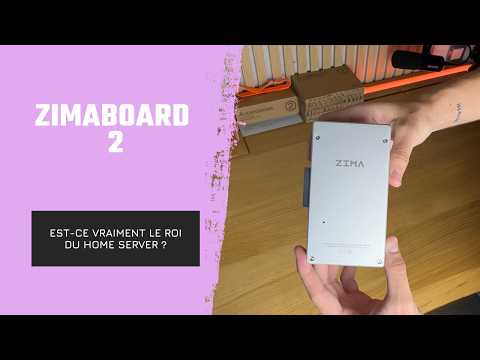
Come YOTECH valuta ZimaBoard 2 come server domestico compatto
YOTECH esamina ZimaBoard 2 come piattaforma compatta per server domestici, illustrandone l’involucro in alluminio con raffreddamento passivo, i cavi inclusi, la ventola opzionale, il...
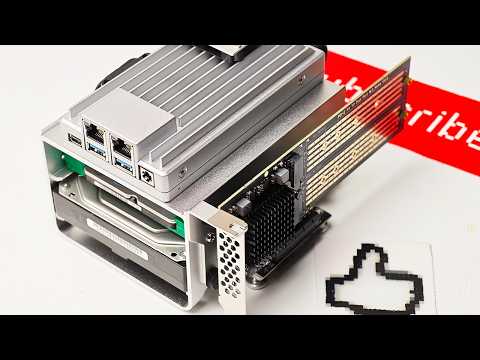
Come Arthur, dell’assistenza per hobby, gestisce i servizi di rete domestica su ZimaBoard 2
Arthur di Hobby Support Int. assembla un server domestico ZimaBoard 2 con archiviazione SATA, raffreddamento attivo ed espansione PCIe, quindi scopre come ZimaOS semplifichi...


