
Why Does Immich Background Work Spike After a Library Change?


Immich background work can spike after a library change because one filesystem or library event may fan out into scanning, metadata, derivative, and indexing jobs.
The important distinction is between a bounded wave of expected reprocessing and work that repeatedly revisits assets without a corresponding change. A folder move, external-library rescan, newly discovered files, or version-specific behavior can all produce similar CPU and queue graphs, so the library event must be tied to the exact jobs it created.
A Library Scan Is a Discovery Stage, Not the Whole Workload
A scan first reconciles what Immich can see on disk with what it already knows about the library. Discovering a new or changed asset can then make downstream outputs stale or missing, which creates additional work after the scan itself appears to finish.
A practitioner report on overlapping library scans describes a scan queue completing while thumbnail, facial, and other queues remained heavily populated. The useful mechanism is fan-out: a short discovery phase can create a much longer processing tail.
Read the queues in dependency order. If the library queue falls to zero while derived-work queues continue progressing, the server may simply be consuming jobs produced by the completed scan. Calling the whole period a repeated scan obscures which stage is actually using resources.
Path Changes Can Look Like New Asset Work
External libraries are especially sensitive to filesystem identity and path changes. When files are reorganized, the application may need to reconcile their new locations with stored asset state. Depending on the behavior of the version and library type, that can trigger more work than the number of genuinely new photos suggests.
A 2026 discussion about moved external files documents a case where reorganized paths were treated as new assets and led to renewed thumbnails, ML analysis, and video processing. That is a known limitation report, not a promise that every folder move behaves identically.
This explains why a library reorganization can be much more expensive than adding the same number of new photos. If the file paths and content have not changed, however, repeated full regeneration points toward a different condition and should be investigated rather than accepted as normal background behavior.
Downstream Queues Can Grow While Work Is Completing
A waiting count does not have to decrease monotonically. As one job finishes, it may make an asset eligible for another job or add more tasks to a later stage. During a large reconciliation, the server can therefore show active progress and a growing downstream queue at the same time.
The discussion of a thumbnail backlog notes that new thumbnail jobs can appear as other processing completes. It also illustrates a useful boundary: historical bugs and misconfigured import paths can create pathological loops, so a growing queue must be interpreted with version and path context.
Use completed-work counters and spot-check recent outputs, not only the waiting number. If thumbnails are appearing, completions rise, and the rate eventually overtakes new arrivals, the queue is draining even if its peak occurs after the original library scan has ended.

A Spike Is Abnormal When Work Has No Matching Change
Expected background load should be attributable to a defined event: new assets, a metadata refresh, a changed path, a model change, or an explicit regeneration action. The explanation weakens when the same old assets are repeatedly scheduled without a configuration or content change.
A recent report where one scan affected other libraries appeared to regenerate work across multiple external libraries shows why scope matters. Treat reports like this as version-bounded evidence to compare against your own logs rather than as baseline Immich behavior.
The mechanism also stops explaining a host that remains busy long after relevant queues are empty. In that case, check database maintenance, backups, another container, filesystem activity, or a stuck process. A library change should not become a catch-all explanation for unrelated sustained load.
Correlate the Change With a Before-and-After Job Map
Before a controlled library change, record asset count, the waiting and active counts for major jobs, CPU use, storage latency, and the last completed scan time. Add or move a small known cohort, run the same observation again, and note exactly which queues grow and how quickly they drain.
Use the ZimaSpace explanation of the Immich data path to assign each spike to discovery, processing, database, or storage rather than treating all background activity as one category.
Accept the spike when the generated work is proportional to the controlled change, outputs appear, failures stay bounded, and queues return toward baseline. Escalate when unchanged assets are repeatedly regenerated, the scope exceeds the edited library, or the same jobs fail without forward progress.

Recommended products

Tech & AI HUB
More to Read
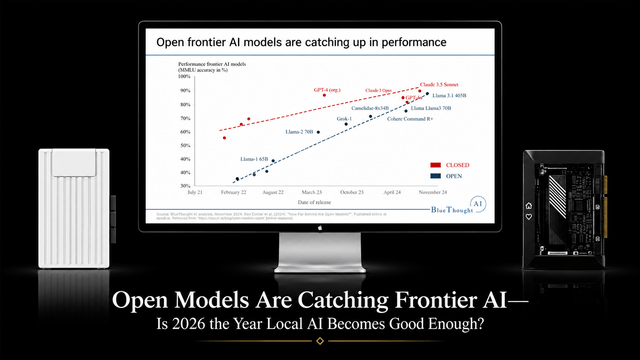
Open Models Are Catching Frontier AI—Is 2026 the Year Local AI Becomes Good Enough?
Open models are getting good enough for more local AI workloads, while frontier cloud models remain useful for the hardest reasoning and agent tasks.

NVIDIA PAIR Turns Your Home Network Into a Local AI Cluster—Do You Still Need One Big GPU Server?
NVIDIA PAIR spreads local AI requests across multiple PCs, making compute more elastic while one home server can keep data and state persistent.
Why Does Immich Feel Faster on LAN Than on Remote Connections?
LAN requests usually take a shorter, lower-latency path. Remote access adds WAN capacity limits and may add DNS, TLS, proxy, VPN, or relay hops.


