
Top 10 Open-Source Personal Cloud Solutions in 2026


A personal cloud sounds simple until you decide what you actually want to replace. Google Drive, Dropbox, iCloud, a shared family folder, and an encrypted private vault solve very different problems.
The best self-hosted option therefore depends less on which project has the longest feature list and more on which part of the cloud you want to own: storage, sync, sharing, collaboration, encryption, or the whole stack.
What Counts as an Open-Source Personal Cloud?
For this ranking, a personal cloud must give users meaningful control over their own files or personal data while remaining self-hostable and backed by publicly available source code under an open-source license.
That still leaves several very different architectures:
| Personal Cloud Type | Main Goal | Typical Examples |
|---|---|---|
| Full cloud suite | Files, calendar, contacts, office, apps, communication | Nextcloud, Cozy |
| File sync and share | Fast Dropbox-style synchronization and collaboration | Seafile, OpenCloud, ownCloud Infinite Scale |
| Privacy-first cloud | End-to-end encryption and minimal server trust | Peergos |
| Storage abstraction | One interface over local and object storage | Cloudreve, SFTPGo |
| Decentralized sync | Keep files synchronized without a central cloud account | Syncthing |
That distinction matters. Nextcloud and Syncthing can both keep personal files available across devices, but they are not substitutes in the same architectural sense.
Nextcloud

Server
  |
+-- Files
+-- Calendar
+-- Contacts
+-- Apps
+-- Sharing
+-- Office


Syncthing

Laptop
   ↕
Desktop
   ↕
NAS
   ↕
Home Server
How We Chose These Personal Cloud Platforms
This is an editorial ranking rather than a synthetic performance benchmark. Each project was evaluated around six practical questions:
- Is it genuinely self-hostable?
- Is an open-source server or core available under a recognized open-source license?
- Is the project still actively relevant in 2026?
- How well does it handle file access, sync, or sharing?
- Does it offer a meaningful advantage in collaboration, privacy, storage flexibility, or deployment simplicity?
- Can a home user reasonably run it on a NAS or home server?
Commercial editions do not automatically exclude a project. Nextcloud, Seafile, Pydio Cells, SFTPGo, and others all have commercial offerings, but an open-source self-hostable core remains available.
Top 10 Open-Source Personal Cloud Solutions at a Glance
| Rank | Solution | Main Focus | File Sync | Collaboration | E2EE Focus | Best For |
|---|---|---|---|---|---|---|
| 1 | Nextcloud | Full personal cloud suite | Yes | Excellent | Optional / app-dependent | All-in-one personal cloud |
| 2 | Seafile | High-performance file sync | Excellent | Good | Encrypted libraries | Large file libraries and sync |
| 3 | OpenCloud | Modern file management and collaboration | Yes | Strong | Not primary focus | Sovereign file cloud |
| 4 | ownCloud Infinite Scale | Scalable sync and share | Yes | Strong | Not primary focus | Modern scalable file platform |
| 5 | Cloudreve | Cloud drive over multiple storage backends | Web / client workflows | Moderate | Storage-dependent | Local + S3-style storage |
| 6 | Peergos | Encrypted private cloud | Yes | Private sharing | Excellent | Privacy-first users |
| 7 | Pydio Cells | Content collaboration | Yes | Strong | Not primary focus | Structured file workspaces |
| 8 | Cozy Cloud | Personal data hub | Yes | App-oriented | Not primary focus | Personal data and apps |
| 9 | SFTPGo | Protocol-first file cloud | Client-dependent | Basic sharing | Encrypted backend available | SFTP, WebDAV, and storage gateways |
| 10 | Syncthing | Decentralized file sync | Excellent | Limited | Encrypted transport | Simple private device sync |
1. Nextcloud — Best Overall Open-Source Personal Cloud

Nextcloud remains the broadest answer to the question, “What if I want to replace several cloud services rather than only Dropbox?”
Files are only the starting point.
Nextcloud
   |
+-- Files
+-- Photos
+-- Calendar
+-- Contacts
+-- Talk
+-- Office
+-- Notes
+-- Tasks
+-- External Storage
+-- App Ecosystem
The current Nextcloud Server remains AGPL-licensed and actively maintained, with the 34 release line introduced during 2026.
That breadth is why Nextcloud ranks first. A family can use it as a private drive and photo-upload target, while a small team can add shared calendars, contacts, document editing, calls, and other applications without replacing the core platform. One real-world build used Nextcloud on a self-hosted NAS to replace paid cloud accounts while keeping the storage under local control.
But the same flexibility creates its main trade-off.
A lightweight Nextcloud Files deployment can be modest. Add Office, Talk, previews, antivirus, full-text search, many PHP workers, and several simultaneous users, and the hardware and maintenance requirements change substantially. The Nextcloud hardware requirements are therefore better sized around concurrency and enabled services than around a single universal RAM number.
Best for: users who want one self-hosted platform for files plus broader personal-cloud and collaboration services.
Trade-off: it is the most complete platform here, but it is also one of the easiest to turn into a complex multi-service deployment.
2. Seafile — Best for Fast File Sync and Large Libraries
Seafile takes a more focused approach.
Its server core is published under AGPLv3, while different Seafile components use different open-source licenses. The project describes itself as an open-source cloud-storage system centered on privacy, teamwork, and separately synchronized libraries.
That “library” architecture is central to how Seafile thinks about files:
Seafile
   |
+-- Work Library
+-- Photos Library
+-- Project Library
+-- Archive Library

Each library can sync separately
Instead of trying to become a universal personal productivity OS, Seafile concentrates much more heavily on file synchronization and file organization.
Seafile 13 also shows that the platform is expanding without abandoning that core. Current 13.x documentation includes SeaDoc 2.0, whiteboards, a thumbnail server, metadata services, real-time notifications, and SeaSearch full-text search.
That makes Seafile particularly attractive for users with large project trees, source repositories, work folders, document archives, or other libraries that need reliable desktop synchronization.
Best for: users whose personal cloud is primarily a large, actively synchronized file library.
Trade-off: it does not aim to replace as many unrelated cloud applications as Nextcloud.
3. OpenCloud — Best Modern Sovereign File Cloud
OpenCloud is one of the most important newer projects in this category.
The project emerged from a 2025 fork of ownCloud Infinite Scale and has since developed independently under the OpenCloud name. OpenCloud's own community documentation describes the project as a continuation of that open-source foundation under Apache-2.0 and AGPL-3.0 licensing across its components.
The current core repository reached version 7.0 in 2026.
Architecturally, OpenCloud is notably different from the traditional PHP-and-database model many users associate with older personal-cloud platforms.
The backend is written largely in Go and does not require a conventional database for its metadata architecture. The core repository states that backend data is stored in the filesystem.
Traditional Cloud Stack

Web App
  |
Database
  |
Storage


OpenCloud

Services
  |
Filesystem-Native Metadata
  |
Storage
That does not automatically mean every OpenCloud workload is faster than every Nextcloud workload, but it does make the design philosophy very different.
OpenCloud focuses strongly on:
- file management;
- sharing;
- collaboration;
- open standards;
- digital sovereignty;
- on-premises deployment.
Best for: users and organizations interested in a modern, sovereign, file-centric cloud architecture.
Trade-off: Nextcloud still offers a much broader consumer and app ecosystem if your definition of personal cloud includes calendars, communication, and many third-party applications.
4. ownCloud Infinite Scale — Best Scalable File Sync and Share Platform
ownCloud Infinite Scale, usually shortened to oCIS, is the cloud-native generation of ownCloud's file platform.
The current stable documentation is on the 8.2 release line.
Infinite Scale is built as a collection of services and can run without requiring an external database or external identity provider for a basic deployment. The current source repository is Apache-2.0 licensed.
Its deployment story can span a relatively compact installation:
Single Host
   |
oCIS Services
   |
Local Storage
and much larger service-oriented infrastructure:
Load Balancer
     |
oCIS Services
     |
Distributed Infrastructure
     |
Shared Storage
The platform supports file sync and share, spaces, collaboration integrations, federated sharing, authentication services, notifications, and other service components.
Recent 8.x development also added areas such as dedicated Vault storage protected by MFA and administrative tooling for inspecting storage and search indexes.
Best for: users who want a modern sync-and-share architecture with a path from relatively small deployments toward larger service-oriented environments.
Trade-off: for a simple one-user home cloud, its architecture may be more infrastructure than necessary.
5. Cloudreve — Best for Mixing Local and Object Storage
Cloudreve approaches personal cloud from the storage side.
The project is GPLv3 licensed and remains actively developed, with the 4.16 release line shipping during 2026.
Its strongest feature is the ability to create one cloud-drive interface while assigning data to different storage policies.
Cloudreve
   |
+-- Local Filesystem
+-- S3-Compatible Storage
+-- Backblaze B2
+-- Cloudflare R2
+-- Other Object Storage
Current Cloudreve documentation includes S3-compatible providers such as Cloudflare R2 and Backblaze B2, allowing local capacity and object storage to coexist inside one cloud-drive architecture.
This is particularly attractive on a NAS where inexpensive local HDD capacity stores ordinary files while selected users, folders, or workflows can be directed to object storage.
Cloudreve also provides multi-user management, sharing links, previews, Web interfaces, and file-management features rather than acting merely as an rclone frontend.
Best for: users who want one personal-cloud interface across local disks and multiple storage backends.
Trade-off: a full production deployment can involve more supporting components than the compact Go-based application first suggests, especially when additional preview, database, cache, and media-processing services are enabled.
6. Peergos — Best Privacy-First End-to-End Encrypted Cloud
Peergos changes the trust model more radically than anything above it.
Instead of assuming the storage server should be trusted with plaintext data, Peergos builds around a peer-to-peer encrypted filesystem with fine-grained cryptographic access control.
User Device
    |
Encrypt Data
    |
Peergos Server
    |
Encrypted Blocks
    |
Local Disk / S3-Compatible Storage
The project states that file chunks are encrypted on the user's machine and that the server cannot infer normal filesystem relationships in the same way a conventional cloud server can.
It is also fully self-hostable. Current Peergos self-hosting guidance recommends at least two CPU cores and 2 GiB of RAM, and supports either a local file-backed block store or S3-compatible storage.
This means users can even place encrypted Peergos data on third-party object storage while keeping the provider outside the plaintext trust boundary.
Best for: users whose first requirement is cryptographic privacy rather than the largest application ecosystem.
Trade-off: privacy-first architectures introduce their own concepts, key-management implications, and sharing model. Users migrating from a conventional shared filesystem may need more time to understand how the system works.
7. Pydio Cells — Best for Structured File Collaboration
Pydio Cells sits closer to a content-collaboration platform than a personal Dropbox clone.
The core project is AGPLv3 licensed, and Pydio currently lists Cells 5 as the stable Home release for open-source home usage.
Its strengths include:
- file workspaces;
- sharing;
- users and access controls;
- metadata-oriented workflows;
- desktop synchronization;
- mobile access;
- structured content collaboration.
That makes it particularly relevant when the “personal cloud” is shared by more than one serious user:
Family / Studio / Small Team
           |
       Pydio Cells
           |
+----------+-----------+
|          |           |
Files   Workspaces   Sharing
Best for: families, studios, and small groups that need more structure around shared files than a simple sync folder provides.
Trade-off: a single user who only wants phone and laptop files synchronized may get more value from Seafile or Syncthing with much less platform overhead.
8. Cozy Cloud — Best Personal Data Hub
Cozy Cloud expands the definition of personal cloud beyond file storage.
The current Cozy Stack is distributed under AGPLv3 and acts as the server core for applications, authentication, document storage, jobs, data connectors, and synchronization.
Its model is closer to:
Personal Data
     |
  Cozy Stack
     |
+----+----+----------+
|         |          |
Files   Apps     Connectors
          |
      Imported Data
Cozy's application and connector architecture allows external personal data to be imported into a user-controlled environment rather than leaving every service isolated in a separate cloud account.
That makes it conceptually different from Seafile or OpenCloud.
Best for: users interested in a personal-data platform rather than only a self-hosted drive.
Trade-off: it has a smaller self-hosting mindshare than Nextcloud, and users primarily interested in file synchronization may find the broader data-hub architecture unnecessary.
9. SFTPGo — Best Protocol-First Personal File Cloud
SFTPGo is the technical user's personal cloud.
The Community Edition is AGPLv3 licensed and supports several server protocols:
- SFTP;
- HTTP/S;
- FTP/S;
- WebDAV.
It can then map users or virtual folders to several backends:
- local filesystem;
- encrypted local filesystem;
- S3-compatible object storage;
- Google Cloud Storage;
- Azure Blob Storage;
- other SFTP servers.
Laptop
Phone
Backup Client
WebDAV Client
SFTP Client
     |
   SFTPGo
     |
+----+----+------+------+
|         |      |      |
Local   S3     GCS    Azure
That makes SFTPGo especially useful for existing tools that already speak mature storage protocols.
It also avoids forcing every workflow through one proprietary-looking desktop-sync client.
Best for: technical users who want a secure personal file endpoint compatible with standard protocols and several storage backends.
Trade-off: it is a powerful file-transfer and storage gateway, not a complete Google Workspace-style personal cloud.
10. Syncthing — Best Decentralized Personal File Sync

Syncthing finishes the list by questioning whether you need a conventional cloud at all.
Syncthing is MPLv2 licensed and continuously synchronizes directories between explicitly trusted devices.
There is no requirement for one central cloud account:
Laptop
   ↕
Desktop
   ↕
NAS
   ↕
Home Server
If your real requirement is:
“I want my files on my own devices, and I want them to stay synchronized.”
that may be enough.
Syncthing also scales surprisingly far beyond tiny folders, although hardware requirements depend much more on file count, hashing, encryption, index size, storage I/O, and network topology than on raw terabytes alone. The Syncthing hardware requirements therefore become more relevant as repositories grow into millions of files or many active peers. A Syncthing home-server setup is especially useful when one always-on node keeps folders available between laptops, desktops, and storage devices.
Best for: users who want private device-to-device synchronization without maintaining a full cloud application suite.
Trade-off: there is no central Office suite, calendar, public-cloud-style portal, or rich collaboration layer.
Which Open-Source Personal Cloud Should You Choose?
| If You Want... | Start With | Why |
|---|---|---|
| A Google Drive-style all-in-one cloud | Nextcloud | Largest combination of files, apps, collaboration, and personal-cloud features |
| Fast Dropbox-style synchronization | Seafile | File synchronization remains the architectural priority |
| A modern sovereign file cloud | OpenCloud | Modern Go-based, database-free file platform |
| Scalable sync and share | ownCloud Infinite Scale | Service architecture with a path toward larger deployments |
| Local disks plus object storage | Cloudreve | Storage policies can abstract several backends |
| Strong end-to-end privacy | Peergos | Encrypted filesystem and reduced server trust |
| Structured shared workspaces | Pydio Cells | Content collaboration and access organization |
| A personal data platform | Cozy Cloud | Apps, connectors, and personal data rather than only files |
| SFTP and WebDAV access | SFTPGo | Standard protocols over local and cloud storage |
| Simple device-to-device sync | Syncthing | No traditional central cloud required |
Nextcloud vs Seafile: Which Personal Cloud Is Better?
This is one of the most useful comparisons because the two platforms start from different priorities.
| Area | Nextcloud | Seafile |
|---|---|---|
| Main philosophy | Full cloud suite | File sync first |
| Desktop file sync | Yes | Core strength |
| Calendar and contacts | Strong ecosystem | Not central |
| Office integration | Strong | Available through collaboration features |
| Application ecosystem | Large | More focused |
| Operational complexity | Can become high | More file-centric |
| Best fit | Personal cloud platform | Large synchronized file libraries |
Choose Nextcloud if files are one part of your personal cloud.
Choose Seafile if files are your personal cloud.
OpenCloud vs ownCloud Infinite Scale
This comparison is unusually relevant in 2026 because the two projects share technical ancestry but now evolve independently.
OpenCloud's own community history confirms that it began from a fork of ownCloud Infinite Scale in January 2025.
| Area | OpenCloud | ownCloud Infinite Scale |
|---|---|---|
| Origin | Fork of oCIS | Original Infinite Scale project |
| Main backend language | Go | Go |
| Traditional external database | Not required by core backend | Not required for basic deployment |
| Primary positioning | Sovereignty, file management, collaboration | Scalable sync, share, and collaboration |
| Current 2026 line | 7.x | 8.x |
| Open-source licensing | Apache-2.0 / AGPL-3.0 components | Core repository Apache-2.0 |
For home self-hosters, the difference may matter less than ecosystem maturity and deployment preferences. For organizations following digital-sovereignty projects in Europe, OpenCloud's direction makes the split much more strategically significant.
Nextcloud vs Peergos: Two Very Different Privacy Models
Self-hosting gives you control over the server, but it does not automatically remove the server from the trust model.
A conventional personal cloud generally looks like this:
Client
  |
HTTPS
  |
Server
  |
Files / Database / Apps
The connection is encrypted, but the server application normally needs access to usable data in order to provide its features.
Peergos aims for a different model:
Client
  |
Encrypt
  |
Server
  |
Encrypted Blocks
The server becomes much less trusted with plaintext content.
The trade-off is that advanced collaborative features become harder to implement when the server is deliberately prevented from understanding the user's data.
There is no universal winner.
Nextcloud prioritizes a feature-rich cloud platform.
Peergos prioritizes minimizing what the storage infrastructure can learn.
Self-Hosted Does Not Automatically Mean End-to-End Encrypted
Three security concepts are often confused.
HTTPS
User
  |
Encrypted Connection
  |
Server
HTTPS protects data while it moves across the network.
Encryption at Rest
Server
  |
Encrypted Disk / Storage
This helps protect stored data from someone who obtains the physical disk or storage layer without the necessary keys.
End-to-End Encryption
User Device
    |
Encrypt Data
    |
Server Stores Ciphertext
Here, the server does not normally possess the plaintext keys required to read the stored content.
These are different guarantees.
A self-hosted application may use HTTPS and encrypted disks while still requiring plaintext server access to provide search, previews, document editing, indexing, or server-side processing.
Can You Run a Personal Cloud on a NAS or Home Server?
Yes, and this is one of the strongest reasons to build a personal cloud rather than rent another storage subscription.
A typical home architecture looks like:
Internet
   |
Secure Remote Access / HTTPS
   |
Home Server
   |
Personal Cloud Container
   |
+------+--------+---------+
|               |         |
SSD App Data   HDD Files  Backup
Database       Photos     Snapshots
A ZimaOS home-server platform can provide the storage, Docker environment, persistent volumes, networking, and backup layer while the personal-cloud application runs above it.
An old laptop can become an always-on home server for lighter personal-cloud workloads, while a multi-drive NAS becomes more useful once the cloud holds large photo libraries, family backups, or several terabytes of synchronized data.
The application layer and storage layer do not have to be the same thing:
ZimaOS / Linux / NAS Host
          |
      Docker Apps
          |
+---------+-----------+
|         |           |
Nextcloud Syncthing Cloudreve
          |
      Storage Pool
How Much Hardware Does a Personal Cloud Need?
A personal cloud server can start with modest hardware. File storage alone is cheap; the expensive parts are usually everything added around it.
| Workload | Main Resource | Why It Grows |
|---|---|---|
| File sync | CPU + storage + network | Hashing, encryption, file count, active transfers |
| Database-backed cloud | RAM + SSD latency | Metadata, concurrent users, background jobs |
| Photo previews | CPU + storage | Thumbnail generation and media processing |
| Full-text search | CPU + RAM + index storage | Indexing large document collections |
| Office collaboration | RAM + CPU | Additional application containers and concurrent sessions |
| Large file archive | Storage capacity | Versions, trash, uploads, backups, and growth |
A small personal Nextcloud can be light, but enabling multiple collaboration services changes the sizing problem. Similarly, a modest Syncthing node may use very little memory while millions of indexed files put much more pressure on RAM and SSD metadata performance.
This is why hardware planning should begin with the workload rather than a generic claim such as “personal cloud needs 4 GB RAM.”
File Sync Is Not Backup
This matters whether you choose Nextcloud, Seafile, Syncthing, or another platform.
Delete File on Laptop
        |
      Sync
        |
Delete Reaches Server
        |
Delete Reaches Other Devices
Trash folders and version history can help, but synchronization is still not the same thing as an independent recovery copy.
A reliable 3-2-1 backup strategy treats the personal cloud as the working data layer while separate local and offsite copies provide recovery from deletion, ransomware, hardware failure, or disasters.
A better architecture is:
Personal Cloud
     |
Working Data
     |
+----+-------------+
|                  |
Local Backup    Offsite Backup
Your sync platform should make data convenient. Your backup system should make data recoverable.
How Should You Access a Personal Cloud Remotely?
Once the server leaves the LAN, networking becomes part of the cloud design.
Common approaches include:
- HTTPS through a reverse proxy;
- VPN access;
- Tailscale or another private overlay network;
- a supported cloud application's own secure remote-access layer.
For private family systems that do not need public sharing links, a mesh VPN can reduce how many services are exposed publicly. The Tailscale hardware requirements are typically far lighter than the personal-cloud workload itself unless the server is routing large amounts of traffic. Because LAN access and internet access fail for different reasons, remote home-server access should be tested as a separate network path.
If public links, WebDAV access, or browser login must work from anywhere without a VPN, configure HTTPS correctly and keep the application, reverse proxy, and authentication layer updated. With multiple containers behind one public endpoint, reverse proxy TLS becomes part of the personal-cloud security boundary.
Why File Browser Is Not in This List
File Browser would historically have been an obvious candidate for a list like this.
It provided a lightweight Web interface over a directory and was commonly used to create a simple browser-based personal file cloud.
That changed on September 1, 2026.
The File Browser repository now states that the project is archived, its final planned release has shipped, and there will be no additional releases, bug fixes, or security fixes.
The repository also notes known issue classes that will remain unresolved.
That makes it difficult to recommend for a new internet-accessible personal cloud, even though existing installations may continue to function.
This is exactly why current maintenance status matters more than historical popularity in self-hosting recommendations.
Other Personal Cloud Projects Worth Watching
The open-source personal-cloud space extends far beyond these ten projects.
Several categories are especially worth watching:
- smaller encrypted file clouds;
- object-storage-native personal drives;
- peer-to-peer synchronization systems;
- NotebookLM-style private knowledge clouds;
- photo-first clouds such as Immich;
- local-first productivity platforms;
- NAS interfaces that combine storage and application management.
Licensing deserves particular attention when evaluating smaller projects. “Source available” and “open source” are not automatically the same thing, especially when a project includes non-commercial restrictions or additional redistribution limitations.
The 2026 Personal Cloud Split: Suite, Files, or Privacy
The most useful trend is that personal clouds are no longer converging on one universal architecture.
They are splitting into at least three directions.
Suite-First Personal Clouds
Files
Calendar
Contacts
Apps
Office
Communication
     |
Personal Cloud Suite
Nextcloud and Cozy fit this model.
File-First Personal Clouds
Sync
Sharing
Workspaces
Storage
     |
File Cloud
Seafile, OpenCloud, ownCloud Infinite Scale, and Pydio Cells are closer to this model.
Privacy and Infrastructure-First Clouds
Encryption
Protocols
Storage Control
Peer Sync
     |
User-Controlled Data Layer
Peergos, SFTPGo, Cloudreve, and Syncthing represent different versions of this approach.
The question is therefore becoming less:
Which personal cloud has the most features?
and more:
Which layer of the cloud do you actually want to own?
Your Data
   |
Storage
   |
Sync
   |
Sharing
   |
Apps
   |
Identity
   |
Remote Access
   |
Backup
Final Verdict
Nextcloud is the best overall open-source personal cloud when the goal is to replace several cloud services with one self-hosted platform.
Seafile is the stronger choice when reliable file synchronization and large libraries matter more than a broad application ecosystem.
OpenCloud is one of the most interesting newer options in 2026, especially for users following sovereign file-management platforms and modern database-free architecture.
ownCloud Infinite Scale remains a serious scalable sync-and-share platform with a service-oriented design and a mature lineage.
Cloudreve stands out when local storage and object storage need to live behind one cloud-drive interface.
Peergos is the most distinctive choice when minimizing server trust and protecting content with end-to-end encryption matters more than having the largest collaboration ecosystem.
Pydio Cells fits structured file collaboration, while Cozy Cloud treats the personal cloud as a broader personal-data platform.
SFTPGo is the best protocol-first option for users who already work with SFTP, WebDAV, and object storage.
Syncthing remains one of the simplest answers when the real requirement is simply keeping private files synchronized across devices without creating a conventional cloud service at all.
The best personal cloud is therefore not necessarily the one that looks most like Google Drive. It is the one whose trust model, storage architecture, synchronization behavior, and maintenance burden match the data you actually want to control.
FAQ
What is the best open-source personal cloud in 2026?
Nextcloud is the strongest overall choice when you want files, sharing, calendars, contacts, Office integration, communication, and a large application ecosystem. Seafile can be a better fit when high-quality file synchronization is the primary requirement.
What is the best open-source alternative to Google Drive?
Nextcloud is the closest all-around alternative because it combines file storage and synchronization with sharing, mobile access, collaboration, Office integration, and a broad app ecosystem. OpenCloud and ownCloud Infinite Scale are stronger choices when the requirement is more specifically file management and collaboration.
What is the best self-hosted alternative to Dropbox?
Seafile is one of the strongest Dropbox-style choices because file synchronization is central to the platform. Syncthing is even simpler if you only need folders synchronized between your own devices and do not need a central cloud portal.
Is Nextcloud better than Seafile?
Nextcloud is broader; Seafile is more file-sync focused. Choose Nextcloud when you want a complete personal-cloud suite. Choose Seafile when large synchronized libraries and file workflows are the main priority.
What is the difference between OpenCloud and ownCloud Infinite Scale?
OpenCloud originated from a fork of ownCloud Infinite Scale in 2025 and now evolves independently. Both use modern Go-based service architectures, but OpenCloud emphasizes sovereign file management and collaboration while ownCloud Infinite Scale continues as the ownCloud sync-and-share platform.
Which personal cloud has the best privacy?
Peergos has one of the strongest privacy-first architectures in this list because it encrypts data on the user's side and is designed so the storage server mainly handles encrypted blocks rather than ordinary plaintext filesystem content.
Does self-hosting mean my files are end-to-end encrypted?
No. Self-hosting gives you control over the server, but the server application may still have plaintext access to data. HTTPS, encryption at rest, and end-to-end encryption are three different security properties.
Can I run Nextcloud on a NAS?
Yes. A NAS or home server with persistent storage, sufficient RAM, a database, HTTPS, and container or application support can host Nextcloud. Required resources depend heavily on users, apps, previews, Office, Talk, search, and other optional services.
Can I run a personal cloud on an old PC?
Yes for many workloads. Syncthing, SFTPGo, a modest Seafile deployment, or a small Nextcloud instance can run on relatively modest x86 hardware. Large photo libraries, many users, Office collaboration, and heavy search or preview workloads require more resources.
Is Syncthing a personal cloud?
Not in the conventional centralized sense. Syncthing is a decentralized continuous file-synchronization system. It can satisfy the core “my files should stay synchronized across my devices” requirement without providing a traditional cloud portal.
Is file synchronization the same as backup?
No. Synchronization can propagate deletions, corruption, and unwanted changes to other devices. Version history can help, but important personal-cloud data should still have independent local and offsite backups.
Why is File Browser not recommended anymore?
File Browser was archived on September 1, 2026. Its repository states that there will be no further releases, bug fixes, or security fixes, which makes it a poor choice for a new internet-accessible personal cloud deployment.

Tech & AI HUB
More to Read
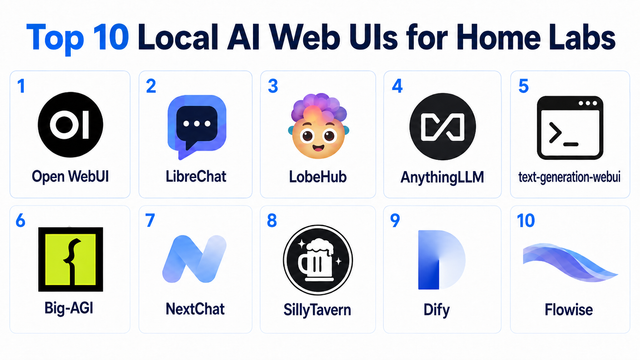
Top 10 Local AI Web UI for Home Labs In 2026
Compare 10 self-hosted local AI web UIs for home labs, covering Ollama support, RAG, agents, multi-user access, setup effort, and ideal use cases.
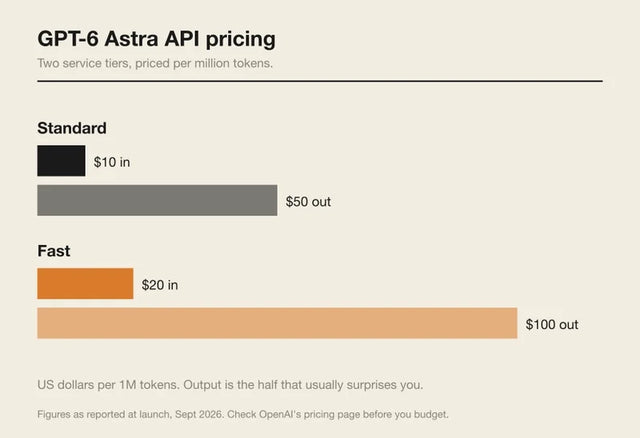
How Much Does GPT-6 Astra Cost Over Time? When Cloud AI Makes Sense vs Local AI
A practical GPT-6 Astra cost guide covering token usage, long-term AI workloads, cloud vs local tradeoffs, and why hybrid AI infrastructure matters.
GPT-6 Astra vs Local AI: Which Parts of an Agent Should Stay on Your Home Server?
GPT-6 Astra can stay in the cloud while your home server keeps files, memory, RAG, tools, permissions, and durable agent state local.


