
What Is Perplexity Portable Computer? How Local-First AI Agents Keep Work on Your PC


Perplexity Portable Computer matters less because it can run a 27B model locally and more because it moves the agent runtime itself onto the user's machine. Perplexity says the orchestrator, planner, tool router, scheduler, durable task queue, and local search index all run on-device. The agent can read local files, search documents and code, take actions on the computer, and keep long-running jobs alive without making a cloud model the default control layer.
That changes the local AI question. Instead of asking only whether a model fits in RAM or VRAM, the more important question becomes where the agent's files, search index, task state, tools, permissions, and working environment should live. Portable Computer is also local-first rather than local-only: it can request permission to use web search, connected apps, or frontier cloud models when a task needs capabilities the local stack cannot provide. The result is a useful blueprint for a hybrid AI architecture in which the user owns the persistent local layer while cloud intelligence becomes an optional resource.
What Is Perplexity Portable Computer?
Perplexity Portable Computer is a local-first version of Perplexity Computer introduced on August 25, 2026. Instead of sending every task through a hosted agent runtime, it runs the core agent system on a local machine.
In the official Portable Computer announcement, Perplexity describes a system that can analyze local data, synthesize files, run workflows, search local content, and execute device actions without making cloud execution the default.
The distinction is easier to see by separating the model from the agent around it.
| Layer | Typical Cloud Agent | Portable Computer |
|---|---|---|
| Model inference | Cloud by default | Local model by default |
| Orchestrator | Hosted | Local |
| Planner | Hosted | Local |
| Tool routing | Hosted | Local |
| Task queue | Hosted | Local |
| Search index | Often hosted | Local |
| Local files | Usually uploaded or exposed through a connector | Read directly on the device under controlled access |
| Frontier reasoning | Cloud is the main environment | Optional cloud escalation |
The defining change is therefore not simply that one LLM moved from a server to a desktop. The orchestration layer moved with it.
That turns Portable Computer into something closer to a local agent operating environment than a conventional local chatbot.
What Actually Runs Locally in Portable Computer?
Perplexity explicitly identifies six major components that run on-device: the orchestrator, planner, tool router, scheduler, durable task queue, and local search index. Those components are important because an agent does much more than generate the next token.
The orchestrator decides how the overall job should proceed. If a user asks the agent to review a folder of reports, compare them with project notes, prepare an output, and send a summary later, there may be many individual operations between the request and the result.
The planner breaks that job into manageable steps. The tool router decides whether a step needs file access, local search, code execution, an application connector, or another capability. The scheduler determines when jobs should execute, while the durable task queue gives longer-running work somewhere to persist instead of assuming that every task ends with one chat response.
This is the key difference between an agent and a chatbot. A chatbot can wait for the user's next message. An agent may still be processing files, waiting for another action to finish, retrying a failed tool call, or returning to a task later.
Portable Computer currently supports Qwen3.8-27B and Perplexity's PPLX 27B on its launch hardware. Readers interested specifically in the memory requirements of the underlying Qwen model can use our guide to running Qwen3.8-27B on consumer hardware.
But the model is only one interchangeable component. The more consequential architectural idea is that planning, routing, search, task persistence, and local actions no longer have to live beside a cloud model.
How Does Portable Computer Decide When to Use the Cloud?
Portable Computer is local-first, not necessarily offline-only. That distinction is essential for understanding the product accurately.
Perplexity says the local model is trained to complete as much of a task locally as possible. When a job requires something the device does not have—such as current web information, browser access, a connected application, or stronger frontier reasoning—the local orchestrator can escalate that part of the workflow.
A simplified decision path looks like this:
User task
   |
   v
Local orchestrator
   |
   +-- Can local model + local tools finish it?
   |        |
   |        +-- Yes --> Complete locally
   |
   +-- No
          |
          +-- Needs current web information?
          +-- Needs connected application?
          +-- Needs browser action?
          +-- Needs frontier reasoning?
                    |
                    v
             Ask for permission
                    |
                    v
          Use approved cloud capability
                    |
                    v
          Return result to local workflow
Perplexity says Portable Computer can access its search capabilities, wide or deep research, connected apps, and more than 15 frontier models when needed. It also says that when content from the device needs to be sent to a cloud service, the system asks the user for permission first.
This produces a very different relationship with cloud AI.
The cloud becomes a capability the agent can request rather than the environment the agent permanently lives inside.
That hybrid model is particularly useful for private work. A local agent might analyze confidential documents on-device, but still ask a cloud search service for current market information that does not require sending the confidential source material itself.
How Does Portable Computer Use Local Files and Search?
A useful private AI agent does not need to squeeze every document into the model's context window. It needs controlled access to files plus a way to find relevant information when a task asks for it.
Portable Computer can read local files and search across documents and code. Its local search index also remains on the device. That separation matters because local AI becomes much more useful once private data is treated as a persistent knowledge layer rather than something manually uploaded for every conversation.
A simplified local knowledge workflow looks like this:
Local Files
    |
    v
Local Search / Index
    |
    v
Relevant Documents
    |
    v
Local Agent
    |
    v
Model Context
    |
    v
Answer / Action / Output
The model therefore does not have to "remember" an entire filesystem. It can retrieve the files or passages relevant to the current job.
This is closely related to the architecture we use when discussing separating local AI compute from long-term NAS storage. The compute machine handles active inference and agent work, while persistent documents, embeddings, outputs, and backups can live on a storage layer designed to remain available for years.
The distinction becomes more important as agents generate their own artifacts. A mature workflow may contain source documents, embeddings, code repositories, output files, task logs, reports, image assets, transcripts, and snapshots. The AI model is no longer the only thing that needs storage.
Where Does Agent Memory Live in a Local-First System?
Searchable files are one form of persistent context, but long-running agents eventually need something closer to memory: records of previous work, project history, notes, discoveries, decisions, and task state that survive beyond one prompt.
Portable Computer's launch already confirms local search and a durable task queue, but it is important not to claim that every component of Perplexity's broader memory architecture has simply been moved onto the DGX Spark.
Separately, Perplexity has published detailed work on its agent memory architecture called Brain. That system is useful for understanding where the company's broader thinking is heading.
Brain treats persistent agent context as a filesystem rather than trying to force a user's entire history into every prompt. Its memory structure includes:
| Memory Layer | Purpose |
|---|---|
knowledge/ |
Synthesized wiki pages connecting projects, entities, concepts, and learned information |
notes/ |
Distilled snippets organized by topic |
sessions/ |
Indexes, summaries, and histories of past agent sessions |
The broader lesson is more important than the exact directory structure: agent memory is becoming durable data.
Models can be upgraded. A local Qwen model might be replaced by another open model six months later. The GPU can be replaced. Even the agent framework can change. But project documents, task history, learned context, indexed files, and previous outputs may need to survive all of those changes.
That makes the persistent data layer increasingly important in local AI architecture.
How Does Portable Computer Keep Local Agent Actions Safer?
Running an agent locally does not automatically make it safe. In fact, a capable local agent may have access to more useful—and therefore more dangerous—resources than a simple cloud chatbot.
An agent that can read files, run tools, edit code, call applications, or execute commands needs boundaries around what it can touch. Perplexity says code and tool execution in Portable Computer run in isolated sandbox environments with controlled access to files and connected apps.
A practical local-agent security model needs several layers:
| Control | Why It Matters |
|---|---|
| Sandbox | Limits what agent-executed code can affect |
| File permissions | Prevents unnecessary access to unrelated data |
| Connector permissions | Restricts what external services the agent can use |
| Cloud approval | Gives the user a boundary before local information leaves the device |
| Human approval | Protects destructive or irreversible actions |
| Logs | Provides a record of what the agent attempted and changed |
The safest pattern is generally to give agents broad ability to analyze and narrower authority to act. We use the same principle in our guide to using approval gates for local AI agents: drafts, summaries, monitoring, and recommendations can often run automatically, while deleting files, sending messages, making purchases, or changing permissions deserves stronger confirmation.
Perplexity's broader research on long-running agent sandboxes also explains why agent execution environments differ from ordinary short-lived container jobs. An agent may accumulate a working filesystem, running processes, and state over hours or days, making both isolation and recovery important.
That research should not be interpreted as proof that every exact cloud SPACE implementation detail is reproduced identically on Portable Computer. It does show the infrastructure problem local agents increasingly have to solve: powerful execution must coexist with controlled access and persistent state.
What Hardware Does Perplexity Portable Computer Need?
At launch, Portable Computer is available on the NVIDIA DGX Spark for Perplexity Pro and Max subscribers. The first release supports Linux, with Windows support announced as coming later. Perplexity also says support for NVIDIA RTX GPU PCs is coming.
The DGX Spark is built around NVIDIA's Grace Blackwell GB10 platform with a 20-core Arm CPU, NVIDIA GPU, and 128GB of unified memory. That large shared memory pool makes it suitable for running substantial local models while leaving capacity for the agent runtime and other workloads.
Portable Computer currently offers Qwen3.8-27B and PPLX 27B, a Perplexity post-trained version of the Qwen model. NVIDIA Nemotron 3.5 Lightning is also listed as coming to the model picker.
| Platform / Feature | Status at Launch |
|---|---|
| NVIDIA DGX Spark | Supported |
| 128GB unified memory | DGX Spark hardware configuration |
| Linux | Supported first |
| Windows | Coming soon |
| RTX GPU PCs | Planned expansion |
| Qwen3.8-27B | Supported |
| PPLX 27B | Supported |
| Nemotron 3.5 Lightning | Coming soon |
This does not mean a DGX Spark is a universal minimum hardware requirement for the underlying 27B model. Qwen3.8-27B itself can run on considerably more conventional hardware when quantized. The 128GB system gives Perplexity room to deliver an integrated local agent environment rather than merely demonstrate that the base model can produce tokens.
Does Local-First AI Actually Reduce Cloud Cost?
Perplexity says work completed by Portable Computer's local model does not consume credits. That changes the economics of agent workloads because agents can consume far more inference than ordinary chat.
A single chatbot question may involve one prompt and one answer. An agent can instead:
plan a task, inspect files, call tools, evaluate a result, retry a failed action, research additional information, invoke another worker, summarize findings, and then produce the final output.
Each loop creates more inference. When the same automation runs every morning, processes hundreds of documents, or continuously works across a codebase, metered usage can accumulate much faster than it does for occasional chat.
Local inference changes that cost structure. It replaces some per-use cloud spending with fixed costs such as hardware, electricity, storage, and maintenance.
That does not make local AI free. The more useful comparison is the cost trade-off between local and cloud AI.
Portable Computer effectively formalizes the hybrid answer: keep high-volume or sensitive work on the hardware you already own, then spend cloud resources selectively where they provide a clear capability advantage.
Why May Local AI Agents Need a Server or NAS Even When Inference Runs Elsewhere?
Portable Computer currently runs on an AI compute system, not on a NAS. There is no reason to turn that fact into an unsupported claim that the complete product should be installed on a storage server.
The more interesting connection is architectural.
As agents become persistent, they accumulate data that lives much longer than an individual inference session:
- source documents and private files,
- code repositories and project assets,
- search indexes and embeddings,
- task histories and agent logs,
- generated reports and artifacts,
- memory files and knowledge bases,
- workflow configurations,
- snapshots and backups.
Not all of that data belongs permanently on the internal SSD of the machine doing inference.
A mature local-first architecture can separate three resource layers:
| Layer | Primary Role | Examples |
|---|---|---|
| AI compute node | Active inference and agent execution | GPU workstation, AI PC, DGX Spark, Mac |
| Fast working tier | Hot indexes, caches and temporary workspace | Local NVMe SSD |
| Persistent data node | Files, shared knowledge, outputs and backup | NAS or home server |
The NAS does not need to pretend it is GPU memory. Its role is different: provide a stable, expandable, permissioned home for the agent's durable data.
This is the same reason a private AI data layer can remain on a NAS while inference runs elsewhere. The compute hardware can change without forcing the entire knowledge base to move with it.
That separation becomes especially useful in a multi-device environment. One workstation might run a powerful local model during the day, another device might handle lighter AI tasks, and an upgraded GPU system may replace both later. A persistent storage layer can continue holding the same project files, embeddings, outputs, agent history, and backups throughout those changes.
In other words, the long-term asset may not be the model. It may be the state around the model.
Is Portable Computer the Future of Personal AI Agents?
Portable Computer is too new to prove that every personal AI agent will adopt exactly the same architecture. It does, however, make several broader trends much easier to see.
First, capable local models are moving beyond private chat. A 27B model can now sit inside an agent harness that plans tasks, searches files, executes tools, and keeps work running.
Second, the agent framework increasingly matters as much as the model. Orchestration, task persistence, retrieval, permissions, sandboxes, connectors, and memory determine what the model can actually accomplish.
Third, purely local and purely cloud-based AI are not the only choices. Portable Computer demonstrates a more practical middle ground: routine execution can stay on-device while the agent selectively asks for outside information or stronger reasoning.
There are still important limitations. The launch is centered on specialized DGX Spark hardware. RTX PC support is still expanding. Windows support was not part of the first release. Local models will not outperform frontier cloud models on every hard reasoning problem, and connected applications still involve external services.
Local execution also transfers more responsibility to the user. Hardware capacity, storage, permissions, backup, software updates, and agent security all become part of the system rather than invisible cloud infrastructure.
But the direction is significant. The important shift is not simply from cloud AI to local AI. It is from cloud-owned workflows toward user-owned AI infrastructure that can selectively borrow cloud intelligence when it is useful.
Once that happens, the machine running the model is only one piece of the system. Files, indexes, memory, permissions, task state, outputs, and backups become first-class parts of personal AI infrastructure—and those are exactly the layers that make local-first agents useful long after today's model has been replaced.
FAQ: Perplexity Portable Computer and Local-First AI
What is Perplexity Portable Computer?
Perplexity Portable Computer is a local-first version of Perplexity Computer that runs the agent's model, orchestrator, planner, tool router, scheduler, durable task queue, and local search index on the user's machine. It can process local files and workflows without making cloud execution the default.
Does Perplexity Portable Computer run completely offline?
It can perform many tasks locally, but it is better described as local-first rather than local-only. The agent can use cloud search, connected applications, browser capabilities, or frontier models when necessary. Perplexity says it requests permission before sending device content to a cloud service.
What model does Portable Computer use?
At launch, Portable Computer supports Qwen3.8-27B and PPLX 27B, which Perplexity describes as a post-trained version of the Qwen model. NVIDIA Nemotron 3.5 Lightning is also planned for the model picker.
Does Portable Computer send private files to the cloud?
Perplexity says private data can remain on-device and that the system asks for permission when a task needs to send content from the device to a cloud service. Users should still treat connected apps and approved cloud escalation as external data flows rather than assuming the system is permanently offline.
Can Portable Computer run on an RTX PC?
Perplexity launched Portable Computer first on NVIDIA DGX Spark and says support for NVIDIA RTX GPU PCs is coming. The exact hardware and software requirements for broader RTX deployment may change as that rollout develops.
Does Portable Computer require a DGX Spark?
The initial September 2026 deployment is built around DGX Spark, but Perplexity has already announced an expansion to RTX GPU PCs. The underlying Qwen3.8-27B model can also run independently on other local hardware with suitable quantization and memory.
Is Perplexity Portable Computer the same as Ollama?
No. Ollama is primarily a local model runtime and API layer. Portable Computer is a broader agent system that combines a local model with orchestration, planning, task persistence, local search, tools, device actions, sandboxing, connectors, and optional cloud escalation. Ollama helps run a model; Portable Computer is designed to run an ongoing agent workflow around one.
Why does a local AI agent need persistent storage?
Persistent agents create and reuse much more than model weights. They can depend on source files, search indexes, embeddings, memory, task histories, workspaces, generated outputs, logs, and backups. Keeping that data in a durable storage layer makes it easier to replace or upgrade the compute machine without rebuilding the agent's entire working environment.

Recommended products

Tech & AI HUB
More to Read
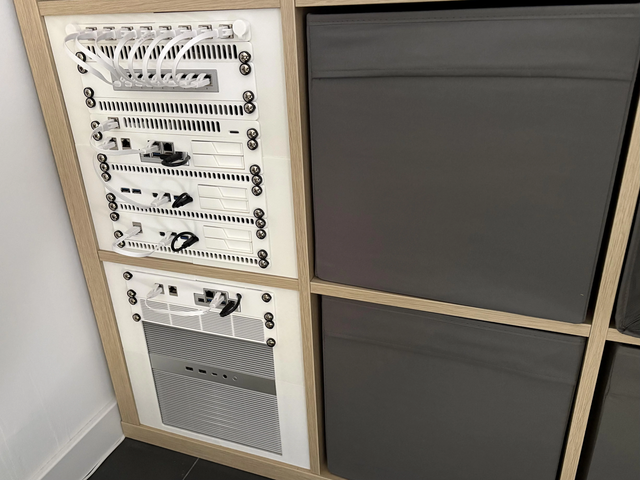
How Much Network Bandwidth Is Needed to Load Model Weights From a NAS?
A mechanism-first explanation of bandwidth for nas model loading, its shared-resource tradeoffs, three query-fanout FAQs, and a practical verification protocol.
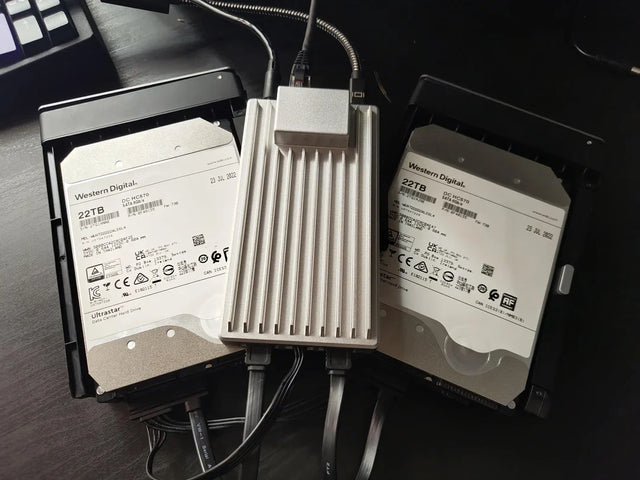
How Many Tokens Can Fit in a Local LLM KV Cache?
A mechanism-first explanation of tokens in kv cache, its shared-resource tradeoffs, three query-fanout FAQs, and a practical verification protocol.
How Much NVMe Write Endurance Does One Million New Embeddings Consume?
A mechanism-first explanation of nvme endurance for one million embeddings, its shared-resource tradeoffs, three query-fanout FAQs, and a practical verification


