
When Should You Replace a UPS Battery for a Home NAS?


Replace the battery when it is unsafe, fails testing, or cannot sustain the NAS shutdown time plus a reserve.
Calendar age is a planning signal, not the final verdict: heat, discharge history, and added equipment can change usable runtime. Inspect safely, measure the current protected load, time a controlled outage, and compare that result with the complete shutdown sequence before the next real power failure makes the decision for you.
Use safety and self-test failures as hard stop signals
Disconnect the UPS from service and arrange appropriate battery handling if the case is swollen, cracked, leaking, unusually hot, or smells abnormal. Do not run another discharge test to confirm a visibly unsafe condition.
Record repeated replace-battery alarms, failed self-tests, and unexpected shutdowns. A practical battery guide lists short runtime, failed self-tests, swelling, and age as signals that should be evaluated together rather than waiting for total failure.
Confirm that the alarm is not caused by excessive load or a loose battery connector, but do not open equipment beyond the service procedure. If the model is not designed for user battery replacement, use qualified service or replace the UPS.
Measure runtime against the shutdown requirement
List every protected device and measure the UPS load during a representative storage task. Time the NAS application stop, filesystem or pool shutdown, host power-off, and any network equipment that must remain available for those commands.
After a full charge, perform a supervised utility-loss test by removing UPS input rather than unplugging protected devices. End the test before the battery is exhausted and record minutes, load, charge decline, and whether the NAS completed a clean shutdown.
The pass condition is not a marketing runtime number. The battery must cover the slowest credible shutdown plus a reserve for aging, retry, and a brief load spike; if it cannot, replace the battery or reduce the protected load.
Distinguish battery aging from a larger load
Compare today’s watts and runtime with an earlier known-good test. Similar load with much shorter runtime points toward battery degradation; higher load with proportional runtime loss may require load reduction or a larger UPS even if the battery is healthy.
Check ambient temperature and outage history. A hot closet and repeated deep discharges can shorten service life, so a battery that is younger than a generic replacement interval can still fail the operational test.
Use the home-server OS guide to confirm where UPS agents and graceful-shutdown hooks belong in the NAS software stack before judging runtime.

Replace, retest, and set the next decision point
Use only the specified replacement battery type and follow the UPS service instructions. Record the installation date, allow the required charge period, and reset battery-age data only after the physical replacement is complete.
Repeat the same supervised test at the same approximate load. Recovery means the shutdown finishes with the planned reserve, the self-test passes, and the NAS reports a clean startup afterward.
Schedule a short self-test and periodic runtime check, especially after adding drives or network gear. Replace the entire UPS if charging, inverter, communication, or output regulation remains unreliable with a verified new battery.

Recommended products

Support & Tips
More to Read
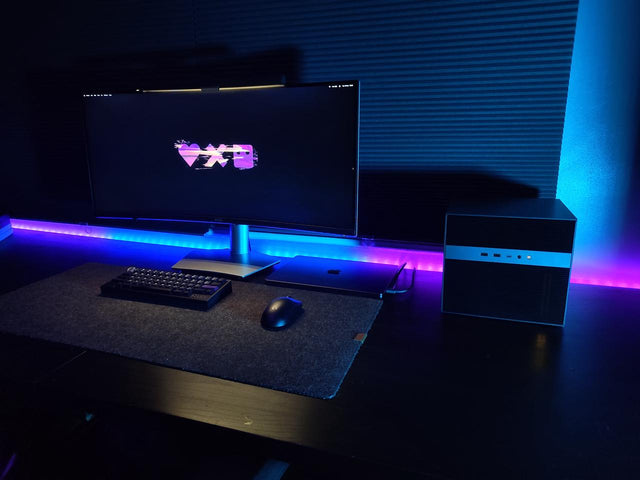
What Display Brightness Helps Reduce Eye Fatigue During Long NAS File Reviews?
There is no universal brightness percentage; match a white screen to the room, control glare, keep text legible, and validate during a timed review.
How to Reduce Neck Strain When a Home Server Console Is Mounted Too Low
Move routine work off the low console or raise the visual target safely while keeping the keyboard lower and retesting a real admin session.
Why Do My Eyes Feel Tired After Monitoring a Bright Server Dashboard at Night?
Night dashboard fatigue often combines brightness mismatch, glare, sustained focus, and reduced blinking; adjust one factor and retest safely.


