
Why Does Home Assistant Lose Access to Persistent Data After Stack Recreation?


Recreating a Home Assistant Docker or Compose stack should not erase configuration when the same persistent /config data is mounted again. When onboarding appears or integrations seem missing after recreation, the first assumption should be that the new container is seeing a different storage view—not that Home Assistant deleted the household state.
Inspect the effective mount, host path, named volume, hidden files, and permissions before restoring an older backup. A wrong empty directory can look exactly like configuration loss while the original data remains intact elsewhere on the host.
Verify What Is Actually Mounted at /config
Inspect the running container and confirm the mount source mapped to /config. Compare it with the old Compose file or deployment record instead of relying on a familiar-looking folder name.
Docker bind mounts replace the container's view of the target directory, and the current bind-mount documentation notes that mounting a host directory over a non-empty container path obscures the files that were already there. An empty or wrong source path therefore makes Home Assistant see an empty /config.
Do not run onboarding or start creating new integrations until the mount is proven. New writes to the wrong directory make later recovery more confusing.
Distinguish Bind Mounts From Named Volumes
A Compose stack can use an explicit host path or a Docker-managed named volume. Recreating a project with a different project name, volume name, or path can create a new empty persistent store while the old volume still exists.
A current Docker volume guide explains that named volumes store data independently of individual containers and can be reattached after a container is replaced. Removing a container is therefore different from removing or replacing its persistent storage.
List the old and new volumes, inspect their mountpoints through Docker, and compare creation times and contents. Avoid prune commands until you know which volume contains the authoritative Home Assistant state.
Hidden Files Can Make a Copy Look Complete When It Is Not
Home Assistant stores important UI-managed state under hidden paths such as .storage. A shell copy using a glob such as *, or a file manager that hides dotfiles, can move YAML files while silently leaving critical registry and integration state behind.
A 2025 Docker-to-Compose migration case reproduced exactly this boundary: a copy operation missed or mishandled hidden Home Assistant state and the migration only stabilized after the full config tree and metadata were copied correctly.
Compare directory listings that include dotfiles and verify ownership, timestamps, and the presence of expected hidden directories before concluding that the data itself is damaged.

Check Permissions Before Copying the Data Again
The correct directory can still appear unusable when the recreated container lacks permission to read or write it. This is common after moving the data to a new filesystem, changing Docker mode, restoring from another host, or changing UID/GID mappings.
A Docker Engine troubleshooting guide verified in 2026 narrows these failures to the real host path, container UID/GID, parent-directory access, mount mode, and security boundaries. A read-only or ownership mismatch can prevent Home Assistant from updating state even when the files are visible.
Fix the narrow ownership or mount problem rather than applying world-writable permissions to the whole configuration tree.
Recreate the Stack Only After the Persistent Path Is Proven
Use the exact known-good Compose definition, image tag, network mode, devices, and /config source. Start Home Assistant and verify that expected users, dashboards, integrations, automations, and helpers return before allowing migrations or new configuration changes.
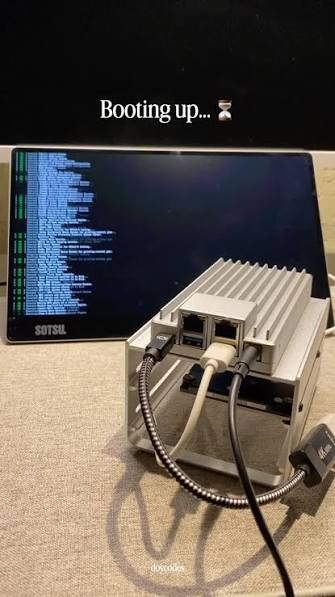
The ZimaSpace single-container recovery workflow applies the same rule: inspect effective mounts and reconnect healthy dependencies before restoring or replacing unrelated parts of a stack.
If the authoritative data is truly missing, move to backup restore. If it is present but the new container cannot see or modify it, the problem belongs to the storage mapping or permission boundary, not the Home Assistant configuration itself.

Recommended products

Support & Tips
More to Read
Signs That a Home Assistant Database Needs Maintenance or Replacement
A large Home Assistant database usually needs retention or purge work; repeated corruption or integrity errors are stronger replacement signals.
How Many Concurrent Users Can Home Assistant Handle Before It Slows Down?
Home Assistant has no fixed useful user limit: benchmark active clients with real dashboards and entity updates, then stop before repeatable latency appears.
Can Home Assistant Use an External Database Without Breaking Upgrades?
An external Recorder database can survive upgrades, but adds its own availability, schema-migration, backup, restore, and version responsibilities.


