
Home Assistant 2026.9 Makes Modbus Easier—Why It Matters for Solar, Heat Pumps, and Home Servers


Home Assistant 2026.9 does not make every Modbus device plug-and-play, but it changes who has to understand the protocol. Instead of requiring every homeowner to maintain register maps in YAML, supported integrations can increasingly carry that device knowledge themselves—an approach already appearing with Fronius and the new Sofar inverter integration.
That matters beyond solar dashboards. Modbus is common in heat pumps, energy meters, battery systems, ventilation equipment, and other devices that behave more like building infrastructure than smart bulbs. As those systems become easier to integrate locally, Home Assistant starts to look less like a device dashboard and more like an always-on household control layer.
What Changed With Modbus in Home Assistant 2026.9?
Home Assistant is adding a device-specific Modbus path alongside its existing generic YAML integration. A dedicated integration can know a device's register addresses, scaling, model differences, and available entities instead of requiring every user to define them manually.
The official Home Assistant 2026.9 release highlights several early examples:
- Fronius gains optional Modbus TCP using SunSpec models.
- Sofar receives a new device-specific Modbus integration.
- Flexit adopts the newer connection architecture.
- Integrations can share compatible Modbus connections instead of opening competing sessions.
OLD

Device manual
     |
Register addresses
     |
Data types
     |
Scaling
     |
YAML
     |
Home Assistant entities


NEW DIRECTION

Supported device
     |
Device integration
     |
Register map
Scaling
Model logic
Entities
     |
Home Assistant
The important shift is not simply YAML to UI. It is user-owned protocol knowledge becoming integration-owned protocol knowledge.
Why Has Modbus Been Difficult to Use?
Modbus can transport a value without explaining what that value means. One inverter may store grid power in one register, battery state of charge in another, and temperature as an integer that must be divided by ten. Another device can use completely different addresses and scaling.
A manual setup may therefore require understanding:
- register addresses and register types,
- signed versus unsigned values,
- 16-bit and 32-bit data,
- byte and word order,
- scale factors and units,
- unit IDs and polling behavior,
- and model-specific register differences.
The existing Home Assistant Modbus integration remains useful because it supports custom TCP and serial configurations. But every manually maintained register map effectively makes the homeowner responsible for part of the device driver.
Is Home Assistant Replacing YAML Modbus Configuration?
No. Existing YAML-based Modbus configuration remains supported.
The newer architecture adds another path for equipment with maintained device-specific integrations. That keeps generic Modbus available for unusual hardware while making supported products easier to configure.
| Approach | Best Fit |
|---|---|
| Generic YAML Modbus | Custom devices, unsupported models, advanced manual setups |
| Device-specific integration | Known hardware with maintained register maps and UI setup |
Existing solar, HVAC, or meter installations therefore do not need to be rebuilt simply because Home Assistant 2026.9 introduces a newer approach.
What Changes When the Integration Knows the Register Map?
A dedicated integration can identify the device, select the correct register map, apply scaling, and create only the entities relevant to that model.
DEVICE
   |
Identify model
   |
Load register map
   |
   +-- Solar
   +-- Grid
   +-- Battery
   +-- Temperature
   +-- Device state
   |
Home Assistant
The new Sofar inverter integration is a good example. During setup, Home Assistant reads the inverter serial number, determines whether it matches a supported model, and applies the corresponding register map.
That is safer and easier to maintain than asking every homeowner to decide whether a community spreadsheet matches a particular inverter generation or firmware version.
Why Does Sharing a Modbus Connection Matter?
Because the underlying Modbus connection can be a shared and limited resource.
The Home Assistant Modbus architecture explains that access needs to be coordinated so integrations do not compete for the same bus or device.
This is easy to understand with RS-485:
Heat Pump ──────┐
                |
Energy Meter ───┼── Shared Modbus bus
                |
Controller ─────┘
A TCP gateway may put an IP interface in front of that bus, but the underlying communication resource is still shared. Direct Modbus TCP devices can also impose limits on simultaneous sessions.
The newer architecture allows compatible integrations to use shared connection infrastructure:
Fronius ───────┐
               |
Sofar ─────────┼── Shared Modbus connection
               |
Other device ──┘
The improvement is therefore deeper than removing YAML: Home Assistant is beginning to treat Modbus connectivity itself as household infrastructure.
What Changed for Fronius and Sofar Solar Systems?
Fronius and Sofar demonstrate two different ways the new architecture can help.
Fronius already had a local Solar API. Home Assistant 2026.9 adds optional Modbus TCP using SunSpec models, providing additional information such as per-MPP-tracker power, current, voltage, and lifetime PV energy.
The official Fronius integration also uses Modbus for supported inverter settings because the Solar API itself is read-only.
Sofar represents the newer device-aware setup. The integration connects over Modbus TCP, identifies supported inverter models, selects the corresponding register map, and exposes data including:
- PV string voltage, current, and power,
- grid import and export,
- household load,
- per-phase measurements,
- battery state of charge and health,
- battery power and temperature,
- and inverter status and faults.
The current Sofar implementation is still limited to supported models and primarily sensor data. That is important: Home Assistant 2026.9 is establishing a better integration model, not making every Modbus inverter universally supported.
Why Does This Matter for Solar, Batteries, and Heat Pumps?
Modern home-energy systems expose far more than one power number.
PV STRINGS
     |
  INVERTER
   /    \
GRID   BATTERY
 |        |
METER   SOC / POWER
   \      /
    \    /
 Home Assistant
Useful telemetry can include generation, import/export, battery charge state, backup output, equipment temperature, faults, individual PV strings, and phase-level measurements.
Heat pumps create the same integration problem even though Home Assistant 2026.9 does not suddenly make every heat pump UI-configurable. A heat pump may expose supply temperature, return temperature, compressor state, operating mode, electrical consumption, hot-water state, and alarms—but every manufacturer can map those values differently.
The significance for heat pumps is architectural before it is universal device support. If device integrations absorb those register-map differences, the underlying equipment can remain Modbus-based while the user experience becomes much simpler.
What About Energy Meters and EV Charging?
The same trend extends to the rest of the home-energy stack.
Energy meters commonly expose voltage, current, active power, reactive power, frequency, imported and exported energy, and per-phase measurements. EV chargers introduce another controllable load, although they may use MQTT, vendor APIs, Modbus, or other local interfaces depending on the product.
                  HOME ASSISTANT
                        |
       +----------------+---------------+
       |                |               |
     Modbus           Matter          MQTT
       |                |               |
Solar / Battery    Smart devices    EV / Sensors
Heat Pump
Energy Meter
Home Assistant is not replacing all of these protocols with one new standard. It is increasingly becoming the local layer where they meet. That broader role is also why privacy-first home infrastructure depends on understanding which device paths actually stay inside the home.
Does Easier Modbus Require a Bigger Home Server?
No. Modbus polling itself is generally lightweight.
Reading inverter, meter, or HVAC registers periodically is very different from video transcoding, camera analytics, large database queries, or other compute-heavy workloads.
If Home Assistant is the only major workload, the current Home Assistant server hardware requirements are far more useful than sizing a system around the number of Modbus devices.
The home-server question becomes more relevant when energy monitoring is combined with:
- Home Assistant running 24/7,
- MQTT and other automation services,
- Matter and Thread infrastructure,
- long-term history,
- dashboards and databases,
- Node-RED or similar automation tools,
- backups,
- and other self-hosted applications.
A broader smart home server sizing decision should therefore start with the services that must run together rather than the number of lights, meters, or inverter registers.
The energy bus may be lightweight; the household infrastructure around it is what turns Home Assistant into a home-server workload.
Why Should Critical Energy Control Stay Lightweight?
Running several services on one home server does not mean every workload deserves equal priority.
CRITICAL CONTROL

Heat pump
Solar / battery
Energy meters
Automation triggers
       |
Home Assistant


HEAVIER OPTIONAL WORK

Media indexing
Camera processing
Large backups
Other applications
A heating automation should not become sluggish because an unrelated media or backup job is consuming every available resource.
As a host gains MQTT, databases, cameras, backup services, and other applications, the multi-service Home Assistant host develops shared resources, dependencies, and failure boundaries that a simple appliance does not have.
The goal is therefore not simply to put more services on one machine. It is to keep essential local control responsive while allowing optional workloads to coexist around it.
This is also why reliable local processing matters: critical household actions should not gain unnecessary WAN dependencies simply because optional cloud features exist.
What Does the New Matter Map Have to Do With Modbus?
Matter and Modbus are unrelated protocols, but their 2026.9 changes reveal the same product direction: previously hidden infrastructure is becoming easier to inspect and manage.
Home Assistant now brings Matter network topology into its main interface. The new map can show Matter devices using Thread or Wi-Fi, routers, Thread border routers, and the path between Home Assistant and individual devices.
The official Matter network map exposes topology that previously required a more technical diagnostic view.
MODBUS
Raw register knowledge
        |
        v
Device integration


MATTER
Hidden network topology
        |
        v
Visible network map
In both cases, Home Assistant is reducing the amount of infrastructure knowledge users must reconstruct manually.
If the network map reveals several ecosystems controlling the same devices, the separate issue of multiple Matter controllers determines which platform actually owns each control relationship rather than merely which device appears on the map.
Why Is Home Assistant Showing NAS Storage Usage?
Home Assistant 2026.9 also makes network storage more visible. Active network mounts can now show used and total capacity directly on the Storage page, with warning states as a share approaches full capacity.
The network storage update is small compared with Modbus, but it fits the same infrastructure story.
Home Assistant
      |
      +-- Configuration
      +-- History
      +-- Automations
      +-- Backups
             |
             v
            NAS
A backup is only useful if its destination remains reachable and has enough free capacity.
Home Assistant also contains different classes of durable state—configuration, registries, credentials, history, and recovery data—so separating Home Assistant persistent data from disposable runtime files makes backup planning much clearer.
Home Assistant is therefore becoming more aware of both the physical systems it controls and the storage infrastructure protecting its own state.
What Does a Local Home-Energy Server Look Like?
A practical setup does not require every device to use the same protocol or every service to run inside Home Assistant itself.
                    HOME SERVER

                 Home Assistant
                       |
      +----------------+----------------+
      |                |                |
   ENERGY          SMART HOME        SERVICES
      |                |                |
   Modbus            Matter           MQTT
      |              Thread         Automation
      |
Solar / Battery
Heat Pump
Energy Meter
      |
      +----------------+
                       |
                 LOCAL HISTORY
                       |
                    BACKUPS
                       |
                      NAS
The common requirement is persistence.
The inverter can stop producing at night, but its history should remain available. A heat pump can restart, but automations should return. A system update should not erase configuration, and failure of the Home Assistant host should not destroy the only backup.
For users building that control layer on Zima hardware, the Home Assistant on ZimaBoard setup provides a separate implementation path without turning this Modbus article into an installation tutorial.
A dedicated compact host can also keep smart-home control separate from heavier NAS or media workloads. The ZimaBoard 2 smart home configuration is one option when the goal is an always-on local automation host with room for additional services.
This is where the home server matters—not because Modbus needs large amounts of compute, but because household infrastructure increasingly depends on services that need to remain available together.
Is Home Assistant Becoming a Building-Control Platform?
Home Assistant is increasingly absorbing workloads that once sat closer to building automation, although it is not a replacement for every industrial or safety-critical control system.
The traditional smart home centered on:
Lights
Plugs
Locks
Motion sensors
Thermostats
The energy and building-control world adds:
Modbus
RS-485
SunSpec
Energy meters
Inverters
Heat pumps
Ventilation
Battery systems
Home Assistant increasingly connects both sides.
Home Assistant 2026.9 brings together modernized Modbus integrations, new solar support, Matter topology, MQTT and serial management, and network-storage visibility. The individual features are useful, but the combined direction matters more.
Home Assistant is beginning to look less like a collection of device cards and more like a local operations layer for the home.
Should You Upgrade to Home Assistant 2026.9 for Modbus?
If your existing Modbus YAML works, there is no reason to rebuild it just because the new architecture exists.
| Your Situation | What 2026.9 Changes |
|---|---|
| Existing custom Modbus YAML | Keep using it; no forced migration |
| Supported Fronius inverter | Additional SunSpec data and supported controls |
| Supported Sofar inverter | New device-aware Modbus integration |
| Shared Modbus infrastructure | Better connection coordination |
| Matter-heavy home | New network topology view |
| Backups stored on NAS | Network-share capacity is easier to monitor |
| Unsupported Modbus hardware | Generic integration remains available |
The larger reason to watch this release is what comes next: more device knowledge can move out of private YAML files and community spreadsheets into integrations that are maintained, tested, and reused.
What Does Home Assistant 2026.9 Mean for Solar, Heat Pumps, and Home Servers?
For solar, the change is already practical. For heat pumps and other Modbus-heavy equipment, the significance is the architecture. For home servers, the real story is how many pieces of household infrastructure now need an always-on local control point.
Fronius and Sofar show that energy devices do not have to remain permanently hidden behind manual register maps. Heat pumps illustrate why the same device-specific approach could matter for another complex local-control category. Matter, MQTT, energy monitoring, storage, and backups show why none of these systems exists in isolation.
The solar inverter does not need a powerful server. Neither does an energy meter, and polling a heat pump is not a demanding compute workload.
But a home combining energy, automation, history, messaging, Matter, backups, and other local services increasingly benefits from one persistent place to keep those systems running.
The value of the home server is not that Modbus needs more compute. It is that the home is becoming infrastructure.
FAQ: Home Assistant 2026.9 and Modbus
What changed with Modbus in Home Assistant 2026.9?
Home Assistant is introducing device-specific Modbus integrations that can contain their own register maps and use shared connection infrastructure. Fronius, Sofar, and Flexit are among the early examples.
Is Home Assistant removing YAML Modbus configuration?
No. Existing generic YAML-based Modbus configuration remains available. Device-specific integrations provide an additional setup path for supported hardware.
Does Home Assistant 2026.9 make every Modbus device plug-and-play?
No. A device still needs a supported integration and register map before it gains the simpler device-specific experience. Unsupported devices can still use generic Modbus configuration where appropriate.
Why do shared Modbus connections matter?
A Modbus bus or device can have limited connection capacity. Shared infrastructure lets compatible integrations coordinate access instead of opening unnecessary competing sessions.
What changed for Fronius?
Fronius gained optional Modbus TCP using SunSpec models, providing additional PV data such as per-MPP-tracker power, current, voltage, and energy, along with supported Modbus-based controls.
What does the Sofar integration do?
It connects through Modbus TCP, identifies supported inverter models, selects the appropriate register map, and exposes solar, grid, load, battery, temperature, and status sensors.
Does Home Assistant 2026.9 make heat pumps easier to configure?
Not universally. The new architecture can make supported Modbus heat pumps easier to integrate in the future, but 2026.9 does not automatically add UI support for every heat pump.
Does Modbus require a powerful home server?
No. Modbus polling is generally lightweight. More server capacity becomes useful when Home Assistant also hosts or coordinates history, MQTT, Matter, backups, databases, cameras, and other persistent services. The Home Assistant hardware requirements page separates those companion workloads from ordinary automation.
What changed with Matter in Home Assistant 2026.9?
The Matter panel now includes a network map showing Thread and Wi-Fi Matter devices, routers, Thread border routers, and communication paths.
What changed for NAS storage?
Home Assistant can now display used and total capacity for active network mounts and warn as shares approach full capacity.
Why would Home Assistant use a NAS?
A NAS can provide separate storage for backups or media, helping preserve Home Assistant data if the host or its local system drive fails. Planning which state actually needs protection starts with understanding Home Assistant persistent data.
Is Home Assistant becoming a building automation system?
It is increasingly integrating home-energy and building-control technologies such as Modbus devices, inverters, HVAC equipment, meters, Matter, and MQTT, but it is not a replacement for every industrial or safety-critical control platform.

Recommended products

Support & Tips
More to Read
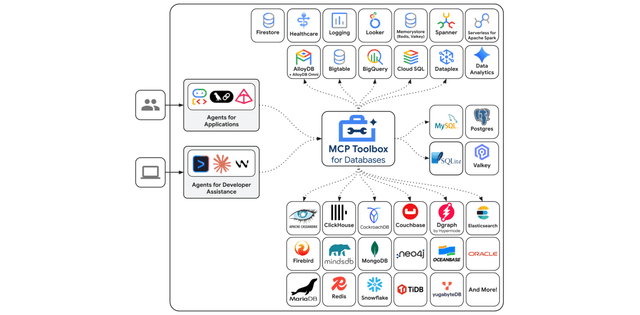
Google MCP Toolbox Vulnerability: What Self-Hosted AI Users Should Check
Understand MCP Toolbox file access with verified release context, practical workflow limits, private-file handling, review steps and realistic ZimaOS storage roles.
How to Check Memory and Runtime Requirements Before Running LFM2.5-24B-A2B
Check LFM2.5-24B-A2B weight format, memory overhead, runtime versions, context, and tool compatibility before attempting a home-server deployment.
How to Test Granite Speech 5.0 with English Audio Files Stored on Your NAS
Test Granite Speech 5.0 on a short English recording from your NAS. Verify checkpoint revision, runtime, sample rate, transcript quality, and output handling.


