
SATA SSD vs NVMe SSD for Home Assistant: Which Specification Changes Results?


For most dedicated Home Assistant installations, a healthy SATA SSD is already fast enough that replacing it with NVMe will not make ordinary automations noticeably quicker. NVMe becomes valuable when Recorder history, an external database, virtual machines, many containers, or other shared services create enough random I/O and queueing to make storage latency part of the control or maintenance bottleneck.
The specification that changes results is therefore not the advertised 550 MB/s versus several gigabytes per second. Compare random I/O latency, queue behavior, synchronous writes, endurance, thermal behavior, power-loss characteristics, and whether the actual workload can drive the interface hard enough to expose a difference.
Start With the HDD-to-SSD Gain Before Comparing SSD Interfaces
Home Assistant active state consists of many small database, registry, log, configuration, and container filesystem operations. Moving this workload from a hard drive or fragile flash storage to a competent SSD can materially improve consistency because mechanical seek latency disappears. The next jump from SATA SSD to NVMe is usually smaller unless the workload is already pressing the SATA device.
A 2026 homelab SATA-versus-NVMe comparison shows why: databases, VMs, and busy containers benefit from random I/O and queue depth, while light container stacks can remain comfortable on SATA.
Before changing interfaces, run the same cold start, history query, database maintenance, backup, and normal event workload on the current SSD. If disk latency and I/O wait stay low throughout the slow operation, the interface is not the limiting resource.
NVMe Wins When Concurrent Small I/O Creates a Queue
NVMe was designed around PCIe and much deeper parallel command queues than SATA/AHCI. That headroom matters when several guests or services submit storage work at the same time. A dedicated Home Assistant appliance rarely creates this kind of pressure by itself, but a Proxmox host or multi-app server can.
A recent database and cache storage analysis emphasizes throughput, IOPS, and tail latency rather than sequential bandwidth alone. Those are the measurements that map better to Recorder queries, database commits, and concurrent application state.
Use NVMe when p95 or p99 storage latency rises during the same time Home Assistant history, startup, or automations become slow and the device queue is visibly busy. Do not buy NVMe merely because a benchmark can copy one large file faster.
Drive Quality Can Matter More Than SATA Versus NVMe
Interface class does not tell you whether a drive has strong endurance, predictable sustained writes, safe cache behavior, good firmware, or power-loss protection. A weak consumer NVMe can be a worse database device than a durable SATA SSD designed for synchronous server writes.
A 2026 Proxmox storage comparison ranks power-loss protection, write endurance, and fsync behavior ahead of headline sequential speed for VM and database-style workloads. Home Assistant does not require enterprise storage, but the priority order is useful when its state shares a datastore with other guests.
Check SMART or NVMe health, total bytes written, error counters, temperature, spare percentage, and the warranty endurance specification. A reliable SATA device with margin is preferable to an overheating NVMe drive whose sustained behavior collapses in a small enclosure.

Network and Workload Placement Can Hide NVMe's Advantage
If the active Home Assistant database is local but backups live across a 1GbE network, NVMe will not make the remote backup target faster than the network path. Likewise, if only bulk archives or exported telemetry use the faster device, the control path may feel identical.
A current NAS and home-server comparison shows how network limits can mask drive throughput while VMs and databases still benefit from lower-latency local storage. Keep active state, bulk data, and backup roles separate when assigning drives.
The ZimaSpace comparison of SSD versus HDD for Home Assistant metadata establishes the first storage boundary: active metadata usually belongs on SSD, while bulk backups can remain on cheaper capacity storage. SATA versus NVMe is the second-stage decision only after that placement is correct.
Use an Identical Before-and-After Storage Test
Clone or restore the same Home Assistant state onto both candidate devices. Hold CPU, RAM, database engine, retention, network, container layout, and software versions constant. Then record cold-start time, fixed history-query latency, Recorder purge or maintenance time, backup duration, device queue depth, I/O wait, and p95 automation latency while a realistic neighboring workload runs.
A 2026 server-storage comparison similarly treats IOPS and latency as the practical difference behind the interface label. Use those signals to explain an observed improvement rather than treating advertised bandwidth as proof.
| Observed condition | SATA SSD | NVMe SSD |
|---|---|---|
| Dedicated HA, low I/O wait | Usually sufficient | Little visible gain |
| Busy shared database or VM datastore | Can queue | More headroom |
| Backup or bulk archive role | Strong value | Often unnecessary |
| Weak endurance or thermal design | Choose the better drive, not the faster interface | |
Choose SATA when it already meets latency and recovery targets with margin. Choose NVMe when measured random I/O, synchronous writes, or concurrent queueing remain the bottleneck after the rest of the path is controlled. If neither device is busy during the slowdown, stop comparing SSD interfaces and investigate the resource that actually owns the delay.

Recommended products

Product Comparisons
More to Read
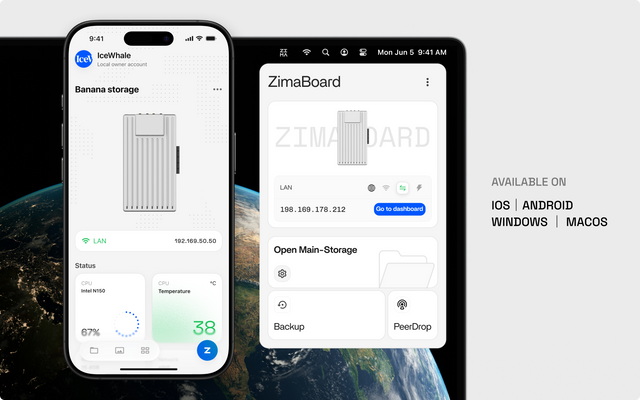
1GbE Line Rate vs Real NAS Throughput: When Is the Gap Normal?
About 110–120 MB/s can be normal for large wired transfers; a wider gap needs link, protocol, storage, CPU, or client tests before an upgrade.
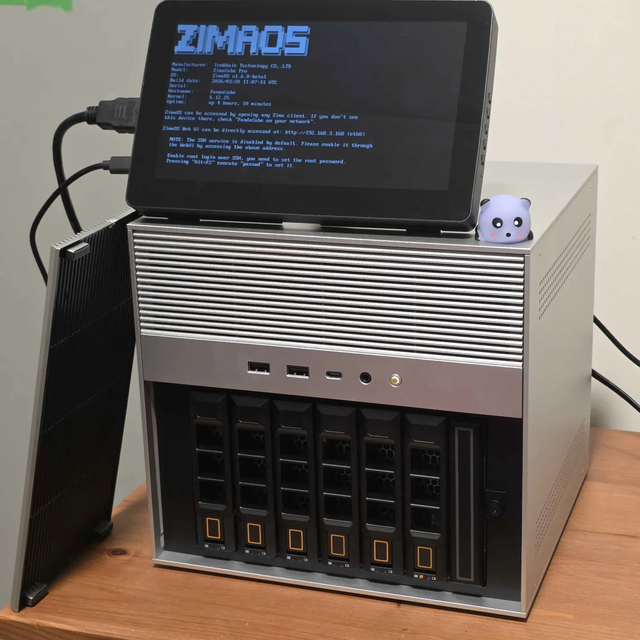
NAS OS vs General Linux After a Boot-Drive Failure: Which Rebuilds More Predictably?
A NAS OS wins with a tested configuration restore; general Linux wins when storage and services are declarative and portable off-host.

LXC vs Docker on Proxmox for App Updates and Rollbacks
Docker gives app-level version control; LXC gives guest-level rollback. The better fit follows the smallest state unit you can restore safely.


