


How to Build One Photo Library for RAW, Live Photos, and 360° Media


A photo library becomes harder to manage when it contains more than standard JPEGs. A camera may produce RAW files for editing, an iPhone may capture Live Photos with motion, and an action camera may record 360-degree images or video. Putting all these files in one folder does not guarantee that they can all be previewed, searched, or played correctly.
Building a unified Live photo library means preserving each format's original data while choosing software that can index and display the media appropriately. The goal is one searchable collection, not forcing every type of media into the same file format.
What Does a Unified Photo Library Need to Support?
| Media Type | What Makes It Different | What to Verify |
|---|---|---|
| RAW photos | Camera sensor data, embedded previews, and camera-specific metadata | File indexing, thumbnail generation, metadata reading, and original-file preservation |
| Live Photos | A still image paired with motion and associated information | Whether the still and motion components remain associated and can be played |
| 360° photos and videos | Panoramic or spherical imagery that may need special viewing behavior | Original format support, projection handling, playback, and metadata preservation |
| Standard photos and videos | Common formats from phones, cameras, and messaging apps | Compatibility, capture dates, GPS information, and duplicate handling |
Three separate capabilities matter: indexing a file, generating a usable preview, and displaying or playing the media correctly. A library may recognize a file without being able to render its thumbnail or reproduce its full interactive experience.
1. RAW Photo Management: Preserve the Original, Not Just the Preview
RAW files preserve camera data intended for later processing. They are valuable when you want greater control over exposure, white balance, color, and other editing decisions. They also tend to require more storage and more processing than compressed JPEGs.
A photo library should let you browse RAW files without silently replacing them with JPEG exports. When you evaluate RAW photo management software, check these capabilities:
- File recognition: Does the application index the RAW formats produced by your camera, such as CR3, NEF, ARW, DNG, or RAF?
- Thumbnail generation: Can it use an embedded JPEG preview, or does it need to decode the RAW data?
- Metadata support: Does it read the camera, lens, exposure, ISO, capture date, and GPS fields you need?
- Original preservation: Does indexing leave the original RAW file unchanged?
- Editing workflow: Can you open the original in a dedicated editor and keep any exported JPEG or TIFF alongside it?
Not all RAW formats behave the same way. Some contain an embedded preview that makes browsing fast. Others need decoding to generate a thumbnail, and support varies by camera format and software version.
For example, ZimaOS Photos' supported-format documentation distinguishes file indexing from thumbnail generation and metadata reading. It describes how some RAW files use embedded JPEG previews while others depend on decoding support. This is a useful distinction to check in any photo manager. Before indexing the full collection with ZimaOS Photos, test representative RAW files, Live Photos and panoramic images against the current supported-format guidance.
ZimaOS Photos
Browse, search, and organize your library with native support for Live Photos, RAW, and 360° panoramas.
Explore ZimaOS Photos
Keep RAW originals and edited exports separate
A common workflow is to keep the RAW original as the source of truth and store edited JPEG or TIFF exports in a predictable location. You can then browse both in the same library without confusing an export with the original capture.
Do not assume that every photo application will automatically pair an exported JPEG with its RAW source. If that relationship matters to your workflow, test how the application handles filenames, sidecar files, versions, and related media before importing the full archive.
2. Live Photos Storage: Keep the Still and Motion Together
Apple Live Photos capture a still image along with a short moment of motion and audio. They are not simply ordinary JPEGs with an animation effect applied. When transferred between applications or devices, their motion component and associated information may be handled differently depending on the export method and destination.
Apple documents how to save a Live Photo as a video. That can be useful for sharing or compatibility, but a video export should not be treated as an identical replacement for preserving the original Live Photo experience.
How to store Live Photos without losing their behavior
- Choose an export or backup method that preserves the original. Do not assume that copying only the visible still image preserves the motion component.
- Keep related components together. If the transfer method produces separate image and video files, preserve their association and filenames where possible.
- Test playback after import. Confirm that the destination application recognizes the media as intended rather than displaying only a static image.
- Check metadata. Compare capture dates and other available information before and after transfer.
- Keep an independent original backup. Validate the library's behavior before deleting the source from your phone or computer.
Format support alone is not enough. An application may support HEIC images and MOV videos but not necessarily reconstruct the original Live Photo behavior from every export. Check the exact workflow supported by the software and test with a few real examples.
3. 360° Media: Check More Than Whether the File Opens
360-degree media adds another layer of complexity. A panoramic or spherical image may be stored in a format that requires the viewer to interpret its projection correctly. A 360-degree video may also need a compatible player to navigate the scene interactively.
A library that generates a flat thumbnail has not necessarily preserved the full viewing experience. Before choosing software for 360° media, verify:
- Original format support: Can the application index files produced by your specific camera?
- Interactive viewing: Does it support a spherical or panoramic viewer, or does it display only a flat preview?
- Video playback: Can you play the original footage, including its expected projection and orientation?
- Metadata: Are capture dates and other useful camera details retained?
- Export and migration: Can you download the original file without converting it into a standard image or video?
For example, PhotoPrism's media format reference lists formats including Insta360 panoramic imagery. That does not mean every application with support for a given file extension will provide the same interactive 360-degree viewing experience. Test the viewer as well as the import process.
How to Combine RAW, Live Photos, and 360° Media in One Library
The safest approach is to organize the collection around original files and let the photo manager provide the browsing layer. Avoid converting everything into JPEGs just to make the library appear uniform.
- Inventory your sources. Identify camera RAW files, phone Live Photos, 360° images and videos, standard photos, and any associated sidecar files.
- Preserve the original directory structure. Keep a source archive that can be accessed independently of the photo application.
- Choose software based on real formats. Check support for the exact camera models, phone export methods, and 360° file types in your collection.
- Index a small sample first. Include at least a few files from each media category instead of testing only ordinary JPEGs.
- Check previews and playback. Open RAW files, play Live Photos, and test 360° media using the destination application's actual viewer.
- Review metadata and dates. Confirm that the library sorts media correctly and does not introduce unexpected date changes.
- Test a backup and restore. Make sure you can recover the original files and any application data required to keep the library organized.
For a mixed archive, this testing step is more important than the size of the application's supported-format list. You need to know what happens to your files after indexing, not just whether the import process completes.
How Should You Organize Mixed Media?
One library does not require one flat folder. A predictable directory structure can make originals easier to manage while the application provides a unified view.
| Organization Strategy | Advantages | Potential Drawback |
|---|---|---|
| By capture date | Easy to browse chronologically and back up incrementally | Related media may be separated unless filenames or metadata connect them |
| By event or project | Keeps a trip, shoot, or creative project together | Requires consistent naming and some manual maintenance |
| By source device | Useful when different cameras use different workflows | Can fragment a single event across multiple directories |
| Originals plus exports | Separates RAW source files from edited deliverables | Requires clear naming or application support to connect versions |
For most households and enthusiasts, a date-based or event-based archive is a reasonable starting point. Keep original files and exports distinguishable, and avoid reorganizing files after they have been indexed unless you know how the application will handle changed paths.
Storage and Performance: Plan for More Than File Count
Mixed-media libraries have different storage and processing demands. RAW files may be large, high-resolution 360° video can consume substantial disk space, and preview generation can add processing work. The application may also maintain thumbnails, indexes, and database records.
- Estimate original storage separately. Calculate the size of the media archive before accounting for backups and generated data.
- Budget for independent backups. Keep a separate recoverable copy of irreplaceable originals, not just the library's database.
- Allow for indexing time. A large first scan can take much longer when RAW decoding or video analysis is involved.
- Check thumbnail behavior. Some formats can use embedded previews; others require more processing.
- Test the browsing device. A server may index a file successfully while a particular client or browser has limited playback support.
Do not confuse a fast gallery with a complete media workflow. Preview caching can make browsing responsive, but it does not replace the ability to retrieve the original files and open them in appropriate editing or playback software.
Common Mistakes When Building a Mixed-Format Photo Library
- Converting every file to JPEG. This may simplify previews but can discard RAW editing flexibility or motion and 360° viewing behavior.
- Backing up only visible images. Separate video components, sidecars, and application state may also matter.
- Assuming indexing means full support. A file can appear in a gallery without its original interactive behavior being supported.
- Reorganizing source files too early. Moving indexed media can break references or disrupt associations, depending on the application.
- Testing with only standard photos. A successful JPEG test says little about RAW decoding, Live Photo playback, or 360° viewing.
FAQ
Can RAW files, Live Photos, and 360° media live in one photo library?
Yes, if the application supports the relevant formats and viewing workflows. A unified library can index different media types together, but indexing, preview generation, and full playback are separate capabilities that should be tested.
Does supporting HEIC mean an app fully supports Live Photos?
No. HEIC support may allow an application to display the still image, but preserving and playing the Live Photo experience can depend on how its motion component and associated information were transferred.
Should I convert RAW photos to JPEG before uploading them?
Not if you want to preserve the RAW originals for later editing. Keep the original files and use JPEG or TIFF exports for sharing when needed. Confirm that the photo manager can index your camera's RAW format and generate useful previews.
Can every 360° photo manager display interactive spherical images?
No. Some applications can index or preview panoramic files without providing an interactive 360-degree viewer. Test the actual display and playback experience using files from your camera.
How do I protect a mixed-format photo archive?
Preserve original files, retain associated sidecars or components, and back up the application data required for recovery. Test a restore and verify representative files from every media category before removing the original source.
Final Verdict
A unified photo library should make different media types easier to find without reducing them to the lowest common denominator. RAW files need reliable indexing and previews, Live Photos need their still and motion components handled correctly, and 360° media needs appropriate playback support.
Choose a system based on the formats you actually shoot, test a representative sample, and keep original files independently backed up. That gives you one place to browse your memories without sacrificing the data or viewing options that make each format valuable.

News
More to Read
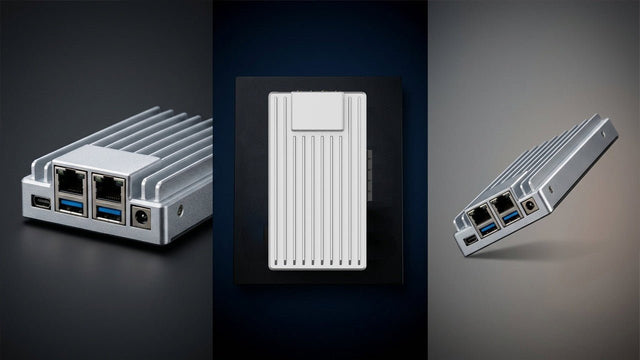
How WindowsArea Builds a ZimaBoard 2 Mini Homelab With RAID 1
WindowsArea transforms ZimaBoard 2 into a compact mini homelab by assembling a multi-drive frame, connecting two 4TB hard drives, and creating a 4TB RAID...


