
World Day for Audiovisual Heritage: How to Preserve Old Photos, Tapes, and Family Videos


Family history rarely arrives in one neat format. It lives in shoeboxes of prints, envelopes of negatives, old audio cassettes, VHS tapes, camcorder recordings, burned DVDs, hard drives, and phones full of newer photos. The challenge is not simply getting everything onto a computer. It is deciding what deserves careful handling, what should be digitized first, how much quality to keep, and how to make sure the files still make sense years from now.
World Day for Audiovisual Heritage is a useful reminder that preservation is really about continuity. A family archive should protect the original objects when possible, create digital copies that are easier to access, preserve the names and stories attached to them, and keep enough independent copies that one failed drive or forgotten account does not erase decades of memory.
Why Family Photos, Tapes, and Videos Need Different Preservation Plans
Old family media does not age in the same way. A printed photograph can fade, stain, curl, or stick to an album. Film negatives and slides can deteriorate even when they are rarely handled. Magnetic tape can become harder to play as both the recording and the equipment age. Digital files avoid some physical problems but introduce others: drives fail, file systems become corrupted, folders lose context, and formats or software can become obsolete.
UNESCO marks World Day for Audiovisual Heritage on October 27 to highlight the importance of preserving recorded images and sounds for future generations. The same idea applies at home. A wedding tape, a box of grandparents' photographs, or a child's first school performance may not belong to a national archive, but it can carry the same kind of irreplaceable memory for one family.
The practical approach is to treat preservation as a chain:
PHYSICAL ORIGINAL
       ↓
SAFE HANDLING
       ↓
DIGITAL MASTER
       ↓
DESCRIPTION + CONTEXT
       ↓
ACCESS COPY
       ↓
CENTRAL ARCHIVE
       ↓
MULTIPLE BACKUPS
       ↓
PERIODIC CHECKS
Start With an Inventory Before You Start Scanning
The fastest way to create a confusing digital archive is to digitize everything before deciding how the collection will be organized.
Start with a simple inventory. You do not need museum-level cataloging. A spreadsheet or text file is enough.
Record:
- What type of item it is
- Approximate date or decade
- Names written on the item
- Known people, places, or events
- Physical condition
- Whether another copy exists
- Whether playback equipment is still available
Give unlabeled items temporary IDs such as PHOTO-001, TAPE-014, or REEL-003. That identifier can later appear in the digital filename and notes, connecting the physical object to its digital copy.
This step also helps prioritize the work. A fading color print, a unique MiniDV tape with no working camera, or an old cassette with a relative's voice may deserve attention before a stack of newer prints that already exists in several copies.
Handle Old Photos Before You Think About Resolution
For physical photographs, the first preservation decision is not DPI. It is whether the original can be handled safely.
Avoid bending prints, touching image surfaces unnecessarily, or forcing photographs out of albums when they appear stuck. Keep food, drinks, tape, glue, and household cleaners away from originals.
The National Archives recommends cool, dry storage because lower temperatures slow chemical deterioration while excess humidity encourages mold and other damage. Hot attics, damp basements, and garages are poor long-term storage locations for family photographs.
If a photograph is badly torn, moldy, adhered to another material, or especially valuable, the safest choice may be to leave the repair to a conservator rather than experimenting with heat, water, adhesives, or cleaners.
Scan Photos Without Sacrificing the Originals
Digitization is useful because it reduces the need to repeatedly handle fragile originals. It also makes it easier to share photographs with relatives and include them in a searchable family archive.
For ordinary prints in good condition, a flatbed scanner is usually a practical option. Place the entire photograph on the scanner surface without forcing oversized or fragile material under the lid.
For each important photo, think in terms of two digital jobs:
- Preservation master: a high-quality scan kept as the long-term source file
- Access copy: a smaller JPEG or other convenient version used for browsing, sharing, and everyday viewing
Do not discard the photograph simply because the scan looks good. The National Archives explicitly recommends that families keep the originals after digitization because digital files have their own preservation risks.
If the family already has thousands of born-digital photos mixed with new scans, keeping one clear family photo archive prevents the scanned history from becoming another disconnected folder.
Preserve Negatives and Slides as Sources, Not Just Old Packaging
Negatives and slides are easy to overlook because they are less convenient to view than prints. In many cases, however, they contain more image information than the paper print made from them decades ago.
Do not automatically throw them away after scanning a favorite photograph.
If the negatives or slides are in reasonable condition, label their sleeves or enclosures so they can be matched to the digital files. Avoid cutting strips unnecessarily or mixing material from different rolls simply to make the folder structure look cleaner.
For large collections, prioritize unique images and family events first. The goal is not to scan every frame at maximum resolution before the archive becomes useful. It is to protect the best available sources and build a repeatable process.
Treat Magnetic Tapes as Time-Sensitive Media
Audio cassettes, VHS, Video8, Hi8, and other magnetic tapes create a different preservation challenge. The recording can degrade, but so can the machines needed to play it.
A tape that played normally twenty years ago may now require a specific camcorder, deck, cable, or adapter that is difficult to replace.
The National Archives recommends that people limit tape playback, especially for important originals, because every playback introduces another opportunity for damage. Dirty, damaged, or visibly contaminated tapes should not be forced through equipment.
Prioritize tapes that are:
- Unique
- Emotionally important
- Frequently requested by family members
- Stored in questionable conditions
- Dependent on playback equipment you may not have much longer
Clean tapes in good condition can sometimes be transferred at home. Fragile, moldy, damaged, or irreplaceable material is a better candidate for professional digitization.
Keep a Master Copy Before Editing Family Videos
Once a tape or film has been digitized, keep the first good transfer separate from later edits.
It is tempting to immediately trim blank sections, correct color, stabilize footage, add music, or create a highlight reel. Those edits can make the video more enjoyable, but they should not replace the preservation copy.
A practical video structure is:
VIDEO_ARCHIVE/
└── 1998-family-reunion/
    ├── master/
    │   └── 1998-family-reunion-tape01-master.mov
    ├── edited/
    │   └── 1998-family-reunion-edited.mov
    └── access/
        └── 1998-family-reunion.mp4
The master preserves the transfer. The edited version tells the story you want to watch today. The access copy makes playback easier on phones, tablets, TVs, and browsers.
Keeping those roles separate means future family members can create a different edit without having to recapture the original tape.
Preserve the Story Attached to the File
A perfectly scanned photograph can still lose much of its value if nobody knows who is in it.
While older relatives can still identify people, places, and events, capture that information. Do not wait until every item has been scanned.
Useful context can include:
- Names of people
- Approximate date
- Location
- Event
- Who created the photo or recording
- How the family received it
- Uncertain details or conflicting memories
Use filenames for the information that helps with sorting, then keep richer descriptions in metadata, notes, or a simple catalog.
For example:
1978-08_family-lake-trip_photo023_master.tif
1987-12_christmas-grandparents_cassette01_master.wav
2002-05_school-play_minidv02_master.dv
If the exact date is unknown, write circa-1980, 1980s, or date-unknown instead of inventing precision.
Bring Photos, Audio, and Video Into One Family Archive
After digitization, the collection should become easier for another person to understand.
A mixed family archive might use:
FAMILY_ARCHIVE/
├── PHOTOS/
│   ├── 1960s/
│   ├── 1970s/
│   └── 1980s/
├── AUDIO/
│   ├── interviews/
│   └── cassettes/
├── VIDEO/
│   ├── tapes/
│   └── digital/
├── DOCUMENTS/
└── CATALOG/
Another family may organize primarily by year or branch of the family. Either approach can work. Consistency matters more than finding one perfect folder tree.
What should remain separate is the durable archive and the software used to browse it. A family media archive should still make sense even if the household changes photo or media applications later.
Use Access Copies So the Archive Is Actually Enjoyed
Preservation and access should support each other.
High-quality scans, audio masters, and video transfers may be too large or inconvenient for everyday family use. Create smaller access copies for phones, TVs, tablets, digital photo frames, and family sharing.
That can mean:
- JPEG copies of large TIFF photo scans
- Compressed audio copies of preservation-quality recordings
- MP4 versions of large video masters
- Curated albums that point back to the original files
The Library of Congress has long treated personal digital archiving as an ongoing process that includes file formats, descriptions, storage, and access—not simply making one scan and considering the work finished.
When several relatives need the same collection, a shared photo library can keep original files in one controlled location while family members browse from their own devices.
Check the Digital Archive Instead of Assuming It Is Permanent
Digital files do not fade in the same way as a print, but they are not self-preserving.
A useful preservation routine includes:
- Opening a sample of files periodically
- Checking that folders still mount correctly
- Monitoring drive health
- Verifying important files with checksums when appropriate
- Replacing aging storage before it becomes unreliable
- Migrating files when hardware or formats become difficult to use
Do not wait for an old drive to fail before discovering that it contains the only copy of a family archive.
The point is not to constantly reorganize everything. Stable archives benefit from fewer unnecessary changes. Review the storage, test the backups, and migrate deliberately when there is a real reason.
When a Family Archive Outgrows One Computer
A few scanned albums can live comfortably on a laptop or external drive. A long-term archive becomes harder to manage when it combines decades of high-resolution photos, digitized tapes, audio recordings, newer phone videos, and multiple family contributors.
Central storage becomes useful when:
- The archive no longer fits comfortably on one computer
- Several family members need access
- Preservation masters need to stay separate from access copies
- New phone photos and videos are added regularly
- The family wants one consistent folder and permission structure
- Backups need to run on a schedule
At that point, a NAS can become the home archive layer rather than just another drive. It can keep full-resolution scans, audio masters, digitized video, documents, metadata, and access copies under one structure while allowing different devices to reach the files.
For families building a large mixed-media archive, a ZimaCube 2 Personal Cloud NAS can provide centralized capacity for preserved photos, digitized tapes, family videos, and the growing digital media that will join the collection over time.
The hardware should come after the preservation plan. A larger storage system is most useful when the family already knows which files are masters, which are access copies, and how the collection will be backed up.
Do Not Confuse Central Storage With Backup
Putting the archive in one well-organized place makes it easier to manage, but it also makes the importance of backup more obvious.
A NAS can fail. A file can be deleted. A family member can accidentally overwrite a folder. Malware, theft, fire, or water damage can affect more than one drive inside the same system.
Irreplaceable family media should exist in more than one independent location.
A practical 3-2-1 backup strategy can combine the primary family archive, a second local or offline copy, and an off-site copy of the files the family cannot replace.
Test restoration occasionally. A backup is only useful if the files can actually be recovered.
A Simple Family Audiovisual Preservation Workflow
FIND + INVENTORY
       ↓
IDENTIFY PRIORITIES
       ↓
PROTECT ORIGINALS
       ↓
SCAN / DIGITIZE / TRANSFER
       ↓
PRESERVATION MASTER
       ↓
ADD NAMES + DATES + CONTEXT
       ↓
CREATE ACCESS COPIES
       ↓
CENTRAL FAMILY ARCHIVE
       ↓
MULTIPLE BACKUPS
       ↓
CHECK + MIGRATE OVER TIME
You do not need to preserve an entire family history in one weekend. Start with the materials that are unique, fragile, difficult to play, or emotionally important. Build a naming system on the first small batch, test how the files are stored and backed up, then continue.
The real goal is not to turn every family object into a digital file. It is to make sure the photographs, voices, and moving images that still matter can be understood and accessed by people who were not there when they were created.
World Day for Audiovisual Heritage FAQ
When is World Day for Audiovisual Heritage?
World Day for Audiovisual Heritage is observed every year on October 27. UNESCO uses the day to highlight the importance of preserving recorded sound and moving images as part of cultural and historical memory.
Should old family photos be thrown away after scanning?
No. Keep important originals after digitization when they can be stored safely. Digital files can be lost or corrupted, and the physical photograph may contain information or image quality that a scan does not fully preserve.
Which family media should be digitized first?
Prioritize unique and irreplaceable items, fragile material, recordings that require aging playback equipment, and media with high emotional or historical value. A simple inventory makes this decision much easier.
What is a preservation master?
A preservation master is the high-quality digital file kept as the long-term source copy. Smaller or compressed access copies can be made from it for normal viewing and sharing without repeatedly altering the master.
Is a NAS enough to preserve family photos and videos?
A NAS can provide a stable central archive, but it should not be the only copy. Important family media still needs independent backups, including an off-site copy for material that cannot be replaced.

Recommended products


Zima Campaign Hub
More to Read
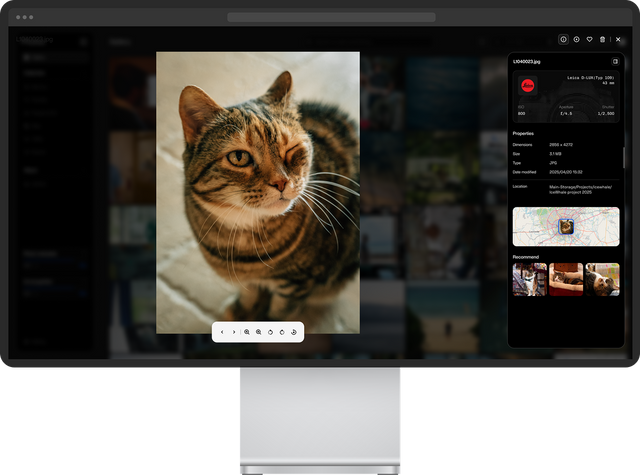
How to Build a Private Digital Hub for Your Pet’s Photos, Records, and Safety Information
Build a private digital hub for your pet’s photos, videos, medical records, identification documents, and safety information. Learn how to organize everything in one...
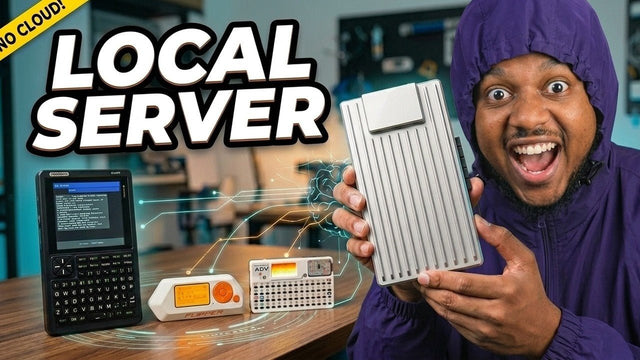
How JBlanked Connects Flipper Zero, Cardputer, and PicoCalc to Local AI with ZimaBoard 2
JBlanked turns ZimaBoard 2 into a shared local AI server for Flipper Zero, Cardputer-ADV, and PicoCalc. Using ZimaOS, Ollama, Picoware, and GPU acceleration, the...
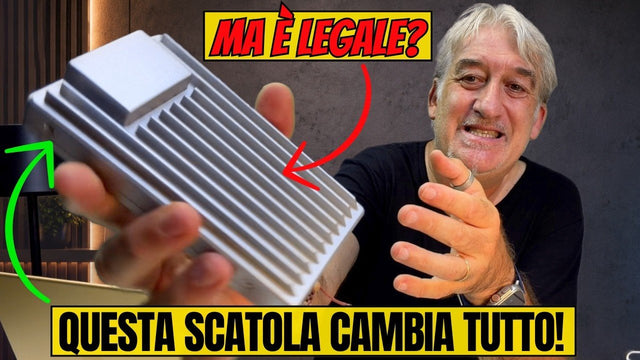
How Bighenet Builds a Private Personal Cloud With ZimaBoard 2
Bighenet explores how ZimaBoard 2 and ZimaOS can reduce dependence on third-party cloud services. His walkthrough covers the reusable packaging, ZimaOS dashboard, local file...


