
How Jake Simmons Explores the Possibilities of ZimaBoard 2


ZimaBoard 2 is built as a compact x86 home server, but its display output, SATA connections, PCIe expansion, USB ports, and network interfaces also make it an interesting platform for hands-on technology projects. In this video, Jake Simmons explores how the board can connect retro-computing ideas, local gaming, expandable storage, and everyday home-lab tasks in one small system.
Thanks to Jake Simmons for creating the original video. This article reorganizes the project around one practical question: what kinds of gaming, storage, and home-server workflows make sense on ZimaBoard 2, and where should users keep their expectations realistic?
The practical verdict: ZimaBoard 2 is most compelling as a flexible project platform rather than a single-purpose game console or desktop replacement. Its x86 compatibility, storage connections, networking, and expansion options allow one compact board to support local applications, game libraries, media, file storage, and home-lab services.
Why Use a Home Server for a Gaming or Retro-Tech Project?
A dedicated console is designed around a fixed software and hardware environment. ZimaBoard 2 takes a different approach. Because it uses an x86 processor, users can work with familiar desktop and server operating systems instead of being limited to a narrow single-board-computer ecosystem.
This opens several possible roles. The board can drive a local display, store a personal game library on attached drives, provide network storage to another gaming device, host lightweight services, or become part of a remote-play workflow. The value comes from choosing the role that best matches the board rather than expecting it to behave like every other PC or console.

The ZimaBoard 2 Hardware That Makes Experimentation Possible
ZimaBoard 2 combines an Intel Processor N150 with either 8GB or 16GB of LPDDR5 memory. It also provides onboard eMMC storage, two SATA 3.0 connections, dual 2.5GbE network ports, USB connectivity, Mini DisplayPort output, and a PCIe 3.0 expansion interface.
Those connections matter more than any single benchmark. SATA allows users to attach dedicated SSDs or hard drives, while PCIe creates room for specialized expansion. Dual Ethernet makes the board useful when a project needs to combine local applications with network storage, remote access, routing, or other server duties.
| Hardware feature | Why it matters in a project |
|---|---|
| Intel N150 x86 processor | Supports a broader range of familiar desktop and server software |
| 8GB or 16GB LPDDR5 memory | Provides room for applications, services, and multitasking |
| Two SATA 3.0 connections | Adds dedicated storage for games, media, backups, or shared files |
| Dual 2.5GbE networking | Supports fast local transfers and network-based workflows |
| PCIe 3.0 expansion | Allows the system to be adapted for more specialized projects |
| Mini DisplayPort output | Enables direct connection to a monitor or television |
| Fanless enclosure | Keeps the system quiet in a desk, bedroom, or living-room setup |
Users considering the same hardware can review the available configurations on the ZimaBoard 2 Mini Home Server .
Storage Changes What the Board Can Become
Onboard storage is useful for establishing a system, but a project involving a larger application library, media collection, or regular backups benefits from dedicated SATA storage. An attached SSD can hold the operating system and frequently used applications, while a higher-capacity drive can store games, media, archives, or shared files.
This separation also makes future changes easier. A user can reinstall or replace the primary operating system without necessarily rebuilding the entire data library. The same storage can later be reorganized for a NAS, media server, backup destination, or another home-lab role.

Before changing operating systems or disk layouts, users should back up any files already stored on the destination drive. Game files, firmware, BIOS files, and other copyrighted material should only be used when the user has the legal right to use them.
Local Gaming Is Only One Possible Role
Connecting ZimaBoard 2 directly to a display creates the most console-like configuration. A compatible operating system or gaming interface can organize locally stored titles and provide a controller-friendly experience. Results will still depend on the software, graphics requirements, resolution, emulation overhead, and settings used for each title.
The board can also support gaming without doing all of the rendering itself. It may store a game library, run lightweight multiplayer services, manage downloads, or support a streaming workflow in which a more powerful computer renders the game and another device receives the video.
This distinction is important. Older and less demanding workloads may be appropriate for local execution, while modern graphics-intensive games are generally better handled by a system with a dedicated GPU. ZimaBoard 2 provides flexibility, but it does not turn an efficient server processor into a high-end gaming platform.
One Build Can Also Become a Home Server
A conventional retro-gaming device often spends most of its time idle when nobody is playing. ZimaBoard 2 can continue doing useful work in the background by hosting files, synchronizing backups, serving media, running containers, or supporting other self-hosted applications.
Its official compatibility list includes ZimaOS, Linux, Windows, OpenWrt, pfSense, Android, and LibreELEC. The best choice depends on whether the project prioritizes a local desktop, a controller-friendly interface, network services, or a combination of roles.
Combining too many responsibilities can nevertheless introduce friction. A software update, restart, storage-intensive task, or configuration change intended for one role may interrupt another. Users who need dependable server availability may prefer separating the gaming environment from essential storage and backup services.
Where the Compact Hardware Still Has Limits
ZimaBoard 2 is designed around efficiency, compactness, and expandability rather than maximum graphics performance. Integrated graphics can support display output and appropriate media or lightweight visual workloads, but they should not be treated as a substitute for a modern dedicated gaming GPU.
The processor and memory also need to be matched to the project. Running a local interface, several background containers, file indexing, media processing, and other services simultaneously can create more demand than running one application at a time.

Storage speed, cooling conditions, display resolution, background services, and application versions can all affect the experience. A successful demonstration should therefore be treated as evidence that a particular configuration works, not as a guarantee that every workload will behave the same way.
Who Is This Type of ZimaBoard 2 Project For?
This approach is best suited to users who enjoy configuring hardware and software rather than purchasing a completely fixed appliance. It is particularly relevant for people who want one system to cover several related experiments over time.
| User goal | How ZimaBoard 2 can fit |
|---|---|
| Build a compact local gaming system | Connect a display, controller, storage, and suitable software interface |
| Organize a personal media or game library | Use SATA storage and network sharing to centralize files |
| Experiment with several operating systems | Use the x86 platform to test desktop, server, and appliance-style environments |
| Combine entertainment with a home lab | Run selected background services when the system is not being used locally |
| Play demanding modern PC games | Use a stronger gaming computer for rendering and consider network streaming |
Is ZimaBoard 2 a Good Retro-Tech Project Platform?
ZimaBoard 2 makes sense when the objective is flexibility. It can support a local display, attached storage, network services, and a range of x86 operating systems without locking the owner into one permanent use case.
Its strongest advantage is not replacing a dedicated gaming PC or every specialized home server. It is giving builders a compact foundation that can change as their interests change—from a local gaming experiment to a storage server, media system, backup destination, or self-hosted application platform.
Have another retro-gaming, storage, or home-server idea for the board? Join the ZimaSpace Discord community to share your setup and follow more ZimaBoard 2 projects.

Recommended products

Zima Campaign Hub
More to Read

How SjslTech Builds an R36S Cloud Gaming Server With ZimaOS
SjslTech compares three ways to host an R36S game library over SMB: a Windows PC, ZimaOS running on ZimaBlade, and another R36S handheld. The...
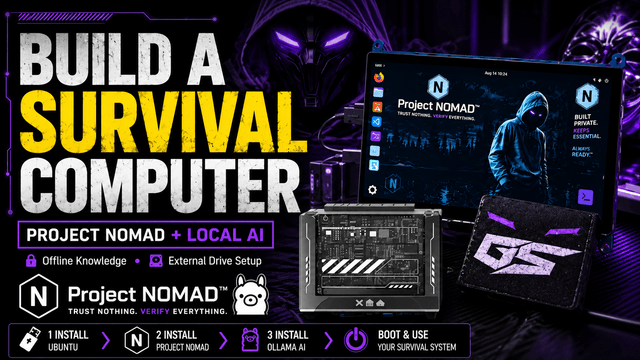
How GhostStrats Builds an Offline Survival Computer With Project NOMAD
GhostStrats combines ZimaBlade, Ubuntu, an external boot drive, and Project NOMAD to create a portable offline knowledge server. His build demonstrates how to prepare...
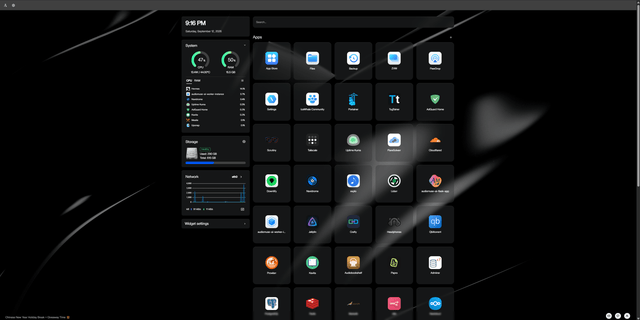
ZimaBlade + OpenClaw: A Real-World AI-Assisted Homelab Setup
A real ZimaBlade homelab using OpenClaw, Hermes, Docker, monitoring, smart-home tools, and AI-assisted server administration.


