
Why Does Home Assistant Feel Different on SSD and HDD Storage?


Home Assistant often feels faster on SSD because databases, logs, and metadata perform small random operations that expose HDD seek latency and queueing.
Sequential backup throughput may look acceptable on either medium, yet everyday interaction mixes Recorder commits, history queries, filesystem metadata, logs, and container activity. An SSD can serve those scattered operations with far lower access latency, while an HDD head must seek between locations. Memory cache can hide the difference temporarily, so cold starts and concurrent workloads reveal it most clearly.
Recorder Turns Small Changes Into Random Storage Work
Entity events become database rows, journal updates, index changes, and filesystem synchronization. These are often small operations distributed across database structures rather than one large sequential stream.
A discussion comparing database choices for many entities highlights the role of storage and backend behavior, showing why database storage behavior can matter before CPU utilization looks high.
HDD seek time makes scattered operations wait for mechanical movement, while SSD flash accesses them electronically. The result is lower queue latency rather than necessarily higher visible megabytes per second.
History Queries Benefit From Low-Latency Reads
A dashboard history request may touch indexes and many noncontiguous pages. If those pages are absent from memory, the storage device must fetch them before the database can filter, decode, and return the result.
An operator compacting a Home Assistant SQLite database reported a responsiveness focus, illustrating how database file locality and file layout can change the apparent read path.
A repeated query may become fast on both devices because the operating system caches pages. Compare cold or memory-pressured runs to expose media latency, and do not mistake one warm chart for equal storage behavior.
Mixed Workloads Amplify the HDD Difference
Recorder, logs, add-ons, backups, and history queries may share one volume. An HDD alternates seeks between their requests, while an SSD handles more outstanding random operations with less per-request movement.
A database-performance guide connects slow storage with Home Assistant delays, supporting mixed database I/O latency as the mechanism behind lag during simultaneous reads and writes.
Separating sequential bulk data from the database can help an HDD-based design, but only when paths and backups preserve consistency. Moving files without measuring the active queue may relocate capacity while leaving latency unchanged.

SSD Does Not Fix Every Slow Interface
CPU-heavy templates, a blocking integration, cloud timeouts, radio retries, client rendering, and network loss can all make Home Assistant feel slow with almost no disk pressure. More storage speed cannot shorten those waits.
A Raspberry Pi migration to SSD discusses both storage and memory caching, showing why SSD and cache effects should be separated from the warm-cache effect.
This is the failure boundary: attribute the experience to storage only when action or query delay rises with disk latency and queue depth. If storage stays idle and responsive during the symptom, investigate the next layer.
Benchmark Latency, Not Just Throughput
Use the same backup copy and Home Assistant version on each medium. Measure cold startup, a fixed history query, a harmless action during Recorder activity, backup duration, p95 disk latency, queue depth, and database integrity after restart.
The storage-latency control path explains how storage latency enters the whole-home control path, connecting the benchmark to a user-visible consequence.
Prefer SSD when random-latency tests repeatedly improve the target workload. Keep HDD for sequential bulk data when it meets the same target and recovery test. If both media show equal low latency while the interface remains slow, stop storage tuning and trace Core, network, or client time.

Recommended products

Tech & AI HUB
More to Read
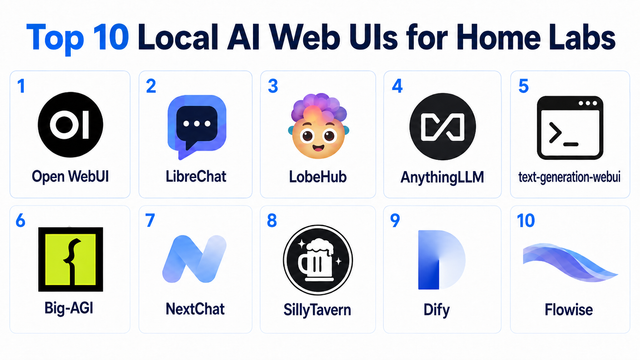
Top 10 Local AI Web UI for Home Labs In 2026
Compare 10 self-hosted local AI web UIs for home labs, covering Ollama support, RAG, agents, multi-user access, setup effort, and ideal use cases.
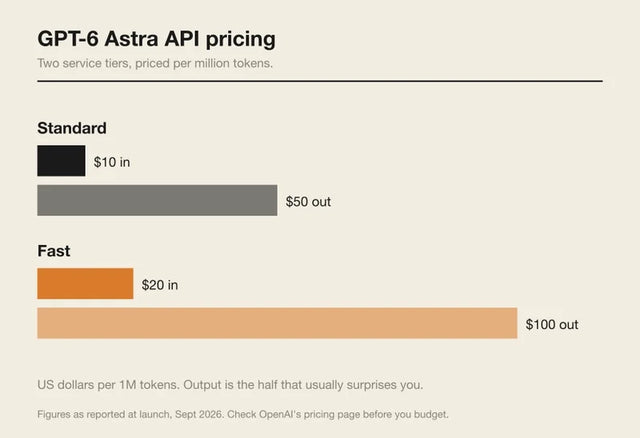
How Much Does GPT-6 Astra Cost Over Time? When Cloud AI Makes Sense vs Local AI
A practical GPT-6 Astra cost guide covering token usage, long-term AI workloads, cloud vs local tradeoffs, and why hybrid AI infrastructure matters.
GPT-6 Astra vs Local AI: Which Parts of an Agent Should Stay on Your Home Server?
GPT-6 Astra can stay in the cloud while your home server keeps files, memory, RAG, tools, permissions, and durable agent state local.


