
How Storage Latency Changes Immich Family Photo Backup


Storage latency slows Immich when required reads or writes wait, especially while imports compete with database activity and browsing on shared devices.
Two phones back up a weekend trip while another family member scrolls older albums on the same NAS. Large files still copy at a respectable rate, yet tiles appear unevenly and some requests pause. The important question is whether storage waiting lies on those particular operations, rather than whether the drive can achieve a high sequential transfer score.
Fast Transfers Can Coexist With Slow Small Reads
Throughput describes how many bytes move over time; latency describes how long an operation waits before completing. A disk can deliver a large sequential stream efficiently while handling scattered small reads less promptly. Immich browsing and application state do not always resemble one continuous file copy, so the two observations can coexist.
Host performance analysis examines device waiting and queue behavior alongside throughput, not just a single utilization percentage. Measurements such as request latency, queue depth, CPU waiting, and application timing are useful together. Their interpretation depends on the storage stack, particularly where virtualization, caching, or several devices sit beneath the reported volume.
As a simplified example, twenty dependent operations taking 5 milliseconds each consume 100 milliseconds before other work is counted. At 0.5 milliseconds each they consume 10 milliseconds. Real requests may run operations concurrently or use caches, so this is an explanation of accumulated waiting, not a measured Immich response-time prediction.
Different Data Roles Reach Storage Differently
An original upload adds media bytes; background preparation reads inputs and writes derivatives; browsing retrieves display assets; the database handles application records and queries. The same physical pool can serve all of them, but their request sizes and access patterns differ. A storage change may therefore help one stage much more than another.
A firsthand Immich build placed PostgreSQL on an SSD while retaining media and thumbnails on hard drives. That documented mixed layout shows that storage roles can be separated; it does not prove the arrangement is optimal or quantify an SSD speedup. Use such examples to identify which role an observation concerns before generalizing from the hardware list.
For family backup, distinguish accepted originals from fully prepared previews and searchable records. Faster original writes will not remove an inference bottleneck, and a fast database does not guarantee that a cold image read is fast. The relevant endpoint is the household action being timed, with all of its required stages included.
Imports Turn Shared Storage Into a Waiting Line
During an import, background writes and interactive reads may enter the same device queue. More concurrent jobs can increase the amount of work waiting even when aggregate throughput rises. The visible cost often appears in occasional long requests, which an average can hide while most timeline tiles continue loading normally.
The request for separate thumbnail storage explicitly came from a desire to use fast storage for generated browsing assets and bulk storage for originals. That is evidence of distinct access priorities, not a universal claim that every installation needs separate drives. Actual benefit depends on where current requests wait and whether the proposed tier changes that wait.
This mechanism stops explaining the slowdown when device latency stays stable but the client stalls during decoding, the network retries transfers, or inference remains saturated. Moving data solely because CPU use is low can then miss the cause. Shared storage is a candidate dependency, not an automatic verdict for every pause during imports.

Correlate Disk Waiting With a Family Action
Choose one repeatable family action, such as opening the same album or uploading a fixed sample. Record its duration on a quiet host and during a representative import, alongside device latency, queue behavior, database timing, and failures. Keep account, network route, media settings, and client unchanged so the comparison has a clear meaning.
The same critical-path distinction appears in shared-home-server storage analysis: background persistence does not imply that every visible action waits for a disk write. That cross-application principle helps frame the observation, but Home Assistant timings are not Immich benchmarks. The photo workflow must demonstrate its own connection between storage waiting and user-visible delay.
Treat storage as a supported explanation when its longer waits consistently coincide with the delayed stage and another controlled condition changes both. If only the first cold read is slow, record that separately from sustained contention. Stop at the identified dependency; this mechanism analysis does not require destructive stress tests on the production photo library.

Recommended products

Tech & AI HUB
More to Read

Open Models Are Catching Frontier AI—Is 2026 the Year Local AI Becomes Good Enough?
Open models are getting good enough for more local AI workloads, while frontier cloud models remain useful for the hardest reasoning and agent tasks.
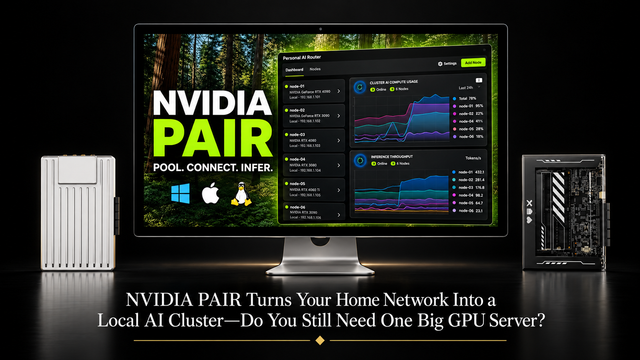
NVIDIA PAIR Turns Your Home Network Into a Local AI Cluster—Do You Still Need One Big GPU Server?
NVIDIA PAIR spreads local AI requests across multiple PCs, making compute more elastic while one home server can keep data and state persistent.
Why Does Immich Feel Faster on LAN Than on Remote Connections?
LAN requests usually take a shorter, lower-latency path. Remote access adds WAN capacity limits and may add DNS, TLS, proxy, VPN, or relay hops.


