
How Can Immich and Nextcloud Share a Photo Library Without Conflicting?


Immich and Nextcloud can coexist around the same photo files, but reliability depends on defining which system owns filesystem changes and how Immich observes them.
There is no magical shared-state layer that keeps two independent databases synchronized whenever either application moves, deletes, or edits a file. A common design is for Nextcloud to remain the file-management and sync layer while Immich receives a mounted external-library view for browsing and recognition. That creates a useful separation, but also a clear rescan boundary.
Treat the Filesystem as the Shared Boundary
Nextcloud and Immich maintain different application databases and different assumptions about their own state. Sharing the same underlying media does not merge those databases. The safe integration question is therefore which filesystem tree both can see and which application is allowed to mutate it.
A Nextcloud community discussion about external-library integration describes users exposing Nextcloud-managed photo folders to Immich rather than trying to connect the two products through an automatic database protocol. That pattern makes the filesystem the integration surface.
Keep the shared contract simple: one canonical set of originals, one predictable mount path inside Immich, and an explicit owner for renames and deletions. If both applications independently reorganize the same tree, neither database can infer every semantic intent from the final path alone.
Read-Only Immich Access Reduces Write Conflicts
When Nextcloud is the source of truth for file placement, mounting that tree read-only for Immich sharply reduces the chance that a delete or metadata edit from the photo interface changes files Nextcloud still believes it owns. Immich can still index and present the assets while leaving source-file mutation to the upstream system.
A user report about using Immich as a viewer illustrates this division of labor: Nextcloud handles the stored files while Immich supplies a richer photo-viewing and recognition experience over mounted content.
Read-only access has a boundary: edits that require changing source-side metadata or sidecars cannot be treated as durable file edits from Immich. Decide in advance whether ratings, descriptions, or file-level changes belong in Nextcloud, in Immich’s database, or in a separate metadata workflow.
External-Library Scans Are the Synchronization Step
When Nextcloud adds, removes, or reorganizes files, Immich needs to reconcile its external-library view with the filesystem. That scan is what turns a file-level change into updated Immich asset state, so there can be a delay between a Nextcloud operation and what the photo interface shows.
The Waterloo community wiki’s Nextcloud library approach demonstrates a practical pattern of exposing Nextcloud user data as Immich external libraries. The exact scripts are environment-specific, but the broader principle is stable mount paths plus deliberate rescanning.
Do not interpret that lag as database synchronization failure until the scan completes. Conversely, do not assume a successful mount means changes are instantly reflected: filesystem visibility, scan scheduling, and downstream thumbnails or search jobs are separate milestones.

Moves and Deletes Are the Main Conflict Boundary
A rename or folder move made in Nextcloud may look like a path disappearance plus a new path to Immich. If the photo application cannot preserve asset identity across that move, application-only relationships such as albums or edits may no longer attach to the same logical item after reconciliation.
A recent Immich discussion about reorganized external files reports renewed processing when paths changed. This is exactly why a shared Nextcloud tree should have conservative reorganization rules and why large path migrations deserve a test cohort first.
The one-writer model stops being sufficient if an additional synchronization tool rewrites timestamps, generates duplicate copies, or changes files underneath both applications. In that case, document the third writer and treat it as part of the integration rather than blaming either photo or cloud application in isolation.
Validate the Integration With a Four-Operation Test
Create a test folder with four disposable photos. From the designated owner application, perform one add, one metadata-side edit, one move, and one delete. After each action, allow the intended scan to complete and record how Immich represents the asset, whether application metadata survives, and whether Nextcloud remains consistent.
Use ZimaSpace’s data-path framework to separate file ownership, scanning, generated derivatives, and database state. Integration reliability comes from knowing which layer should change after each operation.
Accept the design only when the four operations produce predictable results and recovery ownership is documented. If a move recreates assets, a delete reappears, or metadata is lost, constrain those operations to one system or change the integration pattern before exposing the full family library.

Recommended products

Tech & AI HUB
More to Read

Open Models Are Catching Frontier AI—Is 2026 the Year Local AI Becomes Good Enough?
Open models are getting good enough for more local AI workloads, while frontier cloud models remain useful for the hardest reasoning and agent tasks.
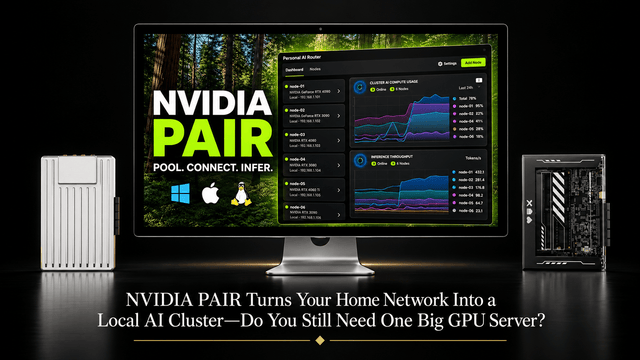
NVIDIA PAIR Turns Your Home Network Into a Local AI Cluster—Do You Still Need One Big GPU Server?
NVIDIA PAIR spreads local AI requests across multiple PCs, making compute more elastic while one home server can keep data and state persistent.
Why Does Immich Feel Faster on LAN Than on Remote Connections?
LAN requests usually take a shorter, lower-latency path. Remote access adds WAN capacity limits and may add DNS, TLS, proxy, VPN, or relay hops.


