
Home Assistant for a Shared Household: How Roles Change Data Access


Home Assistant roles mainly separate administration from ordinary use; they do not automatically create complete per-person isolation for every entity, history record, or integration.
A shared household mixes different needs: administrators maintain integrations and backups, adults operate common spaces, children need limited controls, and guests may need temporary access. The access result comes from several layers—user role, dashboard visibility, entity exposure, companion-app permissions, and upstream device accounts. Treating one role label as a universal data boundary leaves sensitive history and controls exposed.
Roles Separate Configuration Power From Daily Control
An administrator can change integrations, users, system settings, backups, and other control-plane state that affects everyone. A non-administrator can use permitted interface functions without owning the installation. This distinction reduces accidental system changes, yet it does not by itself specify which household entities or historical observations each person may see.
Demand for finer separation is visible in the long-running role-based access request. The discussion is useful because it distinguishes broad administrator status from granular rights over devices, entities, areas, integrations, dashboards, and services.
Use the least powerful role that still supports the person's normal tasks. If someone needs one occasional administrative action, do not make permanent administrator access the workaround. The failure boundary is any account whose compromise permits system-wide configuration or secret access beyond the person's household responsibility.
Dashboard Visibility Is Not a Complete Security Boundary
A tailored dashboard can remove confusing or sensitive controls from everyday navigation, but hiding a card is different from denying backend access. APIs, service calls, history views, voice assistants, or alternate dashboards may expose the same entity through another path. Presentation design improves usability; authorization must be validated independently.
Household access problems often arise because users expect interface configuration to equal entity-level permission. The practical concerns in this access-control discussion show how cameras, locks, and children's devices make that assumption unsafe.
Test with the actual non-admin account in a private browser and companion app. Attempt navigation, entity lookup, history viewing, service calls, and dashboard edits that should be denied. If a sensitive path remains available, treat the boundary as unsupported and isolate the upstream integration or avoid exposing that data.
Upstream Accounts Can Override Household Intent
Home Assistant may connect to cameras, alarms, energy portals, media services, and voice platforms through one shared upstream credential. Even if local users have separate accounts, the integration can import data with the authority of that shared identity. Local roles cannot remove permissions the integration never distinguished in the first place.
Least privilege works only when every service identity receives the minimum authority needed for its function. This practical guide to least-privilege access provides the general mechanism: narrow rights and verify them continuously rather than relying on a trusted network or friendly household context.
Create separate upstream service accounts where the device platform supports them, and avoid importing administrative credentials for routine control. If one credential necessarily exposes the entire camera or alarm estate, document that as a shared-data boundary. Home Assistant cannot enforce distinctions that disappear before data reaches it.

Create a Household Access Matrix
List each person or role against five capabilities: view current state, view history, execute actions, edit dashboards or automations, and administer integrations or backups. Add rows for sensitive domains such as locks, cameras, presence, alarms, bedrooms, energy, and location. Mark each cell required, denied, or unsupported.
The ZimaSpace guide to family identity design extends this matrix into onboarding, shared-device, and lifecycle decisions for a multi-user installation.
Validate every required and denied cell with a real test account, then record which restriction depends on Home Assistant, a dashboard, the client device, or an upstream service. Review the matrix when a person, integration, or role changes. If a denied cell cannot be enforced, remove the data path or label the limitation explicitly.

Recommended products

Tech & AI HUB
More to Read

Open Models Are Catching Frontier AI—Is 2026 the Year Local AI Becomes Good Enough?
Open models are getting good enough for more local AI workloads, while frontier cloud models remain useful for the hardest reasoning and agent tasks.
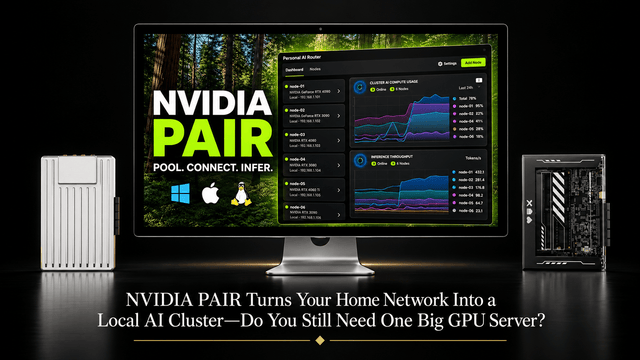
NVIDIA PAIR Turns Your Home Network Into a Local AI Cluster—Do You Still Need One Big GPU Server?
NVIDIA PAIR spreads local AI requests across multiple PCs, making compute more elastic while one home server can keep data and state persistent.
Why Does Immich Feel Faster on LAN Than on Remote Connections?
LAN requests usually take a shorter, lower-latency path. Remote access adds WAN capacity limits and may add DNS, TLS, proxy, VPN, or relay hops.


