
IBM Granite Speech 5.0 Explained: What Compact ASR Means for Private Audio Archives


IBM Granite Speech 5.0 TurboCTC can turn recordings into searchable text on supported local compute. The current 470-million-parameter model card describes an October 21 multilingual update, so older English-only descriptions no longer cover the latest checkpoint. For a private audio archive, its appeal is the possibility of choosing where transcription runs.
Keep the original audio on your NAS, process an approved working copy, and store the reviewed transcript alongside the recording. Local processing can avoid uploading audio to a transcription service, but only if the entire workflow—including inference, logs, and later summarization—stays within the intended boundary. NAS storage and transcription compute are separate choices.
What does Granite Speech 5.0 TurboCTC do?
It performs automatic speech recognition: converting speech audio into text. The current model card identifies a compact CTC-based model and documents the supported usage. Do not assume that transcription also supplies reliable speaker labels, translation, or a factual summary unless those are separately implemented.
Think of the transcript as a derived artifact. It should remain linked to the recording and be corrected where names, numbers, or technical terms matter.
Which language and revision details matter?
The updated model card lists English, French, German, Spanish, Portuguese, Italian, and Japanese. It also links an earlier English-only revision. Record the exact revision when evaluating or reproducing results; a stable repository name can point to an updated checkpoint.
Use the current model card as the starting point for runtime requirements. A generic model-family documentation page may describe an older sibling or example.
How does a NAS-backed transcription workflow fit together?
| Step | Where the responsibility belongs |
|---|---|
| Retain audio | Authoritative storage with a separate recovery plan |
| Prepare input | Working copy with supported format and sample rate |
| Run ASR | Compatible runtime on suitable compute |
| Review transcript | Check important names, numbers, and unclear passages |
| Archive result | Link transcript, recording, revision, and processing date |
ZimaCube 2 can provide the storage layer while a workstation handles inference. Do not assume the NAS has a ready-made app or verified inference performance for this exact checkpoint.
Does local ASR solve all audio privacy concerns?
It changes the inference location when run locally, but the surrounding workflow still needs review. An external summarization API can receive the transcript; monitoring and logs may retain sensitive text; a broadly shared output folder can expose it. Voice recordings may also contain information about other people.
Use the input preparation guide and file permission checklist to limit access. Keep temporary files and transcripts subject to the same care as the original audio.
What should I test before processing an archive?
Begin with a short representative recording and a manually checked reference segment. Check transcription quality, wall-clock time, memory use, and file handling. Include the kinds of audio you actually retain, such as distant speech or technical vocabulary, instead of assuming a published benchmark predicts your archive.
Follow the NAS audio testing guide, and use the local ASR versus cloud transcription comparison to decide whether operating a local runtime is worthwhile.
Frequently asked questions
Is Granite Speech 5.0 TurboCTC still English-only?
The current model card documents an October 21 multilingual update. An older English-only revision remains separately referenced.
Does it automatically identify each speaker?
Do not assume so. Speaker diarization is a separate capability unless explicitly supplied by the workflow.
Can ZimaCube 2 store audio for a separate transcription machine?
Yes. Storage can remain on the NAS while compatible compute processes approved working copies.
Does local transcription guarantee that later AI steps stay local?
No. Review summarization services, logs, tools, and output sharing separately.
Related reading
- How to Test Granite Speech 5.0 with English Audio Files Stored on Your NAS
- Granite Speech 5.0 vs Cloud Transcription: Privacy, Hardware, and Accuracy Compared
Sources
- Official announcement and model documentation — huggingface.co
- Technical documentation and reference — www.ibm.com
Cover: IBM Granite Speech 5.0 official announcement image. Image source.

Recommended products

Tech & AI HUB
More to Read
LFM2.5-24B-A2B Explained: What Total and Active Parameters Mean for Local AI Agents
LFM2.5-24B-A2B combines 24B total and 2B active parameters. Understand memory, agent tooling, local execution, and how a NAS fits the workflow.

Claude Duet Explained: Proactive Tasks, Connected Apps, and Personal Files
Claude Duet is a proactive-agent research preview. Learn about background tasks, connected accounts, review boundaries, and NAS-backed personal files.
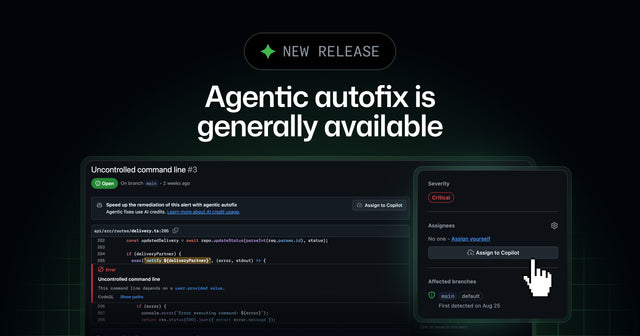
GitHub Agentic Autofix Explained: From Security Alerts to Reviewable Pull Requests
GitHub Agentic Autofix turns eligible code-scanning alerts into draft pull requests. Learn what it validates and what still needs review before deployment.


