
How to Configure Home Assistant Cache and Temporary Storage


Configure Home Assistant cache by first identifying which data is disposable; never move the whole persistent configuration path to temporary storage.
“Cache” can mean browser frontend assets, TTS output, integration-specific temporary files, a container's /tmp, operating-system page cache, or database working space. Those layers have different owners and recovery behavior. Keep users, registries, configuration, Recorder state, and other authoritative files on durable storage. Use tmpfs or RAM-backed storage only for a documented disposable path whose loss and memory use you have tested through restart.
Classify the Cache Before Moving Any Path
Start by naming the owner, path, maximum expected size, rebuild method, and what happens if the data disappears. Browser cache lives on the client; Home Assistant persistent application state lives under its configured data path; integration caches vary; temporary container files may vanish at restart. They should not be solved with one global “cache directory” setting.
A Home Assistant TTS case shows a narrow example where generated audio under a specific cache path was intentionally redirected to a RAM-backed location. The important boundary in moving a disposable TTS cache is that the user targeted one regenerable directory, not the entire configuration tree.
If you cannot prove that a file can disappear without losing identity, history, settings, dashboards, or integration registration, classify it as persistent. The safest default is durable storage. Optimization comes after recovery ownership is known.
Keep Persistent Home Assistant State and Recorder on Durable Storage
The configuration mount is not a cache just because it contains some generated files. It can contain authentication, entity and device registries, automation state, configuration, custom components, and the default Recorder database. Putting that whole path on tmpfs turns a reboot into data loss and makes backups depend on memory contents that were never meant to be authoritative.
ZimaSpace's explanation of Home Assistant persistent data roles is the correct first filter: separate authoritative state from rebuildable cache and temporary working data before assigning storage tiers.
Use SSD or another reliable durable filesystem for the app state and reserve sufficient free space for database growth, upgrades, and maintenance. Moving a small disposable cache to RAM cannot compensate for an undersized or failing persistent volume.
Use tmpfs Only for Explicitly Disposable Paths With a Memory Limit
Tmpfs can reduce writes and offer very low latency, but it consumes host RAM and disappears when the container or host stops. That makes it appropriate for bounded scratch data, not for anything required after restart. The mount must also be sized so that a temporary workload cannot consume the memory needed by Home Assistant Core and neighboring services.
A current Docker Compose guide explains that tmpfs usage counts against memory capacity and can fail with no-space or OOM conditions when it is oversized or unbounded relative to the container budget.
Set a size ceiling, monitor peak usage, and deliberately restart the container. The path should repopulate automatically while users, settings, history, and integrations remain unchanged. If the application cannot rebuild the directory or treats its absence as corruption, return it to durable storage.

Treat Frontend Cache as a Client Problem, Not Server Storage
A stale Home Assistant page on one browser can persist even when the server is healthy, because frontend resources are cached by the browser or app. Clearing server-side temp files will not fix that client state. Conversely, clearing browser cache does not reduce Recorder disk I/O or make the Home Assistant database smaller.
Home Assistant users explicitly distinguish frontend cache as browser cache, which is why cache troubleshooting should begin by identifying whether the symptom exists on one client or across the whole server.
Use a clean browser or private profile as the validation control. If the new client is healthy, keep the fix on the frontend path. If every client shows the same missing data or server-side error, do not keep clearing local caches; return to Home Assistant logs, storage, integration, or database troubleshooting.
Validate Temporary Storage Through Restart, Pressure, and Free-Space Tests
After changing a cache or tmpfs path, measure normal and peak size, host available memory, container memory pressure, persistent-volume free space, and restart behavior. Then run the workload that creates the cache—TTS, media, custom integration processing, or another known producer—and confirm cleanup occurs as expected.
Leave headroom on durable storage for operations that need temporary working space even if the day-to-day database fits comfortably. Do not fill the persistent volume because a RAM cache made normal writes look smaller; upgrades, database maintenance, backups, and log bursts can have very different temporary-space requirements.
Pass when every disposable path can vanish and rebuild, persistent state survives container and host restart, tmpfs peak use stays inside the memory budget, and Home Assistant still has adequate durable free space. If any required setting or history disappears after the test, the path was misclassified and must be returned to persistent storage before further tuning.

Recommended products

Support & Tips
More to Read
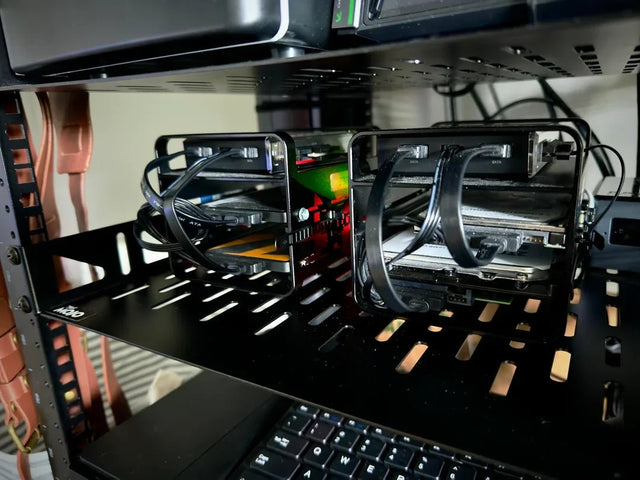
Can Home Assistant Share a GPU or Accelerator With Another Container?
GPU sharing depends on the workload: containers can often share render nodes, while whole-device VM passthrough usually changes the boundary.

How to Tell Whether a Home Assistant Error Comes From the Client or Server
One-client failures point toward client state; cross-client failures point toward the server or a shared proxy, network, or integration path.
How to Prevent Home Assistant Backups From Capturing Inconsistent Database State
Use Home Assistant-aware backups for live systems; if making raw file copies, quiesce the database and verify the restore before trusting the archive.


