
One SSD vs Separate App and Media Drives for Jellyfin: Which Layout Is Better?


Putting Jellyfin, its database, metadata, transcode cache, and the media library on one SSD is simple and can be very fast. Separating application state from bulk media onto different physical drives adds complexity but creates distinct performance, failure, backup, and capacity boundaries.
This comparison is not “SSD versus HDD.” Both layouts can use SSD. The question is whether one storage device should carry every role or whether Jellyfin's small latency-sensitive state should be isolated from the much larger media tier.
One SSD Wins for Simplicity and Small Libraries
A single sufficiently large SSD gives the operating system, Jellyfin database, metadata, cache, transcodes, and media the same low-latency device. There are fewer mounts, fewer cables, no sleeping-media-disk delay, and a simpler container definition.
For a small library and modest write workload, one modern SSD may have enough IOPS and sequential bandwidth that queue contention never becomes user-visible. The main tradeoff is cost per terabyte and a single physical failure domain.
One drive is a good fit when the complete dataset is small enough to back up economically and future growth does not force an expensive all-at-once replacement.
Separate Drives Win When App-State Latency Must Stay Independent
Jellyfin's database and metadata perform many small reads and writes. Media playback mostly reads large sequential files. Backups, imports, downloads, media analysis, and generated assets can create additional mixed I/O.
Jellyfin exposes separate persistent and temporary storage roles. Its current configuration documentation distinguishes data, configuration, cache, logs, and other server paths. Splitting physical devices can keep heavy media copies or rebuilds from sharing the same device queue as latency-sensitive app state.
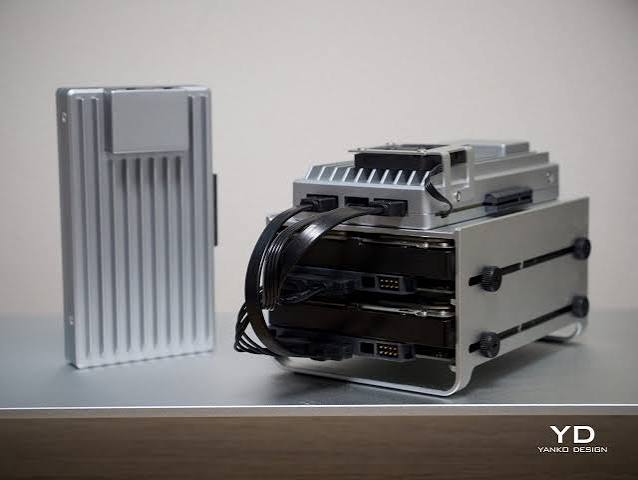
The ZimaSpace dual-storage Jellyfin layout shows the practical implementation; this comparison focuses on why the boundary is useful even when both tiers are fast.
Separate Devices Create Smaller Failure Domains
With one SSD, device failure removes the Jellyfin application state and media in the same event. A backup can recover both, but the restoration scope is large.
With separate devices, an app-data SSD failure can be restored from a relatively small backup while the media volume remains intact. A media-drive failure can be rebuilt or replaced without overwriting the Jellyfin database and users.
This is not redundancy. Either drive can still fail, and independent backups are still required. The benefit is that one failure does not automatically destroy every storage role at once.

Backup Scope Becomes More Efficient When Roles Are Split
Jellyfin application state changes frequently but is relatively small. A multi-terabyte media library can change slowly and may contain content that is replaceable from original discs or another archive.
Separate devices allow different schedules: frequent application-state backups, less frequent media protection, and a separate scratch policy for transcode cache. On one SSD, the backup tool can still exclude folders, but the physical capacity and failure boundary remain combined.
One SSD Can Still Be the Faster Layout in a Tiny System
Adding a second device does not automatically improve performance. A fast NVMe SSD carrying a small library may outperform a split design where the media tier is slow or attached through a poor USB bridge.
The benefit of separation appears when simultaneous workloads contend, when media growth dominates capacity, or when recovery scope matters. Test dashboard browsing, library scans, playback start, and large media transfers together before assuming the storage split is necessary.
Compare the Layouts by Growth and Recovery
| Dimension | One SSD | Separate app + media drives |
|---|---|---|
| Deployment simplicity | Strongest | More mounts and devices |
| Random/sequential I/O isolation | Shared queue | Independent device queues |
| Failure domain | App + media fail together | Roles fail independently |
| Capacity upgrades | Replace or expand combined tier | Grow media separately |
| Backup policy | Logical exclusions required | Physical roles match backup scopes |
| Small silent server | Excellent fit | More hardware than needed |
Choose one SSD when simplicity, silence, and compact size matter and the entire working set is comfortably within one device's capacity and backup plan. Split the roles when media growth, mixed-I/O overlap, independent recovery, or cheaper capacity storage justifies an extra device.
FAQ
Do separate app and media drives always make Jellyfin faster?
No. Separation helps when workloads contend or storage roles have different latency and capacity needs. A single fast SSD with plenty of headroom can be completely adequate for a small Jellyfin library.

Recommended products

Product Comparisons
More to Read
Can Home Assistant Replace openHAB for Whole-Home Device Control?
Home Assistant can replace openHAB only when every essential device and automation passes a parallel migration and rollback test.
Mini PC vs Single-Board Server vs NAS for Home Assistant
Pick an SBC for a small efficient appliance, a mini PC for flexible headroom, or a NAS only when shared-host operations are already mature.
How to Choose Between a Dedicated Home Assistant Server and a Shared App Host
Choose dedicated hosting for simpler failure isolation; choose a shared host when isolation, maintenance windows, and recovery are proven.


