
Where to Place a Jellyfin Server for Cooling, Cabling, and Maintenance


Place a Jellyfin server near wired networking in an open, dry, serviceable area with clear intake and exhaust paths.
This setup is for a home operator choosing between a desk, media cabinet, closet, utility shelf, or small rack. The best location is the one that supports stable Ethernet, safe power, predictable room temperature, and access to every cable and drive. A quieter distant location can beat a convenient shelf, but only when network, ventilation, and maintenance routes remain dependable.
Map the Room Before You Choose a Shelf
Start with the router, switch, outlets, client rooms, and likely media-storage location. Then mark warm zones, enclosed furniture, damp areas, sleeping spaces, and surfaces that transmit vibration. This converts placement from a furniture choice into a topology decision: the server needs a short reliable path to the network, a safe power path, and a thermal path that carries exhaust away.
A small host beside the router is usually the lowest-complexity default. A closet or cabinet becomes better only when it reduces noise without trapping heat or making the rear panel unreachable. The practical method in this home rack placement and cooling guide is useful even without a full rack: lay out equipment, airflow, and service access as one system.
Keep Intake Air Separate From Exhaust
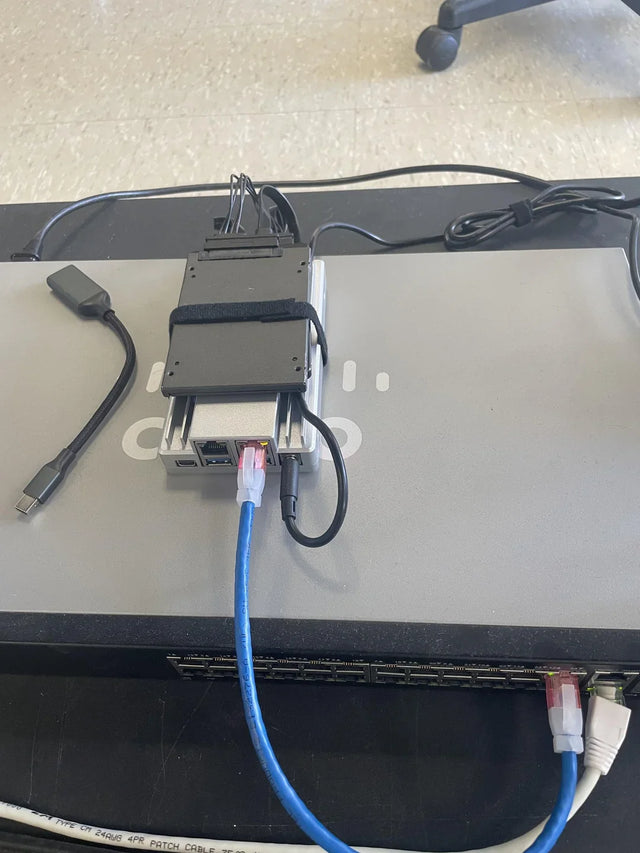
Give the server a cool-air side and a hot-air side. Do not point exhaust toward a wall, the back of a closed cabinet, another device's intake, or a dense cable bundle. Side-vented mini PCs and NAS enclosures also need clearance beside the chassis, not only at the front and rear.
Judge the location under a sustained mixed workload: one representative transcode, a library scan, and normal storage activity. Watch CPU, GPU, SSD, and drive temperatures until they stop rising. The ZimaSpace guide to cooling headroom for an always-on server explains why the warmest normal room condition matters more than a brief bench test.
Route Network and Power on Purpose
Prefer Ethernet from the Jellyfin host to the main switch; client Wi-Fi can vary, but the server's backhaul should not. Keep mains power and data runs on separate sides of a shelf or rack, avoid tight bends, and anchor cable weight to the furniture rather than to the server ports. A UPS may protect short interruptions, yet it also adds heat, battery-access needs, and another cable path.
Use hook-and-loop straps for runs that will change, label both ends, and keep only enough slack to move the device forward safely. This practical homelab cable-management workflow connects layout, labels, routing, and future changes instead of treating tidy cables as decoration.

Reserve a Real Maintenance Envelope
Before mounting anything, rehearse a drive swap, cable trace, dust clean, and power isolation. You should be able to see labels, remove a panel, slide the host forward, and reach the power connector without moving unrelated equipment. If one failed cable requires dismantling the entire shelf, the placement is not serviceable.
Keep controlled service loops beside the chassis rather than piled behind its exhaust. The principles in this service-loop and cable-dressing guide apply at home scale: support the run, respect bend radius, label both ends, and preserve movement for maintenance.
Balance Noise Against Distance
A living-room cabinet may shorten HDMI or Ethernet paths but amplify fan, drive, and vibration noise. A utility shelf may be quieter for users but warmer for the server or harder to inspect. Move the machine farther away before enclosing it; a longer certified Ethernet run is often a cleaner trade than insulation that blocks airflow.
Test noise during the jobs users will actually hear: transcoding, metadata refreshes, backups, and disk activity. If the quiet location is outside the conditioned space, repeat the thermal test during the warmest season and check for moisture or dust exposure. Do not place electronics near plumbing, floor-level flood paths, or unvented attics simply to hide sound.
Validate the Location Before Making It Permanent
Run the planned workload for at least long enough to reach stable temperatures, then verify stream startup, sustained bitrate, network errors, fan behavior, and storage latency. Disconnect and reconnect each labeled cable once. Confirm that another household member can identify the server's power source without guessing.
Accept the location only if temperatures stabilize with reserve, cables remain clear of vents, maintenance tasks need no teardown, and noise is acceptable at the listening position. Stop optimizing when those conditions hold. Relocate or add ventilation when heat keeps climbing, ports carry cable strain, the UPS cannot be serviced, or normal work requires moving other devices.
Use a Placement Decision That Can Survive the Next Upgrade
Leave room for one realistic growth trigger, such as an external drive enclosure, a larger switch, or a second network link. Do not reserve an entire rack for hypothetical expansion, but avoid a shelf whose airflow and cable path fail as soon as one drive or adapter is added.
The final layout should read clearly: clients reach the switch, the switch reaches Jellyfin, media storage follows a known path, power can be isolated, and hot air has somewhere to go. Document the cable labels, outlet, normal temperatures, and maintenance clearance. That record turns future changes into controlled setup work instead of rediscovery.

Recommended products

NAS & Server Setup
More to Read
How AI-Like Analysis and Automation Change Jellyfin Storage and Compute Needs
Automation and adjacent AI analysis add scans, derived data, CPU/GPU work, cache, scratch space, and background scheduling beyond ordinary Jellyfin playback.
How to Integrate Jellyfin Into a Small Apartment or Rental Network
Build a rental-friendly Jellyfin network around stable local addressing, minimal wiring, quiet hardware, CGNAT-aware remote access, and reversible changes.
How Many Users and Background Jobs Should One Jellyfin Host Support?
Treat Jellyfin users and background jobs as one shared workload budget; capacity ends when playback latency, queues, or resource pressure becomes repeatable.


