
How to Move Home Assistant From a Single Container to a Resilient Service Stack


Move Home Assistant from a single container to a resilient service stack by preserving the working Home Assistant state first, then separating persistent data, companion services, network paths, startup dependencies, and backups into explicit roles. The goal is not to create more containers; it is to make one service failure less likely to take the whole smart home down with it.
Do the migration in stages. Keep the original container and its data untouched until the new stack can start, pass local-control tests, survive a host reboot, and restore from backup. A resilient stack is one you can reason about during failure, not one with the longest Compose file.
Freeze the Working Container and Map Every Dependency
Before changing topology, record the exact Home Assistant image/version, configuration path, environment variables, network mode, USB device mappings, mounted paths, and host ports. Then list everything Home Assistant depends on outside the container: MQTT broker, database, Zigbee2MQTT, reverse proxy, VPN, DNS, certificates, backups, and any network shares. This becomes the migration map.
Mark each dependency as authoritative state, rebuildable service, or external infrastructure. Home Assistant configuration and database state are authoritative. A pulled container image is rebuildable. DNS and routing may be external infrastructure. This classification prevents a common mistake: backing up the container definition while forgetting the data or service it needs to become functional.
Separate Persistent Data From Replaceable Containers
Give every stateful service an explicit persistent path or named volume whose ownership and backup policy you understand. Home Assistant configuration, MQTT state if retained, database files, certificates, and automation-related secrets should not live only in a container writable layer. Images and containers should be replaceable without losing household state.
Volume recovery also needs application awareness. A a portable Docker-volume backup and restore pattern explains why copying raw runtime directories is not the same as a portable backup. For databases, coordinate the backup method with the database rather than assuming a file copy taken during active writes is consistent.
Add Health Checks, Restart Policy, and Startup Dependencies Deliberately
A restart policy answers “what should the runtime do when this process exits?” A health check answers “is the service actually ready to be used?” Those are different questions. A database container can be running while still replaying logs; an MQTT broker can have a process but not yet accept the connection path Home Assistant expects.
Use health checks on services that have a meaningful readiness condition, and only add dependency ordering where the dependent service truly needs it. An independent why restart policy and service health are different signals shows why automatic restarts do not prove readiness. Another a Compose readiness pattern for dependent services is useful when you need to gate a dependent service on a real health condition rather than a fixed sleep timer.

Bound Failure Domains With Networks, Resources, and Maintenance Order
Do not let a media scan, database migration, or experimental container consume every CPU cycle, all available RAM, or the entire app SSD while Home Assistant is expected to remain responsive. Give heavy neighboring services explicit resource expectations, place disposable caches away from critical state where practical, and keep the Home Assistant control path on a stable local network.
Separate update order as well. Change one layer at a time: host, container runtime, Home Assistant, database, then optional companions. If everything is updated in one maintenance window and the stack fails, you lose the ability to identify which layer caused the regression. ZimaSpace's a Home Assistant topology that separates compute, storage, and backup roles provides a broader role map for compute, storage, networking, and recovery.
Cut Over Only After Reboot and Restore Tests Pass
Bring up the new stack with a copy of the configuration or a controlled restore. Test one local dashboard, one local automation, one Zigbee or Thread path, MQTT if used, history/database access, notifications, and remote access if it is part of the design. Then reboot the entire host—not just the containers—and verify that startup order and device mappings still work without manual intervention.
Finally, prove recovery. Restore onto a clean temporary target or at least restore the stateful components into a separate test namespace. A management-plane backup can be misleading if it excludes workload volumes; this why a management-plane backup may omit workload data illustrates why stack definitions and application data require separate recovery coverage.
- Snapshot or back up the working single-container state.
- Map dependencies and classify stateful versus rebuildable components.
- Create explicit persistent paths and service definitions.
- Add health, restart, and resource policies only where they solve a real failure mode.
- Test local control, radios, database, remote path, full reboot, and restore.
- Retire the old container only after the new stack passes all tests.
The resilient endpoint is not “more services.” It is a stack where Home Assistant can be rebuilt without losing state, dependencies recover in a known order, heavy neighbors cannot starve the control plane, and a failed update can be isolated instead of turning into a full-home mystery.

Recommended products

NAS & Server Setup
More to Read
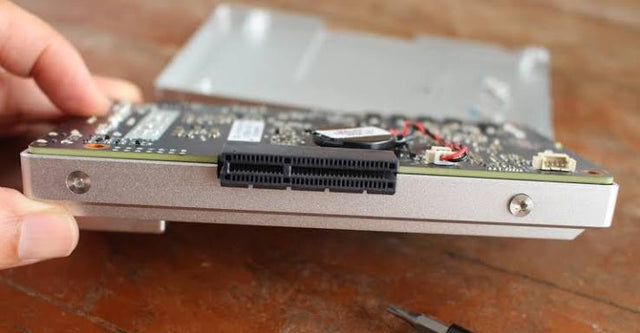
How to Separate Home Assistant App Data, Cache, and Backups
Keep authoritative app state persistent, prove cache is disposable before moving it, and store tested backups outside the Home Assistant failure domain.
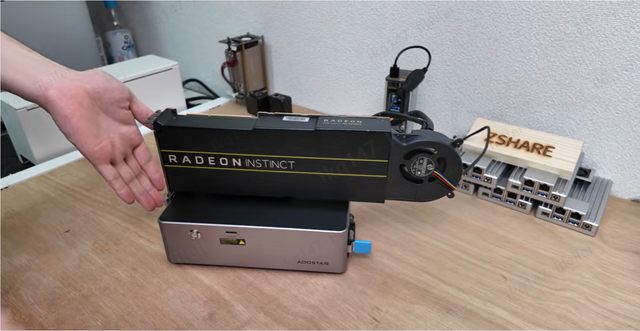
How to Adapt a Home Assistant Setup for Remote and Local Users
Keep local Home Assistant control independent of the remote edge, then add secure remote access with predictable DNS, identity, and network-switching behavior.

How New Home Assistant Features Change Home-Server Architecture
New Home Assistant features change service, network, data, and recovery roles. Protect core control, then integrate or isolate each feature by measured need.


