
How to Size a Home Server for Home Assistant and Internet Outages


Size the protected local control path—not just the Home Assistant process—for the exact internet and power outages your household must survive.
In a home where lighting, climate, leak response, or access automations matter during disruption, the server is only one role. Local switching, Wi-Fi or radio coordinators, persistent storage, battery power, and a recoverable configuration must remain aligned. The design stops being outage-ready when a required cloud API, unprotected router, or unknown restart behavior breaks the workflow before compute capacity does.
Define the Outage Acceptance Target
Separate an ISP outage from a utility outage. During ISP loss, the LAN may remain healthy and local devices may continue to communicate. During a power cut, the host, router, switches, access points, coordinators, NAS, and actuators can fail together. Give each event its own duration and acceptable degradation.
A community discussion about power-loss planning distinguishes local device control from the broader question of what remains powered. That uncertainty is the correct starting point: inventory critical actions, their network and cloud dependencies, and the manual fallback. A generic requirement to “keep Home Assistant online” is too narrow to size the topology.
Classify each workflow as must continue, may degrade, or may stop safely. A leak valve and heating safeguard may outrank history charts, remote notifications, and voice queries. The protected setup needs capacity only for the must-continue set plus recovery margin; optional work can pause or move off the critical host.
Size Compute From the Critical Workload
Measure the core automation workload with the WAN disconnected and the busiest local event sequence running. Record sustained and peak CPU, memory pressure, storage wait, and response latency. Include the database and only those add-ons required for the protected actions. This produces a server baseline tied to service, not device count.
Keep local voice models, camera inference, media processing, and backup compression off the protected path unless the outage requirement explicitly includes them. If they share the host, use resource limits or scheduling and reproduce their worst overlap. Split a service only when its peak causes a critical action to miss the acceptance target.
Add headroom for updates, recorder maintenance, and growth, but do not turn headroom into an arbitrary processor tier. A host is large enough when the measured critical sequence stays responsive and restart behavior is predictable. It is too large for the current role when unused capacity raises idle power and UPS load without reducing a named failure.
Build One Protected Power and Network Path
Draw one path from sensor or dashboard through radio or Wi-Fi, local switching, Home Assistant, and the actuator. Place every required network component and the host on a measured UPS-backed circuit. A battery on the server alone cannot preserve control when the router, switch, access point, or coordinator loses power.
One operator describes protecting networking gear, storage, and the Home Assistant server with small UPS units, shutting servers down within minutes, and keeping network equipment available longer. The timings are installation-specific, but the role split is valuable: compute may shut down safely while the local communication path remains useful.
Measure the complete outlet load, select a target runtime, and test it under normal peak activity. Define whether the host rides through, shuts down cleanly, or restarts after power returns. Reject a design that cannot recover from power returning while the UPS still has charge, because that edge case can leave a healthy battery protecting an offline service.
| Event | Protected roles | Acceptance test |
|---|---|---|
| ISP outage | Host, LAN, radios, local devices | WAN-pull workflow passes |
| Short power cut | Critical path plus UPS | Measured runtime exceeds target |
| Long power cut | Safe shutdown and manual controls | Shutdown and restart sequence passes |

Separate Live State From Recovery Copies
Keep configuration and the live recorder database on monitored persistent storage that starts with the protected host. Place recovery copies on a separate destination whose loss does not prevent local automation from booting. A NAS can be an effective backup target, but it should not become an accidental prerequisite for the core service.
A reported Home Assistant and Synology outage sequence shows both systems shutting down on a UPS event but not automatically waking when power returned before the UPS fully died. The case demonstrates why storage, host, and power recovery must be tested as one sequence; individually correct components can still produce an unavailable service.
Define backup frequency from acceptable data loss, then restore a recent copy to alternate media or a spare machine. Store credentials and steps where another household administrator can reach them. RAID, mirrored storage, or a second partition does not replace the off-host copy because it preserves the same operator and system failure domain.
Validate the Topology and Set Expansion Triggers
Run four acceptance tests: disconnect WAN, make the backup target unavailable, simulate the UPS low-battery action, and restore onto alternate hardware. Time critical automations, shutdown, restart, and restore. Record failures by graph edge so an upgrade changes the failed role rather than adding capacity everywhere.
ZimaSpace’s guide to measuring Home Assistant performance beyond warm cache explains why repeated warm tests can hide cold-start or peak limits. Apply that method to the protected workload, then compare the result with UPS draw and recovery behavior instead of enlarging the host from a comfortable cached run.
Expand compute when measured critical latency fails after other bottlenecks are excluded. Expand battery capacity when complete-path runtime misses the target. Split heavy services when isolation fixes the failure. Stop buying server hardware when a cloud-only device, unprotected network component, or untested restore remains the first boundary.
Final Setup Rule
The outage-ready size is the smallest protected topology that passes the household’s WAN-loss, power-runtime, restart, and restore tests. Increase compute, battery, or isolation only when its measured edge fails. If cloud dependencies or manual-control gaps still dominate, fix those before expanding the Home Assistant server.

Recommended products

NAS & Server Setup
More to Read
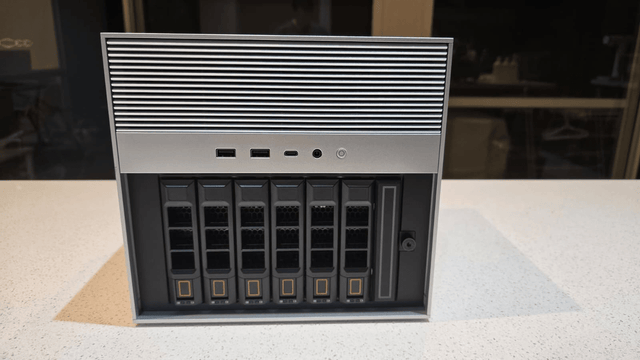
How New Home Assistant Features Change Home-Server Architecture
New Home Assistant features change service, network, data, and recovery roles. Protect core control, then integrate or isolate each feature by measured need.

Where to Place a Home Assistant Server for Cooling, Cabling, and Maintenance
The best Home Assistant location passes hot-day airflow, cable, radio, UPS, and maintenance drills. Ventilate, separate, or relocate when a hard gate fails.
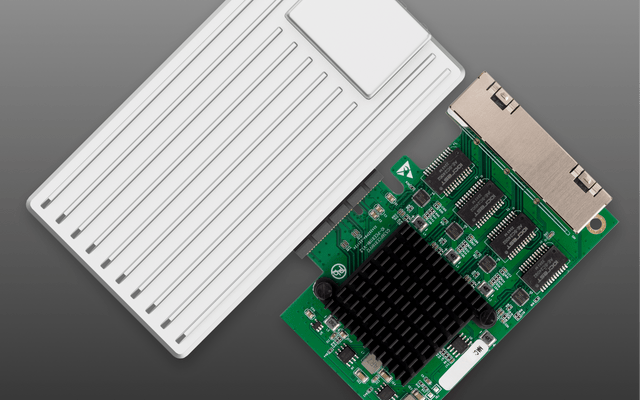
How to Build a Quiet, Low-Power Home Assistant Server
A quiet low-power server starts with measured workload and room limits, then uses SSD storage, efficient compute, safe cooling, and simple recovery.


