
Codex, AI Coding Agents, and SSD Wear: Should Developers Use a Home Server?


Quick Answer
AI coding agents are changing where developer workloads happen. Tools such as Codex, Claude Code, Gemini CLI, Cursor agents, and other local or cloud-connected coding assistants can read repositories, edit files, run tests, generate logs, create temporary files, and keep background tasks moving. That does not mean every developer suddenly needs a NAS or home server. It does mean developers should start thinking more carefully about where agent logs, caches, build outputs, test artifacts, and repositories are stored.
Recent discussions around Codex and unexpected local write behavior have made this question more visible. The exact numbers shared in community posts should be treated carefully unless you can verify them on your own system. The broader issue is still real: AI coding agents can turn a laptop into a long-running development workstation, and long-running development workloads can create more disk activity than casual coding.
A home server can help when you want to isolate agent workloads, run development tasks away from your daily laptop, keep project data in a more intentional storage layout, or monitor disk usage more clearly. It is not a magic SSD-saving device. It is a way to separate workloads, storage paths, and risk.
Why Codex Made Developers Talk About Local Writes
OpenAI describes Codex as a software engineering agent that can work on coding tasks, answer questions about a codebase, fix bugs, run commands, and provide terminal logs and test outputs for review through the OpenAI Codex product overview. That makes Codex different from a simple chat-based coding assistant. It is closer to a task-running agent that may touch files, commands, tests, and project state.
That distinction matters for storage. A coding agent that only suggests a function inside an editor is one kind of workload. A coding agent that can run tests, inspect a repository, generate artifacts, and keep logs is another kind of workload.
There has also been recent reporting around Codex background activity and usage visibility. In one case, the issue was about unexpected usage-limit consumption rather than confirmed SSD wear, but it still points to the same practical concern: developers need visibility into what agents are doing in the background, not only what they show in the UI.
The storage lesson is not “Codex will destroy your SSD.” A more accurate lesson is: agentic coding tools can create new invisible or semi-visible activity, and developers should know where that activity writes data.
Why AI Coding Agents Create New Storage Pressure
Logs, Caches, Build Artifacts, and Temporary Files
AI coding agents often work around existing developer workflows. That can include package installation, test execution, type checking, linting, temporary scratch files, local databases, logs, and cache directories. Each of those actions can create disk writes.
In a normal manual workflow, a developer may run a build or test suite a few times. In an agentic workflow, multiple tasks may run in parallel or repeat checks after each attempted fix. That can be useful, but it also changes the storage pattern.
The most important write-heavy locations to watch are usually:
- agent logs and local state databases;
- package manager caches;
- build folders such as
dist,build,.next,target, ornode_modules; - test artifacts, coverage reports, screenshots, and trace files;
- container volumes and temporary app data;
- repository clones and working directories.
Background Agent Activity Can Be Hard to Notice
Traditional development tools usually act when the user runs a command. AI agents may act more asynchronously. They can keep working while the user reviews something else, starts another task, or switches devices.
Reuters reported that Codex became available through the ChatGPT mobile app, allowing users to interact remotely with systems running Codex, review outputs, authorize changes, and initiate tasks from anywhere through the Reuters report on Codex mobile access. That kind of remote agent workflow is powerful, but it also makes it easier for background work to feel detached from the physical machine doing the writing.
When the machine is your laptop, that background work lands on the laptop’s SSD unless you deliberately move it elsewhere.
This Is a Workload Planning Problem, Not a Panic Story
SSD wear should not be discussed as fear marketing. A drive does not usually fail the moment it reaches a rated endurance number, and not every log file is dangerous. The real question is whether a tool is creating sustained writes that the user did not expect.
For developers, the practical response is to measure and isolate. Check which directories grow, which processes write heavily, and which workloads should stay local versus move to a server.
What Actually Wears Down an SSD?
SSDs store data in flash memory, and flash has limited program/erase cycles. SSD controllers use wear leveling, garbage collection, over-provisioning, and other techniques to manage that limit. Still, write-heavy workloads matter.
One reason small repeated writes can be difficult for flash storage is write amplification. Research on flash-backed key-value caches explains that frequent insert, update, and eviction of small objects can cause excessive writes and erasures on flash storage, which can shorten flash lifetime. This is discussed in the Flashield research on minimizing writes to flash.
For AI coding agents, the risky pattern is not one big repository copy. It is repeated small writes over time: log appends, SQLite updates, build cache churn, file watchers, test traces, and container state changes.
| Write Pattern | Why It Matters | Developer Example |
|---|---|---|
| Large sequential writes | Usually easier for storage to handle | Copying a project archive |
| Frequent small writes | Can increase metadata churn and write amplification | Logs, SQLite state, test traces |
| Repeated build output | Can rewrite many generated files | Frontend builds, compiled artifacts |
| Container volume writes | Can persist app state and logs continuously | Dev databases, agent wrappers, local services |
| Unbounded logs | Can grow unnoticed until disk space or endurance becomes a concern | Verbose TRACE logs or agent task history |
Local Laptop vs Home Server vs NAS: Where Should AI Agent Workloads Run?
There is no single right answer. The best place to run an AI coding agent depends on how active the project is, how much the agent writes, whether you need remote access, and how much risk you want on your daily machine.
| Setup | Best For | Main Benefit | Main Risk |
|---|---|---|---|
| Laptop only | Small projects, light agent use, interactive coding | Lowest complexity | Logs, caches, builds, and repo state all hit the same SSD |
| Dedicated home server | Remote SSH, Docker apps, long-running dev tasks, agent isolation | Keeps heavy workloads away from daily laptop | Requires setup, monitoring, backups, and access control |
| NAS / storage server | Project archives, backups, shared repositories, long-term data | Centralized storage and better data organization | Network latency and file locking may affect some dev workflows |
| Hybrid layout | Developers who need both speed and isolation | Active work on fast local/server SSD; archives and backups on NAS | Needs clear rules for what goes where |
For many developers, the best answer is hybrid. Keep interactive editing fast. Run heavier agent tasks on a dedicated server when possible. Store long-term repositories, backups, and archives on NAS or private cloud storage.
The Agent Storage Isolation Model
A practical way to plan AI coding storage is to separate four layers: active code, generated files, agent state, and long-term storage. This prevents one noisy tool from silently owning the entire laptop SSD.
| Layer | What It Stores | Recommended Treatment |
|---|---|---|
| Active Code | Working repository, branches, source files | Keep close to the compute environment running the agent |
| Generated Output | Build folders, test artifacts, coverage reports | Make disposable when possible; exclude from backups unless needed |
| Agent State | Logs, task history, local databases, caches | Monitor growth, rotate logs, and place on a dedicated volume if heavy |
| Long-Term Storage | Project archives, datasets, backups, release assets | Store on NAS, private cloud, or a storage pool with backup policy |
This model avoids two common mistakes. First, it avoids putting every temporary file into long-term storage. Second, it avoids letting every agent log and cache write to the same SSD that holds your operating system and daily work.
Should Developers Use a Home Server for AI Coding Agents?
A home server makes sense when agent workloads become frequent, long-running, or storage-heavy. It is also useful when you want to work from a laptop but run builds, tests, containers, and agents on another machine.
A home server may be worth considering when:
- you run AI coding agents daily or in parallel;
- your laptop fan, battery, or SSD activity becomes noticeable during agent tasks;
- your projects depend on Docker, local databases, or large build outputs;
- you need remote SSH access to continue work from another device;
- you want separate volumes for repositories, logs, caches, and backups;
- you want to monitor writes and storage growth more deliberately.
A home server may not be necessary when:
- you only use coding agents occasionally;
- your projects are small and builds are lightweight;
- your current machine has enough storage and you monitor it well;
- you do not want to manage another device, backup plan, or remote access method.
The goal is not to replace a laptop with a NAS. The goal is to place each workload where it makes the most sense.
A Practical Storage Layout for AI Coding Agents
A safer developer storage layout separates system files, active work, disposable files, logs, and backups. This makes it easier to monitor and recover when an agent behaves unexpectedly.
- Keep the OS and tools on a dedicated system drive. Do not let logs, build outputs, and datasets fill the boot volume.
- Put active repositories near the compute environment. If the agent runs on the home server, keep the active repo on server-local storage for better performance.
- Move logs and cache to a known path. If a tool allows log configuration, avoid unlimited growth in hidden folders.
- Treat build outputs as disposable. Generated files should usually be rebuildable, not backed up forever.
- Use NAS or private storage for archives and backups. Long-term data should not depend on a single laptop SSD.
- Monitor writes and free space. Watch disk activity before assuming the workload is harmless.
For small home labs, a compact home server can run SSH, Docker, Git, and agent-related tasks without tying up a daily laptop. For example, ZimaBoard 2 home ai server fits the type of low-power, always-on setup where developers may want to separate remote development, containers, and local services from their main machine. It is not the only way to build this workflow, but it is a natural fit for lightweight developer infrastructure.
Common Mistakes Developers Should Avoid
Moving Everything to a Network Share Without Testing
Not every development workload behaves well on SMB or NFS. Some tools rely on fast file watching, local locks, SQLite databases, or high-volume small-file operations. Running these directly over a network share can cause performance or reliability issues.
A better pattern is often to run the agent and active working directory on the same machine, then sync or back up important outputs to NAS storage.
Treating NAS as a Magic SSD Replacement
NAS storage does not eliminate writes. It relocates them. If logs grow without limits or caches churn constantly, the writes still happen somewhere.
That is why storage planning matters. Use separate volumes, log rotation, backup rules, and monitoring instead of assuming the storage layer will solve everything automatically.
Ignoring Hidden Agent State
Many tools store state in hidden folders under the user directory. These folders can include logs, credentials, caches, local databases, task history, or temporary files.
Developers should know where each tool stores its state. For any AI coding agent, check whether it allows log-level configuration, cache cleanup, or custom storage paths.
Using One SSD for Everything
A single SSD can handle many workloads, but putting the OS, repositories, containers, logs, build caches, databases, and backups on one drive makes it harder to understand what is happening.
Separate storage paths make problems visible. If an agent suddenly writes heavily, you can identify the affected volume faster.
How to Monitor AI Agent Storage Behavior
Monitoring does not have to be complicated. The goal is to learn what normal looks like, then notice when a tool behaves unusually.
Useful checks include:
- free space growth over time;
- largest folders under your home directory and project directory;
- agent log size and rotation behavior;
- package cache size;
- Docker volume growth;
- SMART health and total data written where supported;
- per-process disk write activity during agent runs.
Before changing storage layout, measure first. A tool that writes a few hundred megabytes per week does not need the same response as a tool that writes hundreds of gigabytes unexpectedly.
Where ZimaSpace Fits in This Workflow
ZimaSpace devices should not be framed as a cure for every AI coding agent problem. A better fit is infrastructure separation. A home server gives developers a place to run long-lived services, SSH sessions, Docker apps, background tasks, and storage workflows away from the main laptop.
For AI coding agents, that separation can be useful in three ways. First, it keeps heavier tasks off the laptop. Second, it gives logs and caches a more intentional storage path. Third, it makes it easier to pair remote development with private storage and backups.
The practical question is not “Should every developer buy a NAS?” The better question is: “Has my AI development workflow become persistent enough that it deserves its own machine, storage layout, and monitoring plan?”
FAQ
Can Codex or other AI coding agents really wear out an SSD?
Any software that writes heavily can contribute to SSD wear. The safer claim is not that Codex will wear out every SSD, but that coding agents may create logs, caches, test outputs, and background activity that users should monitor. The actual risk depends on write volume, SSD endurance, workload pattern, and configuration.
Should I move my whole repository to a NAS?
Not always. Some build tools, file watchers, and databases may perform poorly or behave differently on network shares. A safer setup is often to keep the active repository on the machine running the agent and use NAS storage for backups, archives, datasets, or less latency-sensitive project data.
Is a home server better than a laptop for AI coding agents?
A home server can be better for long-running, remote, or container-heavy workloads. A laptop is still better for fast local editing and simple tasks. Many developers benefit from a hybrid workflow: laptop for interaction, server for heavier background work.
What should I monitor first?
Start with free disk space, agent log folders, cache folders, Docker volumes, and repository build outputs. Then check SMART data or total writes if your drive and tools expose it. The goal is to identify unexpected growth before it becomes a reliability problem.
Does NAS storage solve SSD endurance problems?
NAS storage can reduce pressure on a laptop SSD by moving selected workloads elsewhere, but it does not remove the need for planning. You still need backups, monitoring, log rotation, and the right storage path for each workload. NAS is an infrastructure tool, not a guarantee.
What is the safest first step for developers?
Do not start by moving everything. First, identify where your agent stores logs, caches, temporary files, and task history. Then decide whether those paths should stay local, move to a dedicated server volume, or be backed up to NAS storage.

Recommended products

AI HUB
More to Read
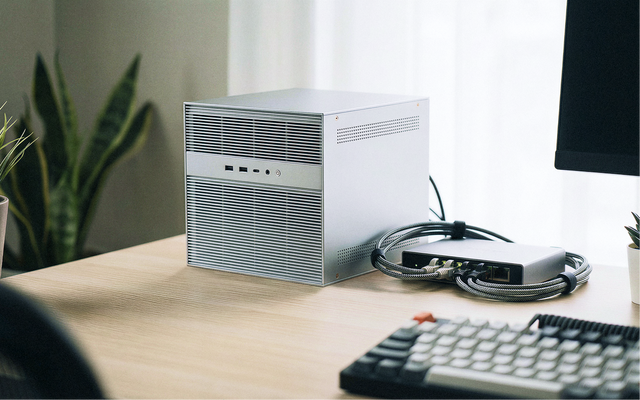
The Home AI Server Demand Forecast 2027: Why Private AI Workloads Are Moving Closer to Home
A 2027 forecast on why home AI server demand may grow as local LLMs, private RAG, media AI, automation, privacy needs, and cloud infrastructure...
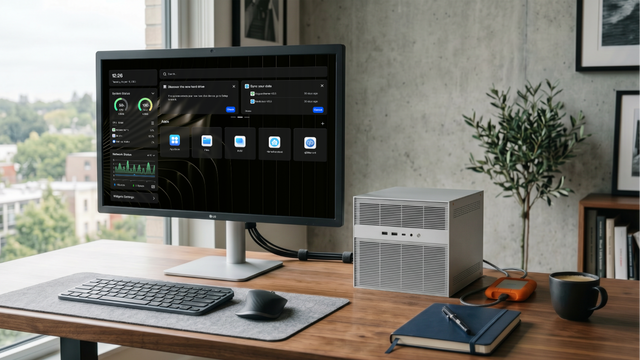
What GPT-5.6 Means for Local AI, Home Servers, and Private Data
A practical guide to GPT-5.6, local AI, home servers, private data, hybrid workflows, RAG, tool calling, and safe cloud model use.
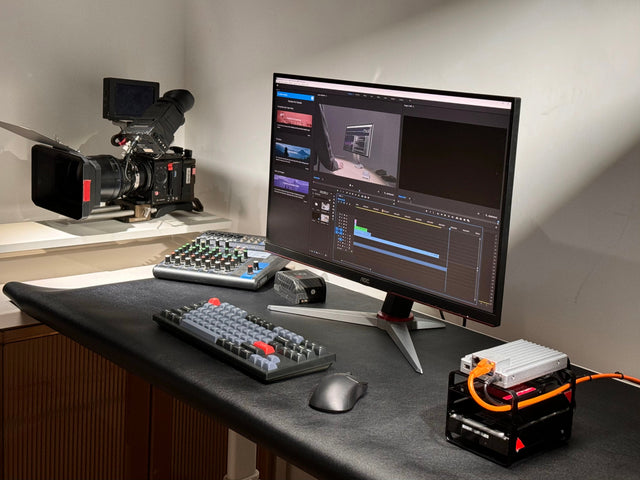
AI Agent at Home: What Can It Actually Automate?
A practical guide to home AI agents, covering smart-home control, local files, private RAG, server reports, approval gates, and safe automation.


