
2026 AI Agent Skills for Homelab Users


Quick Answer
The best AI agent skills for homelab users are not generic abilities like “manage my server,” “run local AI,” or “help with Docker.” The most useful skills are reusable workflows that help an AI agent work safely with local models, NAS files, Docker containers, Kubernetes clusters, monitoring dashboards, Home Assistant, and private knowledge bases.
For most homelab users, the strongest starting stack includes delegate-local for routing tasks to local models, chroma-local or Qdrant skills for private RAG, Filesystem MCP Server for controlled file access, Docker MCP Toolkit for container workflows, Kubernetes MCP Server for cluster operations, Home Assistant MCP Server for smart home context, and mcp-builder for creating custom homelab integrations.
If you are comparing reusable skills by role, workflow, or stack, the AI Agent Skill Finder can help you decide which skills belong in your local AI setup.
What Are AI Agent Skills for Homelab Users?
An AI agent skill is a reusable package of instructions, rules, examples, scripts, and references that teaches an AI agent how to perform a specific workflow. In the Agent Skills specification, a skill is usually a folder with a SKILL.md file and optional supporting resources.
For homelab users, this matters because a homelab is not one app. It is a living system made of storage, networking, containers, VMs, dashboards, local models, smart home devices, monitoring tools, backups, and private data. A normal prompt may help once, but a skill can define a repeatable procedure: what to inspect, which tool to call, what to avoid, when to ask for confirmation, and how to verify the result.
AI Agent Skills vs Homelab Tools
Homelab tools run your infrastructure. Proxmox runs VMs. Docker runs containers. Kubernetes schedules workloads. Home Assistant manages smart devices. Grafana visualizes metrics. A skill is different. A skill tells the AI agent how to work with those tools responsibly.
For example, “Docker” is a tool. “Inspect the compose file, identify unhealthy containers, check logs, suggest a rollback, and ask before restarting anything” is closer to an agent skill workflow.
AI Agent Skills vs MCP Servers
MCP servers expose tools and data to an AI agent. Skills tell the agent when and how to use them. This distinction is important for homelabs because MCP servers can give an agent access to files, metrics, containers, smart home devices, and shell-like operations.
A filesystem MCP server can let an agent read and write local files. A Docker MCP server can expose container operations. A Home Assistant MCP server can expose device states. But without skill-level rules, an agent may act too broadly. A good skill adds boundaries: read first, summarize changes, ask before write actions, verify after execution, and document what changed.
AI Agent Skills vs Local AI Apps
Local AI apps such as Open WebUI, AnythingLLM, Ollama-based agents, or desktop assistants provide the interface and model runtime. Agent skills provide the operating method. In a homelab, you often need both. The app lets you chat with a local model. The skill tells the agent how to index your files, inspect logs, query metrics, or create a safe automation plan.
Why Homelab Users Need AI Agent Skills
Homelab users are often comfortable experimenting, but experiments can become messy. A small setup may start with one NAS and a few Docker containers, then grow into local AI, media servers, backups, Home Assistant, dashboards, VPN access, private documents, and multiple machines.
This is where agent skills become useful. They help turn a homelab from a collection of services into an AI-assisted environment with repeatable workflows. A device such as ZimaCube 2 AI NAS can provide the storage and compute foundation for private files, local services, media, and AI workloads, while agent skills define how an assistant should work with that environment.
Homelabs Are Powerful but Fragmented
A homelab usually contains many small systems. You may have Docker Compose files in one folder, backups on another disk, logs in a separate container, Home Assistant automations in YAML, and monitoring data in Grafana or Prometheus. A generic AI assistant does not automatically understand these boundaries.
A skill gives the agent a map of how to behave. It can say: inspect the service inventory first, avoid destructive commands, prefer read-only queries, cite exact files, and separate diagnosis from action.
Local AI Needs Clear Boundaries
Local AI feels safer because data can stay on your own hardware. But local access can also be risky. An agent with file access can modify compose files. An agent with container access can restart services. An agent with Home Assistant access can change automations or control devices.
That is why homelab skills should include permission levels. Read-only skills are usually safe for discovery. Write-capable skills should require confirmation. Destructive skills should include backup, rollback, and verification steps.
Agent Skills Turn Experiments Into Repeatable Workflows
Most homelab work repeats: check what is down, review logs, update containers, clean disk space, troubleshoot slow RAG, document a service, add a new automation, or audit exposed ports. These are perfect skill candidates because they are procedural and recurring.
A good homelab skill should answer four questions: when should the agent use this skill, what tools may it touch, what output should it produce, and what actions require user approval?
Top AI Agent Skills and MCP Workflows for Homelab Users
1. delegate-local
delegate-local is a practical skill for homelab users because it routes suitable tasks to local models through Ollama or MLX. It is useful for summarizing logs, triaging large text, reviewing local notes, or processing private files without sending everything to a cloud model.
Best for: local model routing, log triage, private summarization, bulk text processing.
Why it matters: homelab users often run local models for privacy and cost control. A delegation skill helps the agent decide what can be handled locally and what may need a stronger model.
2. chroma-local
chroma-local is useful for homelab users building a private knowledge base. It gives an agent guidance around local Chroma usage, persistence, Docker, local servers, Python and TypeScript clients, embedding functions, and metadata.
Best for: local RAG, semantic search, private notes, document archives, personal knowledge bases.
Why it matters: many homelab users want to ask questions over manuals, receipts, PDFs, notes, project docs, and configuration files. A local vector database skill helps the agent build that workflow with fewer fragile assumptions.
3. qdrant-search-quality
qdrant-search-quality helps diagnose poor vector search results. This matters when a local RAG system returns irrelevant answers, misses obvious documents, or behaves differently after adding more data.
Best for: retrieval quality, recall testing, hybrid search, reranking, embedding evaluation.
Why it matters: a private AI assistant is only useful if retrieval works. This skill helps the agent reason about whether the problem is chunking, metadata, embeddings, filters, query wording, or vector database configuration.
4. qdrant-deployment-options
qdrant-deployment-options helps an agent choose how Qdrant should run: local mode, Docker, self-hosted production, cloud, hybrid, or edge. This is valuable for homelab users who start with experiments but may later depend on the system.
Best for: vector database deployment, self-hosted RAG, scaling decisions, production planning.
Why it matters: homelab projects often move from “weekend test” to “daily-use service.” Deployment choices should change as data size, reliability needs, and backup requirements increase.
5. Filesystem MCP Server
The Filesystem MCP Server is not a SKILL.md package by itself, but it is one of the most important MCP tools for homelab users. It lets an agent interact with allowed local directories, including reading, writing, listing, moving, searching, and inspecting files.
Best for: NAS files, config folders, documentation, logs, compose files, scripts, media metadata.
Why it matters: file access is where a homelab assistant becomes useful. It is also where risk begins. Pair filesystem access with strict skills: read-only by default, no deletion without confirmation, no recursive edits without a plan, and always summarize changed files.
6. Docker MCP Toolkit
Docker MCP Toolkit is relevant for homelab users because many homelab services run in containers. It helps users discover, configure, and run MCP servers through Docker Desktop and connect them to AI assistants.
Best for: container workflows, local MCP server management, AI assistant setup, service experimentation.
Why it matters: homelab users often manage many services with Docker Compose. An agent that understands container status, logs, environment variables, and compose files can help troubleshoot faster, but it must still ask before restarting or deleting services.
7. Kubernetes MCP Server
The Kubernetes MCP Server is useful for users running K3s, MicroK8s, OpenShift, or small Kubernetes clusters in a homelab. It provides a way for AI agents to interact with Kubernetes and OpenShift through MCP.
Best for: cluster inspection, workload discovery, pod troubleshooting, Kubernetes learning labs.
Why it matters: Kubernetes is powerful but complex. A homelab skill should guide the agent to inspect first: namespaces, pods, events, logs, resource usage, manifests, and recent changes. Write actions should require confirmation.
8. Home Assistant MCP Server
The Home Assistant MCP Server is important because many homelabs overlap with smart home automation. It allows MCP-compatible clients to use Home Assistant as a context source for devices, services, and automations.
Best for: smart home context, entity discovery, automation review, device control, home status summaries.
Why it matters: smart home automation is a high-trust area. A good skill should distinguish between reading state, proposing an automation, and actually changing devices. Turning on a light is low risk. Editing automations, unlocking doors, or changing security routines is not.
9. Grafana, Prometheus, and Netdata MCP Workflows
Grafana MCP Server, Prometheus MCP projects, and Netdata MCP support are useful because homelab users need observability. An AI assistant should be able to answer questions like “Which service is down?”, “What changed before this spike?”, “Which host is out of disk?”, and “Are these alerts related?”
Best for: monitoring, metrics, dashboards, alert review, incident summaries, root-cause investigation.
Why it matters: observability is where an agent can save time without immediately changing anything. Start with read-only monitoring skills before giving the agent the ability to restart services or edit configs.
10. mcp-builder
mcp-builder helps agents build high-quality MCP servers. This is valuable for homelab users because many personal workflows are unique. You may want an agent to interact with a custom script, a local inventory database, a backup status file, a NAS API, or a private dashboard.
Best for: custom homelab integrations, local APIs, private dashboards, NAS scripts, internal automation.
Why it matters: public tools will not cover every homelab. A custom MCP server plus a clear skill can turn your own scripts into safe agent-accessible tools.
How to Build a Safe Homelab AI Skill Stack
Start With Read-Only Skills
The safest first step is read-only discovery. Let the agent summarize files, inspect service lists, read logs, query metrics, and map your environment. Do not start by giving it permission to edit files, restart containers, or change automations.
A good first stack is: local model delegation, filesystem read access, monitoring queries, and codebase or service documentation. This gives the assistant useful context without creating unnecessary risk.
Add Local RAG and File Access Carefully
Local RAG is one of the best homelab AI use cases. You can index manuals, notes, tickets, PDFs, network diagrams, Docker files, configuration docs, and project history. But local RAG should be designed carefully. Preserve metadata, keep source paths, test retrieval quality, and make sure the agent can cite where answers came from.
If the RAG system cannot show sources, users cannot easily tell whether the answer came from their documents or from the model’s assumptions.
Use Write Actions Only With Confirmation
Write access should come last. Before an agent modifies a file, restarts a service, changes an automation, or updates a deployment, it should explain the plan, list affected systems, show the exact files or services involved, and ask for confirmation.
For homelabs, the rule is simple: read often, suggest carefully, write rarely, and verify every change.
Conclusion
For homelab users, the best AI agent skills are practical, local, and safety-aware. They should help an agent understand your environment, query your private data, inspect services, summarize alerts, troubleshoot containers, improve local RAG, and automate repetitive work without taking uncontrolled actions.
The most useful stack is layered. Start with local model routing and read-only file access. Add local RAG through Chroma or Qdrant. Connect monitoring through Grafana, Prometheus, or Netdata. Add Docker, Kubernetes, and Home Assistant only when you are ready to define clear permission boundaries. Use mcp-builder when your homelab has custom scripts or APIs that no public tool supports.
The goal is not to let an AI agent “take over” your homelab. The goal is to give it enough structured skills to become a reliable assistant for the workflows you already repeat every week.
FAQ
What are the best AI agent skills for homelab users?
The best starting skills are delegate-local, chroma-local, qdrant-search-quality, qdrant-deployment-options, Filesystem MCP Server workflows, Docker MCP Toolkit, Home Assistant MCP Server, Grafana or Prometheus MCP workflows, and mcp-builder.
Are MCP servers the same as AI agent skills?
No. MCP servers expose tools and data to an AI agent. Skills define how the agent should use those tools. A homelab setup often needs both: MCP for access, skills for safe workflow behavior.
Can an AI agent manage my Docker containers?
Yes, but it should start with read-only tasks such as checking container status, reading logs, and reviewing compose files. Restarting, deleting, rebuilding, or changing environment variables should require explicit confirmation.
What is the safest first AI workflow for a homelab?
The safest first workflow is read-only observability. Let the agent summarize logs, list unhealthy services, explain alerts, document services, or answer questions over local docs. Avoid write access until the workflow is reliable.
Which skills are best for a private local knowledge base?
chroma-local is a strong starting point for simple local semantic search. Qdrant skills are better when you need stronger guidance around search quality, deployment modes, scaling, and retrieval tuning.
Can I use AI agent skills with Home Assistant?
Yes. Home Assistant supports an MCP Server integration, and community projects also explore deeper AI control. The safest approach is to start with entity discovery and automation review before allowing the agent to control devices or edit automations.
Do I need a GPU for homelab AI agent workflows?
Not always. Many workflows, including log summarization, small RAG systems, file search, and service documentation, can run on modest hardware with smaller local models. A GPU becomes more useful for larger models, faster inference, image/video workloads, and multi-user local AI services.
How should I protect my homelab when using third-party skills or MCP servers?
Treat every third-party skill or MCP server like code. Read the source, inspect permissions, limit directories and credentials, prefer read-only access, run in containers when possible, and avoid giving one tool broad access to files, secrets, containers, and network devices at the same time.

Recommended products

Tech & AI HUB
More to Read
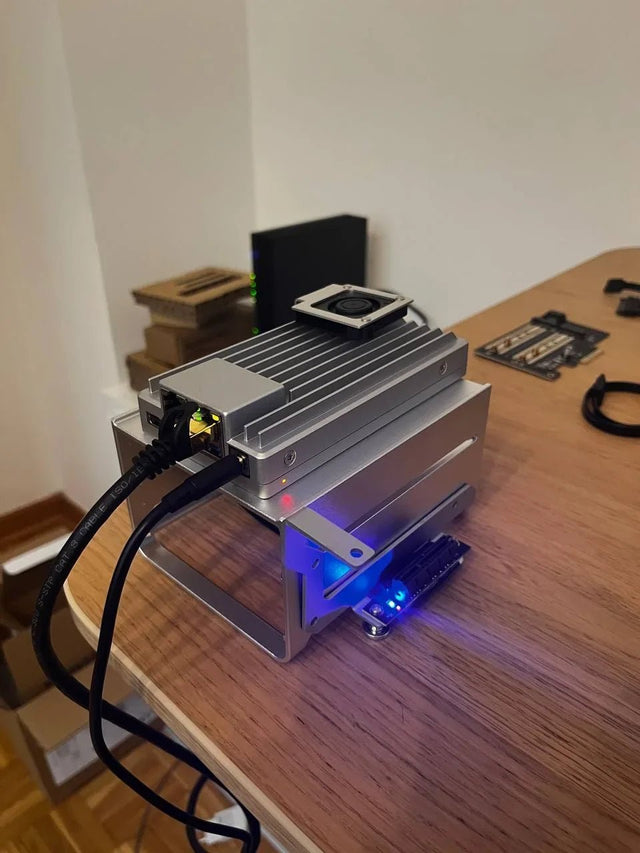
Why Does Local AI Heat Feel Different in an Open Shelf Than in a Closed Cabinet?
Trace heat generation, air exchange, and recirculation across open and enclosed placements, then measure the variables that distinguish them.
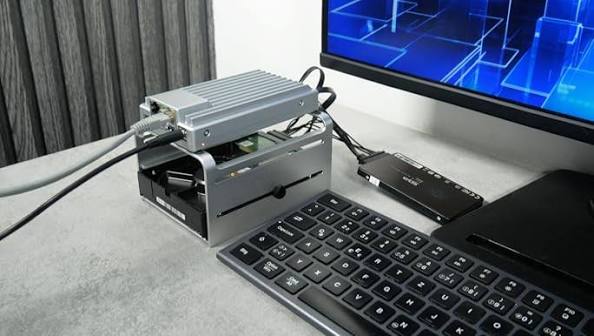
Why Does a Home Server Feel Quieter at Night Even at the Same Fan Speed?
Understand why unchanged fan speed does not guarantee unchanged perceived loudness and how to separate masking, room conditions, and real acoustic change.
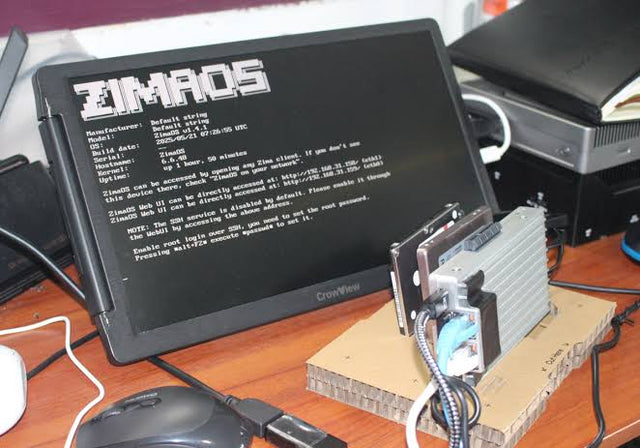
Why Do Deduplicated Backups Look Smaller Than Their Restore Footprint?
See how deduplication changes stored bytes but not restored meaning, why sparse and compressed files complicate totals, and how to size a restore test.


