Run Plex, Pi-hole, Proxmox, or even Minecraft - 24/7, cool and silent. ZimaBoard 2 handles media streaming, firewalls, homelabs, and AI containers with ease. Low power, high reliability.
Native SATA & PCIe - no hats, no hassles. Plug in 2.5" HDDs/SSDs, install a 10G NIC, GPU, or NVMe adapter. It's ready for your personal storage or expansion needs.
Dual 2.5G Ethernet built-in. Ideal for fast local NAS, low-latency remote access, or routing multiple network services at home.
Run what works for you - ZimaOS, TrueNAS, Proxmox, Debian, pfSense… Users love testing different OS setups for backups, Plex servers, Docker labs, or cluster builds.
Small, hackable, and kind of cute.Many call it's a mini server that looks like a toy but runs like a beast." Perfect for creative DIYers and tech lovers.
What's in the box
Board Only
1 × ZimaBoard 2
1 × 12V/5A Power Adapter
1 × SATA Y-Cable
1 × Cooling Fan
Starter Bundle
Includes everything in the Board Only package, plus:
1 × PCIe to NVMe & NGFF SSD Adapter
1 × Mini DisplayPort Male to HDMI Female Cable (4K at 60Hz)
1 × Cat7 Ethernet Cable (2 m / 6.5 ft, Black)
1 × 2-Bay HDD Rack Tray for ZimaBoard 2
Mini NAS Kit
Includes everything in the Board Only package, plus:
1 × PCIe 3.0 x4 to Dual NVMe M.2 SSD Adapter Card
1 × Mini DisplayPort Male to HDMI Female Cable (4K at 60Hz)
One little board for your NAS, media library, smart home, and self-hosted apps.
No hardware skills needed. No monthly fees.
Dual SATA + Dual 2.5GbE
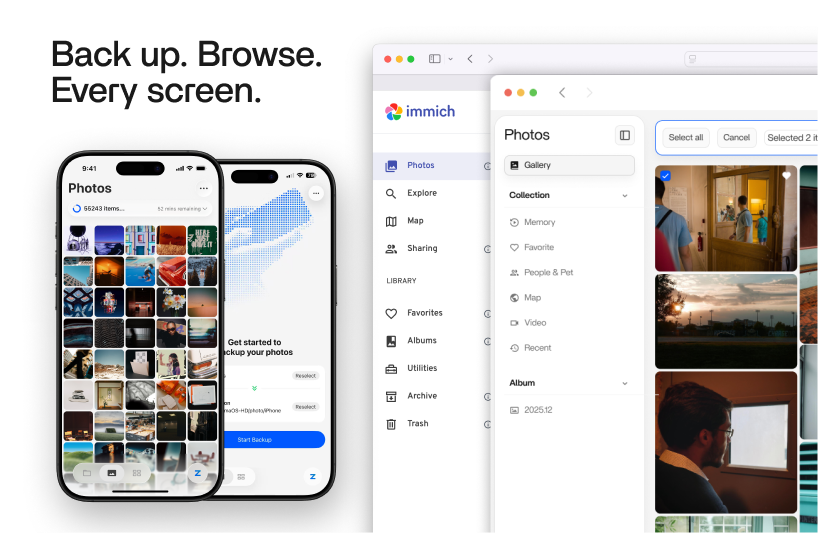
Photos, One Place. No Monthly Fee, Ever.
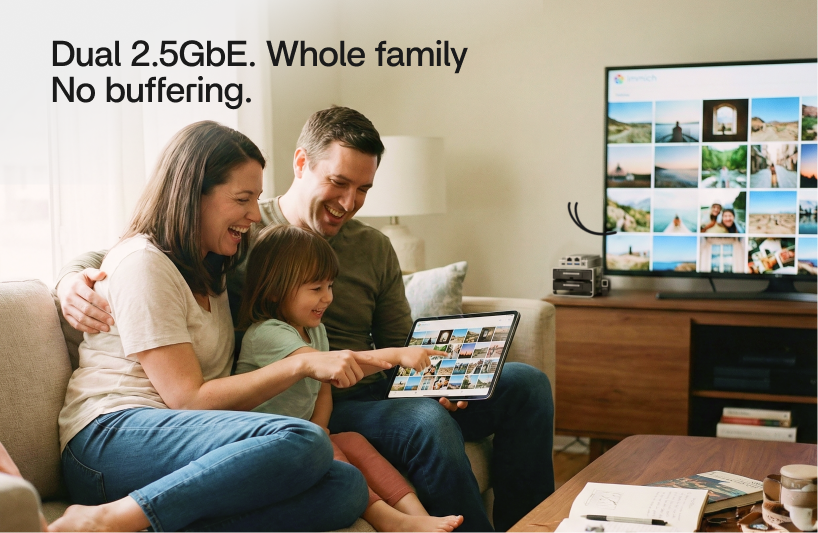
Two native SATA bays take your drives directly. No USB adapter, no bottleneck. With dual 2.5GbE, the whole family can back up and stream at the same time and nothing slows down. Walk in the door and your photos are already backing up.
You paid once. Everything after that is yours.
It's how a lot of people built their very first server.
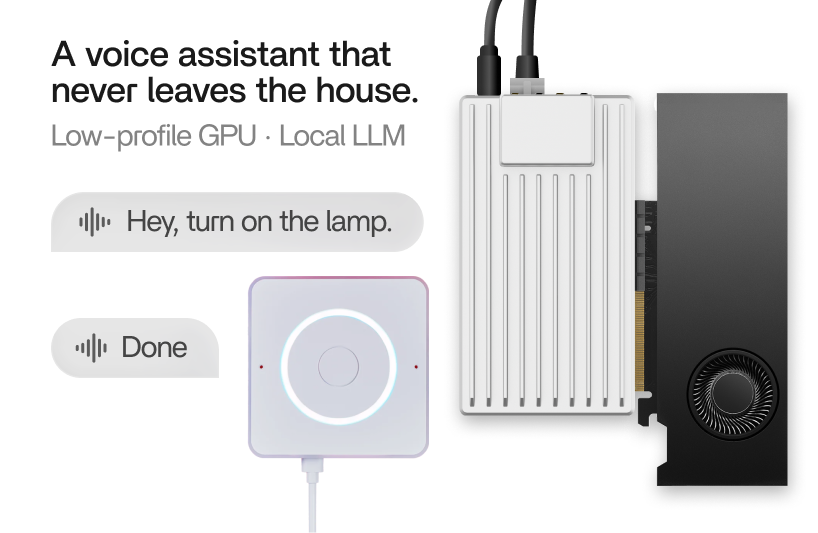
PCIe Slot for Local AI
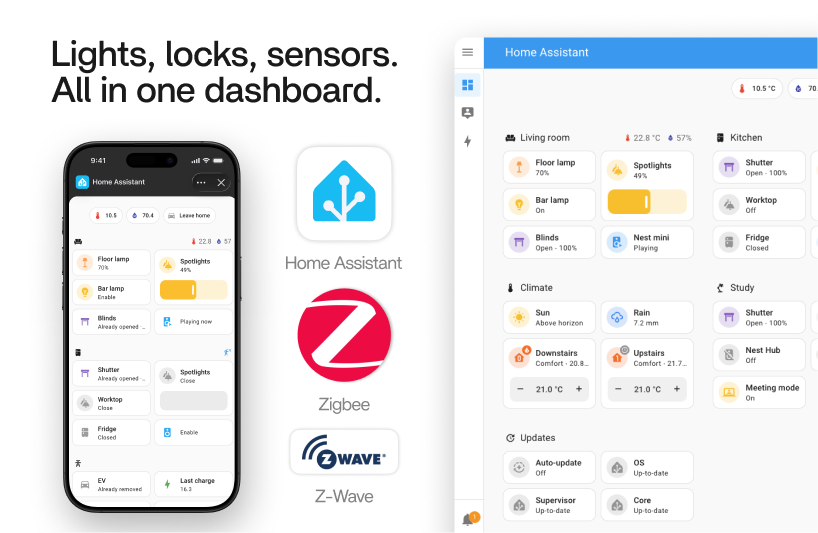
A Smart Home That Stays Local.
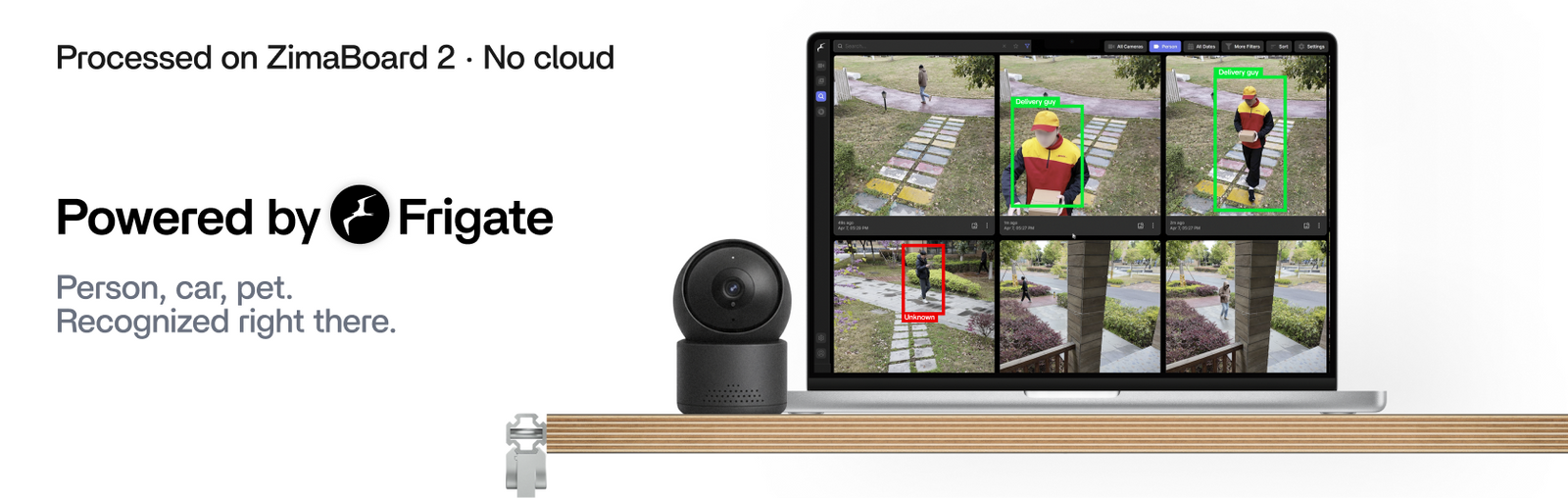
Drop an AI accelerator into the PCIe slot and Frigate recognizes people, cars, and pets right on the box. No cloud, no subscription. Home Assistant installs in one click. The camera feed never leaves your house, and it keeps recording even when the internet goes down.
It's your home. Run it however you want.
The footage stays in your house, never the cloud.
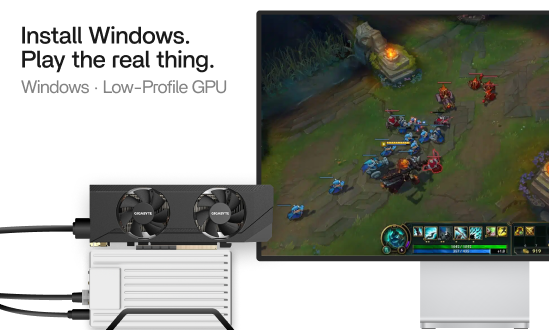
x86 + PCIe Graphics
Game Console, PC, And Server In One Board
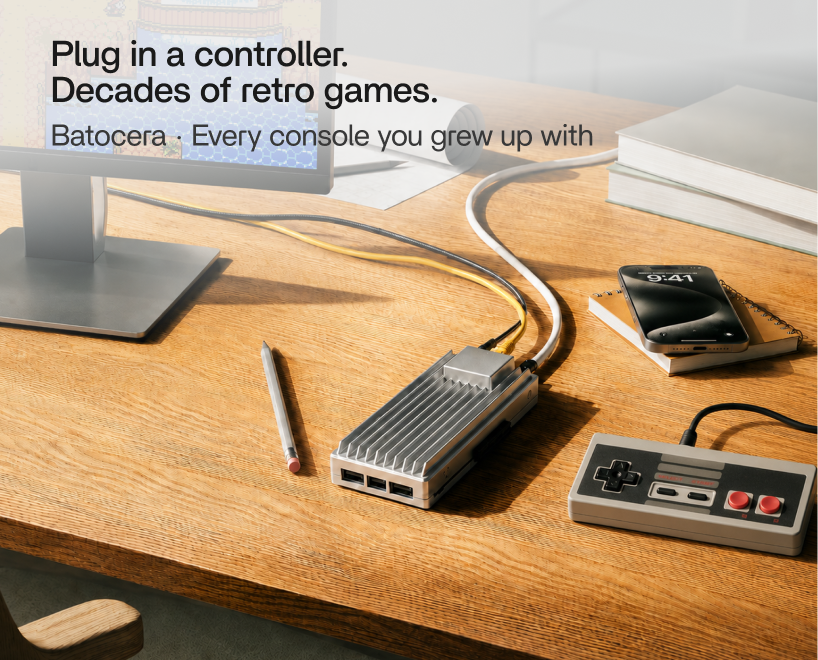
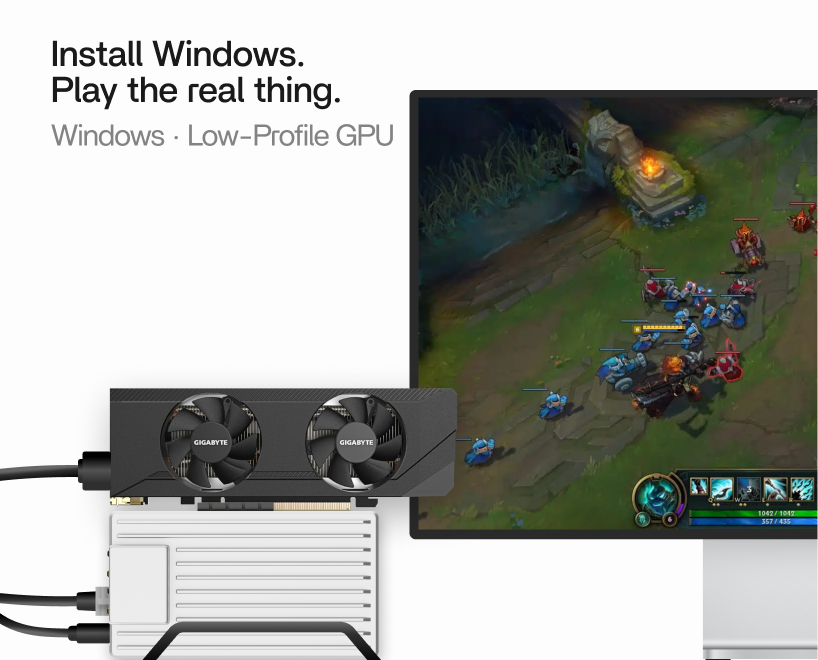
A real x86 chip runs the full Steam and Batocera ecosystem, not some stripped-down ARM build. Slot a low-profile GPU into PCIe and it's ready for real gaming. Thousands of retro titles on a controller, a private Minecraft server for friends, and your games streamed to the couch.
Tweak it, mod it, never quite finish it.
The OS Inside
ZimaOS Ties It All Together.
Storage, backups, a media server, even local AI used to mean typing commands and losing a weekend. In ZimaOS it's a click. It's the NAS OS made for people doing this for the first time.
Everything your data needs, in one place.
One place for phones, drives, and clouds.
3-2-1 backup. Never lose a memory.
Your files, anywhere. No port forwarding.
RAID in three clicks. 0/1/5/6, JBOD.
Local account, no email, no phone.
Discover over 800 practical and playful apps, brought to life with the help of our vibrant user community — all ready to install in just one click.
You Are Not Alone
Built by People Just Like You.
A peek into how the community builds, hacks, and customizes their ZimaBoard 2.
Battle-Ready NAS Stack
A dual-layer build running storage and VMs at once — native SATA and PCIe let one board do it all.
Festive Homelab Build
A x86 homelab with SSD and wireless modules, small enough to decorate, strong enough to run.
Old Meets New
ZimaBoard 1 and 2 running side by side, same fanless aluminum design, a full generation more power.
Compact, Fully Loaded
NVMe and PCIe expansion packed into a tiny footprint — a small box with full-size capability.
Network + GPU Power Combo
An external GPU plus dual 2.5GbE — accelerated workloads and fast local services on one quiet box.
Stacked for Storage
A modular multi-bay HDD tower on native SATA, serious self-hosting and backups, up to 36TB.
Rack Console Build
Built into a rack chassis with a mini display. A clean, monitored homelab that quietly runs 24/7.
Mini Game Server
An RTX 3050 low-profile GPU wired over PCIe, A palm-sized board turned compact game server.
Minimalist Desktop NAS
A fanless hard drive build for small spaces. Quiet, tidy, and perfect for an apartment homelab.
Watch how they got started.
These YouTubers hit record having never touched a ZimaBoard 2 before.
Built for 24/7
Fanless X86, 6W Idle
It Sits in the Corner, Quietly Doing Your Work.
Fanless, full-aluminum, no moving parts. So quiet you forget it's on. Fast enough for desktop work, frugal enough to leave on 24/7, with a PCIe slot to grow into. It just gets on with it.
Desktop-class work at 10W, just 6W at idle. Leave it on 24/7 for less power than your router (Intel N150 quad-core).
File transfers that fly, and enough network to be the backbone of your whole home.
Two drives straight in, up to 36TB. No USB adapters, no bottleneck.
Full-aluminum body, zero moving parts. Silent by design, cool by physics.
One Slot for Your Next Idea.
One PCIe slot, and this board keeps turning into new things. Faster storage, more network ports, an AI accelerator, even a low-profile GPU. Whatever you want to try next, there's a card for it.
· Easy start
· Run everyday apps
· Build your first NAS
Most Popular
ZimaBoard 2 1664
16GB RAM · 64GB eMMC
· More room to grow
· Run more apps
· Better for media & VMs
Up and Running in Minutes
1. Plug in power and Ethernet.
2. Find your device with Zima Client.
3. Set up your ZimaBoard 2.
Specification
Pre-installed OS
ZimaOS Plus
Compatible OS
CasaOS / Linux / OMV / Unraid / Home Assistant OS / TrueNAS / OpenWrt
pfSense / LibreELEC / Windows / Android
ZimaBoard 2 832
ZimaBoard 2 1664
Processor
Intel® N150 4 Cores 6M Cache up to 3.60 GHz
Memory
8GB LPDDR5 4800MHz16GB LPDDR5 4800MHz
eMMC
32GB64GB
LAN
2 x 2.5GbE LAN Ports
HDD/SSD
2x SATA 3.0 6Gb/s Ports with Power
USB
2 x USB 3.1
PCIe
1x PCIe 3.0
Display
1x Mini-DisplayPort 1.4 4K@60Hz
Graphics
Frequency Up to 1G MHz
Cooling
Fanless
CPU TDP
10W
Power
12V 5A Power Supply
*Accommodate the power requirements of two high-capacity HDDs
On-Board Interface
1x CPU fan 4-pin connector 1x LPC 1x Front panel
Virtualization
Supports Intel® AES New Instructions
Intel® Virtualization Technology (VT-x)
Intel® Virtualization Technology for Directed I/O (VT-d)
Size
140mm x 83mm x 31mm
Weight
407g
After You Click Buy
Discord Community
Build, learn and share with
30,000+ members
Easy Returns
14-day money-back
guarantee
Easy Payments
Pay your way with fast,
secure methods
24/7 Support
Dedicated customer service
Lifetime ZimaOS Plus
Buy once, ZimaOS Plus forever
Fast Delivery
Orders ship in 72 hours, with most deliveries arriving in 8-10 days
Warranty Protection
1-year worldwide warranty. 2-year warranty for EU customers
Free Shipping
Free shipping on orders over $100 to most countries
FAQ
1. What can I actually do with ZimaBoard 2?
ZimaBoard 2 is perfect for building a personal NAS, media server (like Plex or Jellyfin), self-hosted services (Pi-hole, Home Assistant), mini firewall (OPNsense), or even a Proxmox homelab. It’s a full x86 SBC - more powerful and flexible than a Raspberry Pi.
2. Does it come with everything I need to start?
Yes! Each package includes:
ZimaBoard 2
12V/5A Power Adapter
SATA Y-Cable (for dual SSD/HDD)
Cooling Fan
Just plug in storage, try our ZimaOS (pre-installed) or install your favorite OS, and go.
3. What operating systems does it support?
ZimaBoard 2 supports ZimaOS, TrueNAS, Debian, Ubuntu, Proxmox, pfSense, OPNsense, and more. It's an x86-64 board, so you're not limited like with ARM devices.
Yes. ZimaBoard 2 can easily take over as your personal NAS or smart router. Many users run ZimaOS (for personal cloud, file sharing, and app hosting), or install systems like TrueNAS, OpenMediaVault, or pfSense for advanced networking and storage setups.
6. Where can I get help or support?
Join our active Discord Community - you'll find power users, friendly mods, and Zima’s dev team ready to help with setup, troubleshooting, or advanced builds.
I was planning on loading proxmox but zimaos has had everything built in for aspiring network adming or if you just want a mobile lab. I have been trying to overload this unit pihole, adguard, tailscale,nginx , open website (1-2b parameter models), and jellyfin all run faster and smoother than even my travel router when I am out. If you want to entertain your family or pack something minimalistic around while offering all the offline or heavily limited creature comforts this is your best friend. I am already looking to attach a content cache as well to create the ultimate all-in one.
S
Sharat F. (Arad, BH)
An excellent sequel to one of the most user-friendly hackable SBCs in the market
A brilliant follow up to the original ZimaBoard that provides a much more modern (& powerful) CPU with an upgraded PCIe slot (2.0 to 3.0), that opens up a lot more home-lab opportunities.
Able to run VMs, Backup, Plex & Immich services much faster and more efficiently when compared to the previous gen; and all of this in a similar small & portable footprint.
Highly recommend it to anyone wanting to get in to the world of Home Lab setups, at a very affordable price point.
P
Paul C. (Hornchurch, GB)
So much fun with Zimaboard2
Since receiving the new Zimaboard2 I have done so much much, I’ve installed many Linux Distros and reinstalled ZimaOS. The PCI have been great, I’ve docked a GPU to play with AI models. Exploring docker containers, have been helpful to decide which application to adopt in my homelab. Thank you, IceWhale Team to make this happen.
J
Jack P. (George Town, KY)
It’s incredible!
I would definitely buy it again, even though the VMs app does not show every virtual machine. That is my only issue; otherwise, I am running my API server with excellent uptime.
T
TexasElephant (Torrent, ES)
Works great!
I've been running Home Assistant in a VM on an aging Synology NAS. Kept adding things and it was slowing down. Picked up the ZB2 as a replacement platform and it is running great as a VM in Proxmox. Things are way quicker. It took me about 4.5 hours from unboxing to turning lights on and off. I followed along with Byte of Geek's video and it couldn't have been simpler. Give it a go.
https://youtu.be/3gxvKoWHow8?si=5osCGIguEqGmU-MI
ZimaBoard 2 - Hyper Performance Single Board Server
P
Pierluigi M. (Rome, IT)
Da completare
Ho installato la zimaboard2 senza problemi, ma ancora non l'ho attivata perché devo comprare i dischi definitivi da montare. Aspetto il black friday :)











 ZimaCube 2 Personal Cloud Home NAS From $799.00 USD /
 ZimaBoard 2 - Mini Home Server for Your Big Idea
 ZimaBlade - Single Board Server for Cyber Native


