A compact x86 server for real self-hosting. Built for personal cloud, homelab projects, and everyday DIY setups.
Low-power and made to stay on. Quiet, efficient, and ready for always-on services at home.
Native SATA and PCIe, built for expansion. Add storage and extend your setup with more flexibility as your needs grow.
Great for Docker, backups, and private services. Run the apps and tools that matter to you, on hardware you control.
Open, customizable, and easy to build around. ZimaBlade gives you the freedom to shape your own server your own way.
Need help choosing?
1. What can I build with ZimaBlade?
A: Build a compact x86 home server for media, backups, Docker apps, ad blocking, smart home services, and weekend DIY projects.
2. Which setup should I choose?
A: Choose Board Only if you already have DDR3L RAM and a 12V USB-C power adapter. Choose Starter Bundle if you want RAM and power included. Choose Dual-Bay NAS Kit if you want to build a small DIY NAS or dual-drive storage setup.
Shipping & Delivery
Orders are usually arranged within 72 hours after payment (holidays excluded)
Delivery to most countries takes around 8–10 business days
Questions about the product or shipment? Contact shop@icewhale.orgor reach us via the online chatbox
Local Server, Media Streaming, Retro Gaming, DIY Nas
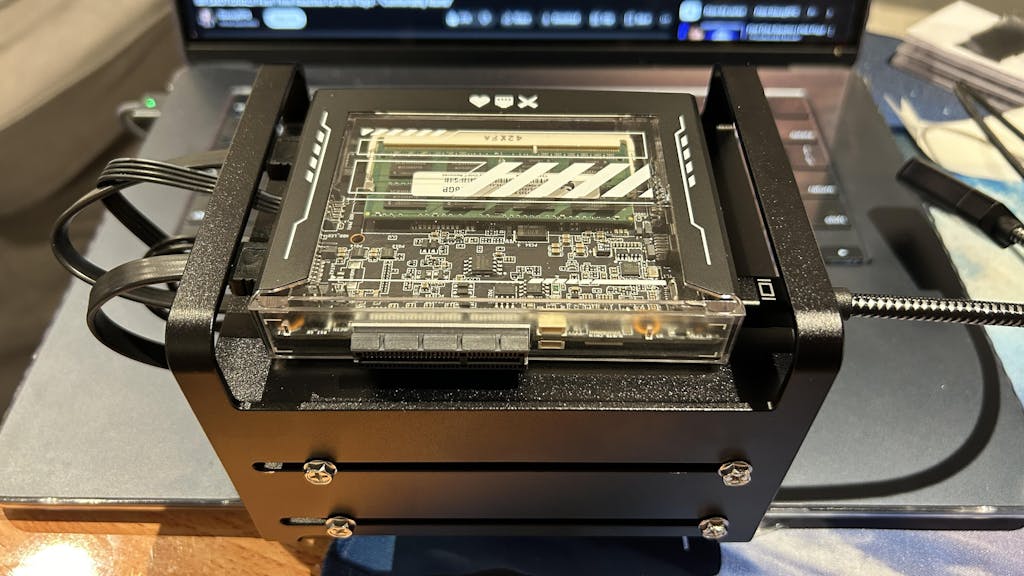
ZimaBlade is designed with a rich set of interfaces to empower creators with flexibility and expandability.
DIY
Your Nas
Simplify NAS setup and usage. Supports users in creating personalized storage solutions.
Create Your Own Local Server
With ZimaBlade, effortlessly build a personalized local server without relying on third-party services. Whether it’s file management, data backup, or website hosting, ZimaBlade provides robust support for all your needs.
Relive the Classics with Retro Gaming
Easily set up a retro gaming console with ZimaBlade, supporting a variety of classic game emulators to let you enjoy the nostalgia of retro gaming. Compatible with various game controllers and accessories.
See ZimaBlade in Real Builds & Reviews
Watch creators test ZimaBlade across home servers, DIY NAS, Docker apps, TrueNAS, media, and lightweight AI projects.
HOME SERVER
Matthew Piccolo
It's Time to Build Your Own Home Server
A beginner-friendly setup video showing how ZimaBlade can help users start their own compact home server.
Homelab
Peak Tech
Mini Server for Homelabs, Plex and Storage
A practical look at ZimaBlade as a compact mini server for homelab, Plex, storage, and Raspberry Pi replacement use cases.
Local AI
Tech With Anant
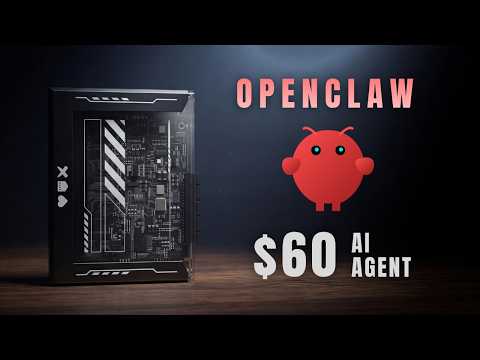
OpenClaw + ZimaBlade: What It Is and How It Works
A use-case video showing how ZimaBlade can run OpenClaw as a local AI agent gateway for private, always-on automation.
Smart Home Security
BeardedTinker
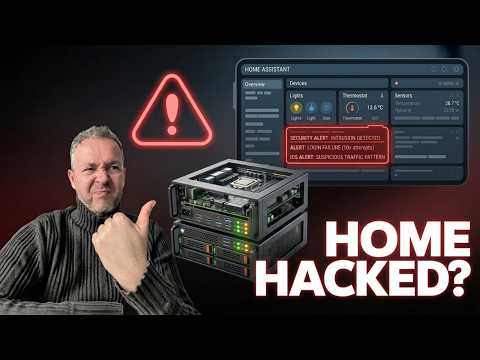
I Built a SIEM for My Smart Home
A smart home security use case showing ZimaBlade running a SIEM setup for monitoring, alerts, and local network visibility.
Maker Project
Mañolo
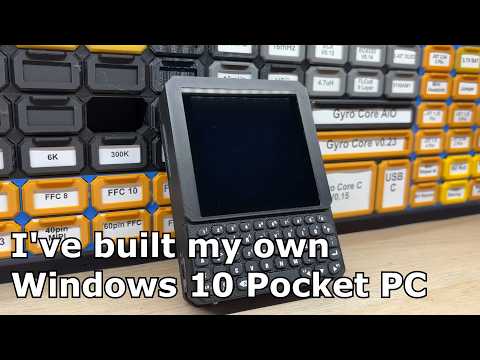
I've Built My Own Windows 10 Pocket PC
A creative maker project showing ZimaBlade as the base for a compact Windows pocket PC build.
Expansion
Garkus
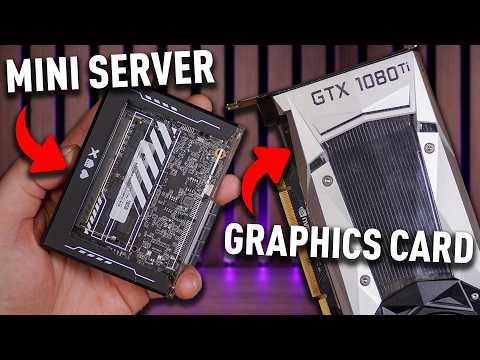
This Tiny Server Can Game?!
A fun experiment showing how a tiny ZimaBlade server board can be pushed beyond standard NAS and homelab use cases.
Still Have Questions?
Find quick answers about choosing a ZimaBlade model, picking the right bundle, and setting up your compact home server.
A: ZimaBlade is a compact x86 home server for personal cloud, Docker apps, media libraries, backups, ad blocking, smart home services, and small DIY projects. It is a great starting point for anyone who wants to build their own self-hosting setup at home.
A: Choose Blade 3760 for lighter projects such as file backup, AdGuard, Home Assistant, simple Docker apps, or your first home server build. Choose Blade 7700 if you want more headroom for multitasking, media services, Docker apps, or a small DIY NAS setup.
A:Board Only is best if you already have compatible RAM and a 12V USB-C power adapter. Starter Bundle includes the key essentials, such as RAM and power, so you can start faster. Dual-Bay NAS Kit is best if you want a more complete setup for a small DIY NAS or dual-drive storage build.
A: The Board Only version does not include RAM or a power adapter. If you want an easier start, choose a Starter Bundle or Dual-Bay NAS Kit, which includes the essential accessories for setup.
A: ZimaBlade uses DDR3L SO-DIMM memory and supports up to 16GB RAM. For the best experience, we recommend choosing a bundle with RAM included if you do not already have compatible memory.
A: ZimaBlade uses a 12V USB-C power adapter. For basic setups, a compatible 12V adapter is required. For dual-drive or heavier storage setups, we recommend using the official power adapter or the NAS kit to reduce setup issues.
A: Yes. ZimaBlade can be used as a small DIY NAS for file storage, backups, media libraries, and personal cloud projects. If you plan to connect multiple drives, the Dual-Bay NAS Kit is the better choice.
A: Yes, ZimaBlade can run Plex or Jellyfin for personal media libraries and home streaming. It is best suited for lightweight media server use and direct play. For heavy transcoding or larger media workloads, a more powerful system may be a better fit.
A: Yes. ZimaBlade is built for self-hosting and Docker-based apps. You can run services such as Nextcloud, AdGuard Home, Home Assistant, Jellyfin, Plex, Syncthing, and more, depending on your setup and workload.
A: Yes. ZimaBlade is built on standard x86 hardware, so you can install systems such as ZimaOS, CasaOS, Proxmox, Ubuntu, Debian, OpenWrt, pfSense, or other compatible operating systems.
A: ZimaBlade is friendly for beginners who are willing to learn and build. It is easier to start with a Starter Bundle, because RAM and power are already included. If you want a fully plug-and-play consumer NAS, ZimaBlade may require more DIY setup than expected.
Using the ZimaBlade to replace an OpenStack server running a few services in VMs, with a small beast to run the same services in containers. And it runs all I need beautifully. Great little solution.
g
george h. (Sydney, AU)
Extrordinary Zima Blade and Zima Board
The ZimaBoard and ZimaBlade are excellent devices that deliver impressive performance and flexibility for home servers and media setups. With seamless support from the vibrant IceWhale Discord community, any technical hurdles are swiftly addressed, making it a perfect choice for both beginners and advanced users. The combination of powerful hardware, customizable OS options like ZimaOS, and a highly responsive support team makes Zima products stand out in the market. Whether you're building a media server, running Docker containers, or setting up a NAS, ZimaBoard and Blade are reliable, versatile, and backed by an outstanding community.
B
BRANDON T. (Wylie, US)
From noob to homelab...
I was a complete new guy to the world of homelabbing and "servers". I ran into a YouTube video or two after playing with raspberry pies about the zima board and zima blade so i gave the 7700 a try to build a NAS. Well now ive got a full blown proxmox server running truenas among other things. This blade is legit for small or large builds. I wish there were more sata ports. But again, if you are looking for some fun, this is it.
Julieñ (Rennes, FR)
Honestly...
Honestly, I can't say I'm usually fond of reviews, especially when you realise that those so called inflentubers who review stuff actually don't have to pay for the hardware they're opiniatedly reviewing...
But anyway, that's just to say I'm just a "normal / average" user and, for all the servers I've set up so far, I've almost only ever used ARM based boards : initially, the main reasons for this choice were that ARM based boards used to be affordable, relatively energy efficient and even quite powerful for some of the most recent boards, such as those with a RK3588 CPU. One of the major drawback though is that these boards aren't really ready for and out-of-the-box prime time experience yet ; they very often require some fiddling for the basics to work, or even sometimes don't quite fulfill the promise at all - Sorry NPUs, you're useless and I don't have time to waste trying to make you work ! - , which in itself isn't really such a big a problem, which you can ignore, unless you only need to setup a "basic" server based on mainline kernel and then forget it altogether because it just works !
So there, I recently had to replace a deceased Borg backup server, based on a Raspberry Pi 4 compute module with two 1 Tb hdds : nothing complicated really and it's done a good job but I remember setting it up wasn't completely straightforward... I guess they call it learning !
But, here comes the big BUT, when I started to have a look at what's on offer these days, keeping in mind my usual (aforementioned) requirements, I said to myself : WTF has happened here ? What are those ridculous prices ?? Then I figures out this must be the (very good) reason why some people are trying to become influentubers, so that they don't have to get an insane 10 generations mortgage just to fiddle with a Rasporange Pi !!!
Fine then... After my credit card attempted suicide, I was simply considering NOT building a replacement backup server... But then I thought this was a really bad idea and started looking around again for a viable alternative and, guess what... Surprise, surprise ! This is where the Zimablade comes in : affordable, energy efficient (according to the promise), more than powerful enough for my needs AND easy to setup since it's no longer an ARM but an x86 CPU : too good to be true, isn't it ?!
Well, considering I'm no inflentuber, the only way to find that out would be to actually order one... And this is what I did !
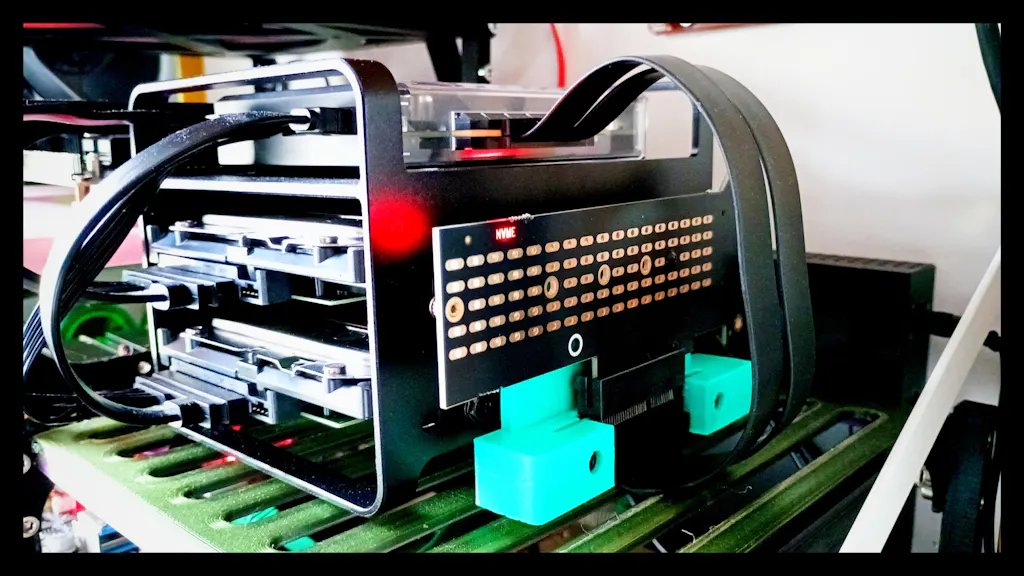
A couple of weeks later, the kit arrived safe and sound... I'll spare you with the usual unboxing malarkey and get right to the point : setting up the whole thing took about 1 hour, including installing a bare Debian with XFS headers and firing up Borg backup - quite a long time for so few you could say but I have to admit I didn't anticipate the PCIe card mounting (for a NVMe SSD) so I had to 3D print a custom support and therefore delay the first startup for a short while. By the way, I've seen there's such a support available with the Zimaboard 2 kit so maybe this could be a welcomed option for the Zimable too, in a possible future.
Finally, this is it, no more fiddling and wasting time !!! All I can add is that Bob has worked like a charm since that day and I suspect I will soon totally forget about it, just because, as expected, it works, to the (surprinsing) point that I'm currently seriously considering a complete migration of my entire setup... A Zimablade cluster absolutely sounds like a **** idea that surely won't make me go bankrupt, maybe even with a Zimaboard 2 addition for that more demanding tasks, but that's if I ever become a rich and famous influentuber, obviously !!!
Manque juste que ZimaOS m'autorise à faire une pool de clés USB si j'en ai envie, même avec un gros avertissement comme sur TrueNAS Scale.
A
Antonio C. (Noicattaro, IT)
Semplice da configurare
Il mio utilizzo è come home-server per fare backup delle mie macchine, e come download center. Trovo un po' dispersiva la gestione dei dischi e quella delle app che non sempre seguono le configurazioni dei programmi da pc. Ne ho trovata una (jdownloader) che non vuole proprio saperne di funzionare. Poi l'app "file browser", risulta inutile per me, in quanto l'app "files" di serie funziona ottimamente. Per i resto ottima la velocità e l'aggiornamento
C
C. V.T. (Zurich, CH)
Bel prodotto ma...
È un prodotto molto bello ma direi che è solo per persone con ottime conoscenze di programmazione. Es: non c' è un' impostazione per attivare l'SSH né da remoto, né da locale.
Il progetto è ottimo e la qualità rispetto al prezzo è ottima durante i ribassi.







 ZimaCube 2 Personal Cloud Home NAS From $799.00 USD /
 ZimaBoard 2 - Hyper Performance Single Board Home Server From $339.00 USD /
 ZimaBlade - Single Board Server for Cyber Native


