
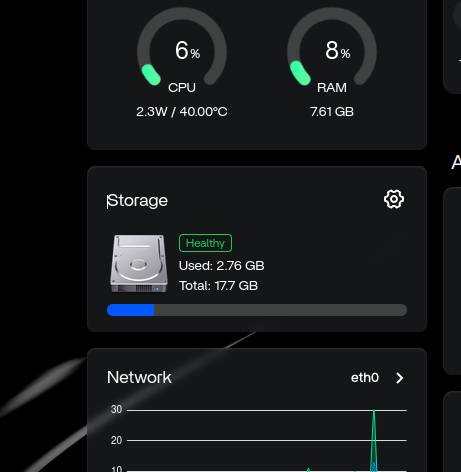
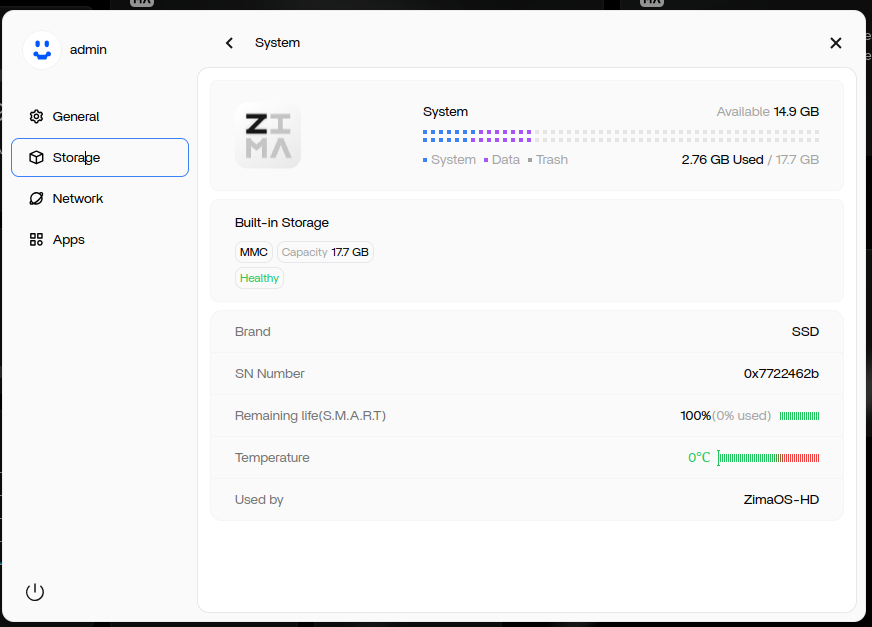
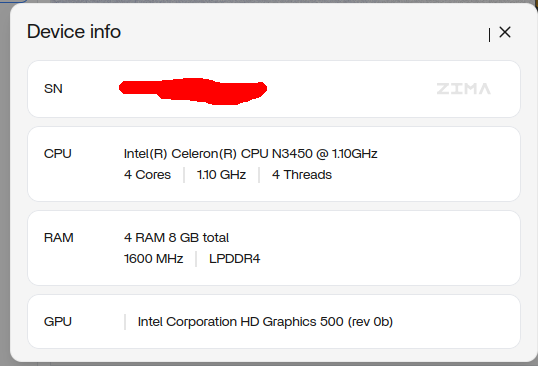
Seeing roughly 17.7 GB of visible space after installing ZimaOS on a 32 GB ZimaBoard 832 does not automatically mean the eMMC has failed or been formatted incorrectly. ZimaOS reserves part of the device for its boot and recovery architecture, so the raw 32 GB capacity is not presented entirely as ordinary user storage.
In the original ZimaOS 1.5.1 case, the system continued working normally and the community explanation matched the current recovery design: ZimaOS keeps two system slots plus separate data/system areas.
What the User Saw After Reinstalling
ZimaOS Reserves Space for Dual System Slots
The current ZimaOS system recovery documentation describes two system slots, A and B, at roughly 6 GB each. The dual-slot design lets the system switch to another slot for recovery while keeping user data separate.
Those slots alone account for a significant part of a 32 GB eMMC device. Boot, overlay, metadata, filesystem overhead, and other reserved partitions further reduce what the UI can show as general-purpose space.
Raw 32 GB Is Not the Same as User-Visible Capacity
Storage manufacturers quote raw decimal capacity, while filesystems and partition layouts reserve additional space. Therefore, comparing “32 GB on the hardware label” directly with “17.7 GB shown in the ZimaOS interface” is not a like-for-like comparison.
The exact visible number can vary with ZimaOS versions and partition layouts, so 17.7 GB should be treated as a result observed on this ZimaBoard 832/ZimaOS 1.5.1 installation rather than a permanent specification for every future release.
How to Verify the Partition Layout Safely
If you want to verify rather than guess, enable SSH and use read-only inspection commands such as lsblk -o NAME,SIZE,FSTYPE,LABEL,MOUNTPOINTS. Confirm the eMMC device name before running any command that references it.
The ZimaOS installation troubleshooting guide is useful if the layout looks incomplete or installation itself failed. Do not repartition a working ZimaOS boot device merely to reclaim reserved system space.
Why ZimaOS Requires a Larger Destination
The current ZimaOS installation guide specifies a minimum destination capacity large enough for the system layout. That requirement reflects the recovery/partition design, not just the size of the visible user-data area.
Bottom Line
On the ZimaBoard 832 case documented in the forum, about 17.7 GB of visible eMMC after a clean ZimaOS 1.5.1 install was consistent with ZimaOS reserving space for dual system slots and other system partitions. Inspect the layout before assuming capacity has been lost, and do not delete recovery partitions to chase the raw 32 GB number.


