
Zima Cron is one of the few scheduling tools published directly for ZimaOS rather than added as a generic Docker container. IceWhale's January 2026 tutorial shows how to install it with zpkg, create interval-based or cron-expression tasks, verify execution through logs, and use it for scripts, backups, or routine maintenance.
The source thread also contains an important second story that the short version of this article previously compressed too much: persistence after reboot was inconsistent across systems. Some ZimaOS 1.5.3 and 1.5.4 users lost all scheduled tasks or found zima-cron.service inactive after restart, while a clean test environment showed tasks surviving reboot. The correct takeaway is therefore “official scheduler with a version-dependent persistence caveat,” not simply “install it and forget it.”
Install Zima Cron with the Official zpkg Package Manager
IceWhale's tutorial starts from the ZimaOS terminal and uses:
zpkg install zima_cronThe source explicitly states that no reboot is required after installation. Zima Cron should then appear in the Apps list in the ZimaOS web interface.
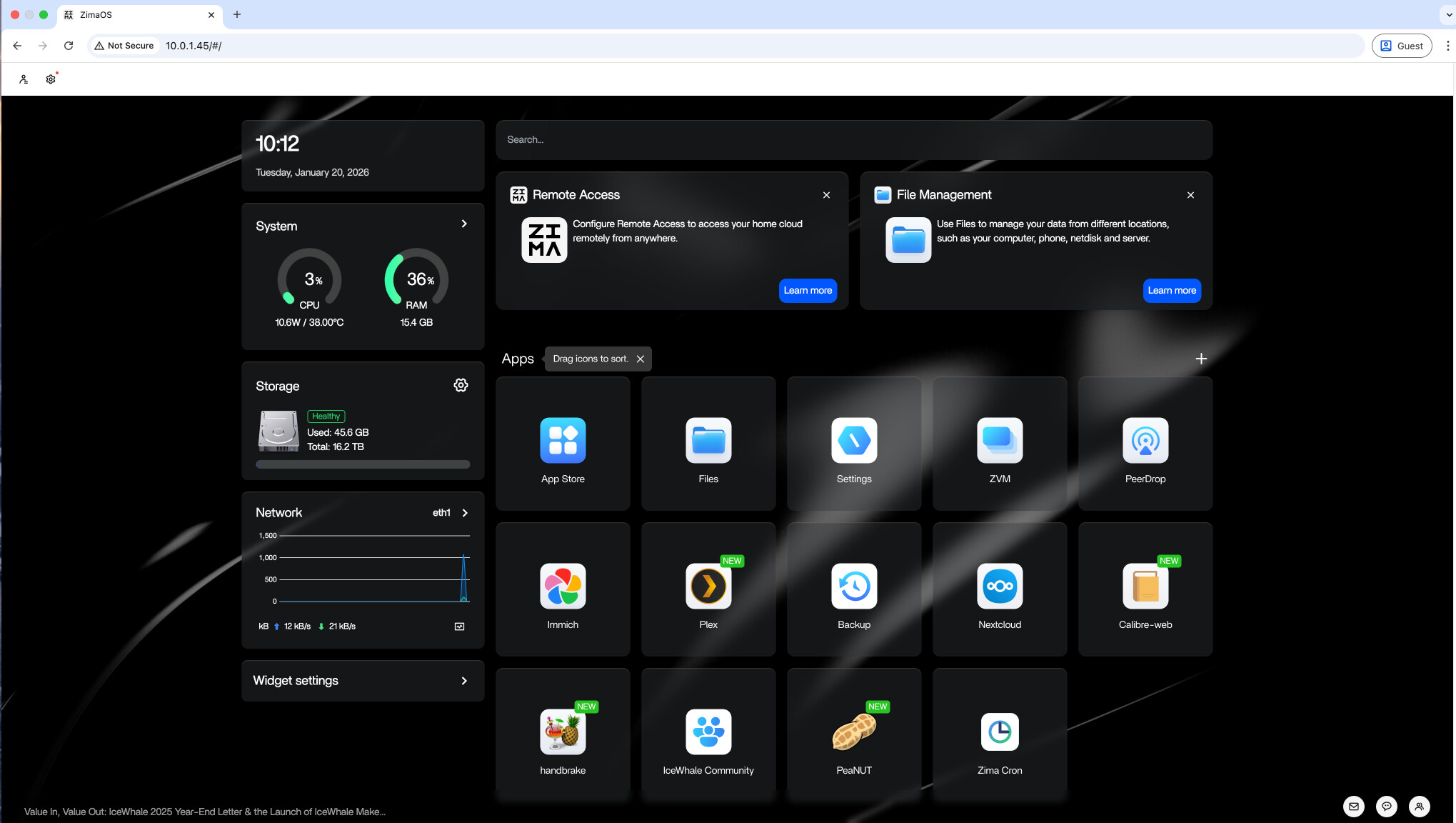
zpkg.Create a Safe Test Task Before Scheduling Anything Important
The official tutorial deliberately uses a harmless one-minute logging task rather than a destructive maintenance command. That is a good pattern for any scheduler: prove that the backend executes, the schedule is interpreted correctly, and the output is written where expected before automating backups or service restarts.
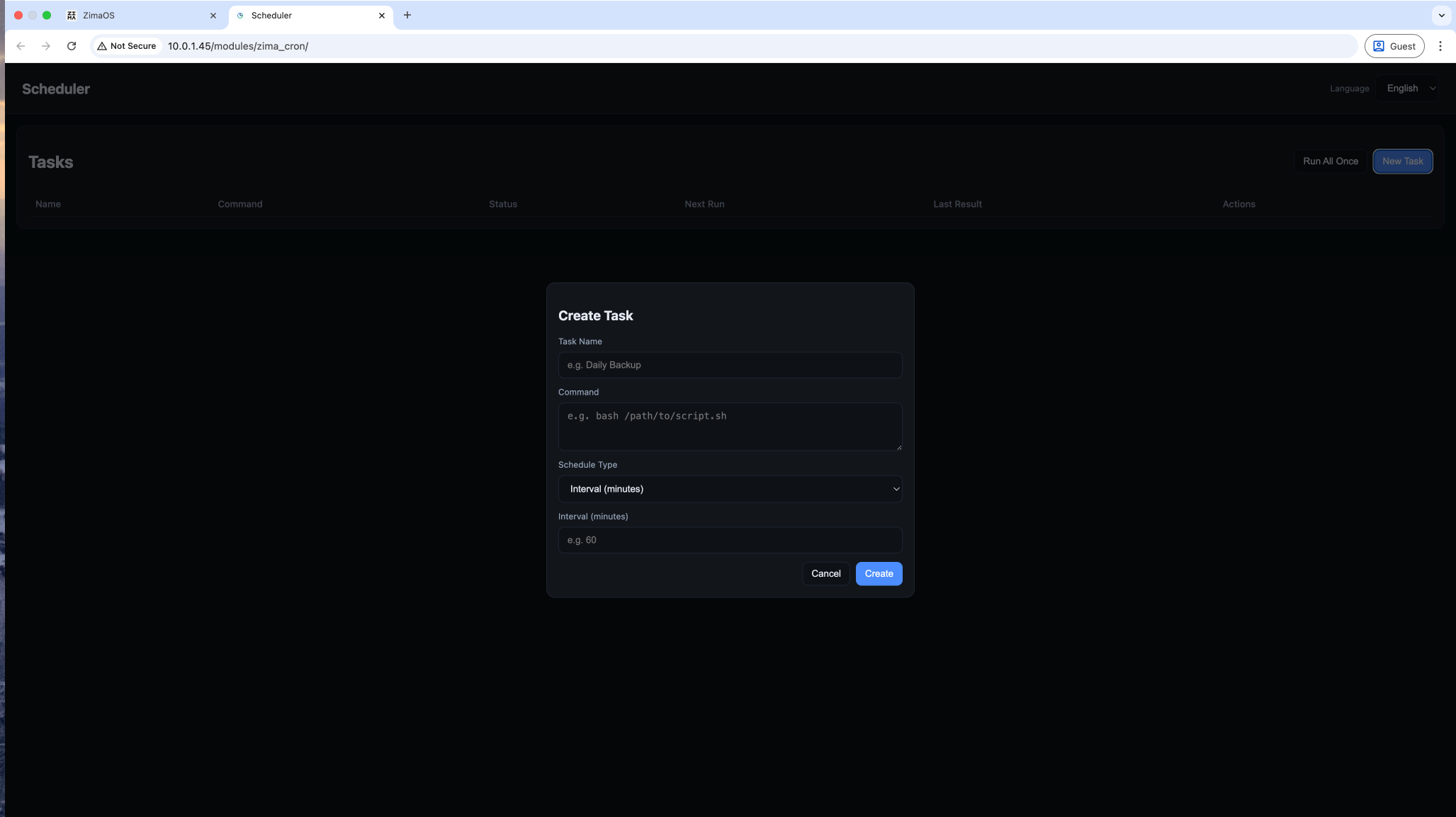
The official example appends a timestamp to a log file:
bash -c 'echo "$(date "+%Y-%m-%d %H:%M:%S") zima cron works" >> /DATA/zima_cron_test.log'Because this command only appends text, it is suitable for verifying scheduling without modifying application state.
Use Interval Scheduling for Simple Repetition
An interval schedule is appropriate when the exact wall-clock time does not matter. Examples include a lightweight health check every few minutes or a cleanup job every several hours.
For important tasks, remember that “every 24 hours” is not always equivalent to “every day at 4:00 AM,” especially after service restarts. Use a cron expression when a specific clock time matters.
Use Standard Cron Expressions for Calendar-Based Schedules
The official tutorial also demonstrates standard cron syntax. For example:
*/5 * * * *runs every five minutes. A normal cron expression can represent daily, weekly, monthly, or weekday-specific schedules, making Zima Cron more flexible than a fixed interval alone.
Before deploying a complicated expression, test it with a harmless logging command and verify at least two successful executions.
Verify Execution in Zima Cron and in the Output File
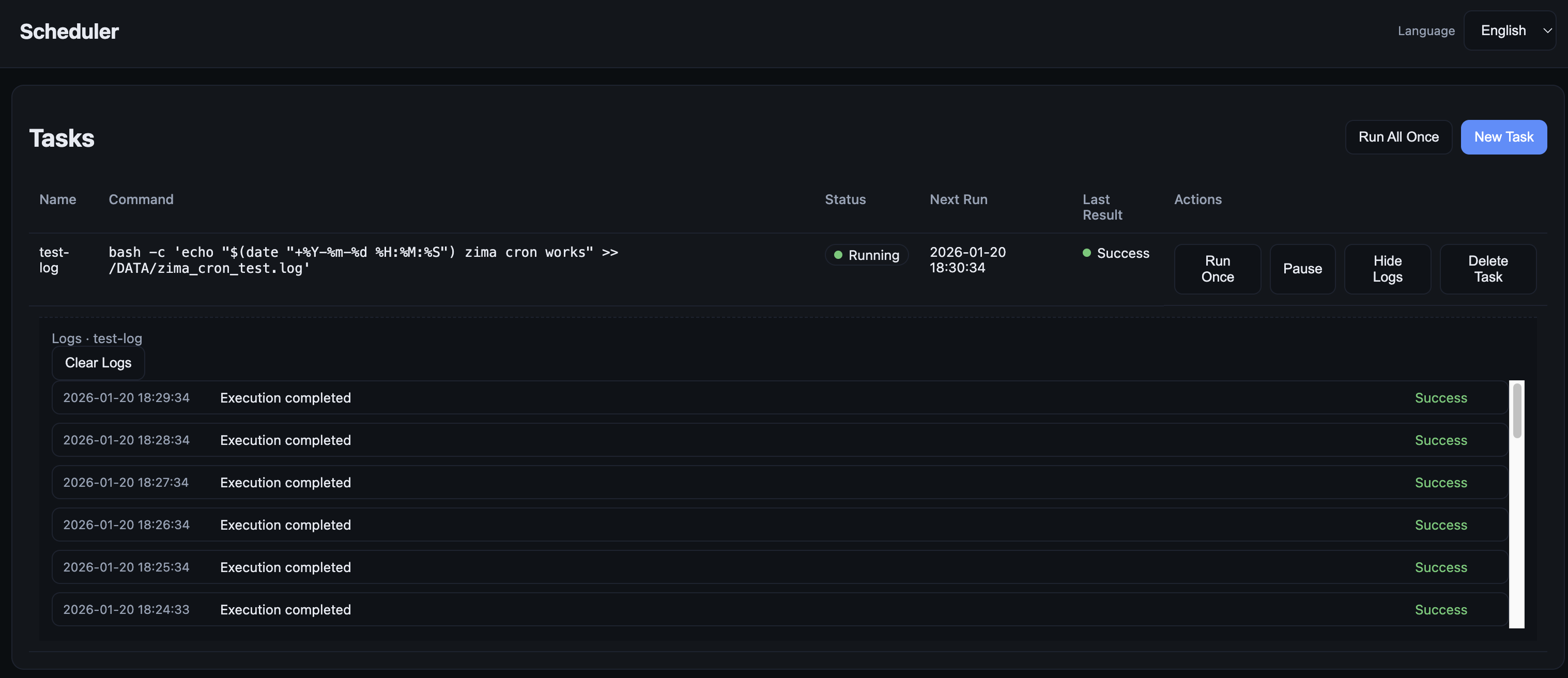
A complete test should check both the scheduler UI and the expected side effect—for example, new lines in /DATA/zima_cron_test.log. This catches cases where a task exists in the UI but its command fails because of permissions, paths, quoting, or missing binaries.
Scheduling App Restarts Requires the Right Command Boundary
A user asked how to restart Home Assistant daily at 4 AM. The thread did not receive an official IceWhale command for managing a specific installed app, so this article should not invent one. Zima Cron can run shell commands, but the exact command for an application depends on how that app is managed by ZimaOS and whether restarting it outside the app-management layer is safe.
Use the scheduler for commands you have already verified manually. Do not make the first test a production application restart.
The Major Caveat: Some Users Lost Tasks After Reboot
On January 26, a ZimaOS 1.5.3 user reported that saved tasks disappeared after reboot. 777-Spider replied that IceWhale would check the issue. Additional users then reproduced similar behavior, making it a real reliability concern rather than a one-off misunderstanding.
Later, a controlled clean installation reportedly behaved correctly: zima-cron.service stayed active, tasks remained visible after reboot, and logging continued. That looked promising, but it was not the end of the story.
Clean Testing and Real-World Testing Produced Different Results
One later participant installed Zima Cron through zpkg, created a task, and then reported after reboot that the tasks were gone and new tasks could not be created. Their service state showed:
zima-cron.service
Loaded: loaded
Active: inactive (dead)
That directly contradicted the clean-system result where the service auto-started and tasks persisted. The right interpretation is that persistence problems were environment- or build-dependent, not conclusively solved for every user.
What to Check After a Reboot
The thread recommended checking whether the service is still active and whether the installation was performed cleanly through zpkg. For a critical deployment, the minimum post-reboot QA should be:
- Restart the ZimaOS machine deliberately.
- Confirm Zima Cron still appears.
- Confirm the saved task remains visible.
- Confirm the backend service is active.
- Wait for the next scheduled execution.
- Verify the task's real output, not only the UI status.
The Persistence Problem Was Also Reported Publicly
The Zima Cron project has a public issue describing task loss and an inactive service after reboot. Before relying on it for unattended maintenance, check the current status of the reboot-persistence report.
Do Not Make an Untested Scheduler Your Only Backup Trigger
Zima Cron is useful for automation, but a scheduled backup that silently disappears after restart is worse than a manual backup you know has not run. If the task is important, combine scheduler testing with independent backup-status checks and restore verification.
Zima Cron FAQ
Is the Zima Cron installation command official?
Yes. zpkg install zima_cron was published by 777-Spider in the IceWhale tutorial.
Can it use normal cron expressions?
Yes. The official tutorial supports both interval schedules and standard cron expressions.
Do tasks definitely survive reboot?
No universal guarantee can be made from the source thread. Some clean tests succeeded, while other 1.5.x systems repeatedly lost tasks or left the service inactive.
What should I do before trusting it with a critical task?
Perform a real reboot test, verify the task remains defined, and confirm the command executes successfully afterward.


