
This ZimaOS VM thread mixed several different problems, and the final replies show why they should not be treated as one ZVM bug. Windows resolution was improved by installing VirtIO drivers, the reported right-click failure was ultimately traced to a browser extension, and VM audio remained a separate unsupported or incomplete capability in the discussion.
The practical lesson is to isolate display drivers, browser input behavior, audio and Docker networking instead of troubleshooting all of them as one virtualization failure.
Windows Resolution: VirtIO Drivers Solved the Reported Case
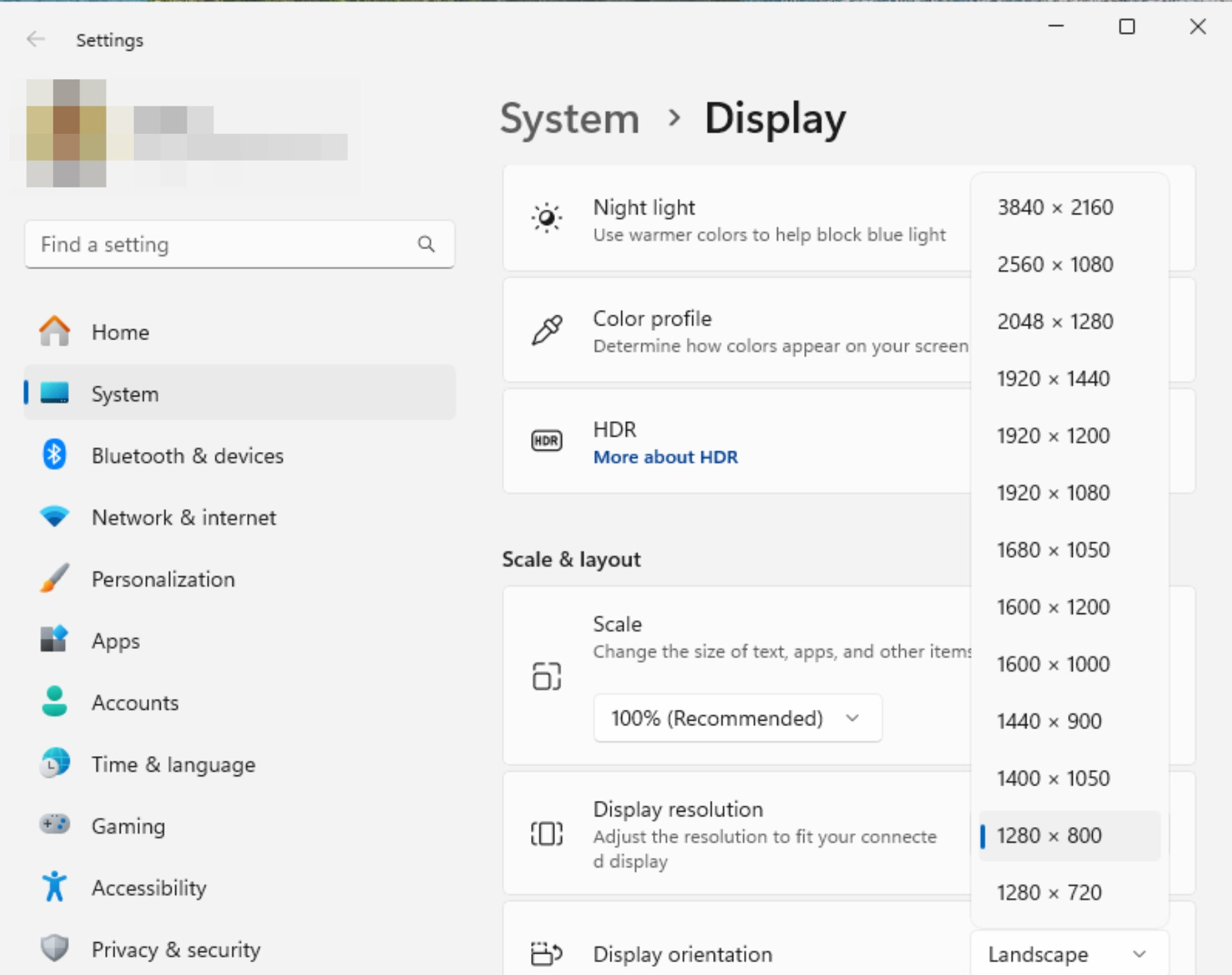
An IceWhale community support reply initially said Windows resolution adjustment was not supported in the tested state, then returned with a driver-based method: download the Fedora VirtIO Windows driver ISO, mount it to the VM's CD-ROM, install the drivers inside Windows and reopen Display Settings.
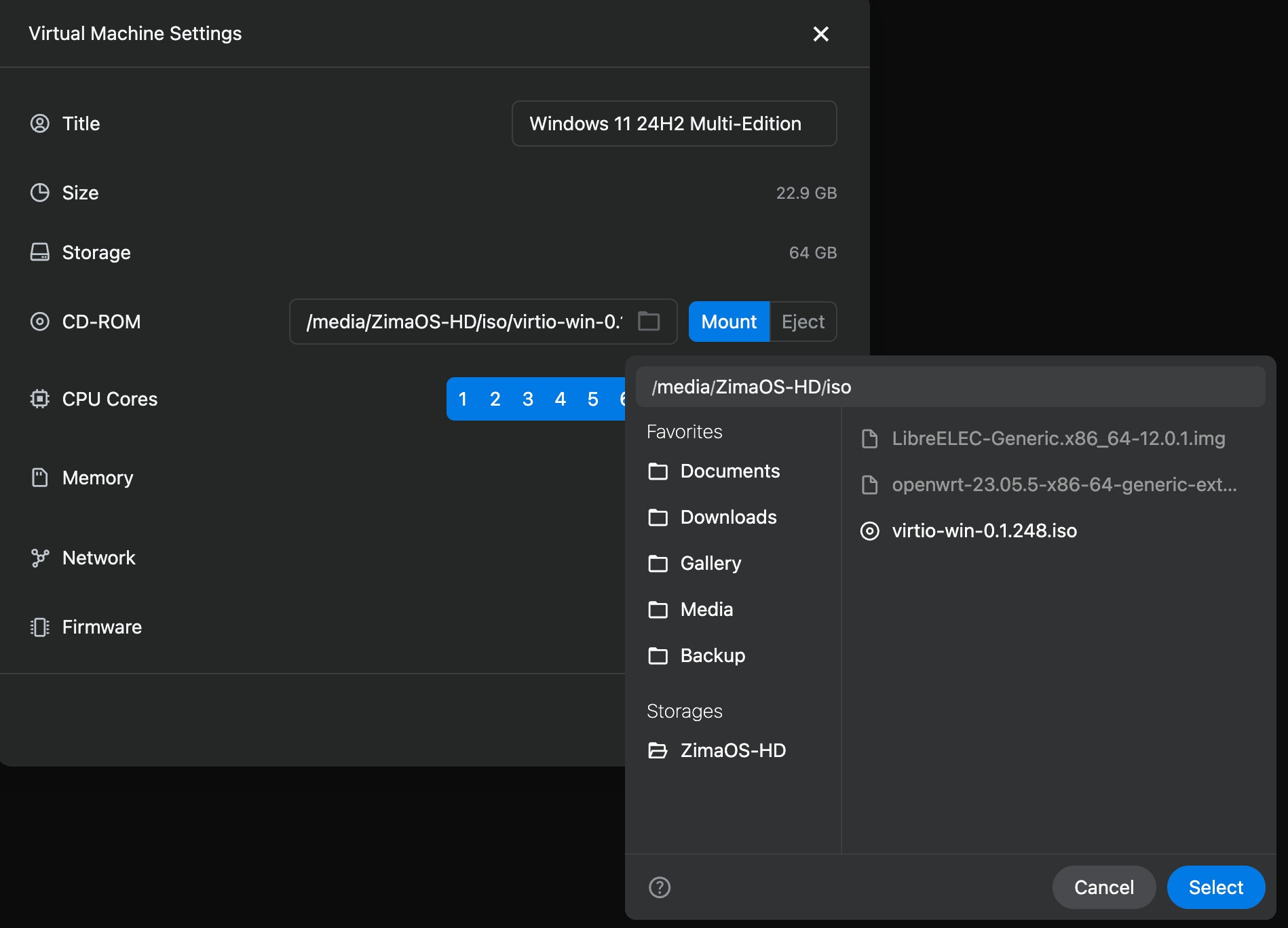
The poster later confirmed that resolution changes worked after the driver installation. The driver source referenced in the thread is the Fedora VirtIO Windows driver repository.
The Right-Click Problem Was Not Ultimately a ZVM Bug
The user initially saw both the browser context menu and the guest OS context menu, after which left-click sometimes became stuck. After further testing, they edited the post to report that a browser extension designed to enable right-clicking was the cause. Disabling that extension restored normal behavior.
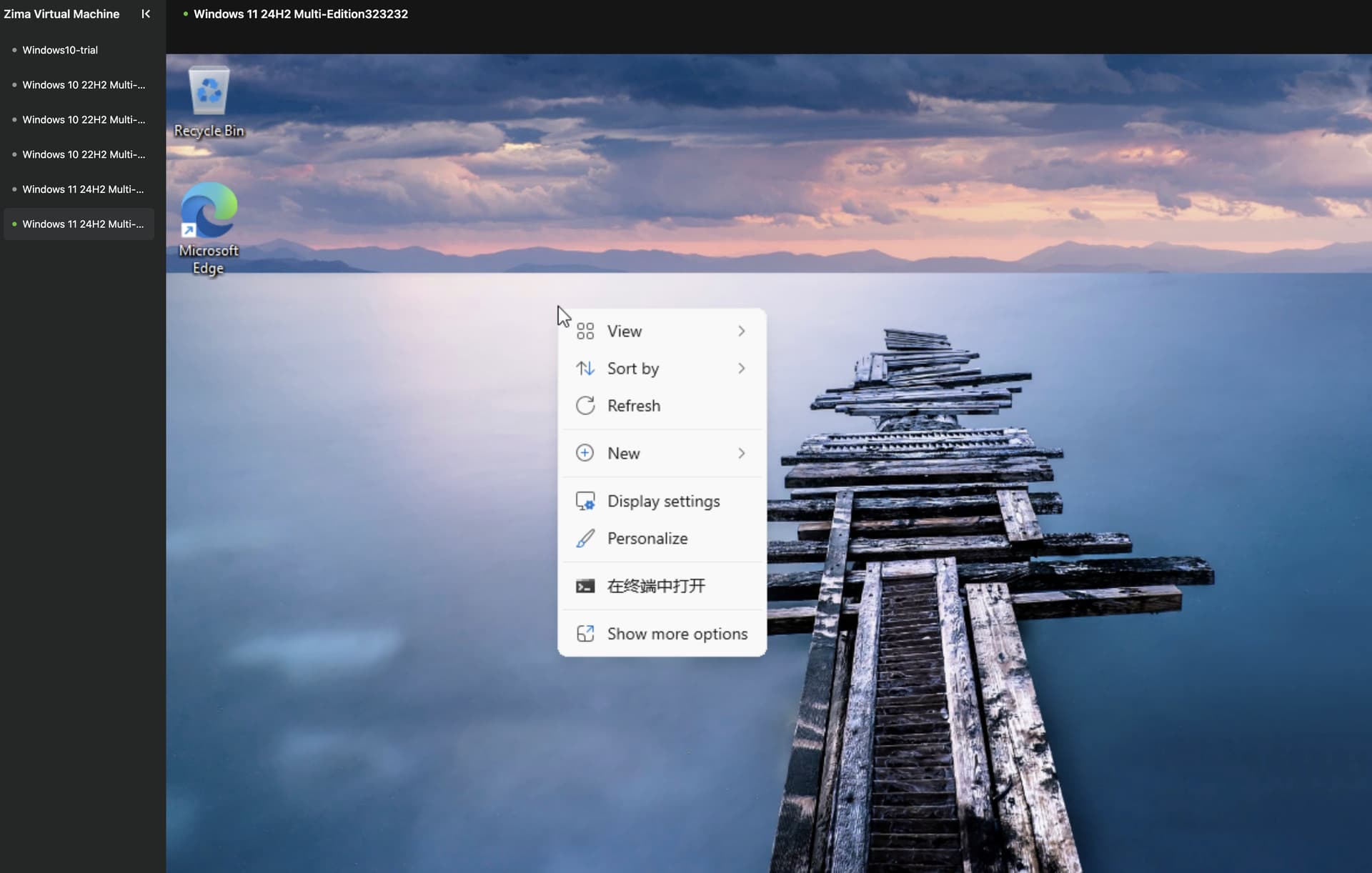
That is a useful diagnostic boundary: reproduce console input problems in a clean browser profile or private window before changing the VM configuration.
Audio Passthrough Was a Different Limitation
The thread's IceWhale replies said VM audio was not well supported at that time. A later October 2025 community exchange still asked for QEMU/SPICE audio support, and an IceWhale reply said ZVM engineering priority was limited while the team balanced resources. See the later ZVM audio discussion for that later boundary.
Because there is no current official documentation here confirming a complete audio-passthrough workflow, do not convert the old request into a claim that current ZVM audio is universally supported.
Docker Network Persistence Was Yet Another Issue
The original user also reported custom Docker networks being removed after GUI updates. That is a container-management problem, not a VM display problem. Current ZimaOS releases have continued improving Docker network configuration, so reproduce it on the current version before applying old Portainer workarounds.
If the device is also being used as a virtualization and storage server, keep VM issues and Docker issues in separate test plans so one workaround does not obscure the other.
Recommended Diagnostic Order
- Update ZimaOS and reproduce the symptom.
- For Windows display issues, verify VirtIO drivers first.
- For mouse/keyboard issues, test a clean browser profile.
- For audio, verify current ZVM capabilities before promising passthrough.
- For Docker networks, inspect the container configuration separately from the VM.


