
A ZimaOS 1.5 user connected a two-bay USB enclosure with two disks configured as independent drives. Both disks appeared in the new-device notification, but Storage initially showed only one. After replacing one 2 TB disk with a 1 TB disk, both appeared, while capacity totals still differed between the dashboard, Settings, mobile client, and network shares.
The thread contains two separate questions: how ZimaOS reports independent USB capacity, and whether ZimaOS can create software RAID from external USB disks. Mixing them led to several confusing replies.
Why Capacity Looked Different Across Interfaces
| Interface | What the source user saw |
|---|---|
| Settings > Storage | Internal capacity total, with USB drives listed separately |
| Dashboard widget | Internal plus USB capacity combined |
| Android client | Combined total |
| macOS network browsing | Individual internal disks plus a Media location containing all five drives |
IceWhale acknowledged that the display was not consistent and forwarded it to the team. A combined dashboard number does not mean the disks have become one pooled filesystem; each USB disk can still be a separate failure and mount domain.
Two Similar Disks Exposed an Enclosure or Identity Issue
Each 2 TB disk worked individually, but the non-RAID enclosure initially exposed only one when both were installed. A 2 TB plus 1 TB combination appeared correctly. The thread did not establish whether identical USB identifiers, bridge firmware, stale metadata, or a ZimaOS display bug caused this behavior.
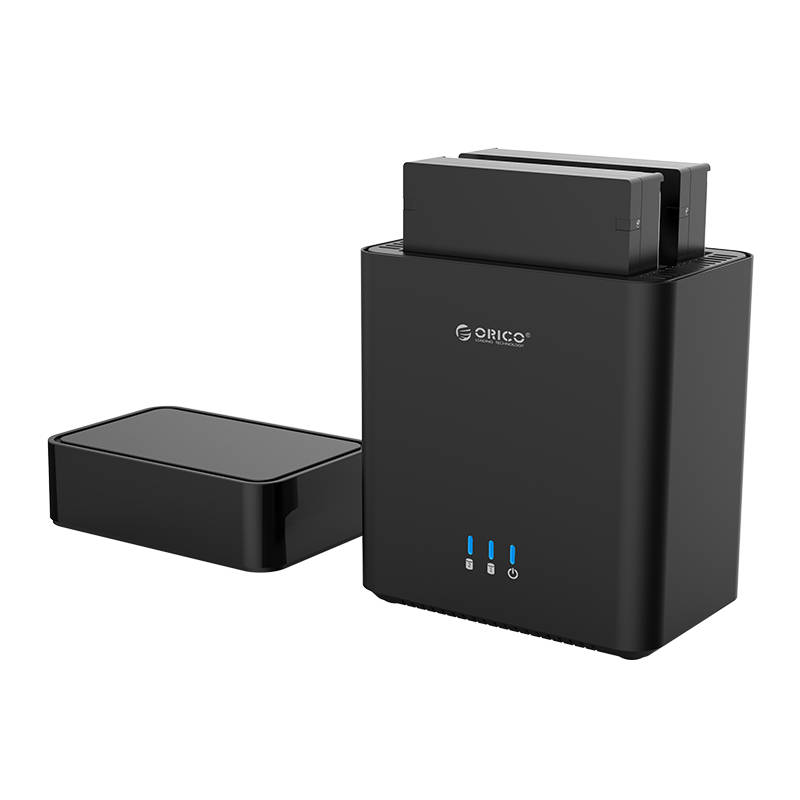
Test every bay and disk separately, verify unique serial identifiers, update enclosure firmware where available, and avoid writing important data until both devices remain stable after reboot.
Historical USB RAID Status
In October 2025, an IceWhale team member stated that ZimaOS did not provide software RAID for external storage. In November, the team said USB RAID was on the plan. The thread did not provide a release number or final implementation confirmation.
Do not apply that historical limitation blindly to a current build. Compare your version with the current ZimaOS RAID reference and confirm whether the USB enclosure exposes physical member disks in a supported way.
Hardware RAID Enclosures Are Different
IceWhale clarified that ZimaOS software RAID does not control an enclosure's own RAID engine. A hardware RAID enclosure may present one logical disk to ZimaOS, but health monitoring, rebuild status, and management may require the vendor's tools. If those tools are Windows-only, confirm USB passthrough and monitoring before trusting the array.
Independent USB Disks Are Not One JBOD Pool
The user called the setup JBOD, but the disks appeared as individual storage locations. A dashboard that sums capacities does not provide striping, concatenation, redundancy, or automatic balancing. Choose explicit folders and backup destinations for each disk.
Use USB Disks Deliberately
Current ZimaOS positions USB drives as portable or overflow storage, and the 3-2-1 backup guide stresses that RAID is not backup. Keep another copy of irreplaceable data even if the enclosure provides RAID 1.
ZimaOS USB Enclosure FAQ
Which capacity number was correct?
They represented different views: Settings separated USB storage while the dashboard and mobile client summed it.
Did ZimaOS 1.5 combine the USB disks with internal storage?
No confirmed storage pool was created; the disks remained separate locations.
Did the thread confirm current USB software RAID support?
No. It recorded a 2025 limitation and roadmap statement without a final release confirmation.


