
Moving a media folder to another ZimaOS drive does not automatically update every Docker app that used the old path. That is exactly what happened in the source: the movie files were moved to a new NVMe, Radarr reflected the new storage location, but Jellyfin still referenced its old bind mount and could no longer find the movie.
The fix is to update the application's host-side volume path while keeping a stable container-side path such as /movies or /media. Zima-Giorgio showed both CLI discovery and the GUI folder picker, and the user immediately confirmed the GUI method solved the problem.
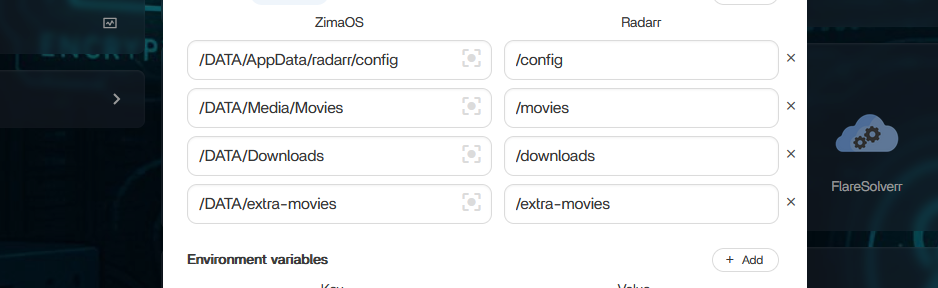
Docker Has a Host Path and a Container Path
A mapping looks conceptually like:
/real/path/on/ZimaOS → /path/inside/appThe left side must point to the storage device and folder where the files actually live. The right side is what Jellyfin/Radarr sees inside the container.
A Second ZimaOS Storage Device Does Not Automatically Live Under /DATA
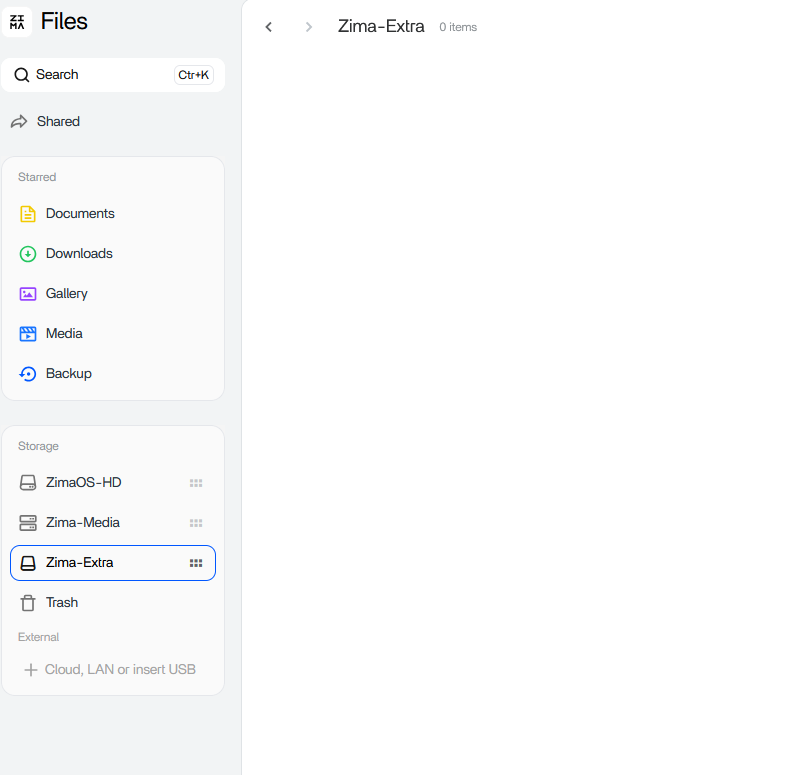
/DATA/... path created a folder on the wrong storage.That was the key confusion. /DATA/extra-movies referred to the system/default data area, not automatically to the folder on the new NVMe.
Zima-Giorgio Suggested Checking /media
For manually identifying the host path, Giorgio suggested:
ls /mediaAt that time, standalone/mounted storage appeared under /media. The exact path can differ by current storage management and device naming, so use the path exposed by the current UI rather than guessing.
The GUI Folder Picker Was the Source-Confirmed Fix
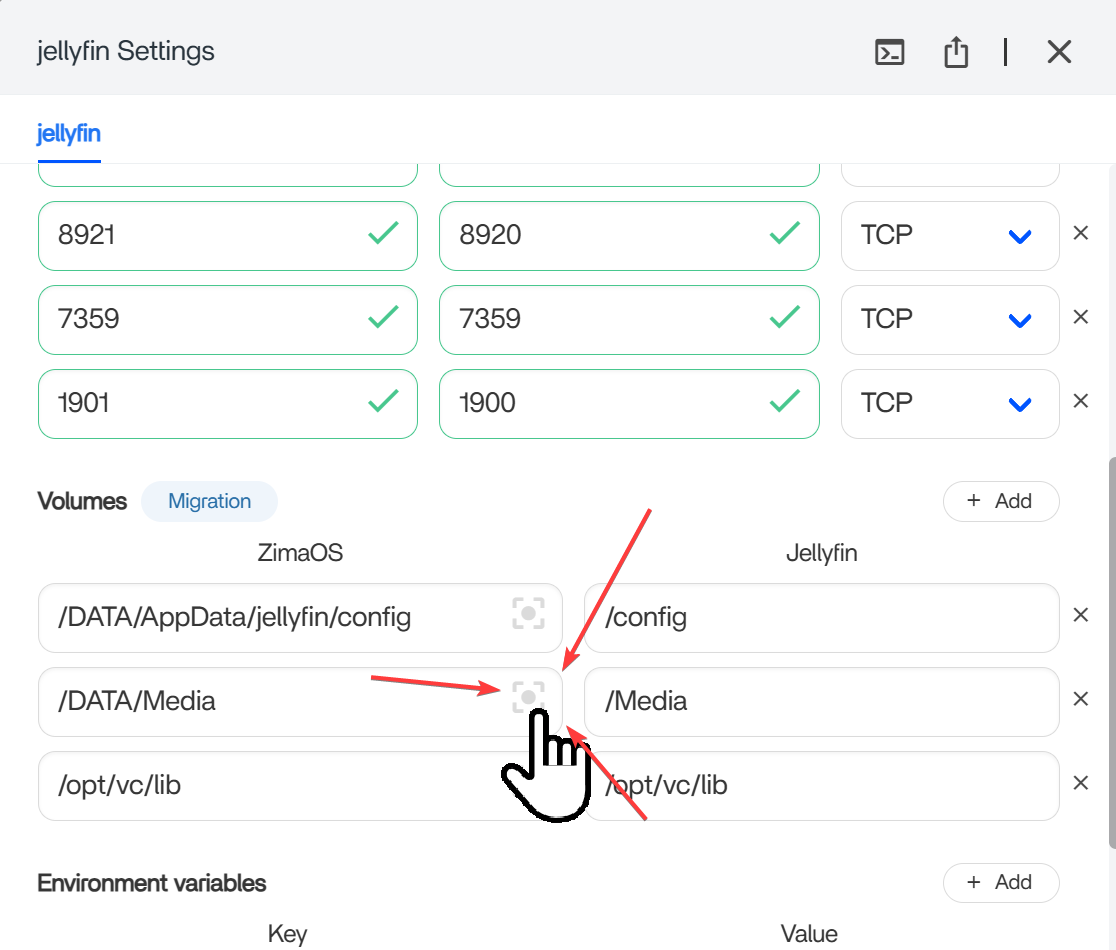
Current ZimaOS Explicitly Supports Updating Volume Paths After Moving Data
Current IceWhale app-path documentation now says that if a drive fills up, you can move an app's data to another drive and update the path in app settings without reinstalling the app.
Use the current ZimaOS Docker path workflow.
Keep the Container Path Stable When Possible
If Jellyfin already uses /Media internally, change only the host side to the new physical folder. Keeping the container path stable prevents the application database/library from seeing a completely different path string.
Update Every App That Maps the Moved Folder
Radarr, Sonarr, qBittorrent, Jellyfin, Plex, and import tools may each have their own volume mapping. One app seeing the new folder does not update the others.
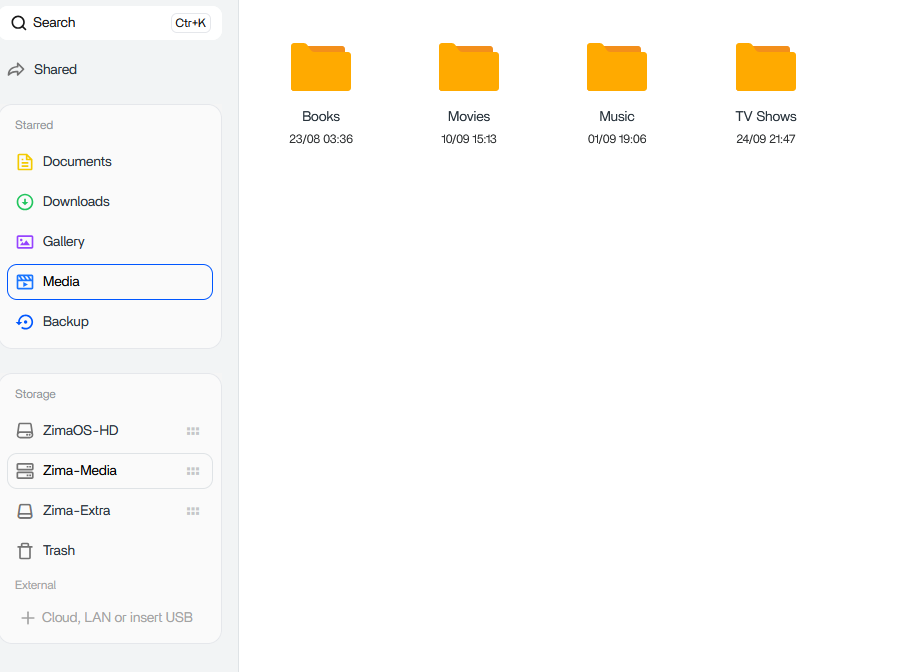
Verify Before Removing the Old Folder
Open a movie in Jellyfin, let Radarr scan the root folder, test qBittorrent import paths if relevant, and confirm permissions. Keep the old source folder until all applications use the new host mapping successfully.
Moving Media Is Different from Moving AppData
Movies and TV folders are ordinary content libraries. AppData can contain SQLite/PostgreSQL databases, thumbnails, indexes, and application state that may need the app stopped or ZimaOS Data Migration used for consistency. Do not treat every volume as a simple drag-and-drop media folder.
Recheck Permissions on the New Storage
A correct new host path can still fail if the container identity can read the old drive but not the new one. After remapping, verify the app can read—and where required write—the target folder without granting unnecessary world-write permissions.
Moved Media Path FAQ
Why did Jellyfin lose files after they were moved?
Its Docker bind mount still pointed to the old host folder.
Did the source user confirm the GUI picker helped?
Yes. They immediately replied that they had not known the path picker existed and that it solved their confusion.
Should I type /DATA for every new storage drive?
No. Use the actual host path shown or selected by ZimaOS for that storage device.


