
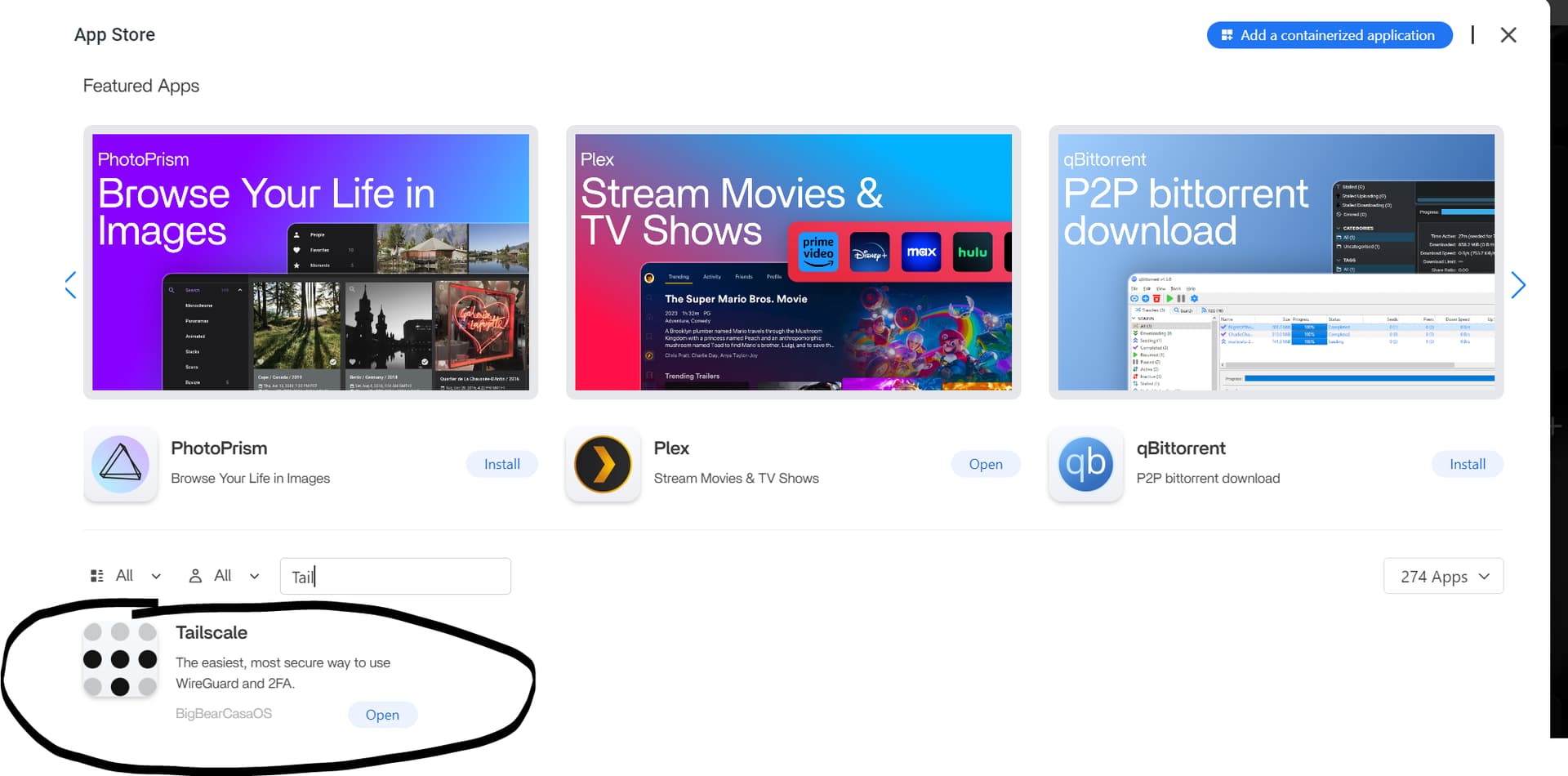
The source workaround belongs to early ZimaOS 1.2.5. The user found a BigBear Tailscale package in the App Store, but opening it simply returned them to the ZimaOS dashboard. A community reply suggested following an older CasaOS tutorial and pasting an auth key into TS_AUTHKEY.
Current ZimaOS has a much clearer supported path: install Tailscale from the official App Store, open it, sign in through the browser authorization flow, and use the assigned 100.x address from other devices in the same tailnet. The old claim that SMB must be shared as Guest is not a Tailscale requirement; SMB authentication remains a ZimaOS share/user-permission decision.
The 2024 Source Used a BigBear Tailscale Package
The Community Suggested TS_AUTHKEY for First Registration
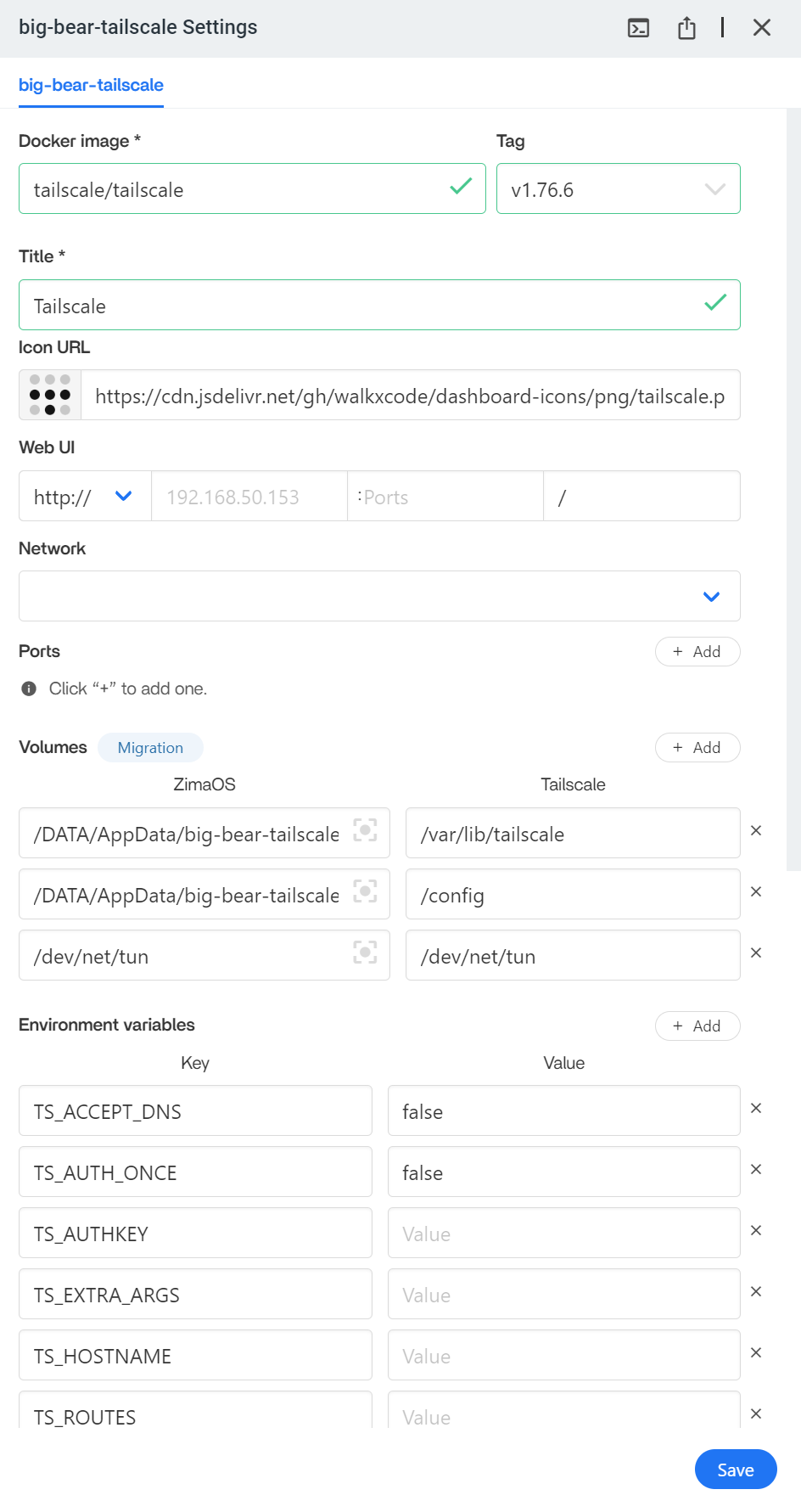
An auth key is still a legitimate Tailscale registration mechanism for automated/headless deployments, but it is no longer the ordinary path documented by IceWhale for current ZimaOS users.
Current ZimaOS Provides a Native App Store Tailscale Flow
Current IceWhale documentation says to install Tailscale, launch it, authorize the ZimaOS device with the user's Tailscale account, then find the server in the Tailscale admin console with its 100.x address.
Use the current ZimaOS Tailscale workflow.
Tailscale State Should Survive Container Recreation
The old package mapped persistent state under AppData. That principle remains important: if the node state is lost, the server may appear as a new device and need authorization again.
Tailscale Does Not Require Guest SMB Sharing
Tailscale carries encrypted IP traffic between devices. SMB still authenticates at the Samba/ZimaOS layer. A share can remain protected by a ZimaOS username/password and be reached through the Tailscale address just as it would through a LAN address.
Do not weaken a private share to Guest solely because an old forum reply suggested it.
The Same Tailnet Works with Linux, Windows, macOS, iOS, and Android Clients
Install the official Tailscale client on the remote device, sign in to the same tailnet, then open the ZimaOS WebUI or SMB share using the Tailscale IP/name.
Tailscale Does Not Replace ZimaClient Features
Current IceWhale documentation explicitly separates the network tunnel from ZimaClient-only features such as Phone Backup, Computer Backup, and some desktop integration. Use Tailscale when you want network reachability you control; use ZimaClient when you want the broader Zima experience.
Keep Auth Keys and Tailnet Administration Private
If you automate registration with an auth key, treat it as a secret. Use an ephemeral or limited-lifetime key when appropriate and revoke any key accidentally posted in a screenshot or forum.
Use the Tailscale Address for Remote Services
After authorization, the ZimaOS device receives a Tailscale 100.x address and may also have a tailnet DNS name. Use that private address/name for the dashboard or SMB endpoint from the remote client.
This avoids exposing the ZimaOS LAN address or forwarding SMB ports through the public router.
Direct Host Access Does Not Require a Subnet Router
If Tailscale itself runs on the ZimaOS host, other tailnet devices can reach that host directly. Subnet routing is only needed when the ZimaOS Tailscale node should also route traffic to additional LAN devices that do not run Tailscale.
Verify WebUI and SMB Separately
First open the ZimaOS WebUI through the Tailscale address. Then test the SMB share with the intended ZimaOS username/password. If the WebUI works but SMB fails, investigate Samba permissions rather than the Tailscale tunnel.
Do Not Copy the Old BigBear Tag and Environment List Blindly
The screenshot shows a historical Tailscale image/tag and several environment variables from 2024. Current App Store packaging, Tailscale versions, DNS handling, state paths, and authentication behavior have changed. Use the current package defaults unless an advanced Tailscale feature requires an explicit setting.
Tailscale on ZimaOS FAQ
Do current users need to paste TS_AUTHKEY just to install Tailscale?
No. Current ZimaOS documentation uses an interactive Tailscale sign-in flow.
Does SMB need Guest permission over Tailscale?
No. Tailscale provides the network path; SMB permissions remain controlled by the share and ZimaOS account.
Can Tailscale provide Linux remote access to ZimaOS?
Yes. Install the official Linux Tailscale client and connect to the ZimaOS Tailscale address.


