
If ZimaOS reports connection error: EOF while adding a Synology SMB share, check the SMB protocol range on the Synology before changing credentials or recreating the share. In the original thread, the Synology was limited to SMB1 and the connection worked after moving to a newer SMB protocol.
That fix does not mean every EOF error is caused by SMB1, but it is a strong first check when an older NAS is involved. Modern SMB2/SMB3 is also safer than keeping SMB1 enabled for compatibility.
The Verified Fix in the Original Thread
The original poster discovered that the Synology was configured to use SMB1 only. After adjusting the SMB setting so the ZimaOS client could negotiate a newer protocol, the share connected successfully.
The current ZimaOS Synology SMB connection guide is the best baseline for the current UI and connection flow.
Prefer SMB2 or SMB3 When the NAS Supports It
SMB1 is obsolete and has been disabled by default in many modern systems. Microsoft's SMB1 deprecation guidance explains why current systems avoid the legacy protocol.
If the Synology or other NAS supports SMB2/SMB3, raise its minimum protocol rather than weakening every client to accept SMB1. The modern SMB compatibility guide provides related context for newer clients.
Do Not Assume the ZimaOS Samba1 Toggle Fixes Outbound Mounts
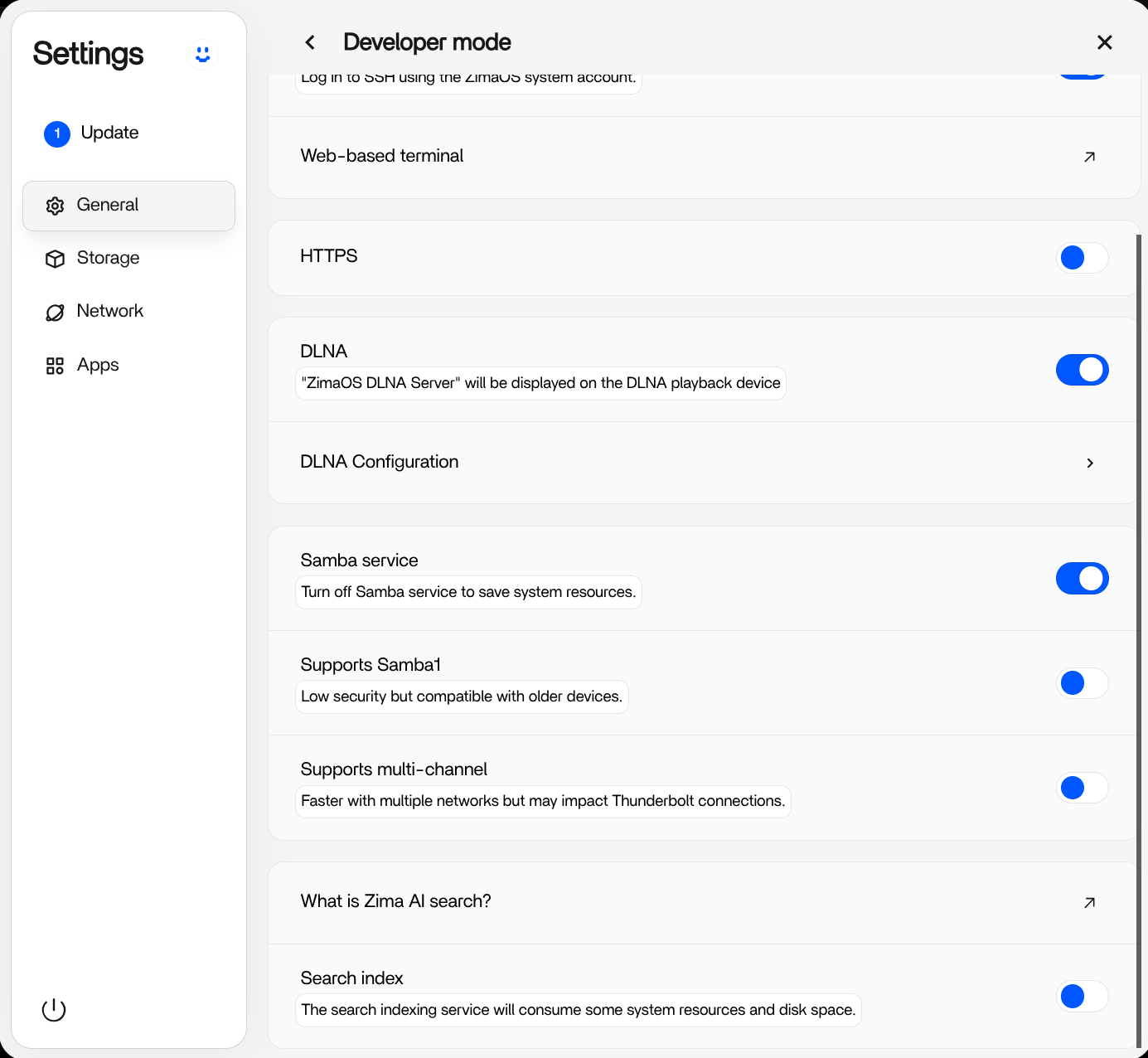
ZimaOS added a Developer setting labeled “Supports Samba1,” but later users in the same thread reported that enabling it did not fix connections from ZimaOS Files to SMB1-only remote devices. That suggests the toggle should not be treated as a proven solution for outbound client mounts.
If a legacy NAS genuinely cannot move beyond SMB1, consider updating its software, using a different supported transfer protocol, or migrating the data rather than making SMB1 a permanent dependency.
If Both Sides Already Use SMB2 or SMB3
Then treat EOF as a general connection failure: verify the server address, share name, username format, password, firewall reachability, and whether the same account can open the share from another modern SMB client. Avoid changing several variables at once.
Bottom Line
The original Synology case was solved by correcting an SMB1 protocol restriction. Prefer SMB2/SMB3 on the remote NAS, and do not rely on the ZimaOS Samba1 Developer toggle as a guaranteed workaround for mounting SMB1-only remote shares.


