
When a RAID array suddenly becomes read-only, forcing it back to read-write is not the first priority. The more important question is why the array lost confidence in one or more disks.
In this May 2026 thread, a four-disk RAID 5 entered a protective read-only state after a member disk temporarily disappeared. The array later returned to a healthy [UUUU] state and began a long protection/resynchronization pass, but the disk dropouts happened again. The discussion then shifted from “how do I turn write access back on?” to the hardware communication path.
The Array Entered Protective Read-Only Mode
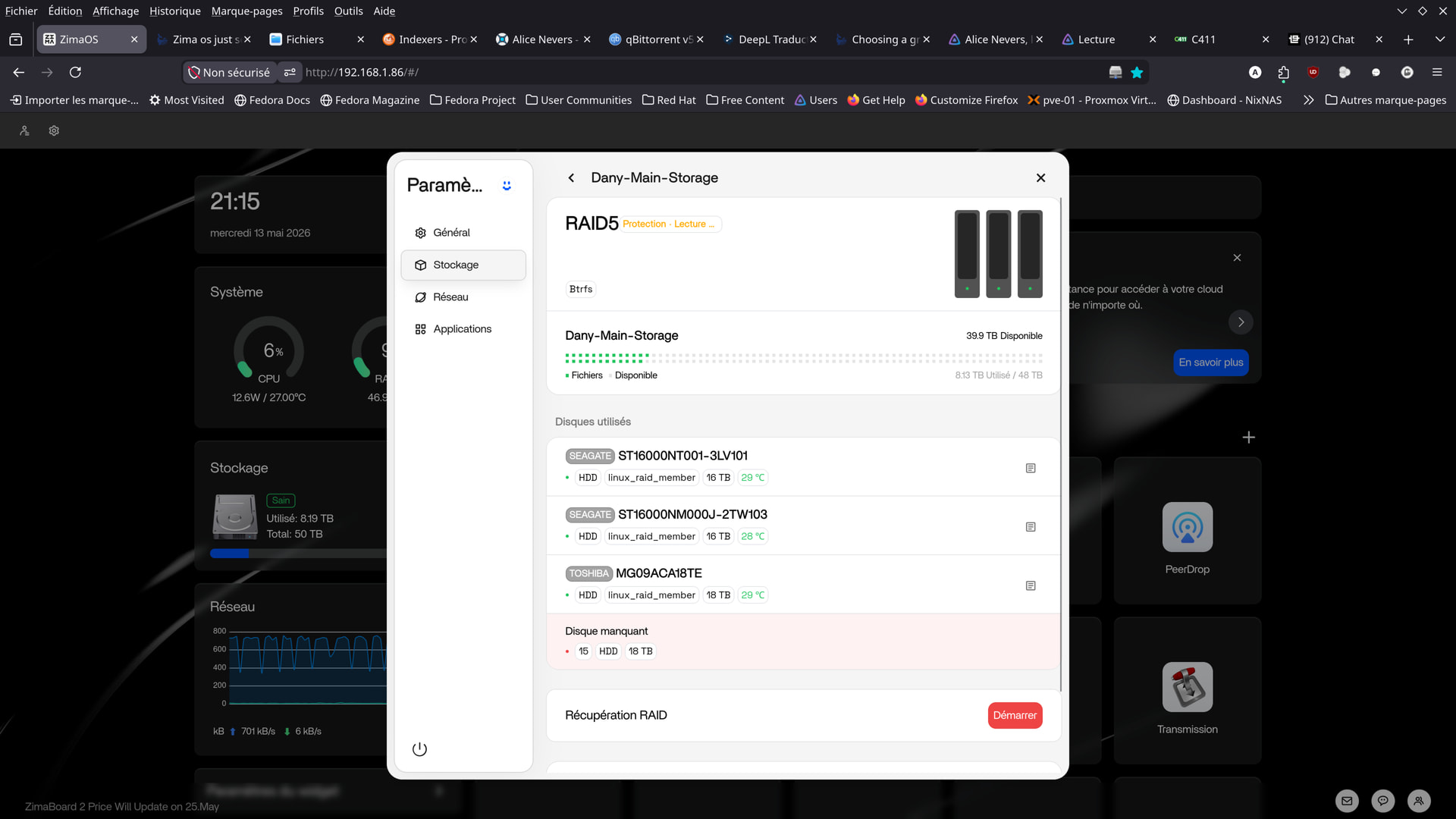
The thread did not show that the user accidentally clicked a read-only switch. Community analysis treated the state as a response to a degraded or unstable storage condition.
The RAID Could Recover and Still Have an Underlying Problem
After reboot and recovery, all four RAID members were visible again and the array entered “Protection in progress.”
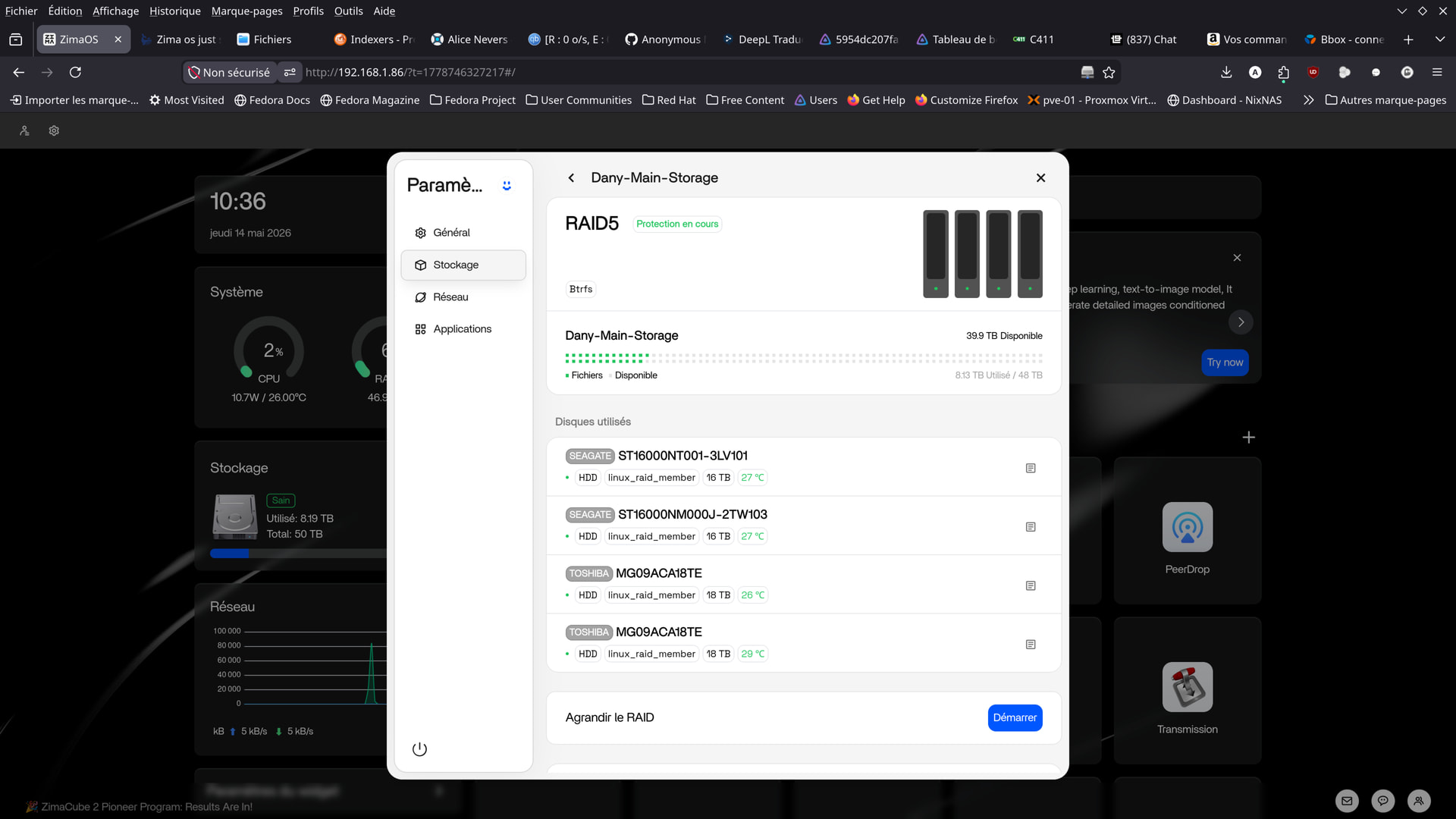
Repeatedly rebooting during a parity resync can restart or prolong recovery work. The community advice was to let the array complete its protection pass while investigating why drives disappeared.
SMART Passed, but the Interface Error History Mattered
The two Toshiba disks reported overall SMART health as passed, with no reallocated or pending sectors in the shared output. That made a simple “the disks are definitely dead” conclusion unsupported.
However, the SMART logs also showed Ultra DMA CRC counts and multiple ICRC/ABRT command errors. Those fields are commonly associated with failed communication between a drive and the host rather than media defects alone. The community therefore focused on SATA data cables, power delivery, controller stability, firmware, and repeated link resets.
Do Not Force a Degraded Array Back to Read-Write
The thread contains no IceWhale-authored command that safely overrides the protective state. For long-lived guidance, that is the correct boundary: back up accessible data, verify array health, inspect physical connections, and diagnose the dropout before trying to bypass protection.
Use the Current Storage Panel to Confirm Array Health
Current ZimaOS exposes storage health and member-drive status under Settings > Storage. When you are troubleshooting a modern release, check how the current Storage interface reports the array and its member drives before applying conclusions from this 2026 incident.
ZimaOS Read-Only RAID FAQ
Did ZimaOS randomly change a healthy RAID to read-only?
The source evidence points to member-drive dropouts. The protective state appeared together with a missing disk rather than as an isolated UI setting change.
Did SMART prove the Toshiba drives had failed?
No. Overall SMART health passed and common sector-failure counters were zero, although the logs contained significant interface communication errors.
What should I investigate when CRC or ICRC errors appear?
The community focused on SATA cables, power connections, PSU stability, controller behavior, firmware, and whether the same drive or port repeatedly drops.
Was there an official IceWhale root-cause diagnosis?
No. The published thread ended with community hardware analysis rather than an IceWhale engineering conclusion.


