
The original community RAID checklist asks users to confirm that at least two drives are available, check disk health, verify that each disk can be formatted, keep the intended mount point empty, reboot, and try the array creation again.
The replies show why that checklist was only a starting point. Between ZimaOS 1.2.1 and 1.3.0, users also encountered a disappearing RAID interface, read-only filesystem errors, and incorrect drive-slot mapping on non-ZimaCube hardware. These are historical cases, not a claim about the current ZimaOS interface.
Start with the Original Five Checks
Confirm that at least two drives are available
The guide begins with the minimum drive-count requirement. Drives that are already enabled as separate storage were not always presented to the historical RAID configurator as available members.

Check disk health and individual formatting
The next checks separate a basic disk problem from an array-creation problem. The guide recommends reviewing health status and confirming that each drive can complete an individual format without an error.


Keep the mount point empty and retry after reboot
The guide states that the intended RAID mount point should not already contain files. Existing data should be backed up before the mount point is cleared. After completing the checks, the original sequence ends with a system restart and another attempt to create the array.


The Historical UI Expected Unassigned or Disabled Disks
Several users formatted and enabled drives individually, then found that the RAID entry point disappeared or that no disks could be selected. A team reply explained that the drives had to be disabled as individual storage so they could reappear as available disks in the RAID workflow. Formatting was then handled while creating the array.
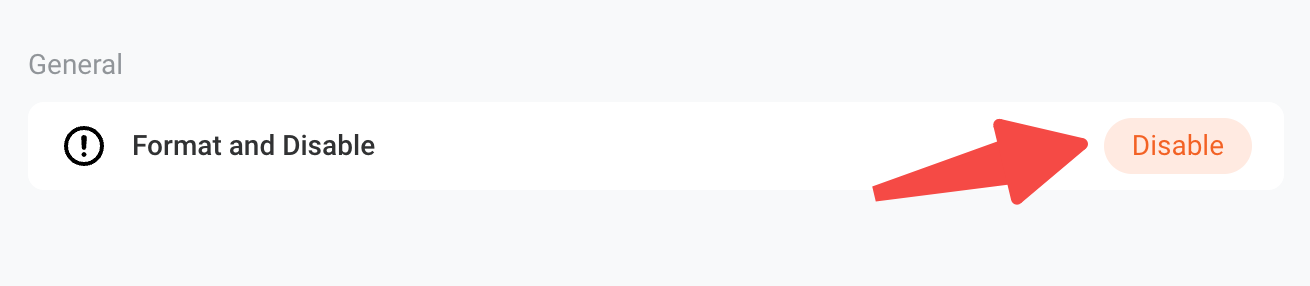
This did not solve every case. ZimaOS 1.2.2 included a fix related to disabling single disks, and later replies reported additional disk-selection bugs through 1.2.4. One user later confirmed their original issue was resolved in 1.3.0, although they still found the RAID interface difficult to locate.
A Read-Only Filesystem Produced a Different Failure
One user's storage log showed that ZimaOS could not create /media/Files because the filesystem was read-only. A team member distinguished this from a missing-button problem and asked the user to inspect mount state with:
mount -l | grep "/ "
mount -l | grep /media
lsblk
The requested check was whether the relevant mount appeared as ro rather than rw. The thread lists failed mounting, filesystem errors, permissions, or other configuration problems as possible causes, but it does not record a final repair for that particular read-only case.
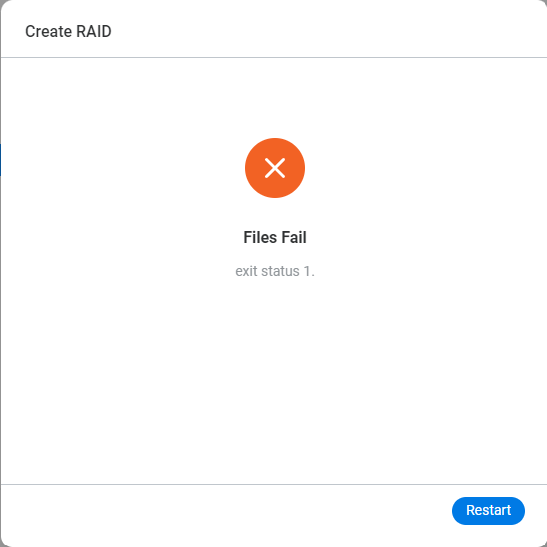
Non-ZimaCube Hardware Exposed Drive-Slot Mapping Bugs
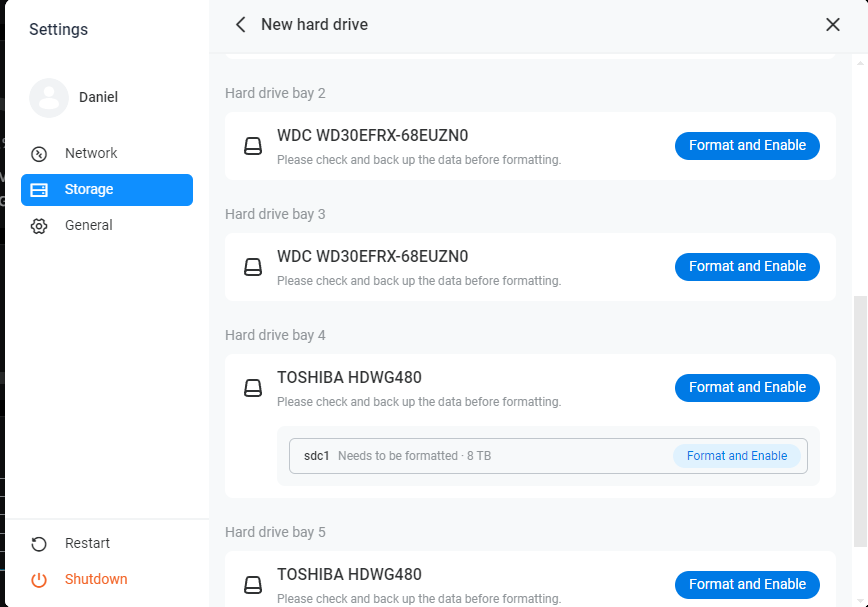
Another group of replies came from users running ZimaOS on third-party systems with multiple SATA controllers or NVMe devices. Their disks were visible and could be formatted, but the RAID diagram displayed empty bays, unexpected bay numbers, or fewer selectable drives than the operating system detected.


The team later published a disk-display procedure for non-ZimaCube devices. A user on ZimaOS 1.2.5 reported that following that procedure corrected the displayed drives and allowed RAID creation. Another user confirmed the same procedure resolved the issue immediately.

Command-Line Array Changes Were Not a General Fix
One later participant created a four-disk RAID 5 through the UI and added a fifth NVMe device with mdadm. The user described the result as not ideal. Because those commands alter an active array and were specific to that machine, this community summary does not present them as a reusable repair sequence.
The final team reply in May 2025 classified another missing-bay report as a third-party hardware issue and asked the user to open a dedicated topic so engineers could review screenshots and recordings. That reinforces the main boundary: drive visibility in the operating system does not guarantee that a hardware-specific slot map will be represented correctly by an older RAID UI.
FAQ
Why did the RAID option disappear after disks were formatted?
In several historical 1.2.x cases, disks enabled as individual storage were no longer considered available by the RAID workflow. Disabling them exposed the RAID path again, although separate UI and slot-mapping bugs still affected some systems.
Did upgrading ZimaOS solve every missing-drive case?
No. Some users reported fixes after later releases or a clean installation, while others still needed the non-ZimaCube drive-display procedure. The outcome depended on whether the cause was the historical UI, a read-only filesystem, or third-party hardware mapping.


