
If qBittorrent is still saving downloads to the ZimaOS system drive even after you selected another HDD in the app settings, check which path you entered inside qBittorrent itself. In the November 2025 IceWhale Community thread, the secondary drive was already mounted into the qBittorrent container, but the user entered the ZimaOS host path instead of the Docker container path.
The confirmed fix was simple: use /downloads inside qBittorrent, not the ZimaOS host path such as /media/GERAL/downloads. Changing PUID/PGID to 0/0 did not solve the source case; correcting the path did, and the original author explicitly confirmed that downloads then worked.
The Core Difference: Host Path vs Container Path
A Docker volume mapping has two sides:
HOST_PATH:CONTAINER_PATHFor example:
/media/GERAL/downloads:/downloadsZimaOS sees the left side. qBittorrent runs inside the container and should normally use the right side.
Correct inside qBittorrent: /downloads
Wrong inside qBittorrent:   /media/GERAL/downloads
What the Original User Had Configured
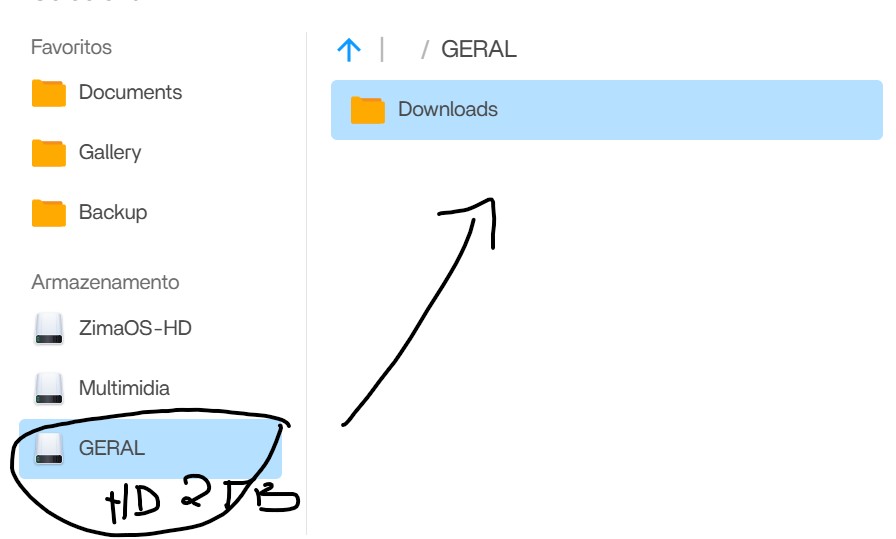
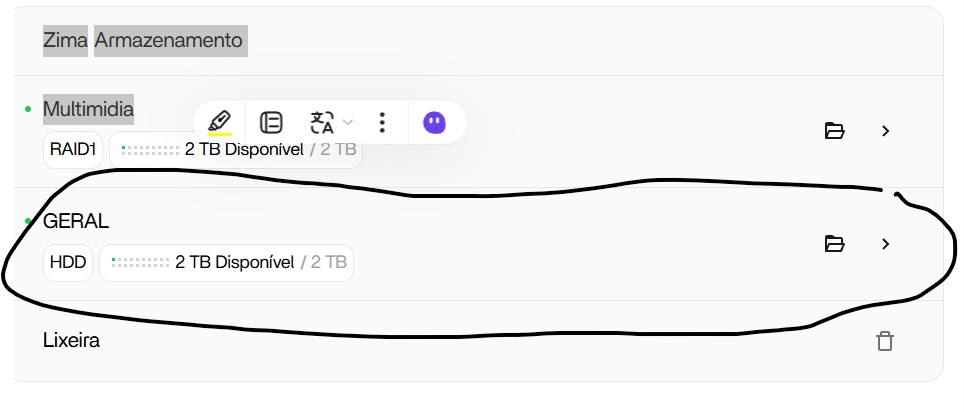
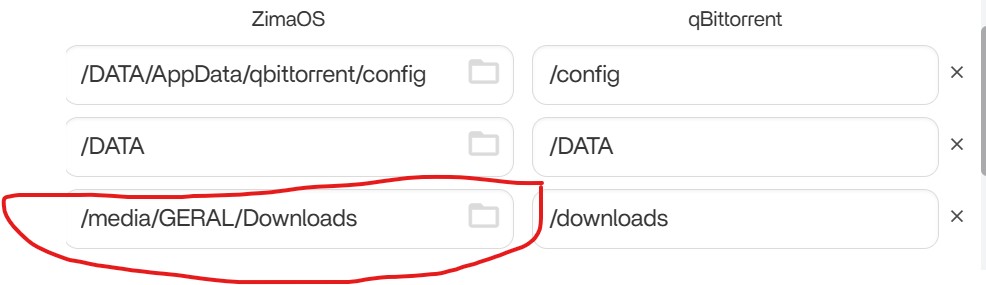
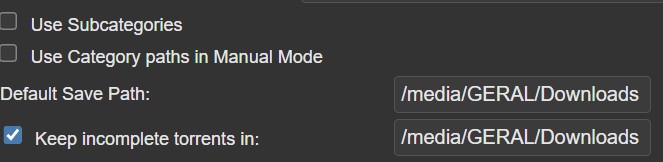
/downloads.Why Changing PUID and PGID Did Not Fix This Case
A community reply first suggested testing different PUID/PGID values, including 0/0. The original author tried that and reported that it did not work.
That matters because it separates this case from a permission problem. Root privileges do not make an unmapped host path become the correct container path.
Current LinuxServer qBittorrent Uses the Same Pattern
The current LinuxServer qBittorrent Docker documentation uses:
/path/to/downloads:/downloadsand defines /downloads as the download location inside the container. That matches the community fix exactly.
LinuxServer qBittorrent Docker documentation
How to Fix the Download Folder
- Open the qBittorrent app settings in ZimaOS.
- Find the download volume mapping.
- Confirm the desired secondary-drive folder is on the ZimaOS host side.
- Confirm the container side is a stable path such as
/downloads. - Save and restart the app if the Docker mapping changed.
- Open qBittorrent WebUI.
- Go to Tools → Options → Downloads.
- Set the Default Save Path to
/downloadsor a subfolder such as/downloads/complete. - Start a small test torrent and verify which physical drive receives the data.
When PUID/PGID Permissions Do Matter
If /downloads is correct but qBittorrent logs Permission denied, then check ownership and permissions. LinuxServer's image supports PUID and PGID specifically for host bind-mount permissions.
That is a different failure from the source thread. Diagnose path correctness first, permissions second.
ZimaOS qBittorrent Download Folder FAQ
Why does qBittorrent still use the ZimaOS system drive?
In the source case, qBittorrent was configured with the host path instead of the mounted container path.
What path fixed the original thread?
/downloads. The author confirmed it worked.
Should I set PUID and PGID to 0?
Not for this problem. The original author tried that without success. Use the correct container path first.


