
You do not need to stop every Docker container and manually “stop” RAID drives before using ZimaOS's normal shutdown function. In this February 2025 thread, ZimaOS product manager Collin pointed the user to the shutdown option in Settings and explicitly said that properly shutting down the system would not affect stored data.
The original question also anticipated a feature that shipped later: ZimaOS 1.4.1 added scheduled shutdown directly to the product. Starting the server again in the morning is a separate hardware/firmware problem because the operating system cannot execute software after the machine is fully powered off.
Use the ZimaOS Shutdown Control
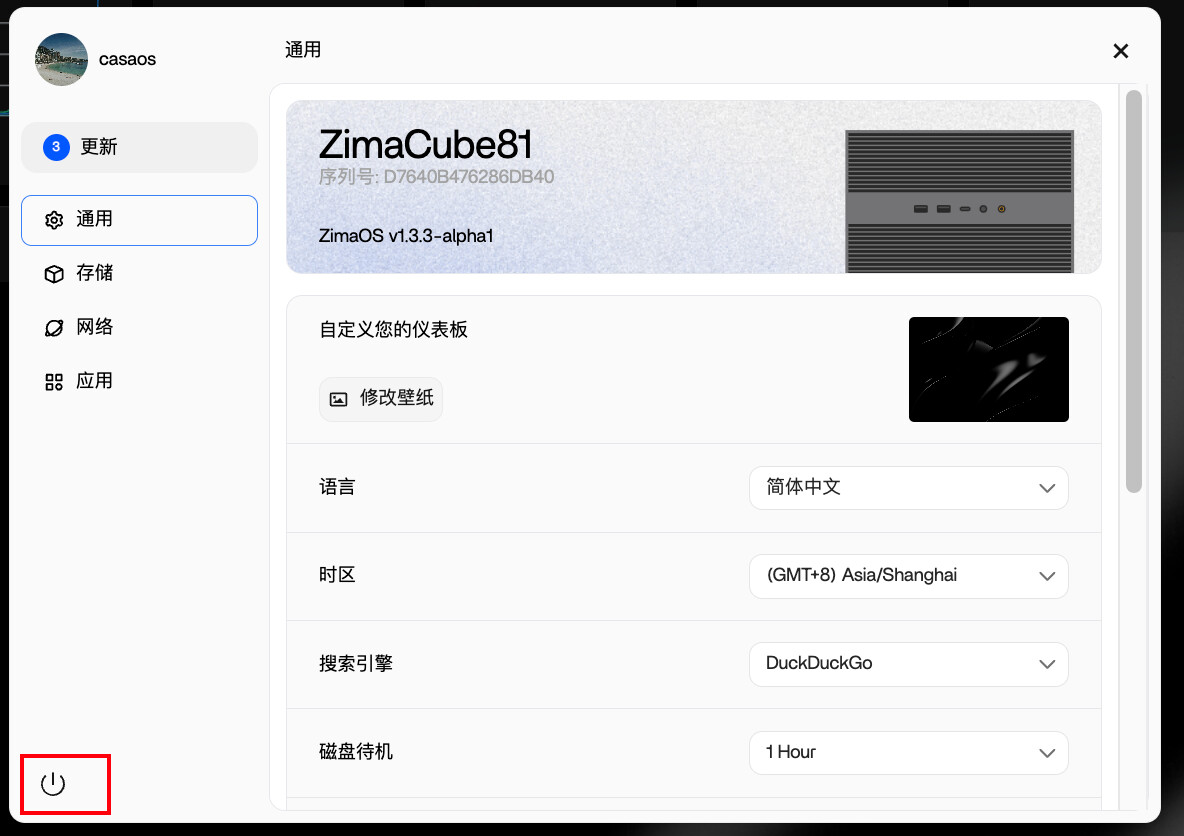
A coordinated OS shutdown allows services to stop and filesystems to be unmounted in the expected order. It is different from pulling the power cable or turning off a smart plug while the NAS is still running.
You Do Not Need to Stop Every Container Manually
The user's Windows background led them to wonder whether a NAS required a sequence such as stop apps → stop RAID → shut down. The official reply did not prescribe that process.
For ordinary daily shutdown, use the system shutdown control and let ZimaOS coordinate Docker and storage services.
RAID Does Not Need a Manual “Stop” Before Normal Shutdown
A healthy array should be shut down as part of the operating system's storage lifecycle. Manually detaching array members before every power-off would add risk rather than safety.
What matters is avoiding abrupt power loss while writes, backups, or array maintenance are active.
Scheduled Shutdown Became a Built-In Feature in ZimaOS 1.4.1
IceWhale's 1.4.1 release notes explicitly added a scheduled shutdown function that can be configured from the shutdown control.
Use the current built-in scheduled shutdown capability instead of creating custom timers for a simple nightly power-off routine.
Scheduled Startup Is a Different Feature
Collin asked whether the user would also need automatic scheduled startup. Once ZimaOS is fully powered down, startup has to be initiated by hardware or another always-on device.
Depending on the motherboard, practical options include RTC alarm wake, Wake-on-LAN, or restore-on-AC-power behavior combined with an external power controller.
Never Use a Smart Plug as the Shutdown Command
If a smart plug is part of the morning startup design, let ZimaOS complete a clean shutdown first and only cut AC after the host is fully off. Otherwise Docker databases, filesystems, and backup jobs can be interrupted mid-write.
Daily Shutdown Is a Valid Home-Lab Choice
The source user needed silence at night because the server shared a small living space with a family member sleeping nearby. A NAS does not have to run 24/7 if its workloads do not require that availability.
The tradeoff is that overnight backups, media tasks, sync jobs, monitoring, and remote access are unavailable while the server is off.
Nightly Shutdown FAQ
Must I stop all containers before shutting down ZimaOS?
No. The normal system shutdown handles service termination as part of the shutdown process.
Must I stop the RAID array manually?
No. Use a proper ZimaOS shutdown rather than manually detaching healthy storage before every power-off.
Can ZimaOS schedule nightly shutdown?
Yes. Scheduled shutdown became a built-in feature in ZimaOS 1.4.1.


