
If a new ZimaOS member is granted Read & Write access in the sharing interface but still receives “permission denied,” do not immediately run recursive ownership commands across the storage pool. The March 2026 source thread tested several ownership theories, performed a fresh reset, and still did not reach a confirmed root cause.
The durable troubleshooting method is to separate the ZimaOS/Samba permission layer from the underlying Linux ownership layer. Reproduce the problem on a small new folder first, compare administrator and member access, and only then inspect the exact host path involved.
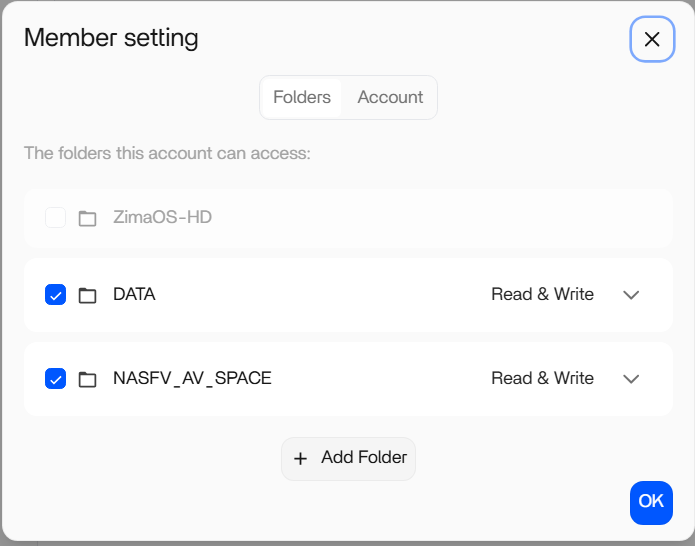
The Member Permission Looked Correct in the UI
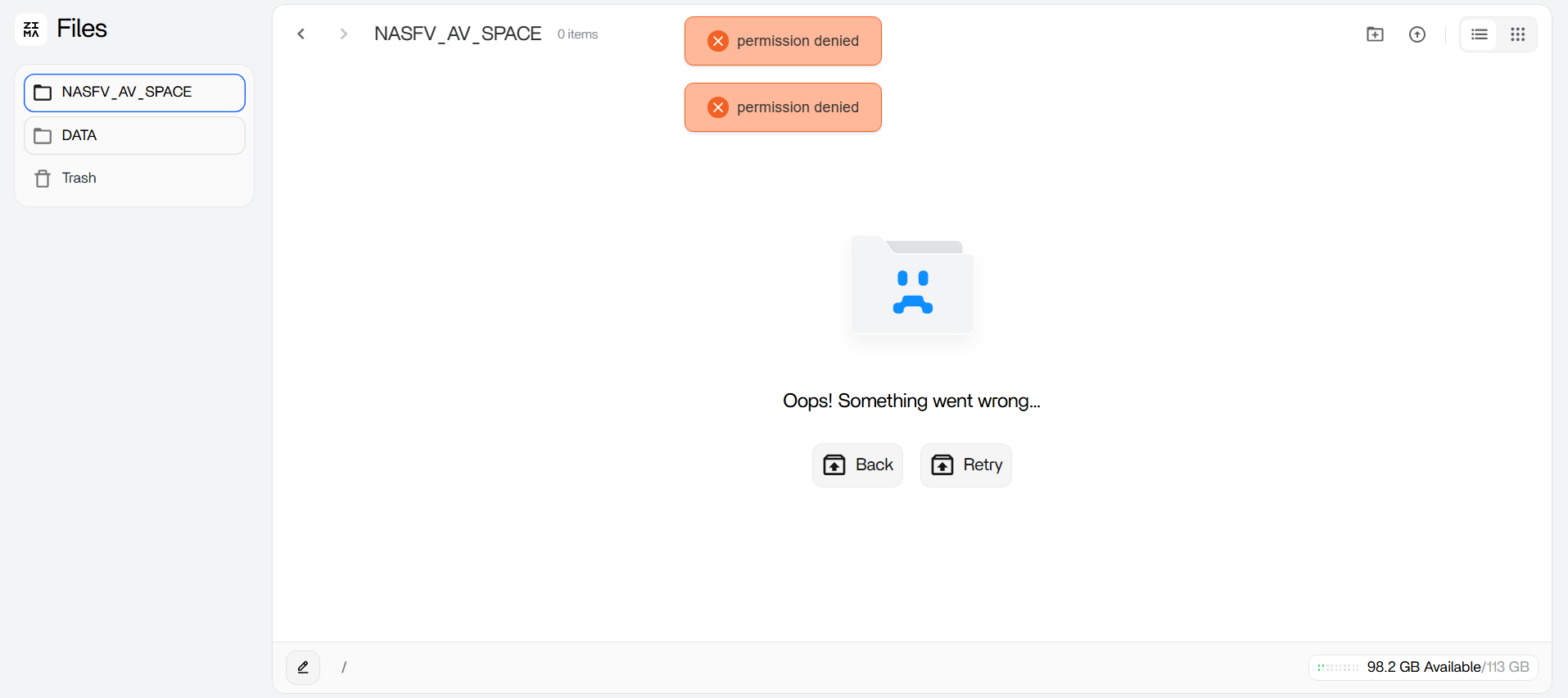
The administrator account could access the data, while a newly created account named Andres was assigned read/write access but received a permission error when opening files.
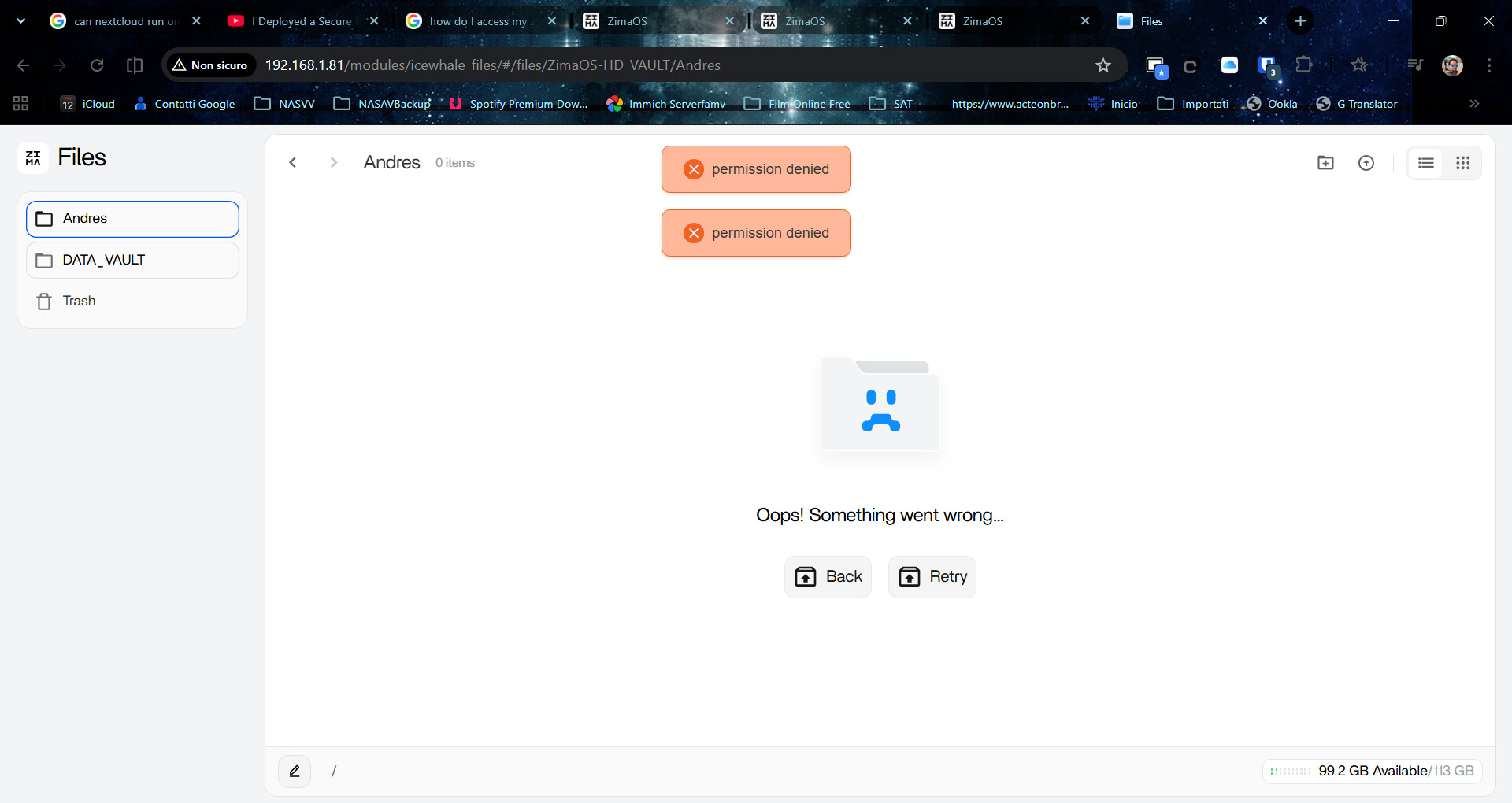
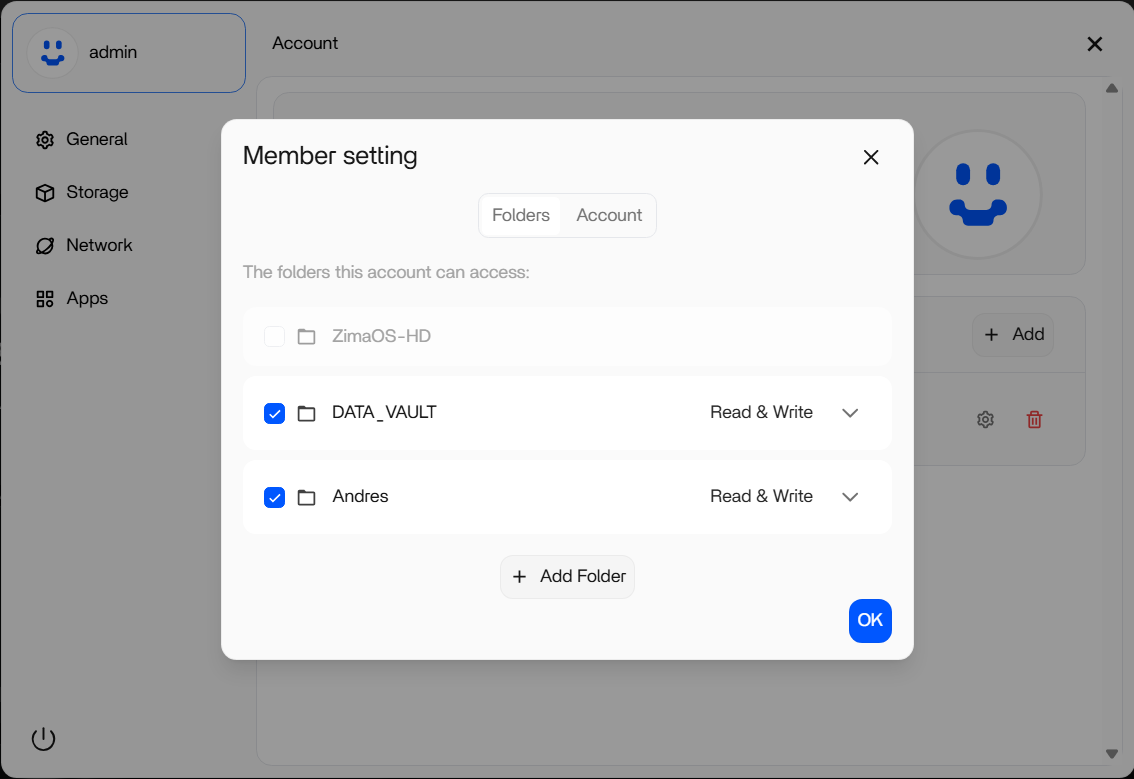
Current ZimaOS Supports Per-User Samba Permissions
Current ZimaOS documentation distinguishes member access from guest access and allows a manager to grant either Read or Read & Write permission to a Samba share. A member with Read & Write should be able to download, upload, rename, and delete files within the share, subject to the underlying filesystem being accessible.
Current ZimaOS multi-user Samba setup is the right baseline before using shell-level fixes copied from an older thread.
Reproduce the Problem on a Brand-New Test Folder
Create a small test folder through the current Files interface on the intended data disk. Share only that folder to the new member with Read & Write, then connect from the member's client using that member's credentials.
If the test folder works but migrated or older directories fail, the problem is likely tied to those paths or their ownership. If the brand-new UI-created folder also fails, the issue is broader and should be treated as a potential account, Samba, or ZimaOS permission problem rather than legacy file ownership.
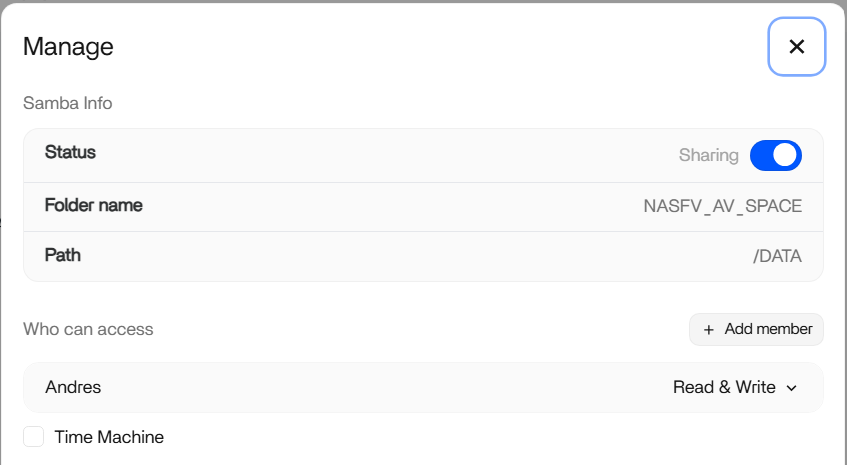
Use Linux Ownership as a Diagnostic Signal, Not a Blind Fix
The thread inspected user IDs and directory ownership and found paths under /DATA/.media owned by different Linux users and groups. That made an ownership mismatch plausible for migrated data.
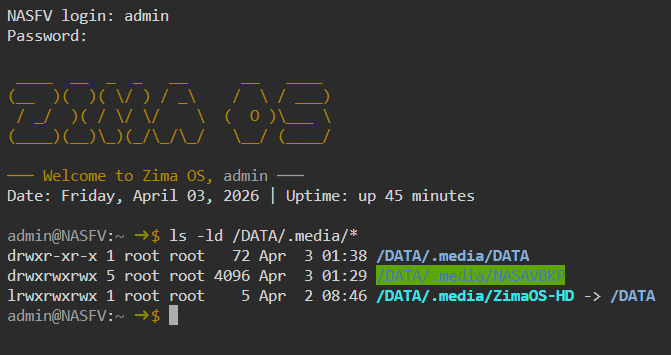
A suggested recursive chown operation then produced many “Operation not permitted” errors inside application-managed data. That is a warning against applying one ownership command across broad system or AppData trees. Changing ownership recursively can break containers or services that expect specific UIDs and GIDs.
Use id, ls -ld, and a small test file to understand the exact failing path. Do not alter unrelated application directories.
A Factory Reset Was Not a Confirmed Fix
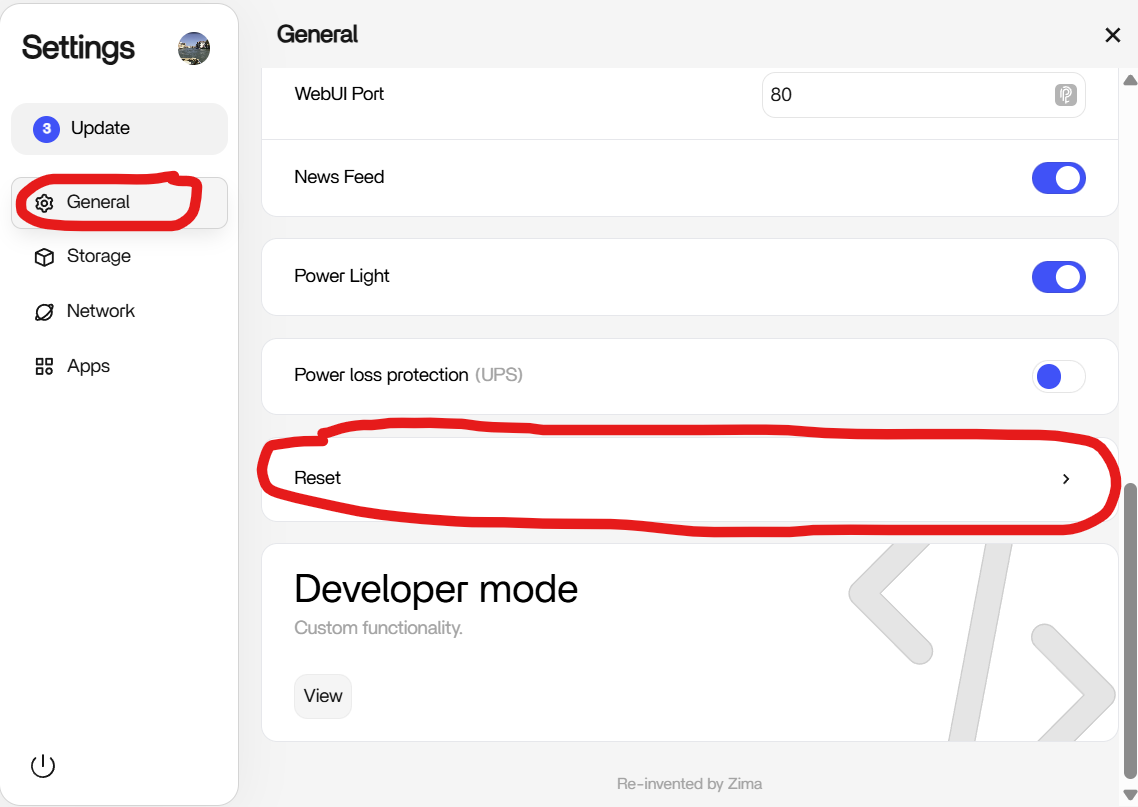
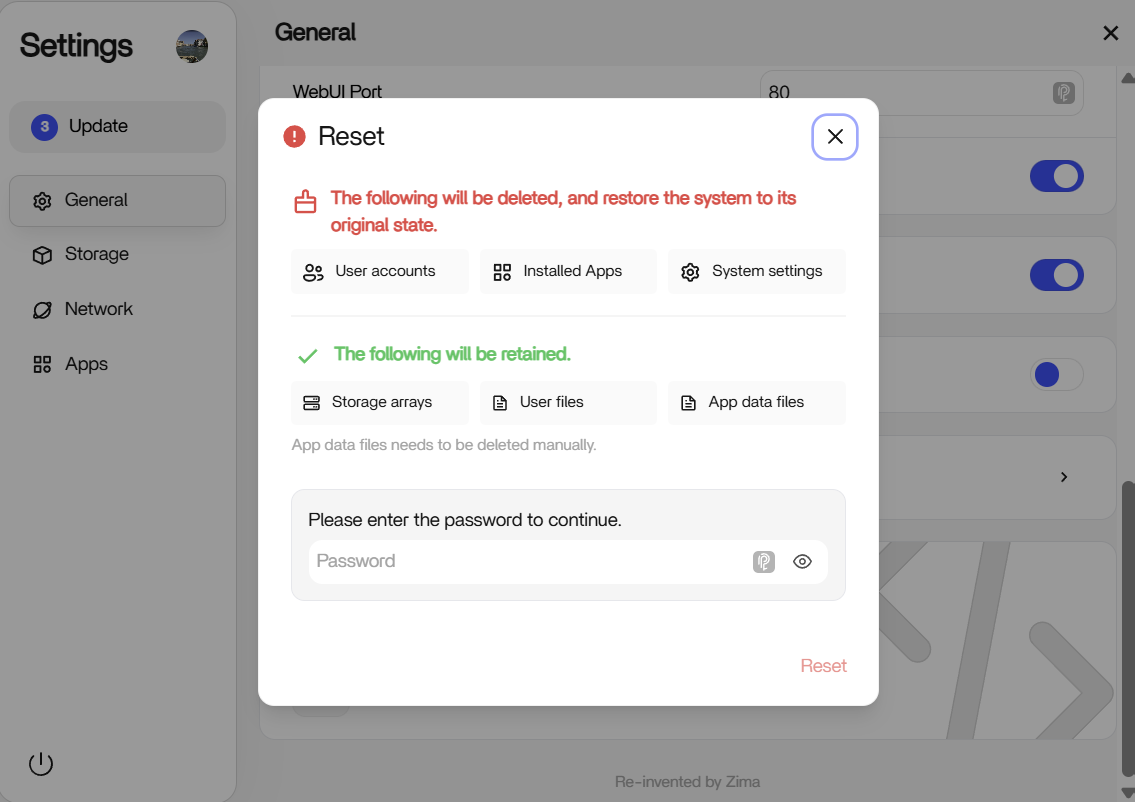
After reformatting and reinstalling, the author still reported member permission errors. That result is important: do not recommend a destructive reset as the normal solution to a user-access problem.
What to Collect Before Reporting the Issue
If a new folder created through current ZimaOS still fails for a newly created member, capture the ZimaOS version, share path, member permission setting, client operating system, exact error, and whether administrator access works. Also record the output of id for the relevant account and ls -ld for only the affected path.
That evidence is more useful than another broad ownership change. The source thread ended with the community treating a clean-install reproduction as unexpected and worthy of deeper investigation, not with a verified one-line fix.


