
ZimaOS already had a Docker container log viewer when this 2025 feature request was posted, but the request for a full system/journal log viewer remained separate. IceWhale corrected its initial reply and showed the existing “Terminal and Logs” control for apps.
That means two different needs should not be conflated: app-container logs are part of the application workflow, while host-level journalctl and system-service logs are deeper diagnostics.
Docker App Logs Were Already Available
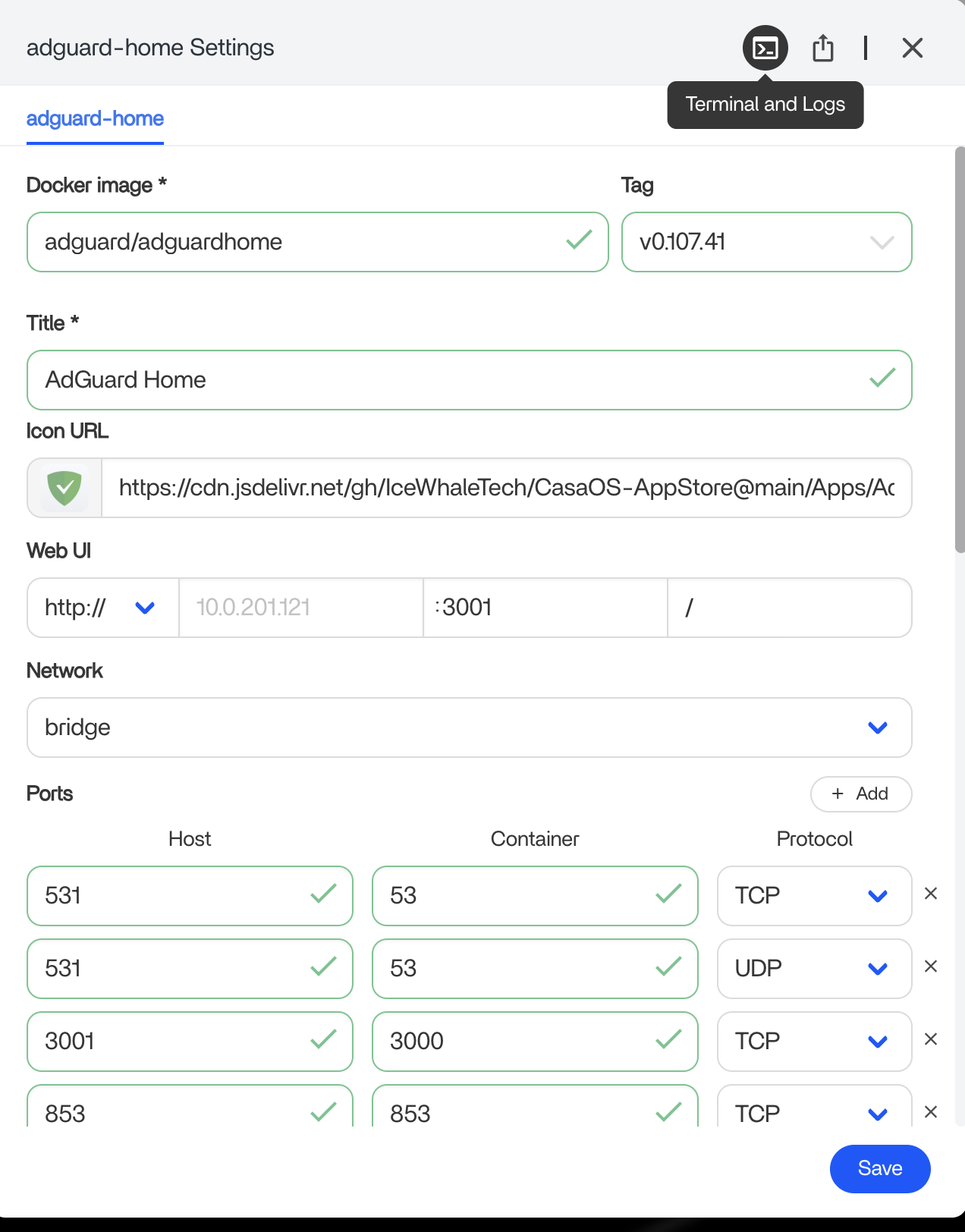
The screenshot from IceWhale shows the app settings interface with a Terminal and Logs button. For a container that fails to start, exits repeatedly or returns a bad Web UI, this should be the first log source.
System Logs Are a Different Layer
A later community reply asked specifically for a ZimaOS-wide log viewer similar to journalctl. The source thread does not show that such a full host log browser was shipped as a result of the request.
Current ZimaOS documentation still exposes the terminal for deeper diagnostics. The ZimaOS features overview notes that built-in logs and terminal access are available when troubleshooting.
Use the Narrowest Log Source First
If one Docker app is broken, inspect that app’s logs before searching all system services. If storage, network, boot or ZimaOS-native services fail, move to the host terminal and the relevant system log.
The Docker app basics helps distinguish container-level failures from host-level failures.
Capture Logs Before Restarting Everything
A restart can clear the state that caused a transient failure. Save the error, timestamp, container name and ZimaOS version before restarting an app or the whole NAS.
Bottom Line
The 2025 request was partly based on an overlooked feature: Docker logs were already in the app settings UI. The broader request for a host-wide journal viewer is different. Start with the app log for app failures and use terminal/system logs only when the fault is below Docker.


