
Agent DVR can run on ZimaOS as a custom Docker app. The clean setup is to use the current Agent DVR Docker image, map configuration and recordings to persistent ZimaOS storage, expose the Web UI on port 8090, and add TURN/WebRTC UDP ports only when your camera/client workflow needs them.
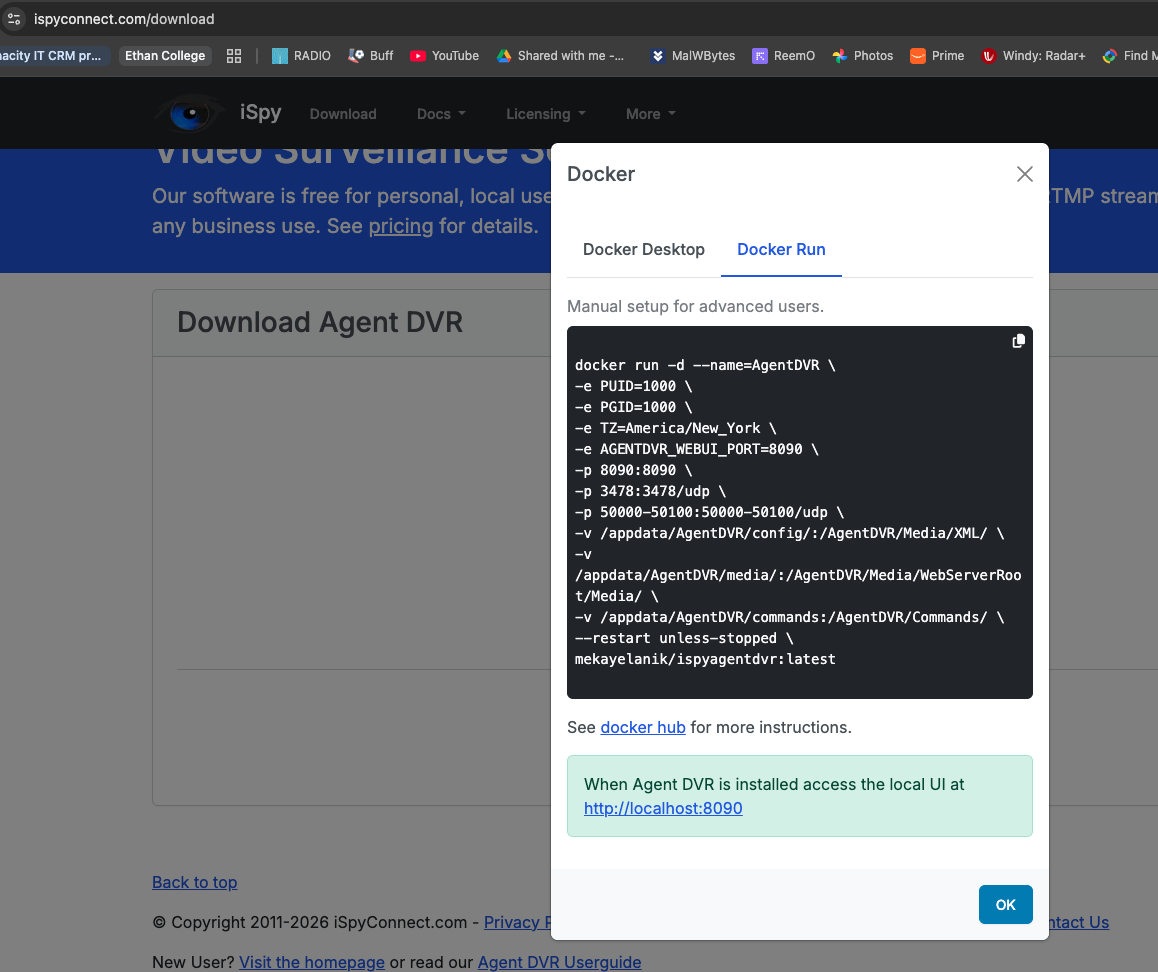
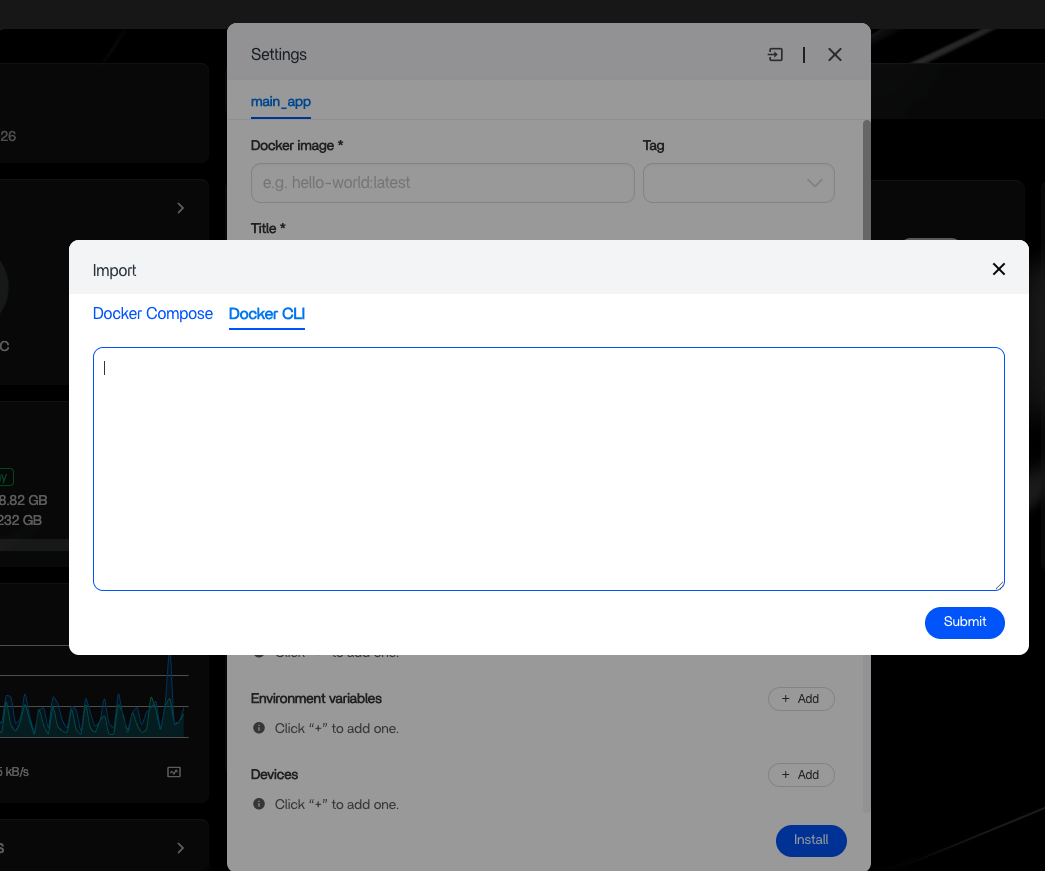
The source user successfully imported the vendor Docker command but had to create AppData folders manually. Current Agent DVR container documentation now makes the required persistent paths and GPU device mappings much clearer.
Use a Current Agent DVR Container
The current Agent DVR Docker guide documents the maintained Docker layout and current WebRTC port range.
Create Persistent ZimaOS Folders
/DATA/AppData/agentdvr/config
/DATA/AppData/agentdvr/media
/DATA/AppData/agentdvr/models
/DATA/AppData/agentdvr/commands
Do this before importing the app so the container does not write critical configuration into disposable storage.
Use the Current Volume Layout
/DATA/AppData/agentdvr/config:/AgentDVR/Media/XML
/DATA/AppData/agentdvr/media:/AgentDVR/Media/WebServerRoot/Media
/DATA/AppData/agentdvr/models:/AgentDVR/Media/Models
/DATA/AppData/agentdvr/commands:/AgentDVR/Commands
Expose the Web UI on 8090
Open http://ZIMA-IP:8090 after the container starts. If the UI does not appear, check container logs before changing camera settings.
Understand the UDP Ports
Agent DVR's current container guide uses UDP 3478 plus 50000–50100 for TURN/WebRTC. If your use is strictly local and the UI works without remote WebRTC, avoid exposing more ports than necessary.
Add Cameras Only After the Container Is Healthy
Start with one camera, confirm live view and recording path, then add more devices. This makes codec, credentials, discovery, and storage problems easier to isolate.
Map GPU Devices Only When Needed
Intel/AMD hardware acceleration typically uses /dev/dri. NVIDIA requires the host NVIDIA runtime/toolkit. First prove software decoding works before complicating the container with GPU passthrough.
Check Permissions on AppData and Recordings
The current container supports PUID/PGID. Match those values to the owner of the ZimaOS directories to avoid read-only XML/config or failed recordings.
Back Up XML Before Updating
Agent DVR stores important configuration under its XML directory. Back that up before changing image tags or major versions.
The custom app guide provides the general ZimaOS workflow.
FAQ
What port is the Agent DVR web UI?
8090 by default in the current container examples.
Where are recordings stored?
Map /AgentDVR/Media/WebServerRoot/Media to a persistent host folder.
Do I need all TURN/WebRTC ports?
Not for every local-only setup. Add them only for features that require those paths.
Can Agent DVR use Intel or AMD GPU acceleration?
Yes when the required /dev/dri devices and application settings are configured correctly.


