
Immich can consume a large amount of storage, so leaving its uploads, database, and machine-learning cache on the ZimaOS system disk is rarely ideal for a growing photo library.
This 2025 thread documents a manual way to move Immich onto another ZimaOS storage location by editing host-side volume mappings. Current ZimaOS now also provides more direct storage-location and migration controls, so the manual screenshots are best treated as an explanation of how the container paths fit together.
Open Immich Settings Before Changing Volumes
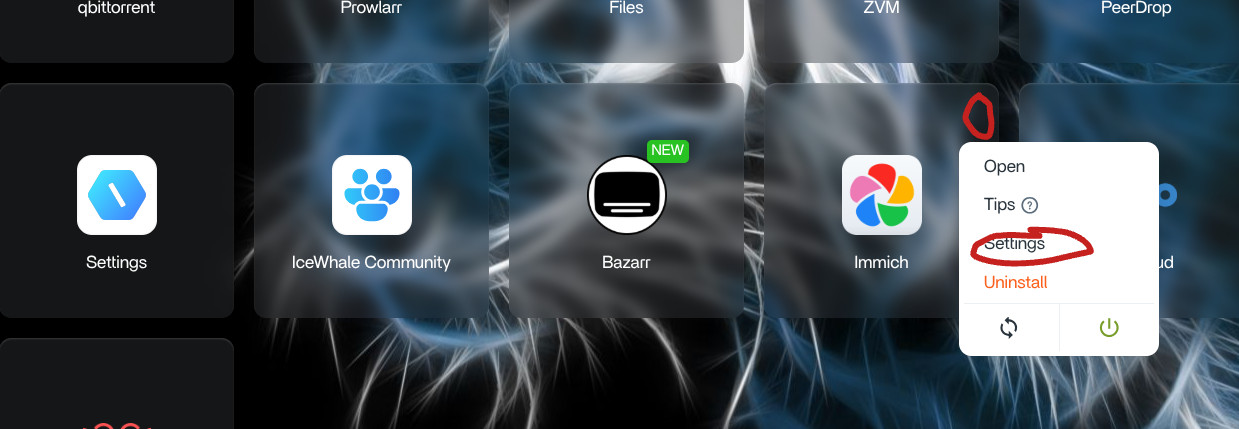
Move the Database Host Path, Not the Container Path
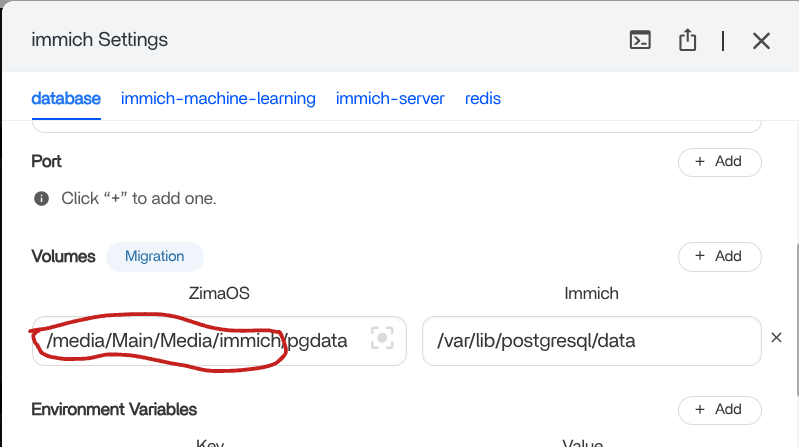
This host-versus-container distinction is critical. The application expects specific paths inside its containers; changing both sides without understanding the stack can break startup or make existing data appear missing.
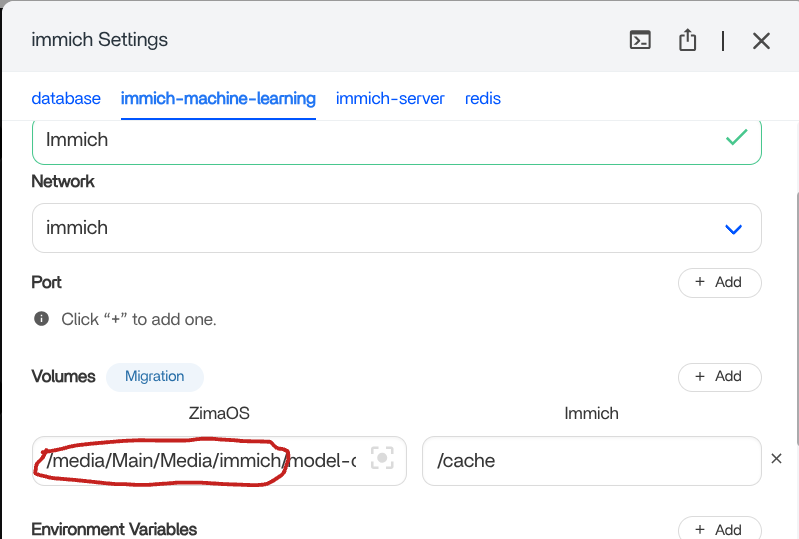
The Machine-Learning Cache Can Live on Larger Storage Too
The immich-server Tab Requires More Care
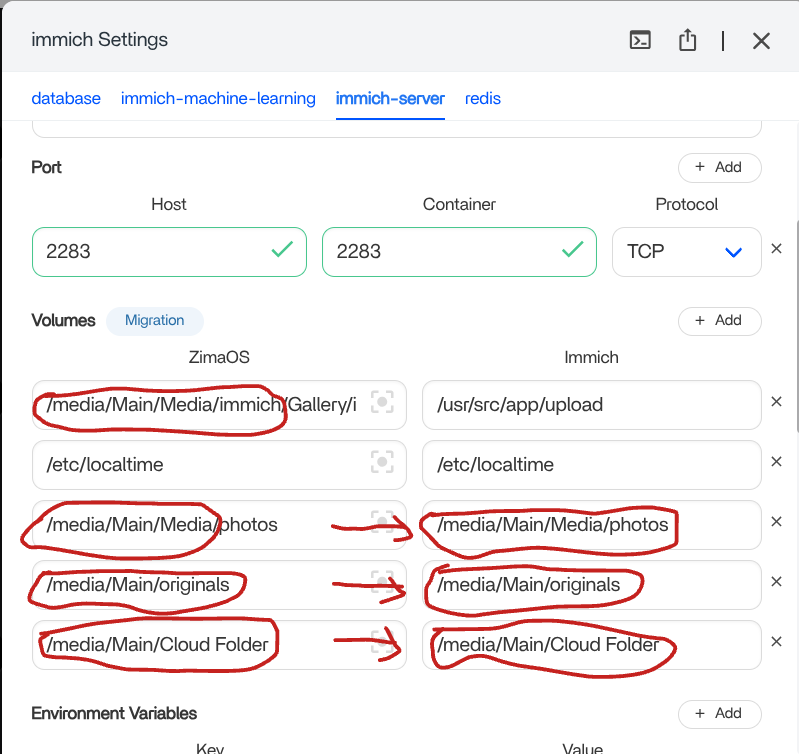
The source post was community-tested, not an IceWhale guarantee for every Immich version. Immich's stack has changed substantially over time, so do not recreate this exact 2025 volume table on a newer package without comparing the current app definition.
Current ZimaOS Provides a More Direct Storage Workflow
Current ZimaOS Immich instructions allow users to change storage-file locations and describe moving Immich data to another disk through Data Migration or a controlled manual copy.
For a current installation, start with the current Immich storage and migration controls before rebuilding volume mappings from a 2025 screenshot.
If You Move Files Manually, Stop Immich First
Current ZimaOS guidance says to disable Immich before manually copying its Gallery data, then update the relevant host-side path and restart the application. Stopping writes during the move reduces the risk of copying an inconsistent photo library.
Immich Storage on ZimaOS FAQ
Can Immich store photos on a larger disk instead of ZimaOS-HD?
Yes. Both the 2025 community example and current ZimaOS Immich workflow support using another storage location.
Should I change the container-side PostgreSQL path?
Not in the source workflow. The host-side storage path changed while the application container path remained the expected PostgreSQL location.
Do I need to follow all four 2025 tabs exactly?
No. Treat them as historical examples of the container layout. Compare them with the current Immich package before changing anything.
Is there now a built-in migration option?
Current ZimaOS Immich guidance describes both Data Migration and a controlled manual move for Immich data.


