
If the goal is “keep Immich installed on the SSD but store photos on the HDD/RAID,” you do not need to move every app category. Current ZimaOS documentation now has an Immich-specific storage workflow: use Data Migration → Library migration for user libraries such as Gallery/Media, or stop Immich, copy the Gallery to the new storage, update the immich-server host volume path, then restart the app.
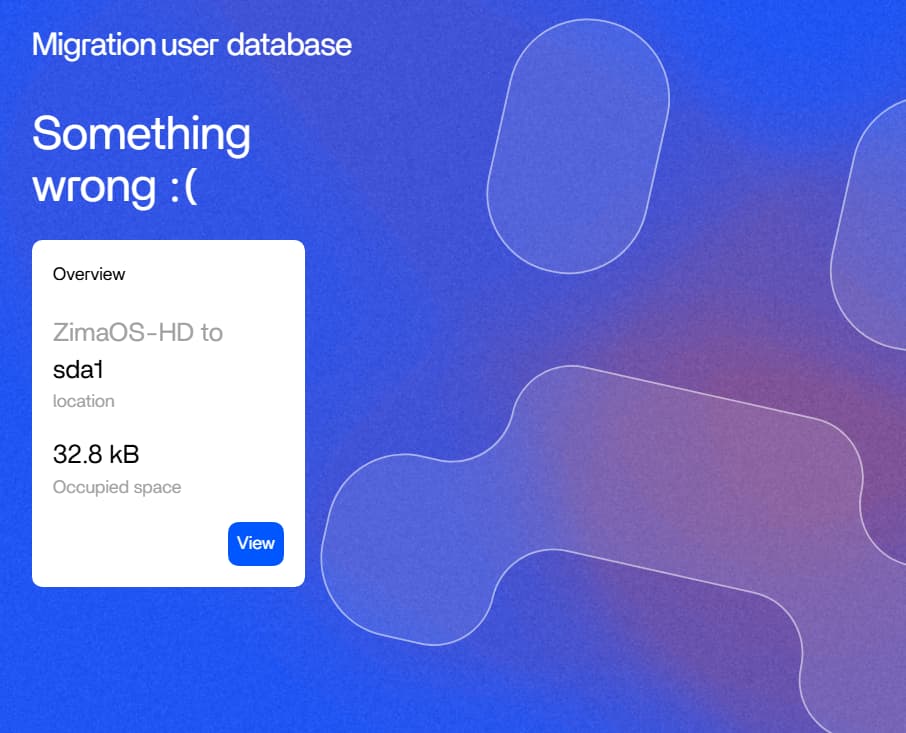
The 2025 source user tried the older Apps → User database migration screen and received a generic “Something wrong” error. That old screen should not be used as the current definitive Immich procedure because ZimaOS storage/migration tooling has since been redesigned.
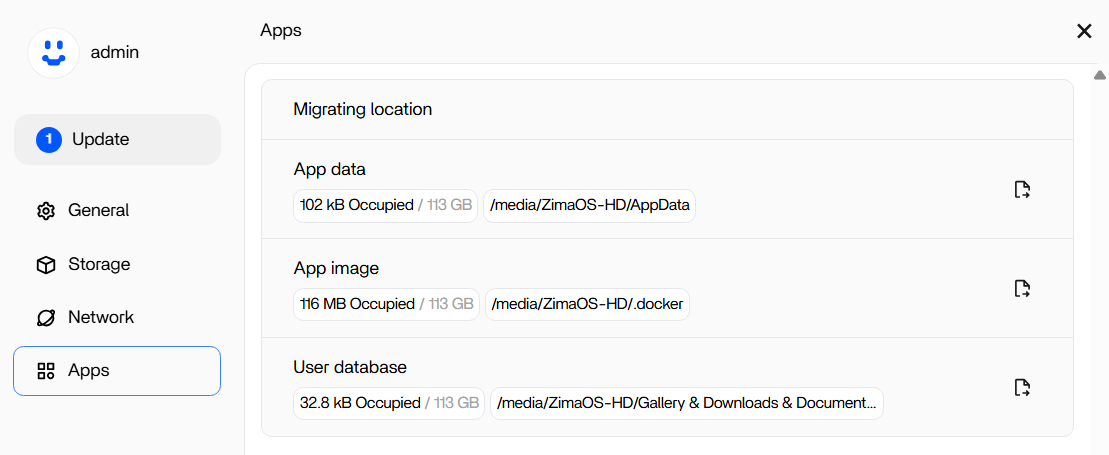
Use Current Library Migration for the User Photo Library
Current IceWhale documentation says Settings → Data Migration can move library categories such as Gallery, Documents, Media and Backup to another storage location.
For an Immich phone-photo library that lives under ZimaOS Gallery, this is the current managed path.
Use the current Immich photo and storage guide.
Manual Migration Requires Stopping Immich First
The current official manual workflow is conceptually:
- disable/stop Immich;
- copy the Gallery folder to the target storage;
- edit the
immich-servervolume so its host path points to the new Gallery; - restart Immich;
- verify old photos and new uploads.
Do not move files underneath a running photo database while uploads/indexing are active.
AppData and Photo Library Are Different Storage Decisions
Immich's application/database state and the user photo library can grow at very different rates. It is reasonable to keep lightweight app runtime/config on SSD while putting large photo/video assets on RAID or HDD.
Do not move Docker images or every app's AppData merely because the Immich library needs more capacity.
Protect the Immich Database Separately
Moving the asset library does not replace database backups. Immich's database contains user, album, metadata and file-record state. Keep a compatible database backup plus the asset files if full disaster recovery matters.
If the HDD Will Later Become a RAID, Plan the Next Move Now
The source user intended to replace the test HDD with a RAID array. A stable top-level storage path and current ZimaOS Data Migration workflow make that future move easier than scattering Immich volumes across multiple temporary folders.
Verify Both Existing Photos and a New Upload
After migration, open several old images and upload one new photo from the phone. Confirm that the new file lands on the target HDD/RAID rather than silently continuing to consume the system SSD.
Do Not Fill the Small System SSD During Testing
A 128 GB system disk can fill quickly when phone backups, thumbnails and application caches accumulate. Current ZimaOS lets users inspect app data locations and migrate categories to larger storage before the system drive becomes critical.
Immich Storage Location FAQ
Do I need to move all AppData just to move Immich photos?
No. Current ZimaOS provides library-specific migration and Immich volume-path methods.
Did the old User database migration work for the source user?
No. Their attempt ended with a generic Something wrong error.
Can the app remain on SSD while photos live on HDD/RAID?
Yes, as long as the persistent photo-library host path is mapped to the desired storage and the database/configuration are backed up appropriately.


