
A ZimaOS user had Gluetun connected to NordVPN and wanted Deluge to share its VPN network stack. Gluetun was running, but the Deluge Web UI would not open. The user eventually exported Deluge's Compose definition, removed its own port mappings, added container network sharing, and reimported the stack.
This was a community-confirmed configuration, not an IceWhale App Store template. A later user could not reproduce it with Deluge and used Transmission instead.
How the Gluetun and Deluge Network Path Works
Browser → port published by Gluetun → Deluge Web UI
Deluge traffic → Gluetun network namespace → VPN tunnel → Internet
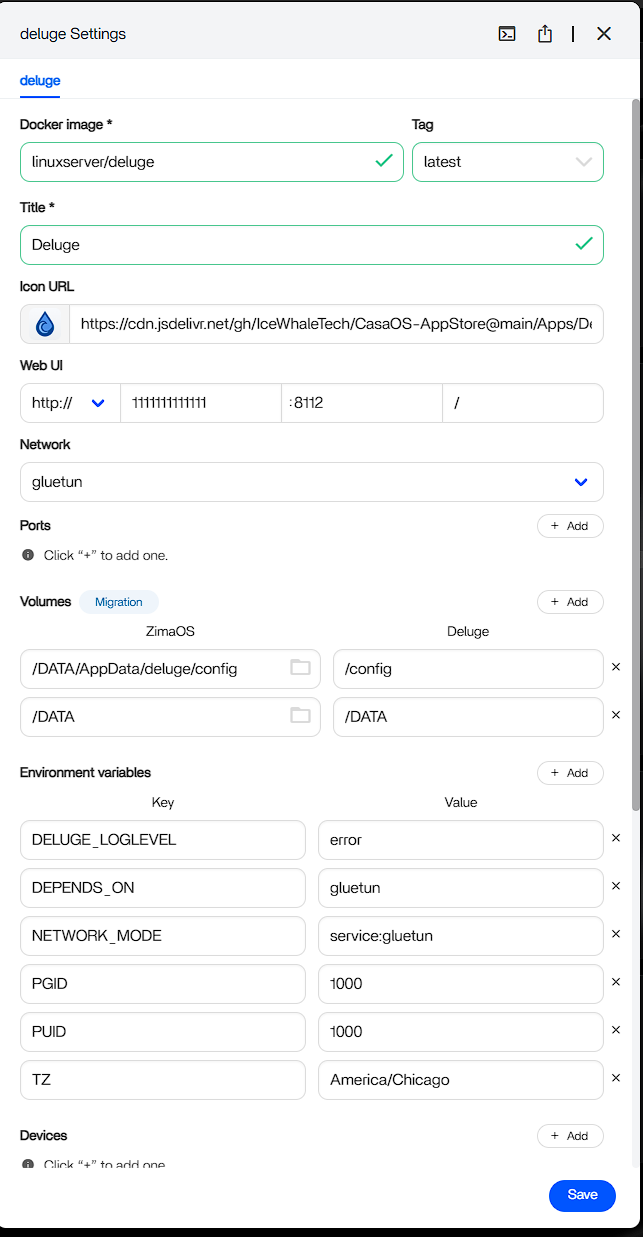
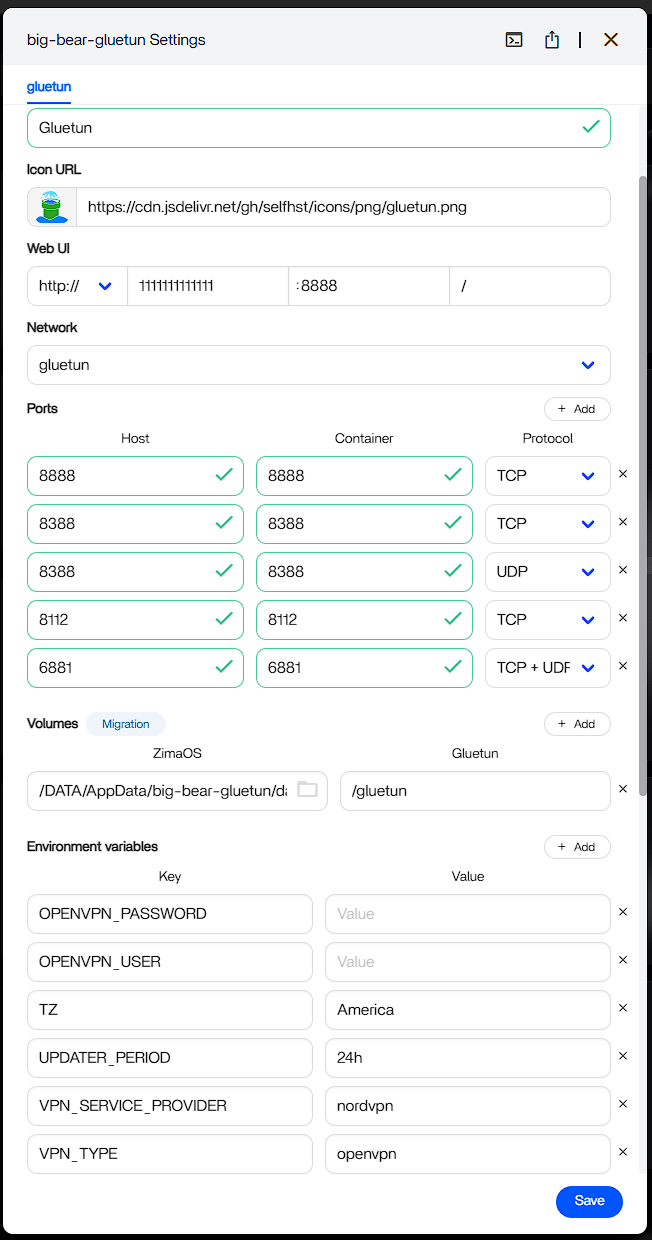
When Deluge uses Gluetun's network namespace, Deluge no longer owns an independent network stack. Its Web UI and peer ports must be published by Gluetun, not duplicated on Deluge.
The Working Community Workflow
- Remove the initial Deluge app after preserving its configuration and downloads.
- Use custom installation to remove Deluge's own published ports.
- Export the resulting Compose definition.
- Add
network_mode: container:gluetunto Deluge. - Ensure the Deluge Web UI and required peer ports are published on Gluetun.
- Import the edited Compose stack and open Deluge through the Gluetun-published host port.
The official Gluetun project documents network_mode: "container:gluetun" for a container in another Compose project and network_mode: "service:gluetun" for services in the same project. Review the Gluetun container-connection guide before choosing one.
Verify Both Reachability and Egress
The source user ran an external-IP check inside the Deluge environment and saw the VPN address instead of the ISP address. Also test that the Web UI remains reachable from the LAN, downloads use the intended paths, and traffic stops if Gluetun becomes unhealthy.
Protect VPN Credentials and Compose Exports
Screenshots and exported YAML can include provider usernames, passwords, private keys, server locations, and local paths. Redact them before sharing. Prefer environment files or secrets where supported and rotate any credential exposed publicly.
Understand the App Store Boundary
Exporting and reimporting Compose can disconnect the new stack from the original App Store lifecycle. Record image tags and configuration, then test upgrades manually. Do not run broad “Docker cache cleanup” commands simply because a reinstallation retained settings; persistent AppData is designed to survive container replacement.
Gluetun and Deluge FAQ
Why did the Deluge Web UI disappear?
Once Deluge shares Gluetun's network namespace, its access port must be published by Gluetun.
Should Deluge keep its own port mappings?
Not in this shared-network design; publish the required ports on Gluetun.
Was the result universal?
No. The original poster confirmed it, while a later participant used Transmission after failing to reproduce the Deluge setup.


