
The source power jump is more informative than the absolute wattage. The user measured the system externally at roughly 15 W after a fresh ZimaOS install, then about 30 W after reinstalling services such as Tailscale, AdGuard, and a game-server manager—even with the game servers themselves stopped.
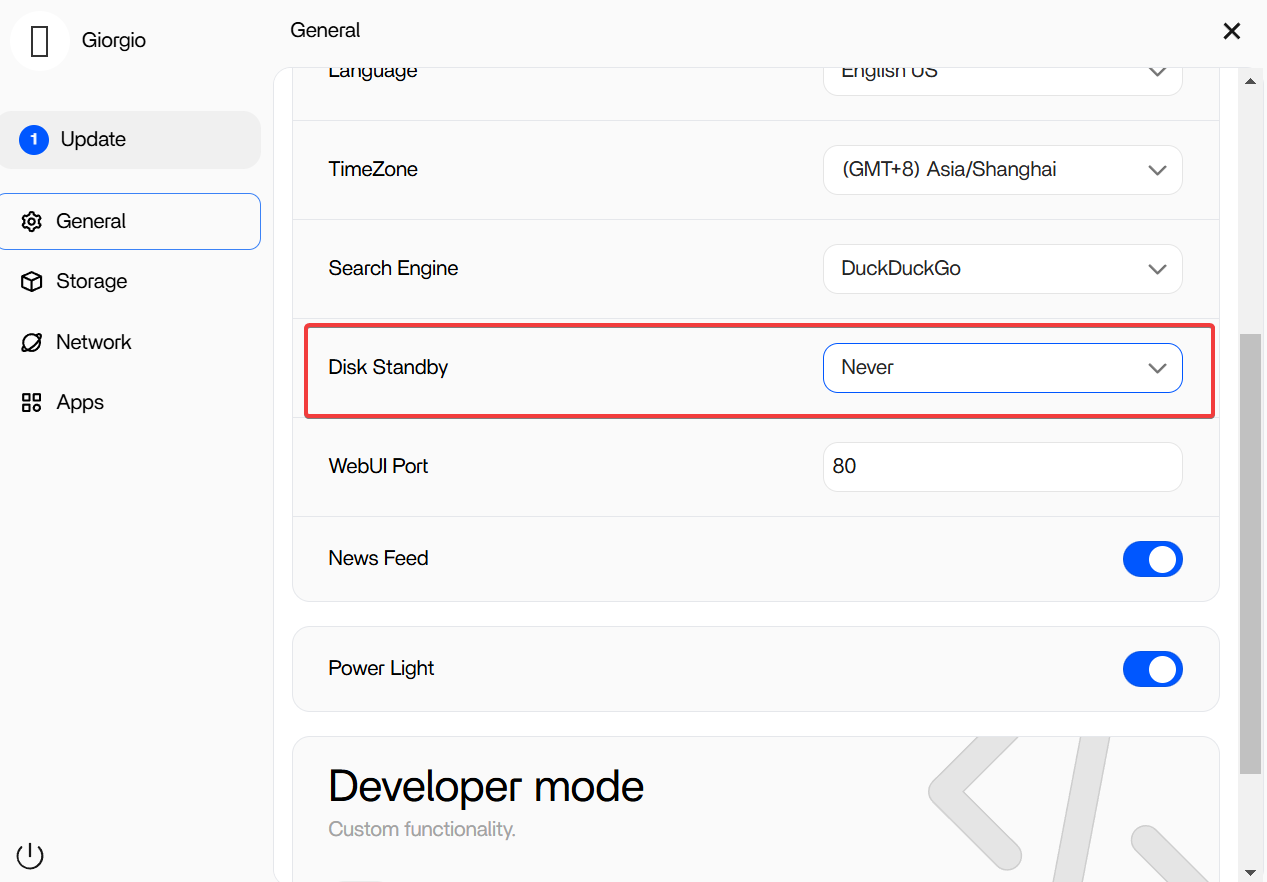
IceWhale said ZimaOS was already using a powersave mode and pointed to Disk Standby for HDD systems, but the thread never produced a supported powertop installation or a proven 30 W → 15 W fix. For generic x86 hardware, the safest optimization method is workload isolation: measure at the wall, stop one service at a time, then evaluate firmware/CPU/device power states only after you know what actually changed the idle draw.
Start with a Clean Idle-Power Baseline
The source user already did something valuable: measure the same machine at the wall plug before and after installing services. That is more useful than comparing software-reported CPU package power from different systems.
Record idle watts after boot, wait for indexing and startup jobs to settle, and use the same peripherals, disks, NIC link speeds, and display state each time.
An “Idle” Container Stack Can Still Keep the System Busy
Ad blocking, VPN overlays, monitoring, DNS, game-server managers, dashboards, health checks, logging, and background image updates all wake the CPU or network periodically. A container does not need high CPU percentage to prevent deeper package C-states.
Stop one service, wait several minutes, measure again, and keep a simple table of wattage changes.
The Source Did Not Establish a Supported powertop Install
The user wanted powertop, but ZimaOS's appliance design does not expose normal apt package management. Zima-Giorgio asked what tuning the user wanted to perform and said the request had been passed to engineers.
No official follow-up in this thread says “install powertop this way.” Do not turn a missing answer into an invented host-package procedure.
Disk Standby Only Helps If Rotating Disks Are a Meaningful Part of the Load
The source system had only an NVMe drive, so the user correctly questioned whether HDD standby would change much. On a multi-HDD NAS, spin-down can save noticeable power; on an NVMe-only mini PC, it is irrelevant.
BIOS Power Features Can Matter More on Generic x86 Hardware
Generic motherboards vary in C-state support, ASPM, PCIe devices, SATA controllers, USB peripherals, NIC firmware, and wake timers. Those differences can explain why the same workload idles lower under another OS.
Change only one BIOS power option at a time and keep a recovery path. Deep C-states or aggressive ASPM can expose firmware/device stability bugs on some hardware.
High-Speed NICs Can Raise Idle Power
2.5GbE, 10GbE, add-in NICs, GPUs, HBAs, USB DAS bridges, and always-on displays can each consume several watts or prevent deeper platform sleep states. If idle power matters more than peak throughput, test with nonessential expansion devices disconnected.
Current ZimaOS Is Newer Than the 2025 Open-Beta Build
Current IceWhale documentation identifies ZimaOS 1.7.1 as the latest stable release. Kernel, storage, and device-management behavior has changed since this Open Beta thread.
Use the current ZimaOS baseline before comparing old wattage numbers.
A Practical Low-Risk Optimization Order
- measure clean idle power at the wall;
- stop/remove unnecessary containers one at a time;
- move rotating disks to an appropriate standby policy if used;
- disconnect unused USB/PCIe devices;
- verify current BIOS and firmware;
- test C-state/ASPM settings one change at a time;
- retest long-term stability after every meaningful power reduction.
ZimaOS Power FAQ
Did the source prove ZimaOS itself consumes 30 W at idle?
No. The same machine was around 15 W after a fresh install and rose after additional services were installed.
Did IceWhale provide a supported powertop procedure?
No. The source only records the request being discussed.
Will Disk Standby help an NVMe-only system?
No meaningful HDD power can be saved if there are no rotating disks.


