
If the ZimaOS Files text editor does not show an obvious Save button, use the editor’s keyboard save shortcut and verify the success notification before closing the file. On macOS, the original user confirmed Command + S saved changes even though the GUI did not expose a matching button.
This is best treated as a file-editor usability issue, not a reason to edit configuration files through SSH by default. The important part is confirming that the change was actually written to disk and understanding when an application must be restarted afterward.
What the Missing Save Button Looks Like
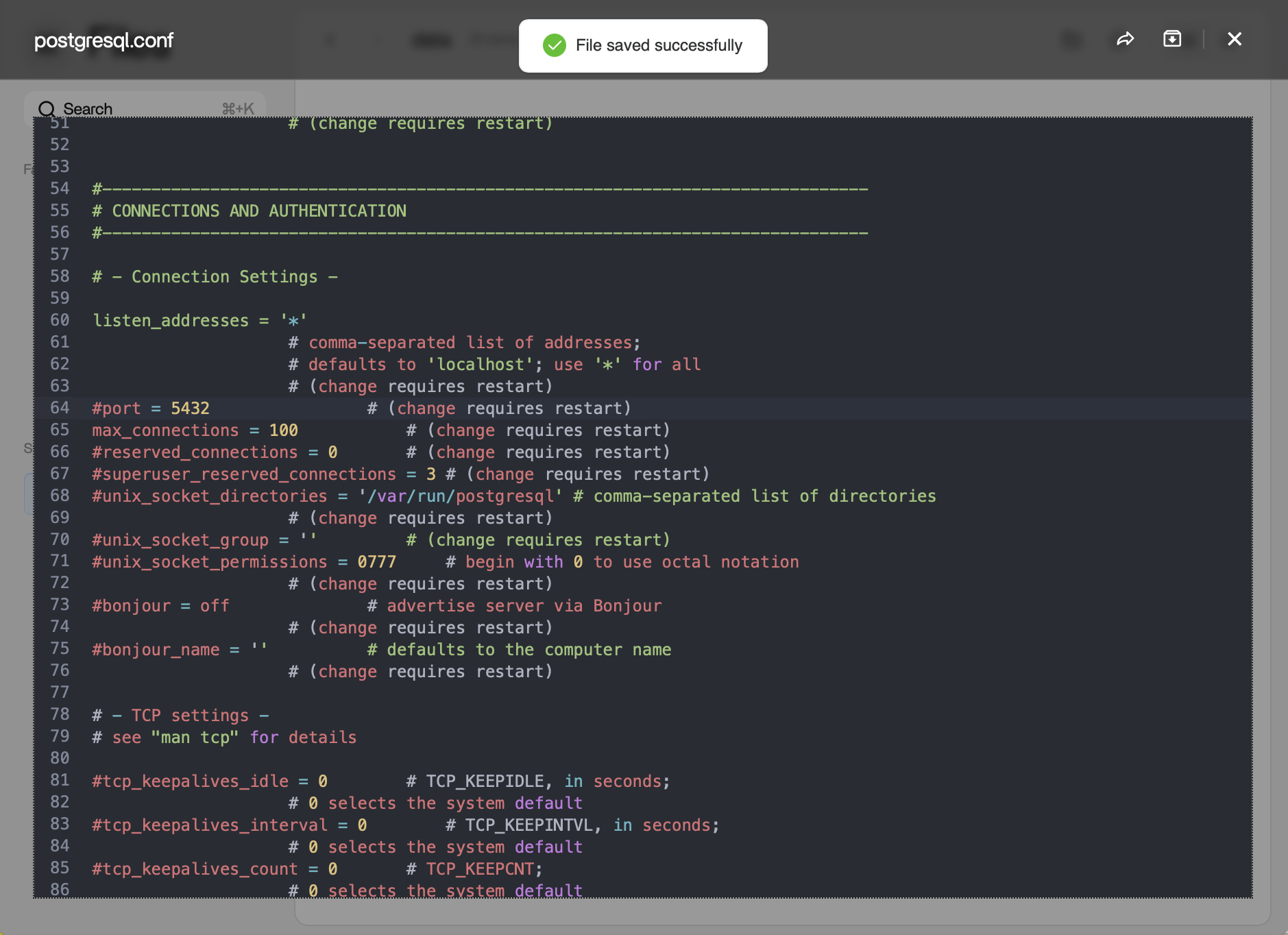
The Files editor can open text-based configuration files such as .conf and .yaml. In the source case, the editor showed a “File saved successfully” message after the keyboard shortcut even though the user could not find a dedicated Save button.
How to Save a File Safely
On macOS
Use Command + S. Wait for an on-screen success message before closing the editor.
On Windows or Linux
Try the conventional Ctrl + S shortcut. Because the original thread only verified the macOS shortcut, confirm that the current editor displays a successful save message rather than assuming the keystroke worked.
Verify the File Really Changed
After saving, close and reopen the file in Files and confirm the edited line is still present. For configuration files, this simple re-open check is more reliable than trusting that the browser did not intercept the shortcut.
If the file belongs to a Docker application, remember that editing the file and applying the configuration are separate actions. Some services reload configuration automatically, while others require a container restart or an application-specific reload command.
Watch for Read-Only or Permission Problems
If the editor opens a file but saving fails, the problem may be permissions rather than the missing button. Check whether the file lives in a user-writable storage area or an application volume. ZimaOS protects parts of its system layer, and configuration under protected system paths should not be edited casually.
For App Store containers, the current ZimaOS app storage guide explains where persistent app data is mapped on storage.
Do Not Edit Files Inside a Disposable Container Layer
Changes made only inside a running container can disappear when the container is recreated or updated. Prefer editing a configuration file that is mapped to persistent storage, or use the application’s own settings interface.
The Docker persistence guide explains why the host path matters.
What If the Browser Captures the Shortcut?
A browser extension, operating-system shortcut, or focused page element can intercept Ctrl/Command + S. Click inside the editor first, make a harmless test change, use the shortcut, and watch for the ZimaOS save notification.
If the shortcut opens the browser’s “Save Page” dialog instead of saving the file, cancel it and test another supported browser or a private window.
Why a Reload-from-Disk Control Would Be Useful
The original user also requested a “Reload from Disk” button. That matters when a file is changed by another process after the editor opened it. Without a reload function, refreshing or reopening the file is the safest way to avoid overwriting newer changes with an older browser copy.
Back Up Important Configurations Before Editing
Before changing a complex Compose, YAML, database, or service configuration, copy the original file to a backup name or another folder. This gives you a quick rollback if a syntax error prevents the application from starting.
FAQ
Does Command + S work in the ZimaOS Files editor?
It was directly verified by the original macOS user. On current versions, confirm the on-screen save notification because UI behavior can change between releases.
Why did my application ignore the saved change?
The file may have saved correctly but the application may require a restart or configuration reload. Check the upstream application’s instructions.
Why does the edit disappear after an app update?
You may have edited the container’s temporary filesystem instead of a persistent volume. Move configuration to a mapped AppData path.
Should I edit ZimaOS system files with the Files editor?
Only when official documentation specifically calls for it. ZimaOS protects its system layer, and arbitrary system edits can be lost or cause update problems.


