
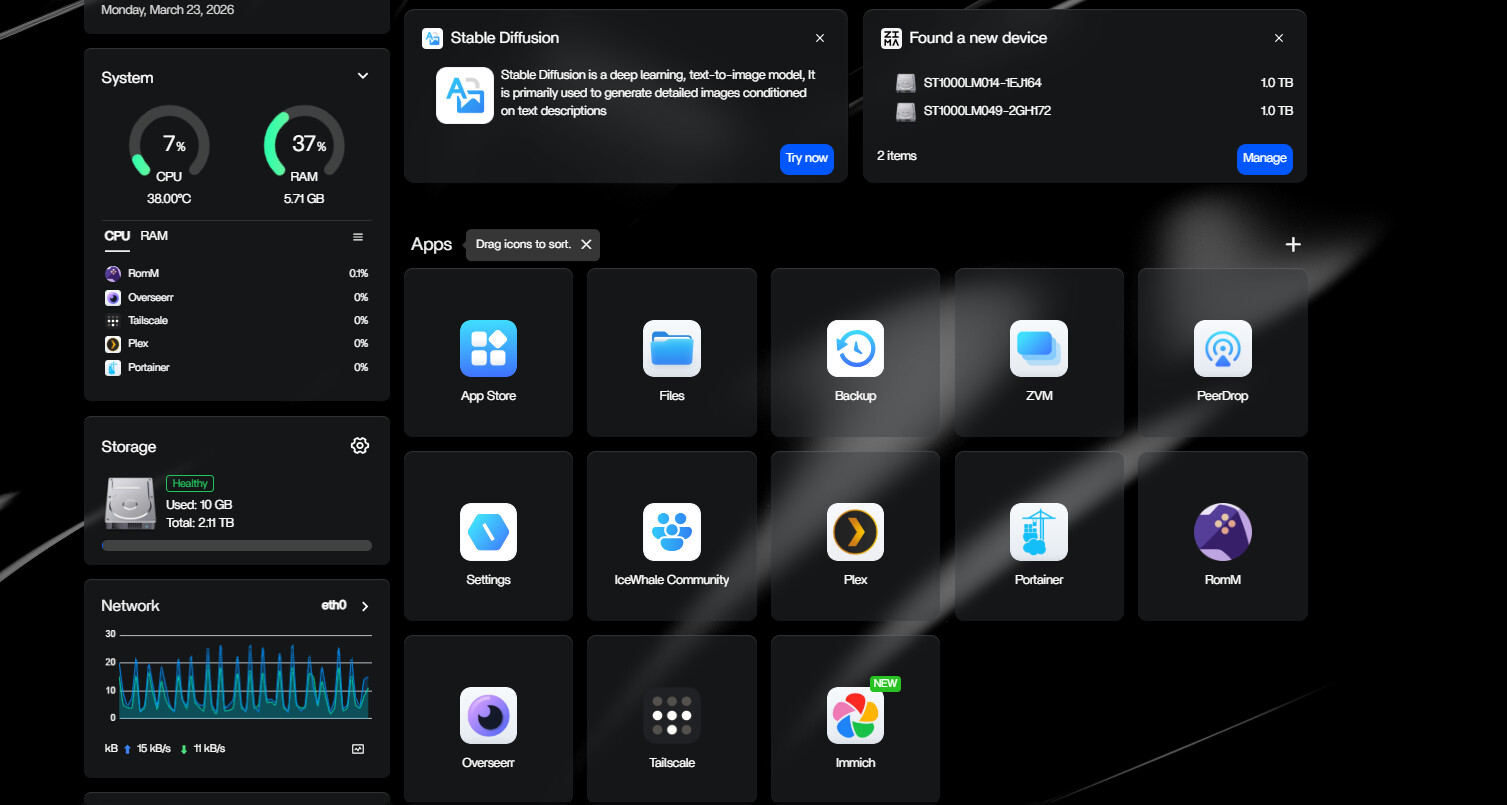
The March 2026 source user was building a first NAS from an HP T640 thin client with a 128 GB NVMe system disk and three USB-connected hard drives. Their plan was sensible: keep photos on one external disk, back them up to a second disk, and put Plex media on a separate 4 TB drive. The main failure was not that USB storage was impossible. Immich stopped because the app's volume mappings were edited incorrectly.
The storage-capability part of the thread also needs a current version boundary. In March 2026, the user and responder treated USB drives as more limited than internal storage. Current ZimaOS documentation now explicitly says USB drives follow the same storage logic as internal HDDs/SSDs and can be used for storage, added to an array, or used to expand existing space.
The Source NAS Was Entirely Dependent on USB Storage
The setup used:
- HP T640 thin client with AMD R1505G, 8 GB RAM, and 128 GB NVMe;
- two 2.5-inch Seagate HDDs in separate USB enclosures;
- one 4 TB WD external HDD for Plex media.
Because the thin client had no convenient internal drive bays, the user needed USB storage to behave like primary NAS storage rather than temporary removable media.
The Drives Appeared as USB Storage
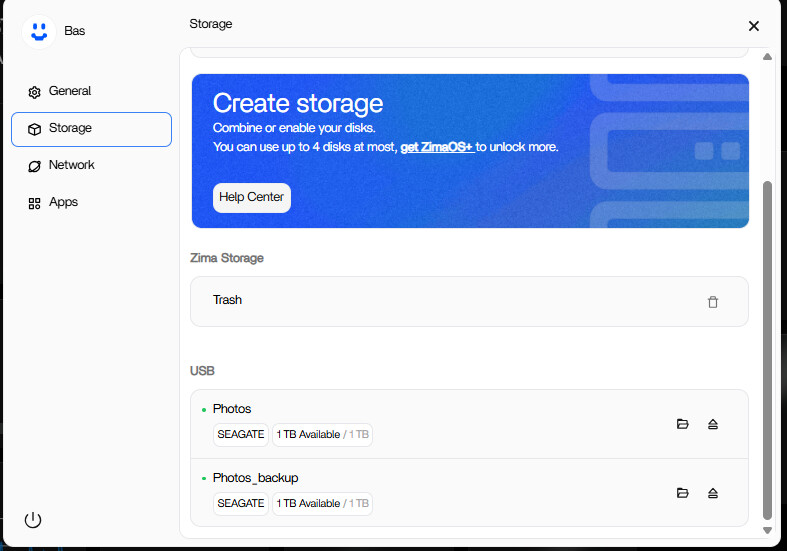
The user believed external drives could not be treated like internal storage or used for RAID. That reflected the behavior and expectations around their March 2026 setup, not the current ZimaOS storage model.
Current ZimaOS Treats USB Drives as Normal Storage
Current IceWhale documentation says USB drives follow the same logic as internal HDDs and SSDs: they can be used as single storage, added to an array, or used to expand existing space.
Use the current ZimaOS storage workflow for USB drives instead of building a new system around the older assumption that USB RAID is categorically unsupported.
The Immich Failure Was a File-versus-Directory Mapping Error
The source user changed Immich's volume settings and Docker returned an error saying it could not mount:
/media/Photos/Immich
→ /etc/localtime
/etc/localtime inside the container is a file, not a photo-library directory. Docker therefore rejected the attempt to mount a folder on top of that file.
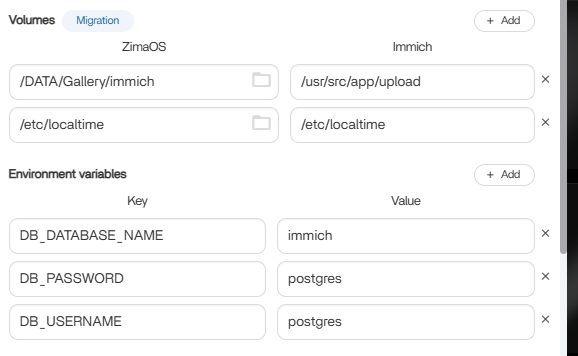
/etc/localtime file mapping.Keep Photo Storage and /etc/localtime as Separate Mounts
The community responder correctly separated the two roles:
- photo host folder → Immich's upload/data directory;
- host
/etc/localtimefile → container/etc/localtimefile.
Current Docker bind-mount rules still require source and destination types to match. A directory cannot be mounted over a file as though they were interchangeable.
The /DATA Bind-Mount Workaround Was a Historical Community Suggestion
The responder also suggested creating a stable directory under /DATA and bind-mounting the USB path there because external disks might not be ready when applications started after reboot.
That was community guidance for the source version. Current ZimaOS has stronger managed USB storage support, so a new installation should first use the Storage UI and the app's managed volume picker rather than creating a custom boot-time bind mount.
Point Immich at Managed Storage, Not a Raw Device Path
Current ZimaOS recommends putting application data and large media libraries on the storage space intended to hold them instead of filling the system drive. Use the host path selected by ZimaOS, then preserve the container-side path Immich expects.
For current application mappings, the ZimaOS app-storage path model explains how host and container paths fit together.
RAID and Backup Still Solve Different Problems
Even though current ZimaOS can use USB drives in arrays, RAID 1 is not a substitute for a second independent backup. Two USB disks in one array protect against a member-disk failure but not accidental deletion, malware, enclosure/controller problems, or loss of the whole NAS.
The source user's idea of keeping an additional copy remains useful even though the storage feature set has changed.
Plex Media Is Simpler Than Immich Application State
The user considered the 4 TB Plex drive disposable because the video content could be replaced. That is a reasonable risk distinction: media files, Immich photos, Immich database state, and application configuration do not necessarily deserve the same redundancy or backup policy.
External USB Storage FAQ
Can current ZimaOS use USB drives as managed storage?
Yes. Current Storage documentation explicitly supports USB drives as storage and array members.
Why did Immich fail after changing the directory?
The photo folder was accidentally mapped onto the container's /etc/localtime file path.
Should current users create manual /DATA bind mounts for every USB drive?
No. That was a historical community workaround. Start with current managed Storage and app-volume controls.


